How to solve a problem on the legs of the G9 version of CHB Pleated Pants ?
 Elor
Posts: 3,440
Elor
Posts: 3,440
Hello,
I'm speaking about this (very nice) outfit by @cherubit: https://www.daz3d.com/dforce-chb-pleated-pants-outfit-for-genesis-9-and-8-female
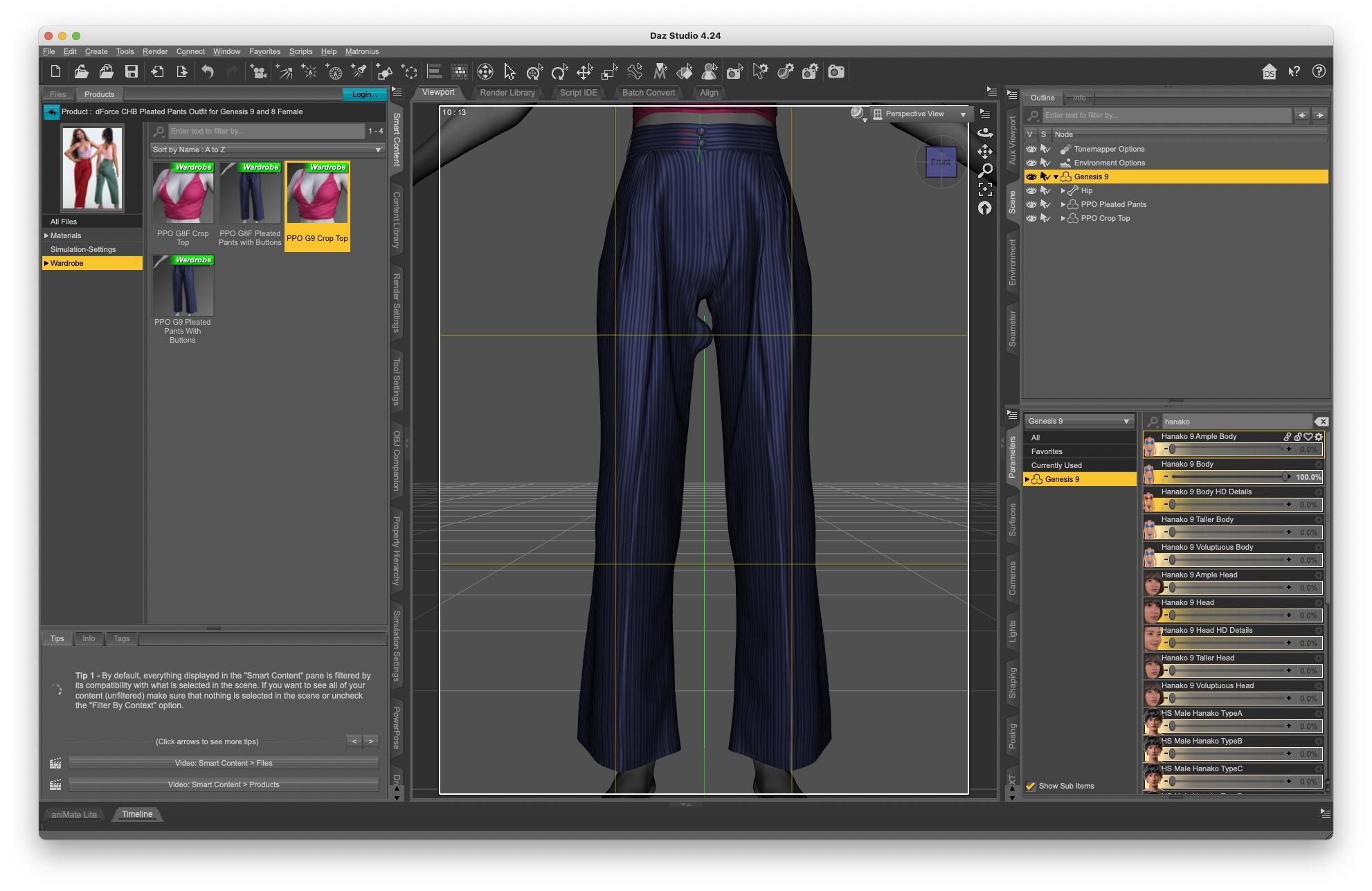
I saw the problem trying to fit in on Hanako 9 (it's likely happening with all characters with slim legs: I saw it too with Death 9) and after auto-follow did its job, I ended with this strange bump on the right thigh:
It felt like a weight map problem and the problematic bump does have weight map linked to the left tight bones (and vice-versa):
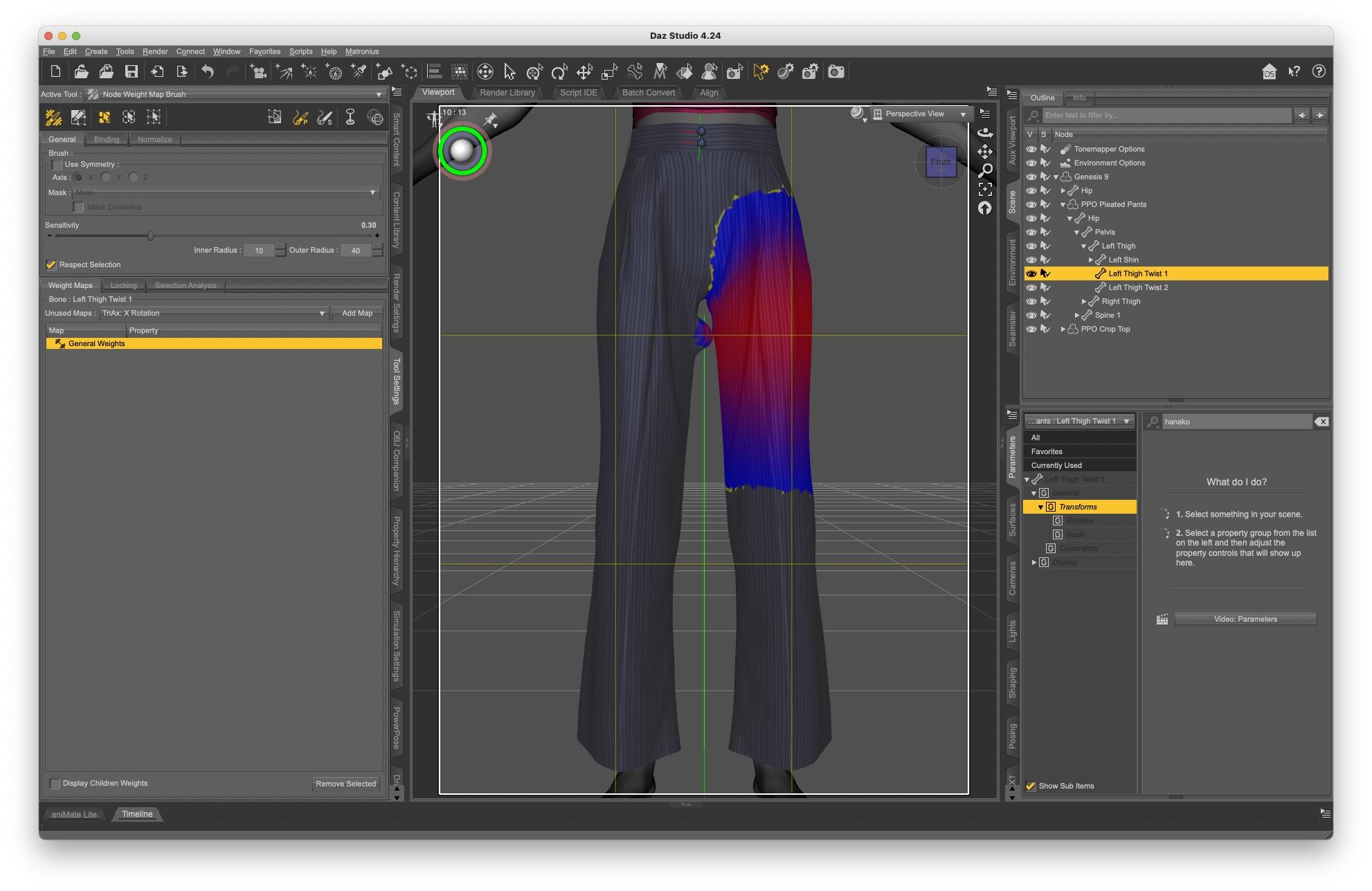
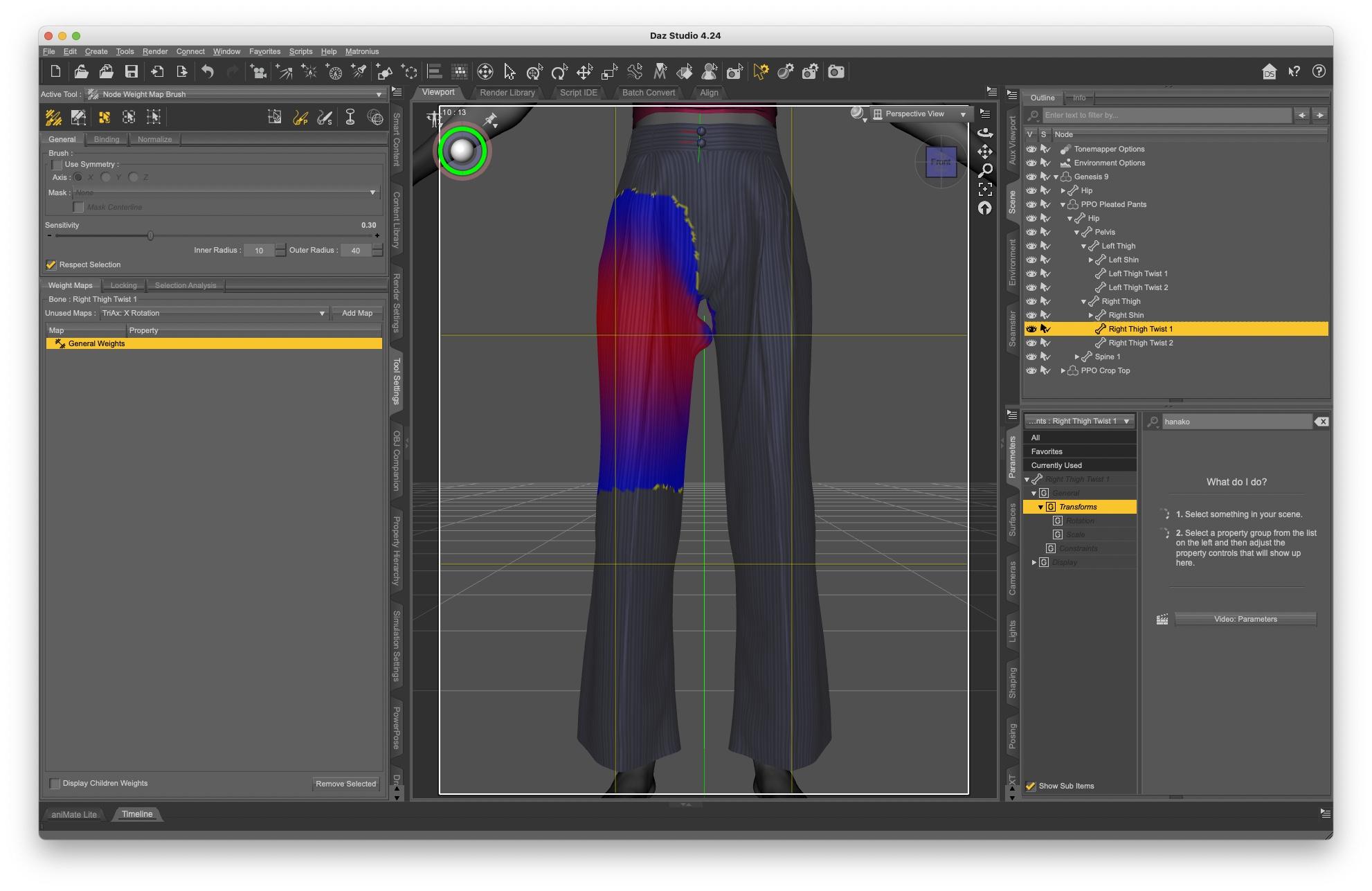
I removed all and tried to smooth everything so that most of the weight was put on the right tight bones, but the bump is still here (it also survived clearing the generated morphs). No screenshot, I forgot to take one and Daz Studio crashed when I tried to use a script.
The Genesis 8 version also has a small part of the right tight painted to the left tight bone, but I was not able to find a body triggering the bump to such a visible extend.
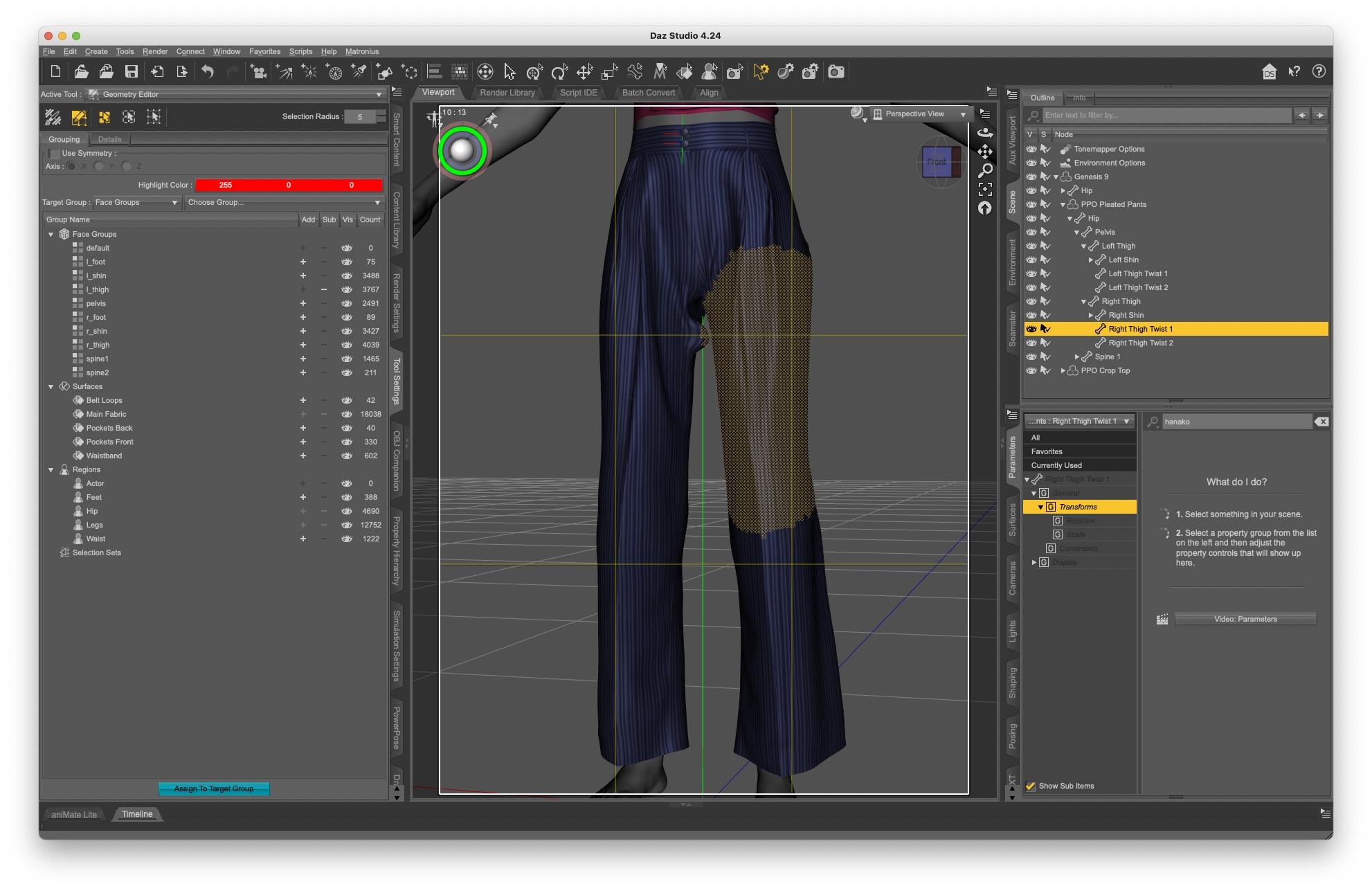
Looking a bit further, some part of the bumpy area are attached to the wrong face group (same as some part of the left tight part of the pants are attached to the right tight face group):
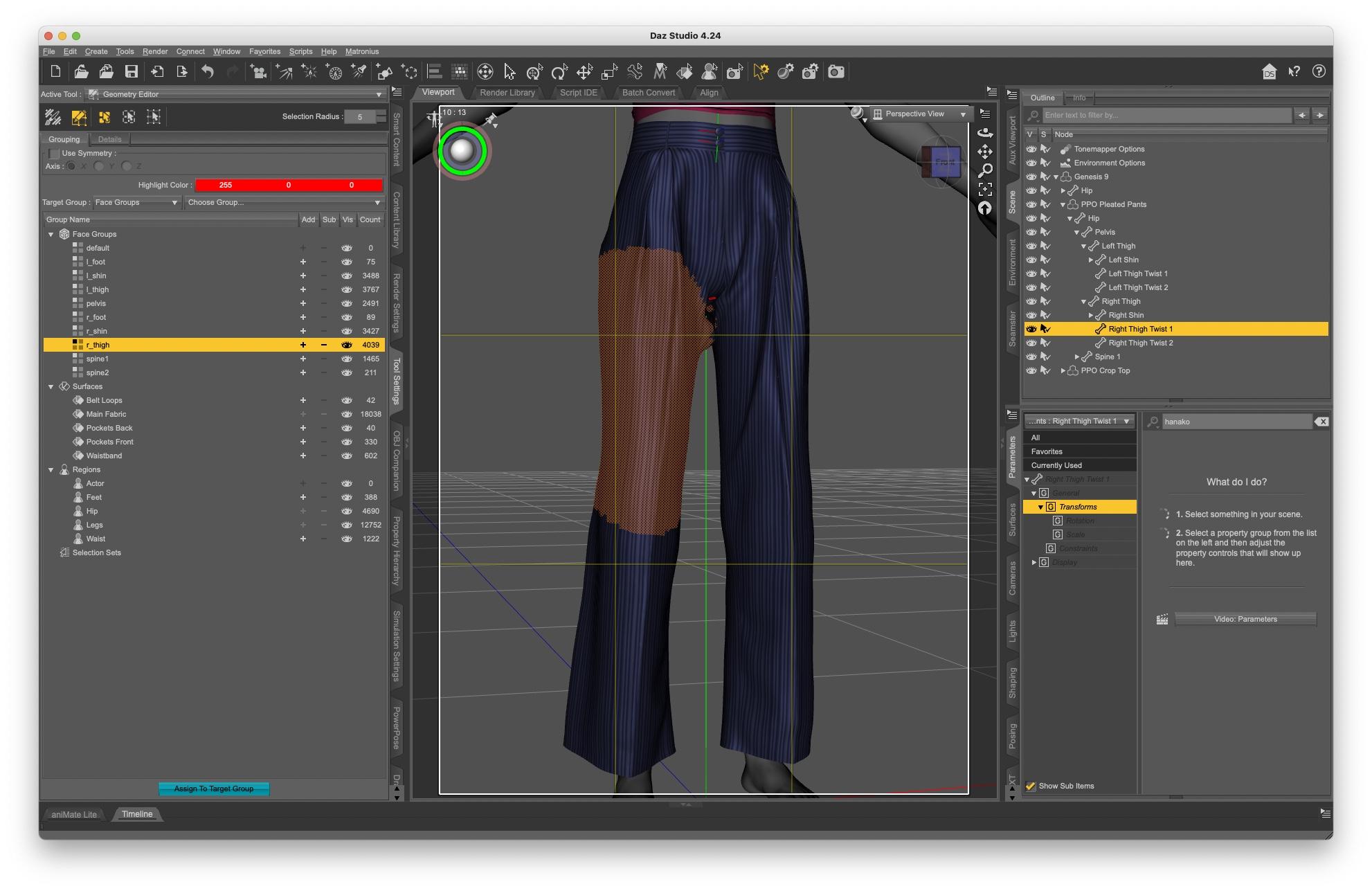
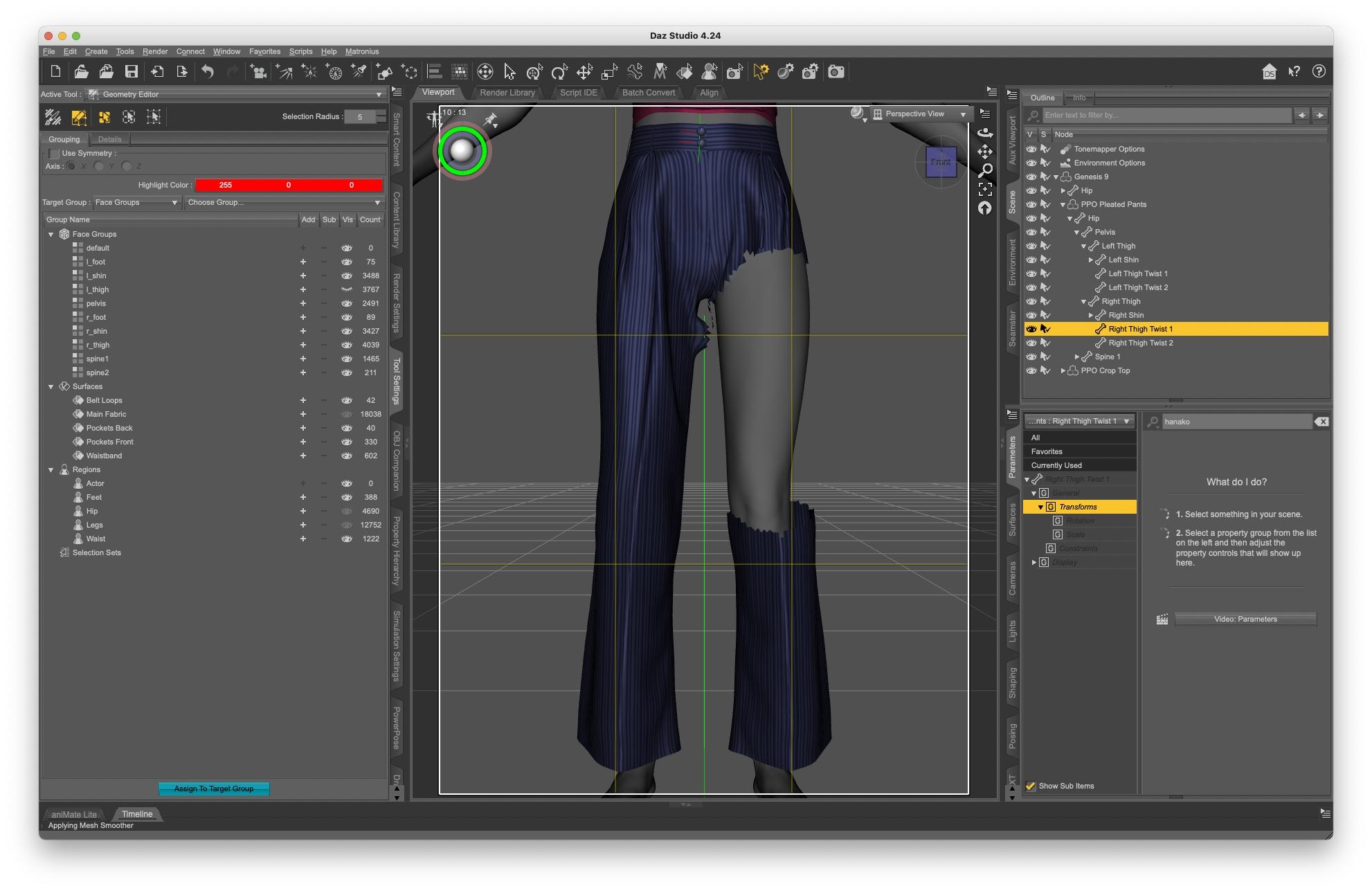
Does someone have an idea about the cause of the problem and how to fix it? I'm planning on opening a ticket, but would prefer to have a better understanding before doing so, to have a better chance of explaning the problem correctly.
Thank you :)

Daz 3D is part of 
Connect
DAZ Productions, Inc.
7533 S Center View Ct #4664
West Jordan, UT 84084
Licensing Agreement | Terms of Service | Privacy Policy | EULA
© 2026 Daz Productions Inc. All Rights Reserved.
Comments
That's definitely an issue of wrong weight transfer... which usually happens to the wearables with a short or very close distance in between inner thighs (let alone these pants have an asymmetrical shape around the inner thighs....).
If I were the vendor, I would rig the pants with a tailor-made projection template with more precise weight mapping.
If you want to fix it, I would like to suggest a quick way as below:
1) With Node Weight Brush, select the bone: Left Thigh Twist 1, then Shift + L, select the polygons that have wrong weight on right thigh. Then Fill Selected with 0 Weight from right-click menu. (screenshot 1). Fix the weight mapping on Left Thigh Twist 2, Right Thigh Twist 1 and Right Tight Twist 2 in the same way ~~
2) Fix the Base Mesh of inner thigh on the right side... with Blender or Mesh Grabber. Export / Import OBJ to Update Base Geometry of the pants via Edit > Figure > Geometry... (screenshot 2)
3) Test figure's thighs Side-Side rotations, there should be no big issue (screenshot 3). Fix cbs on the pants if needed. Then save them as a Wearable Preset or a user's Figure Asset.