How do I change the texture to my own creation?
 Drogo Nazhur
Posts: 1,273
Drogo Nazhur
Posts: 1,273
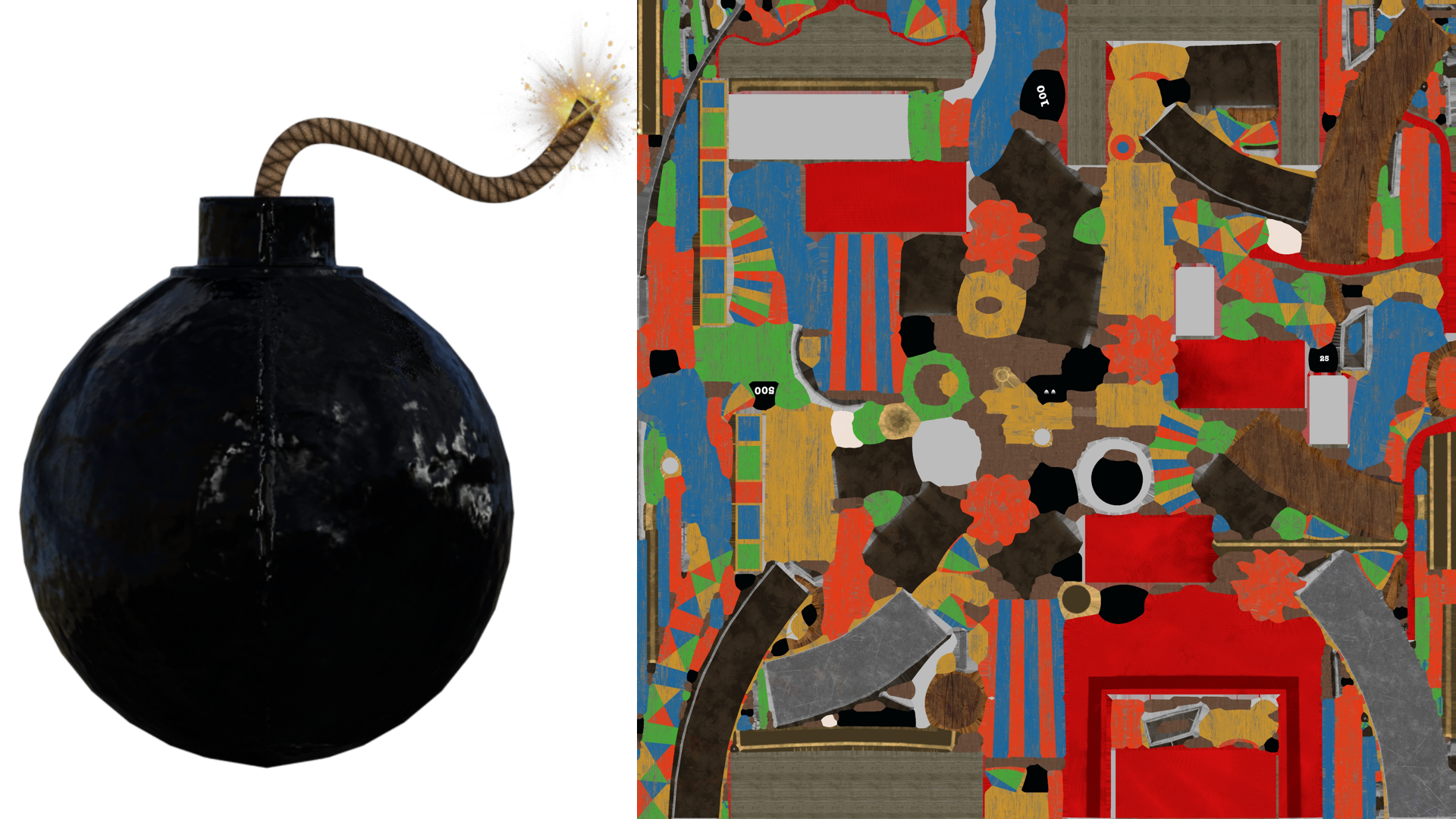
I know how to change textures but I would like to create my own texture file somewhat larger than the original so I can add more details when I do a close up of the image. In the attched image I want to change the texture of the bomb to include a logo on it. The current texture is on the right but it appears that the entire package has all of the tetures in that one file.
Post edited by Drogo Nazhur on

Daz 3D is part of 
Connect
DAZ Productions, Inc.
7533 S Center View Ct #4664
West Jordan, UT 84084
Licensing Agreement | Terms of Service | Privacy Policy | EULA
© 2026 Daz Productions Inc. All Rights Reserved.
Comments
I think the first step is to see how it is UV mapped so that you can see the areas of the bomb so you can alter them?
There are a number of questions.
Is thebomb the entire model or only part of it?
If the bomb is the whole model, that simplifies things a lot, I'd export the bomb as an obj file, then use 'UV Mapper Free' to re-map it with a simple cylindrical or spherical map. I'd then save that model as another obj file, and import into DS as an alternative UV map and save. Then select that UV system and create a map to show what you want. UVMapper can export a texture template.
If the bomb is not the whole model, then I confess with my home written basic modeller, I'd start from scratch and model a bomb on its own as it'd be quicker and easier. Having said that.. In DS you can use the geometry selector tool and delete everything that is not the bomb and then follow the paragraph above, but instead save the bomb as a new prop or scene subset.
Failing that, use UVMapper free on the attached model. I have not texture mapped the model as I don't have it on the PC I'm working on. There are two material zones, fuse & body.
Regards,
Richard
On Renderhub, someone suggested using an Iray Decal Node. Here's a tutoriel on how to use one by Jay Versluis:
What is UVMapper Free? Google only returns UVMapper.com which is not free.
if Cloudfare doesn't interupt me typing this
use the geometry editor to assign a new surface to just those faces
export an obj of the model to a UV mapping software
remap that surface
in DAZ studio import that obj as a new UV on that surface
you will then have a bigger cleaner UV space to work with
Look here: https://www.uvmapper.com/downloads.html It's called 'UV Mapper Classic' and it is free. It has a VERY old fashioned interface.
Regards,
Richard