[Released] Bone Minion Batch Converter for Generation 4 Poses [Commercial]
 RiverSoft Art
Posts: 6,844
RiverSoft Art
Posts: 6,844
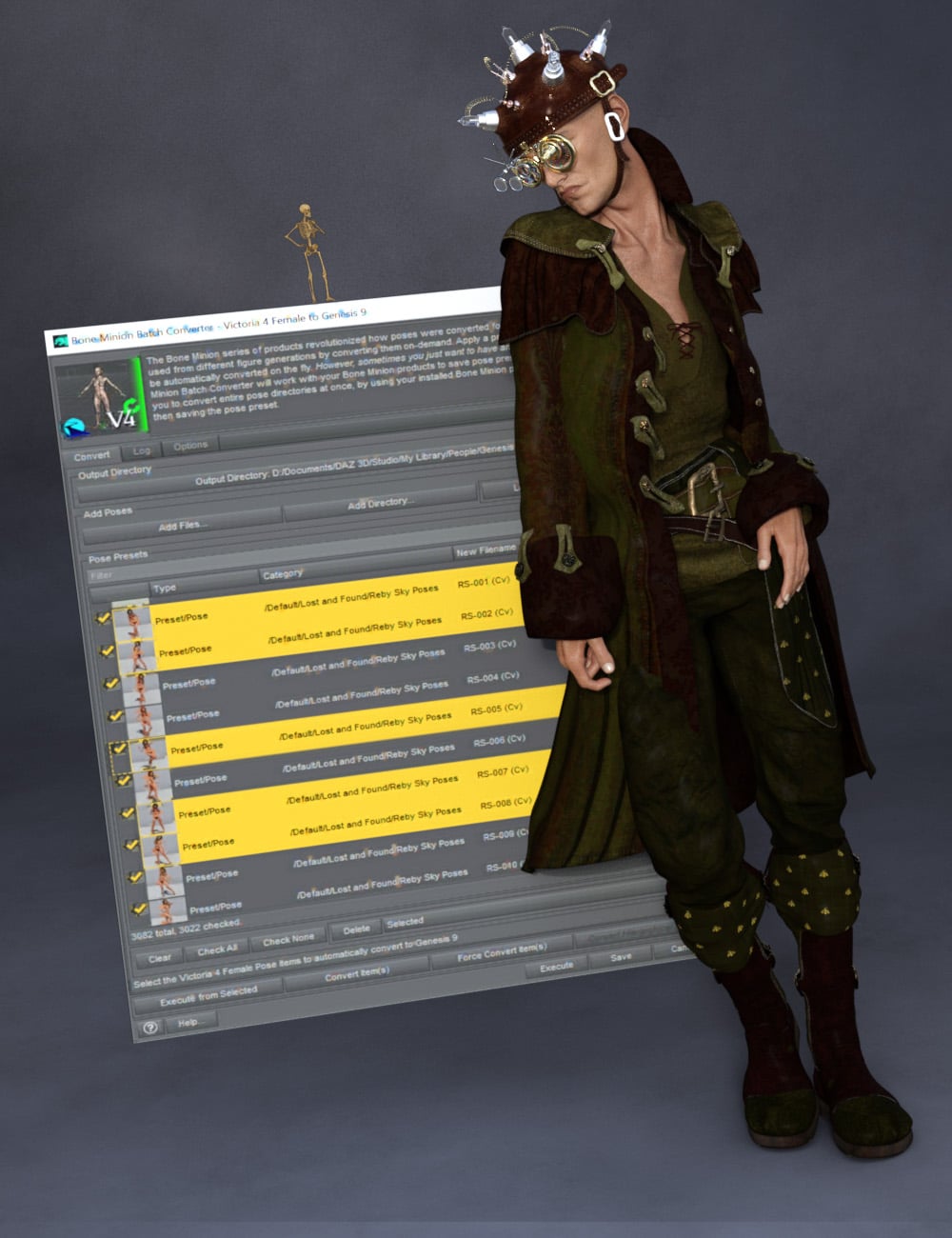 The Bone Minion series of products revolutionized how poses were converted for Daz Studio, enabling poses to be used from different figure generations by converting them on-demand. Apply a pose to the Bone Minion, and it would be automatically converted on the fly.
However, sometimes you just want to have and use a pose preset.
The Bone Minion Batch Converter Generation 4 (i.e., for Michael 4 and Victoria 4 Poses) will work with your bone minion products to save pose presets to be used later. It allows you to convert entire pose directories at once, by using your installed Bone Minion products to convert the pose, and then saving the pose preset.
Automatically convert your entire library of Generation 4 poses using the Bone Minion Batch Converter!
The Bone Minion Batch Converter Genesis script works with any installed Bone Minion for Generation 4 Poses for XXX product to provide batch execution for automatically converting your Michael 4 and Victoria 4 poses. Easily select the Poses presets in your library, select an output directory, and execute the script. Even better, icons and categories are copied from your original pose to the new pose presets.
- Convert Full Poses and Partial Poses to Pose Presets, that can be used on any machine, even ones without Bone Minion installed
- Uses any Generation 4 Bone Minion product installed (i.e., Bone Minion for Generation 4 Poses for Genesis 2, Bone Minion for Generation 4 Poses for Genesis 8, Bone Minion for Generation 4 Poses for Genesis 9, etc.), even future products (i.e., if a Bone Minion for Generation 4 Poses for Genesis 10 product comes out, the script should work with it.
- Includes Bone Minion for Generation 4 Poses for Genesis 3!
- Copies icons from Generation 4 Poses for a professional look
- Copies Smart Content Products! Converted Poses will be organized into similar products as the original items. The converted product mirrors the original items' products, organizing multiple converted items into one converted product and even using the product image from the original products.
- Converted Poses are Smart Content enabled!
- Automatically convert your entire library of poses with one operation! (except for Hierarchical Poses if there are any, which need the props loaded first, but then you can convert all poses for those props with one step
INCLUDES Bone Minion for Generation 4 Poses for Genesis 3 to provide conversion of Generation 4 (Michael 4 and Victoria 4) poses to Genesis 3.
The Bone Minion Batch Converter uses your existing Bone Minion for Generation 4 for XXX products.
Without the correct Bone Minion products installed, the script cannot convert your Genesis poses to the target figure generation.

Daz 3D is part of 
Connect
DAZ Productions, Inc.
7533 S Center View Ct #4664
West Jordan, UT 84084
Licensing Agreement | Terms of Service | Privacy Policy | EULA
© 2026 Daz Productions Inc. All Rights Reserved.
Comments
It is released
There may be an issue where an old version of the Bone Minion - Create Heavyweight Bone Minion script was included with this release. On executing Bone Minion - Create Heavyweight Bone Minion and selecting Michael 4 or Victoria 4.2, you should receive a dialog like this:
If you do not see this message (and then the following dialog), the script is the old create heavy bone minion script and will not create the V4/M4 Heavyweight Bone Minion correctly. Please try the attached script and see if it works instead.
The attached script worked well!
Excellent! It sounds like I need to do an update.
So, just want to thank you in general for these batch converters. The fact that they now include pretty much every generation, means that you can pretty much make use of any pose you have regardless of the generation. So there are no useless pose files in your library anymore.
You're welcome! I am glad you like them.