[Released] RSSY Clothing Converter from Genesis 9 to Genesis 8 [Commercial]
 RiverSoft Art
Posts: 6,826
RiverSoft Art
Posts: 6,826
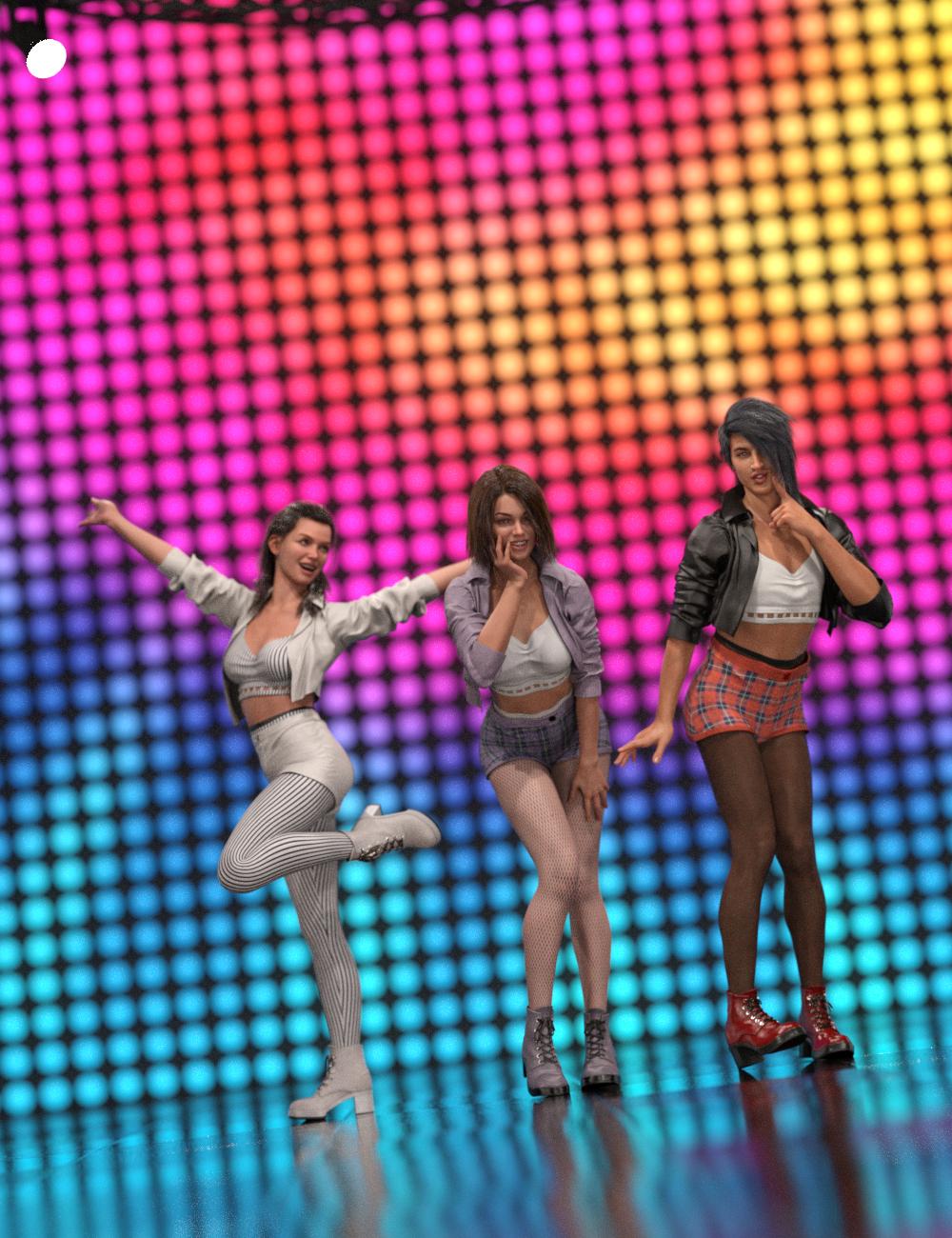 Use your Genesis 9 clothing with your Genesis 8 and 8.1 characters! Convert almost your entire wardrobe of clothes using the new Clothing Converter from Genesis 9 to Genesis 8 Female or the Clothing Converter from Genesis 9 to Genesis 8 Male scripts! The Clothing Converter scripts provide batch execution for converting your Genesis 9 clothing to Genesis 8 and 8.1 clothing in your library. Easily select the wardrobe items in your library, select an output directory, and execute the script. Even better, icons and categories are copied from your original Genesis 9 clothing to the new Genesis 8 and 8.1 clothing items.
Your new Genesis 8 and 8.1 wardrobe is completely Smart Content-aware! They will show up when you select a Genesis 8 and 8.1 figure. Plus, all materials shown in Smart Content for your Genesis 9 item will show for your converted Genesis 8 and 8.1 item. Converted clothing, instead of using Auto-Fit, produces vastly less distorted results.
The Clothing Converter script does not work with props (e.g., swords, wands, etc) and wearables (e.g., outfits). Items without metadata can be converted but will not show up in Smart Content. They may also need to be converted using a Force Convert Item(s) button. It may also not work as well with high-heeled shoes because of problems with positioning the feet without turning on the Use Foot Dialog option during conversion.
The script may not be able to convert all clothing items without issues. Converted items may exhibit poke-through. Usually, this can be fixed by modifying the smoothing modifier.
Features
- Convert Genesis 9 Clothing items for use by Genesis 8 and 8.1 characters.
- Convert Dresses, Pants, Shirts, Skirts, Shoes, etc. Converted clothing, instead of using Auto-Fit to fit clothing to Genesis 8 and 8.1, produce vastly less distorted results.
- Convert Accessories* (e.g., Hats, Belts, etc)
- Copies icons from Genesis 9 clothing to Genesis 8 and 8.1 clothing for a professional look
- Copies Smart Content Products! Converted clothing will be organized into similar products as the original items, with multiple converted items in one converted product and even using the original product image.
- Converted Clothing is Smart Content enabled! All materials shown in Smart Content for your Genesis 9 item will show for your converted Genesis 8 and 8.1 items.
Note: Converting accessories are limited because the bone structure is too different between Genesis 9 and Genesis 8. By default, only accessories with metadata for the head or hip are accepted as these bones have the same name between generations. You can try to convert other accessories. Many accessories do not use the bone structure and will load and convert correctly. However, for accessories that attempt to load onto a missing bone, the accessory will load in the wrong location. Daz Studio may also become unstable and crash the script when trying to SAVE the accessory.

Daz 3D is part of 
Connect
DAZ Productions, Inc.
7533 S Center View Ct #4664
West Jordan, UT 84084
Licensing Agreement | Terms of Service | Privacy Policy | EULA
© 2026 Daz Productions Inc. All Rights Reserved.
Comments
And it is released! Merry Christmas!
Happy Holidays @FenixPhoenix! Probably, but it depends on Sickleyield.
LOL. I have let her know.
After having tried this a few times now, I'm finding this is taking about five minutes per clothing item, and the rigging I get at the end doesn't seem notably different from what I get if I just run the clothing through auto-fit/Transfer Utility.
Is it expected that it should take this long? Admittedly the final shape is less distorted than directly using standard autofit (although I already have a manual method that gets better results than standard autofit, and only really takes a couple of minutes), but for the end results I'm seeing, it still feels like it's taking longer than I would expect - I'm wondering if I'm running into some kind of issue (that's either bogging it down or causing some rigging transfer step it's trying to do to fail) or whether these are expected results.
This is Daz Studio slowing down because you have so much stuff. As you add more and more content to your DS, the Save Prop/Asset takes longer and longer. The script is still as efficient as ever; it is DS. If you try DS on an emptier installation on another computer, you will see a marked difference.
Ah. Alas, if there's no fix to make it faster that isn't a complete hassle that involves having to muck around with library shenanigans, then I'm not sure how useful this is to me. I'll have to check if any of the templates are something I can access and use to improve my manual method, but otherwise that manual method is faster and generally provides me with results that work better for me.
Sorry, there is nothing I can do to make DS faster. If you do a conversion on a new install of DS on a new computer, the script is plenty fast.
I'm trying to convert the https://www.daz3d.com/futuristic-suit-outfit-for-genesis-9 to be compatible with Genesis 8 Female with https://www.daz3d.com/rssy-clothing-converter-from-genesis-9-to-genesis-8. When it tries to convert the bodysuit, the progress window closes immediately, an empty node appears in the Scene window, no items can be deleted from the Scene, and attempting to quit DAZ3D results in an AccessViolation crash to desktop. Attempting to add items to the scene goes through the progress window, but no actual items are added to the scene.
On further investigation, it looks like there may be a hand accessory nested as a child to the bodysuit outfit. Is there some way I can save an alternate version of the bodysuit without the hands and still get all of the product's built-in smart content information?
I am not sure on the save. Save Wearable and set all the vender, etc correctly?
For the crash, could I see the log? I would like to know what happened.
Just bought this one, when running the script I get this dialog as the first thing. Not sure what it means, and can't find anything about it in the PDF tutorial?
Are you running the script from the Favorites menu/toolbar? The script is designed to see if you have any assets selected when starting up and allow you to add them to the list of files to try and convert. If you are NOT running the script from Favorites/toolbar, did you rename the script? The script should ignore any asset that is selected with "'rssy clothing converter" in the name.
OK, I think I must have had something selected when I ran it (from ToolBar), I've tried again now with nothing selected, and don't get the dialog. So I get how it works now. Works great with what I've tried so far!
Thanks!
You're welcome!
Sorry, this product isn't working correctly. The converted dress doesn't follow the pose of the figure. You can see that in the attachment. The foreground is G8 with the converted dress, while the background character is G9 whose dress follows perfectly. I don't wish to simulate starting from memorized pose because it's so time consuming so please tell me how to fix this.
I see the G9 having lots of sheer because it is trying to stretch the dress to follow. If you want the converted clothing to do that, use the bodysuit conformer for the conversion. It looks like the script assigned the Dress conformer. The Dress conformer adds a bone handle rig to the lower body of garments for manual posing of the skirt areas. If you're converting a very short skirt that you want glued to the thighs, you may want to use the Bodysuit instead, but usually you want to use the Dress. The script assigns anything with dress or skirt in the name or metadata to the Dress. The extra pose bones must be posed manually after being selected in the Scene Tab. They are found under the Pelvis node.
thanks, that worked! what about bodysuit loose, might this be a better option?
Bodysuit Loose is useful for clothing that have doodads, shoulder pads, and other things that are slightly away from the body that might not be caught by the conversion and left hanging outside the morph zone. If you convert an item and when a figure is posed, there is a point hanging out causing sheer, the Bodysuit Loose can help.
Kind of surprised that there isn't more traction on this thread... Every single G9 clothing item I have attempted to use this product with has failed to convert properly. I've tried leggings, shoes, dresses, and simple shirts, along with every time of execution of the script possible and each one has loaded partially distorted and away from the figure. I've used your products for a while and have had zero issues until now so I don't think this is any sort of operator error on my part.
Any ideas? I've attached an example of what's going on below.
I am sorry you are having issues. Unfortunately the pic did not go through.
If you delete the attachment the image in the post will not be seen (you are probably getting a cached copy).
Very good to know. Thanks for pointing that out. Here's the image. As you can see, the shirt is loading both slightly distorted and well off the figure in question.
When you are converting items, are you using the vanilla Genesis 9 (or its dev load)? Are you leaving it in its default pose and default position (origin)?
This is a genesis 8 female model in default pose and at the origin. I can't run the 'RSSY Clothing Converter G9 to G8F' script unless I have a Gen 8 model selected. I'm trying to go down from G9 >> G8, not the other way around.
Sorry, I got confused (I have a lot of products and support threads) :-) That does not look like the default G8F character. When doing conversions, it is important to use the default character. Also, can you post the Daz Log (Help->Troubleshooting->View Log...) where it deals from the conversion? (from when it starts, converts one item, and then until you close the script)
I decided to give this product a go and it seems that I am doing something wrong...just cannot figure what exactly. But I cannot get it to convert anything.
I am trying to follow the manual as closely as I can.
1) I load a G8 figure.
2) I choose the clothing item(s) to convert, set the directories and the options.
3) I hit execute...and get 0 items converted. With the explanation "Helper clone not found".
The manual offers no help for this error message, nor does googling for it.
The helper clone should be created on the first run. It would be placed in the user directories for Windows (you are running windows?) Can I see the DAZ log for the entire run?
Thanks for taking the time to respond! Believe it or not, your reply already contained everything I needed to resolve the issue. See, once you explained what was happening, I realized that this was desktop computer with directory issues (in my other thread, https://www.daz3d.com/forums/discussion/749461/daz-directory-confusion). So I tried the utility on the laptop where I have installed everything on the 2TB main SSD drive, and voila, it worked like a dream, for the majority of G9 clothing assets.
I do have some questions and observations, though.
1) Most imporantly, now that I have successfully converted a bunch of G9 clothes for G8M and G8F on the laptop, I'd like to be able to use them on my desktop computer too. I have saved the converted assets under "My Library" in People/Genesis 8/Clothing/. Would it be enough to copy "My Library" from the laptop to the My Lbrary on the desktop computer? (I have the same assets installed on the desktop computer.) I don't mind not having them show up in Smart Content on the desktop computer as long as I can apply them from My Library and use the material assets.
2) Speaking of materials, some assets converted ok but were displayed as plain white and gave an error message when I tried to apply a material. I wonder if they were geoshell based clothes, which could explain the issue. (I tried to find an example here but couldn't.)
3) Another problematic asset was this: dForce Leather Viking Armor for Genesis 9 | Daz 3D - attempts to convert it did not necessarily result in an error message but caused Daz to either hang or crash. I could be wrong but it seems to me that the issue was caused by the converter trying to convert the full outfit. I manually removed that from the list of clothing items to convert and the rest converted as expected.
4) Is there a general rule which kinds of clothing assets generally do not convert well or at all? I am beginning to see a pattern but would like to hear the official word on it. Even better, if someone has assembled a list of G9 clothes that do not convert, that would be very helpful before I invest in a G9 asset hoping to convert it for my G8 characters, which I have lot of (mostly unique characters that I have personally sculpted and textured - which is the main reason why I still haven't fully embraced G9).
In any case, thanks for the good work!
Great! I am glad you got it working.
Yes, you should be able to copy them over IF you also converted them with the "My Library" being the first directory listed in the Daz Studio Formats section of the Content Directory Manager, as supplementary files are saved in the data folder:
I am not sure. It sounds like they couldn't find the material, which is one of the things in the data directories
It is very hard just from the description to figure out if a clothing item has been designed properly so it can be converted. I would almost look at vendors more, i.e., if you converted something from Mada properly, a lot of her clothing items might convert too. There is no list that I know of.