Naturally Bending Aleda
 Gyland
Posts: 57
Gyland
Posts: 57
Hi I bought Genesis 9 Naturally Bending Aleda and I don’t find any of those morphs

Daz 3D is part of 
Connect
DAZ Productions, Inc.
7533 S Center View Ct #4664
West Jordan, UT 84084
Licensing Agreement | Terms of Service | Privacy Policy | EULA
© 2026 Daz Productions Inc. All Rights Reserved.
Comments
The PA has a commercial thread for this product, maybe try asking there: https://www.daz3d.com/forums/discussion/748571/naturally-bending-aleda-hd-for-genesis-9-feminine-released#latest
But I beleive those should be auto-triggered morphs, so you would not usually see sliders for them unless you turned on Hidden properties.
Just use the character, these morphs dial in automatically. They are tied to bending angles of the characters limbs.
Thanks! But what does Shoulder front 8, Upper arm front 80 and upper arm bend 40 means?
Joint Corrective Morphs (JCMs) aka Corrective Bend Shapes (CBS) are made to automatically fire on specific pose rotations. In that case above, I would assume that means that the CBS adjustment is increasingly active when the pose approaches the conditions you mentioned - Shoulder bone is rotated forward (Y direction) 8 degrees, and Upper Arm is rotated forward (Y direction) 80 degrees, and Bend (Z direction) 40 degrees.
They're just Corrective Blend Shapes (cbs) made by the vendors... in addition to the default cbs on Genesis 9 ~~
Usually, if a character vendor finds the area around a rotated joint has an unexpected deformation or not a good-looking shape, he/she will make a new shape to further correct the existing cbs... (which used to be called MCM: Morph Corrective Morphs, on Genesis figures before G9)
In below screenshot, it shows a character's cbs of Victoria 9 when her upper arm bends 90 degrees. The character product you mentioned above would work in the same way ~~
Edit: You can also find some useful info. in here: http://docs.daz3d.com/doku.php/public/software/dazstudio/4/userguide/creating_content/assembling/tutorials/creating_morph_controlled_morphs/start
Thanks again I guess I understand!
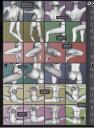
I guess you're talking about the values shown in the promo images ... these are the values of the pose shown in the promo image to demonstrate what the joint is looking like in that position. Means the shoulder slider "front" is set to 8/-8, the upper arm "front" slider is set to 80/-80 and the upper arm "bend" slider is set to 40/-40 depending on the right/left side ... same counts for the other poses, you can use these values to recreate the pose seen on the promo image and compare how these joints/poses are looking on other characters without the anatomical correct morphs I've created for Aleda.