CMS Problems after new system setup
 Danny
Posts: 15
Danny
Posts: 15
Hello,
I reinstalled my PC because I upgraded from Windows 10 to Windows 11.
I reinstalled DIM and Daz Studio and linked all my Daz Libraries I saved on an ecternal SSD. So far so good.
However, content does not show up in the Smart Content Pane and on startup I get the error:

I read somewhere that right-click on the smart content pane and "start cms" could fix this, but "start cms" is grayed out for me

I know there are these cms settings but if I enter the path of my cms folder, that I saved on an external ssd to save it from reinstalling windows, and hit apply and accept, nothing happens and if I open the cms settings again, the path input is empty again.
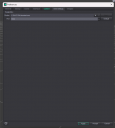
What can I do to make my content load in the smart content pane?

Daz 3D is part of 
Connect
DAZ Productions, Inc.
7533 S Center View Ct #4664
West Jordan, UT 84084
Licensing Agreement | Terms of Service | Privacy Policy | EULA
© 2026 Daz Productions Inc. All Rights Reserved.
Comments
Check if postgresql is present in your task manager when studio isn't running.
You may have several copies shown, and will need to figure out which one needs to be stopped. might have to righ click and end task on each of them to get it cleared.
Once that's cleared in task manager, try starting up studio and see if you get that error.
If not, awesome.
If it remains, you'll need to check the CMS path, which should be C:\Users\[name]\AppData\Roaming\Daz 3D\CMS
If that checks, you may want to change the port settings under Edit>Preferences>CMS settings.
IF that still doesn't clear it, you can try reinstalling studio, or using the stand alone installer for the PostGreSql.
And if all else fails, check your Antivirus settings and make sure it's white listed.
I cannot find any postgreSQL in the list of running stuff when I open task manager. Even when Daz Studio is running. I already uninstalled Daz studio and reinstalled it (using DIM)
My cms is not in C:\Users anymore. I moved it a long time ago to another SSD to keep it safe from resetting my C drive. And like described above, If I select the path in the cms settings, nothing happens and it looks like it doesn't remember the path.
I also downloaded the latest PostgreSQL version (18) and installed it stand alone. Nothing changed, unless I have to manually link it in Daz Studio as well?
I also tried to copy my backed up cms folder into C:\Users\[name]\AppData\Roaming\Daz 3D\CMS and use it from there. Same issues remain.
I have no idea how I can whitelist Daz Studio in my antivirus settings. Can't find anything about it on the internet either.
If you open DIM does it then have the CMS as running and if not, is it listed as installed? And if installed at what path?
It's the C path for whatever reason. I selected the path of my cms (E:/DAZ 3D/Libraries/cms) and hit Accept. But it doesn't remember it. It's always C again if I open the settings.
The manifest files path is remembered tho and that's why DIm also shows me all my installed assets that I have stored in my library on the same SSD as the cms.
Hmm, not sure why it goes back to C. I have moved mine without issues.
But if you look at the loading page of DIM, do you then have the CMS icon (stack of discs) in upper right corner white (= running), and it will say "Stop CMS" if you hoover over it?
That would mean that your database is working.
If that is the case then check which path is defined in Daz Studio.
ok, I finally got it to work. I didn't know installing PostgreSQL CMS via DIM was a thing. DIM showed it to me as installed, but different to my other assets it was probably installed on my old C drive just like Daz Studio and therefore was neither working nor reinstalled when I installed Daz Studio.
Is it possible to isntall the PostgreSQL CMS in a different library on a different drive, just like any other asset or should it be installed where Daz Studio itself is installed to work properly?
I have my CMS installed on a different drive and directory.
I just setup the path in DIM before I installed the CMS. I actually did it recently, as I had an issue with my drive with the OS, so I had to reinstall OS and all programs again on a new drive.
In my old setup I copied the CMS to a new location, and then pointed DIM an Daz Studio to it.
a couple things to check...
from your screenshots DIM is set to use port 17231 and Studio is set to use port 1024. So I would set Studio to use 17231 then make sure the path is the same in both DIM and Studio.
In Studio Press F2 and on the "Content" tab scroll to the bottom and click the "Content Directory Manager" button. Check to make sure you have a "Daz Connect Data" folder set. For whatever reason CMS won't start unless there is a folder path set here and a folder it can find even if you don't use Connect.