[Released] Bone Minion Batch Converter for Genesis 9 Poses [Commercial]
 RiverSoft Art
Posts: 6,826
RiverSoft Art
Posts: 6,826
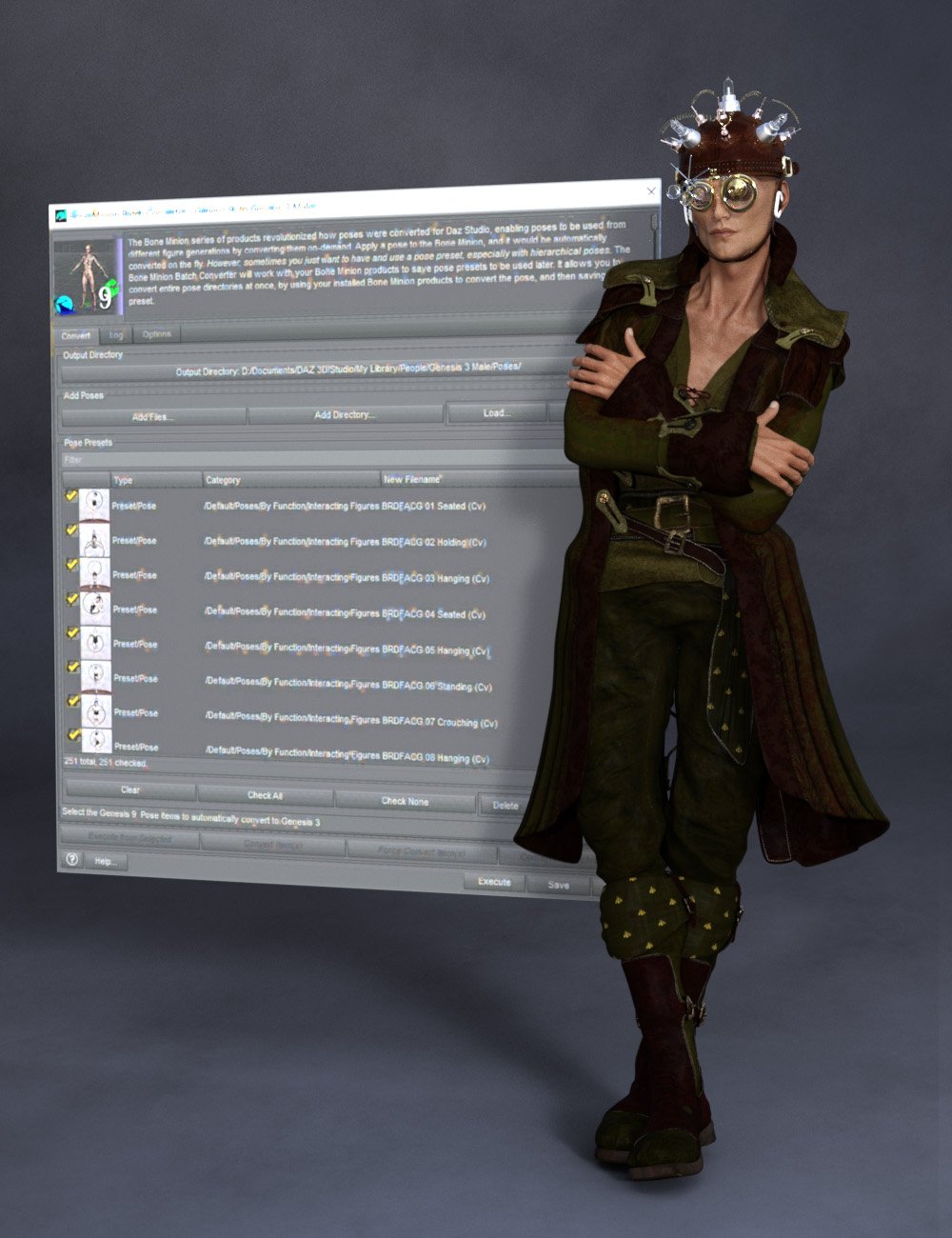 The Bone Minion series of products revolutionized how poses were converted for Daz Studio, enabling poses to be used from different figure generations by converting them on-demand. Apply a pose to the Bone Minion, and it would be automatically converted on the fly. However, sometimes you just want to have and use a pose preset, especially with hierarchical poses. The Bone Minion Batch Converter Genesis 9 will work with your bone minion products to save pose presets to be used later. It allows you to convert entire pose directories at once, by using your installed Bone Minion products to convert the pose, and then saving the pose preset.
Automatically convert your entire library of Genesis 9 poses using the Bone Minion Batch Converter! The Bone Minion Batch Converter Genesis 9 script works with any installed Bone Minion for Genesis 9 Poses for XXX product to provide batch execution for automatically converting your Genesis 9 poses. Easily select the Poses presets in your library, select an output directory, and execute the script. Even better, icons and categories are copied from your original pose to the new pose presets.
- Convert Full Poses, Partial Poses, even Hierarchical Poses to Pose Presets, that can be used on any machine, even ones without Bone Minion installed
- Uses any Genesis 9 Bone Minion product installed (i.e., Bone Minion for Genesis 9 Poses for Genesis, Bone Minion for Genesis 9 Poses for Genesis 2, Bone Minion for Genesis 9 Poses for Genesis 3, etc.), even future products (i.e., if a Bone Minion for 9 Poses for Genesis 10 product comes out, the script should work with it)
- Includes Bone Minion for Genesis 9 Poses for Genesis 8 and 8.1!
- Copies icons from Genesis 9 Poses for a professional look
- Copies Smart Content Products! Converted Poses will be organized into similar products as the original items. The converted product mirrors the original items' products, organizing multiple converted items into one converted product and even using the product image from the original products.
- Converted Poses are Smart Content enabled!
- Automatically convert your entire library of poses with one operation! (except for Hierarchical Poses, which need the props loaded first, but then you can convert all poses for those props with one step
INCLUDES Bone Minion for Genesis 9 Poses for Genesis 8 and 8.1 to provide conversion of Genesis 9 poses to Genesis 8. The Bone Minion Batch Converter uses your existing Bone Minion for Genesis 9 for XXX products. Without the correct Bone Minion products installed, the script cannot convert your Genesis 9 poses to the target figure generation.

Daz 3D is part of 
Connect
DAZ Productions, Inc.
7533 S Center View Ct #4664
West Jordan, UT 84084
Licensing Agreement | Terms of Service | Privacy Policy | EULA
© 2026 Daz Productions Inc. All Rights Reserved.
Comments
It is released
I'm a little lost with how this should be working and was wondering if you could walk me through what I'm doing wrong.
First, I purchased and installed:
https://www.daz3d.com/bone-minion-batch-converter-for-genesis-9-poses
and
https://www.daz3d.com/bone-minion-for-generation-4-poses-for-genesis-9
I load a G9 character, apply the V4.2 Bone Minion and applying V4 poses individually works correctly, but when I attempt to use the batch converter I'm stopped. I get a "V4.2 is not a heavyweight Bone Minion".
I use the "Bone Minion - Create Heavyweight Bone Minion" option but I still get "V4.2 is not a heavyweight Bone Minion" anyway.
I'm running on a MacBook Pro M4Pro. As above, the Bone Minion works perfectly individually, it's only the Batch Converter that's giving me grief.
This product is to transfer "for Genesis 9 Poses" to other generations. You should be loading a V4.2 figure, adding a G9 Heavyweight Bone Minion to convert G9 poses to use with V4.2
Feel free to visualize me doing a face palm. I bought the wrong one.
So, will another of your batch converters work? I have the V4-to-Genesis 9 converter and it works fine, but I'd much prefer a batch transfer mechanism.
I haven't released the batch converter for V4/M4 yet. The Genesis version should be released next month and then the V4/M4 version after that.
Thanks for the information, much appreciated. In the meantime, the non-batch converter works perfectly, thanks for that.
You're welcome!