Advice on motherboard for Ryzen 9950X3D
 SnowSultan
Posts: 3,803
SnowSultan
Posts: 3,803
I'm thinking of buying some of the primary parts that I'll need for an upgrade during this round of online sales, and was wondering if either of these motherboards (or any that you would recommend) would be a good choice to pair with a Ryzen 9950X3D chip.
https://www.amazon.com/dp/B0DGVBSLLP
https://www.amazon.com/dp/B0FDL97CNB
The only really important features that I need are a lot of speedy USB ports (and one or two USB-C ports), and at least three M.2 drive slots. Thank you in advance for any suggestions.

Daz 3D is part of 
Connect
DAZ Productions, Inc.
7533 S Center View Ct #4664
West Jordan, UT 84084
Licensing Agreement | Terms of Service | Privacy Policy | EULA
© 2026 Daz Productions Inc. All Rights Reserved.
Comments
MSI X870 tomahawk
A suggestion would be to start a build on https://pcpartpicker.com/ ; (rem: select country on the site top-right)
Buy your CPU (great chip, btw! ) then hit the motherboards link and use the filters on the left to set your slots for M2 slots and usb 2 and 3 headers (rem that you can get cheap external multi-ports that will plug into the one MB port, with no loss of speed, so no need to go for too many internal and up the cost/lower choice).
The site will give you prices and importantly reviews (sort by Rating is a decent start).
It's a great site for doing this kinda research.
For about the price of your choices, this gets rave reviews and has enough M2 slots for NASA: https://uk.pcpartpicker.com/product/vjpD4D/msi-mag-b850-tomahawk-max-wifi-atx-am5-motherboard-mag-b850-tomahawk-max-wifi also supposed to be an easy/first-time build
And... this is suspiciously cheap (but may not have enough slots?) https://uk.pcpartpicker.com/product/FFdMnQ/asrock-b850m-pro-a-wifi-micro-atx-am5-motherboard-b850m-pro-a-wifi
I did actually get those first two recommendations from PCPartpicker, and have an ancient build of my own posted there. :) Thank you for the recommendations so far, I will add them to my list.
I've one from 2009 - and a couple more recent - that I did build, and heck knows how many that I researched but didn't!
Mine is probably that old too, it shows I have a Nvidia 2080ti and 32 GB RAM. Now I have a 4090 and 128GB of RAM, but the same CPU and case. ;)
The Ryzen 9 isn't on sale right now that I can see, and I probably should take my time with upgrading because nothing is really wrong with my system now. I need to check the motherboards you guys recommended before today's Amazon sale is over, but since I'm still not struggling with scenes with 6 characters, I should probably wait. Not looking forward to rebuilding everything from scratch anyway. :)
It's a little more expensive but I recently got the Asus TUF GAMING X870E-PLUS motherboard and paired it with a Ryzen 9 7900X but it also supports the 9950X. So far I have been happy with it.
Stay clear of Asrock boards, they're frying the newest Ryzen CPU's. I recommend checking the reddits of each candidate board manufacturer to get a sampling of the common issues. May be worth getting protection plan on CPU/Mobo in general for this particular generation of hardware.
I did a 9950X3D build earlier this year for a creative professional / game developer customer. Went with Gigabyte Aorus Master X870E due to stablity, reputation, warranty. Rock solid board so far, immediately detected 128GB RAM without any bios updates/adjustments (the memory QVL showed the board as supported, not vice versa), the customer runs it 24/7 under high 3d/CPU workloads and in and out of sleep mode, zero issues so far. However there are two design flaws of note:
- For that board, no integrated Wifi support in Win 10. This is possibly an issue with all current-gen Gigabyte boards due to them using a brand new Wifi 7 chip without Win 10 drivers.
- The board only has four M.2 slots, adding more than 2 cripples the GPU throughput due to bifurcation (sharing) of the PCI lanes, and the design/placement/cooling of M.2 slots is an afterthought. We ended up with two onboard M.2's and two connected via OWC Express 1M2 portable enclosures on USB4 which is nearly as fast as PCI-E. Customer loves it. You could use a similar trick with any board to keep poor M.2 availablity from limiting your options.
Good luck!
How about multiple GPUs, if I can ask without hijacking? My plan is to take the 2080Ti out of this box and use it as the display card in a new system with (hopefully) a 5090 as a compute card.
All Ryzen 9000 series CPUs have integrated graphics (except for F labeled variants like 9700F), so imo you only need a dedicated display card if you're pushing many monitors at high fps or doing ai/gaming tasks on the side. Major trade offs to running two dedicated GPUs include bifurcation, cooling, case size, power supply. Most motherboards will steal PCI lanes from the primary GPU if there's two PCI devices or extra M.2 drives installed, halving your throughput (so it takes longer to move data to/from the primary GPU). Primary GPU under load will get very hot, and auto-throttling to protect a hot GPU will steal even more performance than bifurcation - extra GPU in the case makes it way harder to manage cooling. You can use two GPUs with a big enough case if you put one on a riser, but then you have airflow restrictions (if air cooling) and extra cable management.
I just checked one of the systems, the 9950X3D integrated graphics counts as 2 GB dedicated memory and will tap into RAM as extra Shared Memory if needed. Primary card shows up as GPU 0 and integrated graphics as GPU 1.
Well, I was thinking the 2080Ti for DS 4 too - and I do have some games or have my eye on some, one or two of which recommend something approaching that. I would expect to have both under load at the same time.
Two GPU's (especially physically huge ones) one above the other - the bottom one vents its hot air exhaust into the top one, and also blocks case fan airflow to the top one, which exasperates cooling in general since both GPUs run hot and can't properly vent. Both then push extra hot air toward the CPU which struggles to vent. If you use risers to mount GPUs side by side they'll still fight with each other for cooling or airflow. Putting one on a riser and one in the main PCI-E slot might work, except case cooling is now turbulent air instead of directed flowing air. You can try water cooling and you'll either need custom loops or multiple pumps, which changes build price, airflow, case size, power requirements, etc.
5090 can operate on three 8-pin PCIe power cables but you actually need four or it'll limit the card's performance. Then you need two more (and maybe a 6-pin as well) for the 2080Ti. To run both cards you'd need a high end PSU with extra rails and you'd also need your wall wiring to be strong enough to handle the extra pull without melting/tripping the breaker.
By the time you do all that, it's almost less headache to have two separate computers! imo
OK, that a lot to think on - thank you.
Well I had briefly wondered about dual GPUs. The above explanation has eliminated that idea!
Thanks.
I got an "ASUS ROG Strix X670E-A Gaming WiFi 6E Socket AM5" for my Ryzen 9 9900x. The x670e is the same chipset ast the x870e, minus WiFi-7 and USB4. It is much less expensive, and in my opinion is the "best bang for buck".. I do not use WiFi for my PC, not do I have any USB4 devices. See this article for clarification on the AMD chipsets: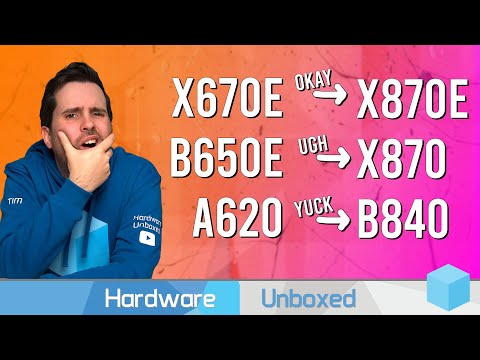
Hmm 4 SATA connections seems a bit limiting in our area - I currently have 3 HDs, and probably wouldn't drop that down to 2 (a spacious M.2 would be pricey) so if that is literally counting HD connections it doesn't leave a lot of room to expand..
Having been shopping for parts to build a new system, it is very hard to find a current MB with more than 4 DIMM slots. To get more than that, I'd have to go backwards in some capabilities. You can, however, if you have an open PCI-E xxx you can expand the SATA ports up to 6 I think. I've not done that, so not entirely sure if that's feasible or not.
The best I can find is 6 SATA and I believe it was only ASUS that offered it. ATM I've been trying to decide between MSI and Gigabyte with AMD and Intel on each. Some reports in the news, articles, reviewers and builders have dropped their sponsorships with a couple brands because of QA and DOA issues. I've got so many spreadsheets going, my wife makes fun of me and I have a serious issue with organization
SnowSultan have you looked at Micro Center? They sell MB, CPU, RAM combo kits, and some are very good deals. Most of them have an upgrade that comes with them, either on the MB or RAM. The kit comes with 32GB, but some offer up to 64GB. It wasn't gonna work out for me because I wanted something in particular and if they had one, they didn't have the other combined with the bundle. But be sure to research the parts in the bundle to see if it's worthwhile paying the bundle or buy individually. I wanted more RAM on the one test build, and it was a very small difference to just buy the parts separate and with the higher RAM that the kit offered.
I usually pick the parts I'd like on PC Part Picker and when it comes to the Memory, SATA /HDD/M.2 drives and pick to compare and look at the carts towards the bottom of the page to get an idea of how they actually run. I've found that the so-called "best" isn't really the best or like M.2 with serious read/write speeds are really not as good as your everyday good cards with the standard speeds. The superfast ones excel in one area but do quite bad in all the other areas
What started my upgrade effort was a great deal on a 4TB SSD (Crucial P310 for $200) and 96GB of DDR5 RAM (Corsair Vengance for $170). This was pre-tariff, though I believe that computer parts are exempt.