HS Viola hair parenting issues
 savagestug
Posts: 205
savagestug
Posts: 205
in The Commons
Anyone else having issues with https://www.daz3d.com/hs-viola-hair-for-genesis-9 ;
I have to manually parent the hair to G9 head to get it to follow when posing

Daz 3D is part of 
Connect
DAZ Productions, Inc.
7533 S Center View Ct #4664
West Jordan, UT 84084
Licensing Agreement | Terms of Service | Privacy Policy | EULA
© 2026 Daz Productions Inc. All Rights Reserved.
Comments
Yes, the issue comes from its rigging / setup.
You can select the nodes: HS Viola Hair L G9 and HS Viola Hair L G9 under HS Viola Hair Scalp G9, in Parameters pane, set their Fit to Mode to Auto Follow Transforms. They'll work.
Could someone experiencing the issue put in a ticket please? I also mean to get that hair in the nearer future, it would be nice to see it fixed.
I reported this yesterday and got a refund.
I'm so glad I saw this thread yesterday before I hit "purchase."
Would this have to be done each time the hair is used or would this be a permanent fix?
To make it a permanent fix, you need to save a Wearable Preset to overwrite the original Wearable Preset file in the product folder ~~
I imagine they'll fix it and put out an update for it.
I'm going to hope for the update, I like the hair enough to keep it
I like the hair, too - a welcomed Daz+ release for sure! I'm sure it'll get an update at some point. In the meantime, thanks @crosswind for posting exactly how to easily fix it.
- Greg
The best way to get an update on a product is to open a ticket:
Response time may greatly vary: I had tickets that stay un-answered for weeks or more, other that have an answer and a fix in a couple of days, but from what Richard Haseltine said, it's not useful to add a message to a ticket without an answer if a ticket stays un-answered.
As an added bonus, when you write your own ticket, you know that you did what you could to fix the situation, so if you don't see any answer before the end of the refund period, you can ask for a refund and you're likely to be able to pick that same product cheaper once an update is available.
I haven't had a chance to use it and I do like the style. Thank you @crosswind for a fix. I may not be able to work with any products for weeks right now, but I am glad I saw this thread.
Mary
@algovincian @memcneil70 You're welcome !
And I also believe the vendor will have it fixed soon ~
Thank you. That makes it usable. I really like the hair and was growing frustrated.
No problem !
I just tried to use this hair and was was thinking "This is some B()ll$#!t!" (- Harry, from Resident Alien) but at least was able to use XYZ rotators and get something useful. I will be glad when they release an update for it, I can see myself using this hair quite a bit.
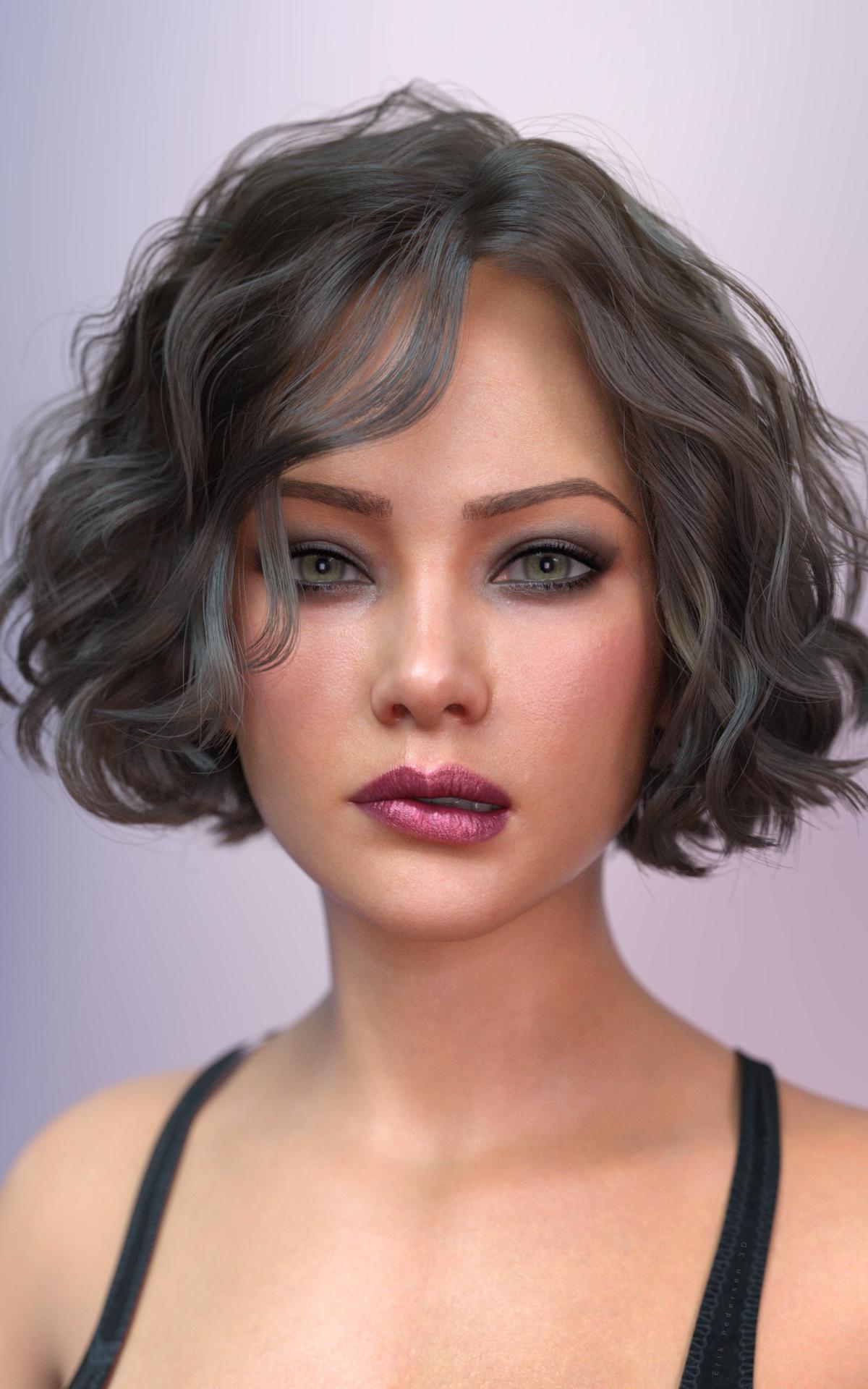
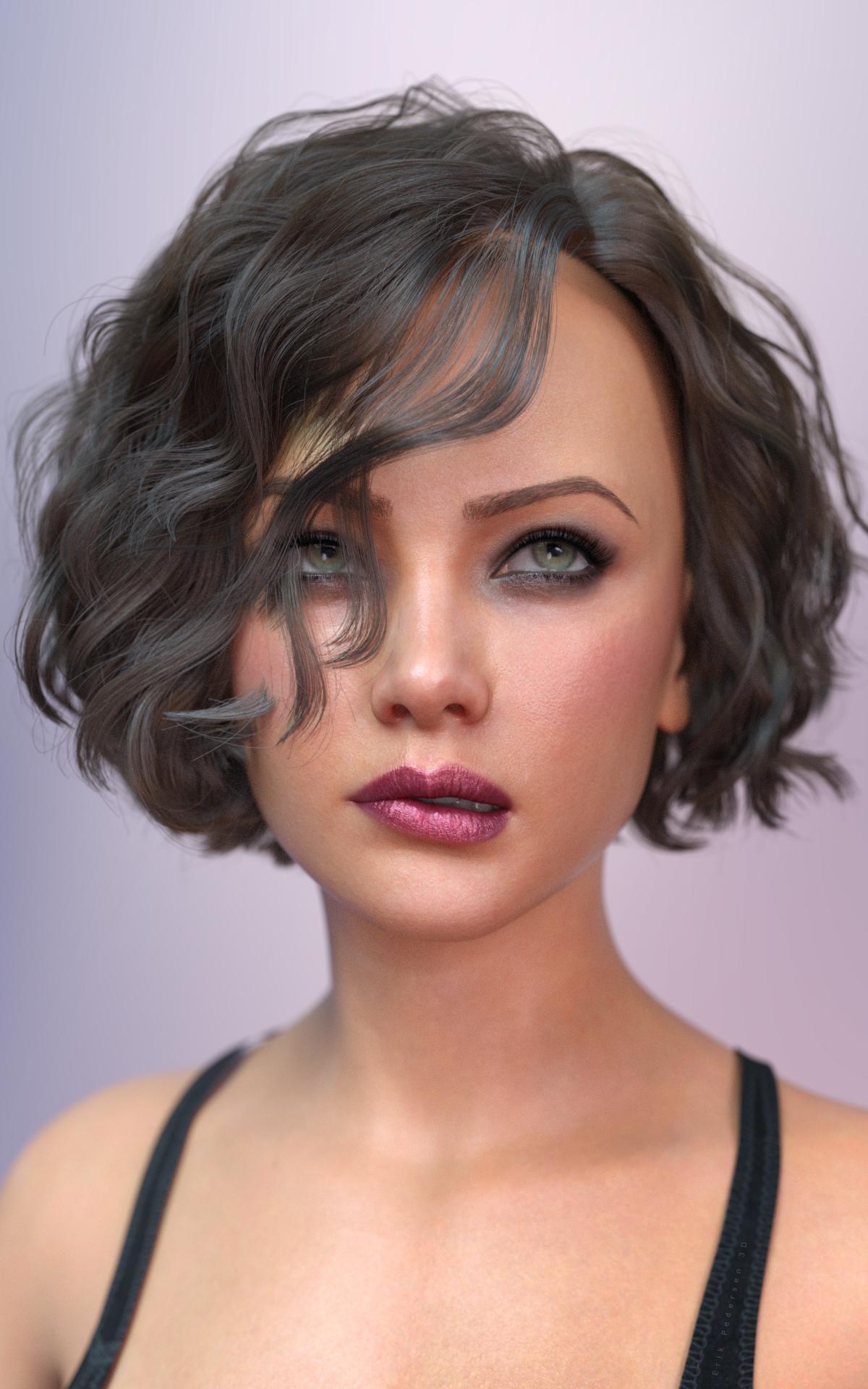
Diana is wondering if it is worth the hassle - yes, Diana, very much so.
Manually adjusted:
This is how it loads in on Diana by Exart G9F - no tweaks:
How do you make morphs for this type of hair? Only two are included, and they are not very usefu, I'd like some that can move the strands on the right side. I've tried Mesh Grabber but that doesn't work.
Geometry editor (Premier) should work on it. DFormer should work on it. I haven't tried eksport modity import, as I am in doubt that works.
But you can also try lowering some simulation settings (local shape constrains) to make it more dynamic during simulation.
Select the Geometry Editor tool when you export OBJ and also later when you import the modified OBJ. I modify the OBJ in Blender.
Here is a morph I made for the HS Viola Hair R G9 object. It is called Move Away From Eye. When you unzip the attached file, you will find a barbult folder. Place that folder (with its contents) into the data\Hair Studio\HS Viola Hair G9\HS Viola Hair R G9\Morphs folder in your Content Library. You will find the morph in Actor/Adjust when the HS Viola Hair R G9 object is selected in the Scene pane. Here is the hair on Joan 9 with the morph dialed in.
Works great. Thanks for the morph!
@barbult
Thanks for the morph !
Thank you @barbult!
Thanks. I don't have the Premier Geometry Editor though, and am currently not familiar enough with the other methods to make them work on this hair.
Do I need the Premier Geometry Editor for this? And can I use Hexagon or Carrara instead of Blender?
Thanks for the morph, @barbult, works great!
As far as I know, @barbult is still Daz+, so doesn't have access to the Premier version of Mesh Grabber.
The hair does seem to load fine on the G9 base, and some (all?) of the DAZ characters, like Julia 9.
Did you mean Geometry Editor?
I didn't remember how it was called, but after checking it, Mesh Grabber 4 is now the Geometry Sculptor.
To clarify: the way of morphing on an SBH with Geometry Sculptor is just like in Blender, i.e. you're not able to sculpt the SBH but just manipulate the vertices and then create a morph with the delta. The performance is not that good. With heavy SBHs, sometimes it makes DS freeze or crash ~