DS & Carrara - How I Create Short Animations
 Steve K
Posts: 3,475
Steve K
Posts: 3,475
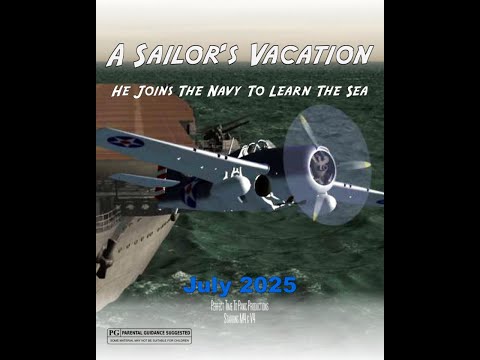
I am finally getting serious about using DS, which is turning out to be a great tool for animation backgrounds. My current best machine has an nVidia graphics card a couple of generations back, I think 2GB VRAM, so most large environment scenes use only the CPU, a fast Ryzen 12 core/24 thread. Takes maybe 20 minutes +/- for an iRay render, but well worth it for the realism. Then I can do the character animation in the foreground in Carrara (no camera movement), with an average frame render time (1280x720 - it's a 2 day contest) of under five seconds. I will get a new computer in the near future, probably custom built by a friend with a fast Ryzen 9 CPU and an nVidia card with 32GB VRAM. (Assuming I win the lottery >B-} ) Below is a 6 minute video I did recently for a contest, the DS background is at 1:56. Any comments appreciated.

Daz 3D is part of 
Connect
DAZ Productions, Inc.
7533 S Center View Ct #4664
West Jordan, UT 84084
Licensing Agreement | Terms of Service | Privacy Policy | EULA
© 2026 Daz Productions Inc. All Rights Reserved.
Comments
That has an incredible production value with lots of scenes and props, the animation and rendering are of course as expected for a 48 hours project. Storytelling is basic but has meaning. Others may choose some seconds of good animation instead but this way there can hardly be a story to tell.
I see the 2020 winner managed to setup a much more complex project, but I guess it also depends how many people are in the team, it's not fair to compare with the work of a single person.
p.s. However, for these kind of projects, there's better suited applications targeted at quick and efficient production, as iClone for example.
Thanks for the comments. Yes, I have my purchased scenes/props organized by genre (a couple of dozen genres like comedy, western, vacation/holiday, etc.), so I don't have to spend time searching after getting the assigned genre(s) (each team gets two genres, can use either or both). Also, the contest allows use of still images done before the contest, so I can have some long render time DS iRay images ready to use, like the background image of the destroyer bridge. When I buy a new DS iRay product, I'll go ahead and render some stills, e.g. using the cameras if provided by the vendor.
Yes, I know that 2020 team, they have participated in the Houston contest for years. It's usually one guy doing the animation (Unity, I think), and a friend of his doing the music. Maybe a few other friends doing voices. They had another good entry this year, I voted for it (you had to vote for three videos in each of the three groups). Yes, they come across as pretty complex, I think that might be a feature of Unity? Whatever, he's pretty good at it.
Great time-progression using the different planes - Your storytelling is good and on 5:08 you made me laugh. Great work in only 48 hours
I did a little RT-rendering in Unity. It's great fun - characters movement around the sets and lighting/camera angles etc especially (but you still need animated characters)
Thanks. Was it the music @ 5:08? I wasn't sure anybody would get the reference to an old movie (1968!). Yes, four different planes but the same mocap (a Carrara clip) for each of the four "shooters" (the carrier deck launch officer), just different camera angles. Without those clips (I have many dozens in my Carrara browser), I'd have very little character animation, setting key frames takes too long. This clip is actually a "Spell Casting".
I've never used Unity but I am impressed by the work of the other team I mentioned. Beside the animation, he has a great sense of humor, always a plus in the 48HFP, regardless of the genre. Are "animated characters" in Unity similar to Carrara's clips, i.e. mocap files that can be applied to any character?
Yes
NB: Many "old" movies available on streaming nowadays!
Yes, in that respect exactly the same. They can move around "for free" - Unity has a movement grid you can quickly shape to do "pathing" - but it's just moving a static object (a chess piece) unless the character has animation (made outside of Unity - so mocap etc).
I found it a fun (and free) platform to use. Hordes of video tutorials to get started and there's plenty of ready-made assets available (of all types: music/sets/characters etc). Daz G3 characters import easily and well, including mocap/animation you might already have, and with the fantastic camera controls and amazing lighting setup/rigs you can achieve some fantastic-looking results. It's well worth a look.
OK, thanks. After a LONG time using Carrara, I am just getting serious about DS, watching tutorials, etc. (but still using Carrara for animation). But after that, I've got Unity on the list.