Extra Shop Filters Bookmarklet
 Utiltarian
Posts: 62
Utiltarian
Posts: 62
Edit: This post was previously about making a bookmarklet that added wishlist filtering, but I've since released a new version with a lot more filtering options. Daz also implemented the wishlist filtering themselves, making the original one rendundant.
You can find my post for the new shop filters here: https://www.daz3d.com/forums/discussion/742841/extra-shop-filters-bookmarklet/p2#Comment_9314116
Or just go to the links directly here:
Desktop: https://buymeacoffee.com/utiltarian/advanced-filters-desktop
Mobile: https://buymeacoffee.com/utiltarian/advanced-filters-mobile

Daz 3D is part of 
Connect
DAZ Productions, Inc.
7533 S Center View Ct #4664
West Jordan, UT 84084
Licensing Agreement | Terms of Service | Privacy Policy | EULA
© 2026 Daz Productions Inc. All Rights Reserved.
Comments
Utiltarian,
Bookmarked. Thanks for sharing the JS code. Will try it out soon.
Cheers!
Thank you, it's very useful :)
This is insanely useful.
Now how about a "not a figure" filter? You can filter on specific generations of figures but not on there not being any figure at all.
Works great, thanks :)
I'm a Daz Deals Pro subscriber, but I still want to support your efforts to help Daz Shoppers. I bought you a coffee. I hope your cup is overflowing from all the people who are helped by your wishlist filter.
Seems to work like a charm. Thanks.
Oh thank you, very much appreciated! I do already have a couple more advanced filtering options (I found the Daz Deals plugin slightly lacking), so you may yet find some use as well! I'll just need to get around to cleaning up my code a bit before I release.
Also, since it's a bookmarklet instead of a browser add-on, it works on mobile browsers (for the true shopaholics!), though activating a bookmarklet via mobile browser is not super convenient. In Android Chrome, you would need to type the name of the bookmarklet in the address bar, then click it when it shows up as a recommendation (don't know about other mobile browsers).
Unfortunately, "not a figure" is not one of those options, nor any content categorizations for that matter. I had briefly looked into filtering by content type, but couldn't find a straightforward way to do it.
I was able to get it working on Safari on my iPad (not on the latest version), but for some reasons, it's not working on Firefox (who is using the same engine as Safari) on the same iPad. I'll check later if I didn't make a mistake while creating the bookmark.
Next step is to have it on my iPhone, but I use it far less to browse the store.
a filter to hide texture addons would be awesome, just saying
nothing against texture addons, I buy them too but not when looking for the outfits etc in the selection first place and having to sift through so many, especially since the shop doesn't even tell you you own the base product on the thumbnail anyway
a way to filter only textures for products you own would of course be also helpful
I assumed that. But I had some small hope. Oh, well.
Thank you so much! I would love to see bookmarklet filters for "non-new items", and also "Daz originals but excluding Daz + items". Many coupons & special offers are only relevant for those categories so being able to filter for them would be really helpful. In any case, I am very grateful!
Respect, my friend! We need more people like you.
These days, it feels like everything online is either locked behind a paywall or broken, often both at once!
On iOS 17.7.10 (older iPad), it doesn’t seem to work in Safari, but it runs fine in DuckDuckGo.
Thanks again, truly appreciated and I think I speak for a lot of people here!
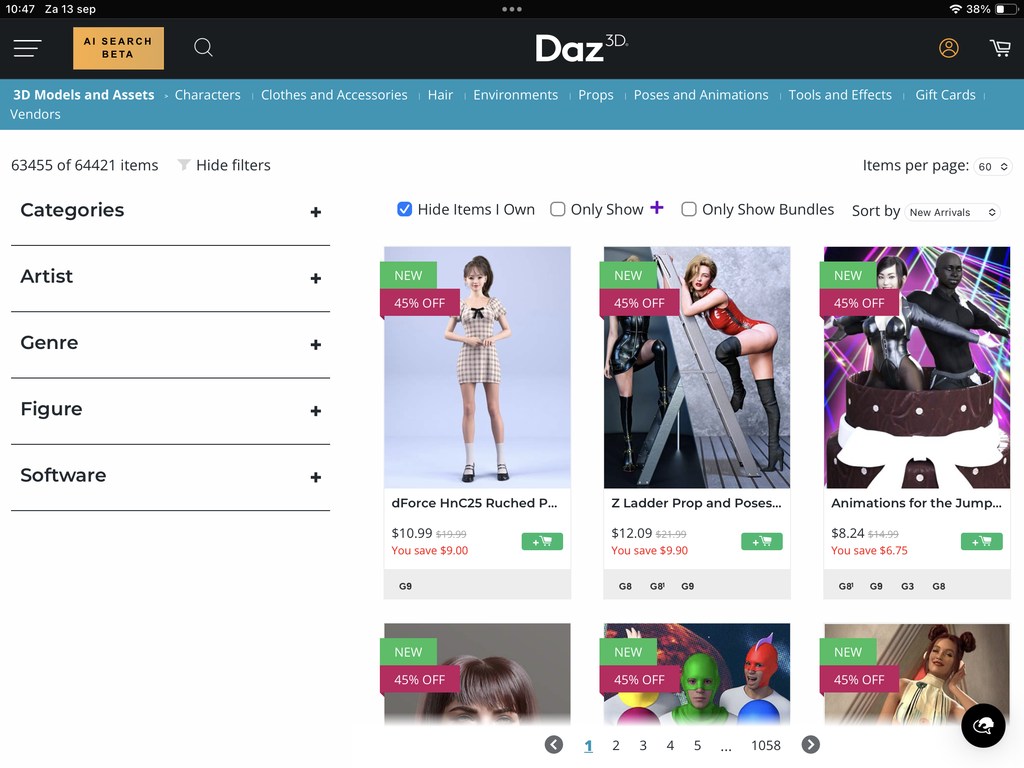
It's working on Safari on my iPad using the same version of iOS.
@Utilitarian thanks for this. I'll give it a go!
Thank you so much for this!
I'm sure it's going to be a lifechanger for many users, especially those with smaller wishlists, and a quality of life improvement for probably anyone shopping at Daz.
Oh, wow - that's brilliant! Thank you so much.
i am a DAZ Deals member. I tried your script on a browser that I do not have the browser add-on installed on. It works very well. Thank you and I bought you a coffee, with 3 espesso shots to perk you up for your next project, a script to show thumbnail image for each page of the DAZ product library.
thanks
Thank you for being the one bright spot to come out of yesterday's mess.
Will check again, thanks for the notice!
I'll second this. I do get irritated at trimes when I come across a product that seems to be clothing and turns out to be a texture add-on and then, it doesn't link to the original product.
That relationship for V4/M4 stuff is gone in the current store - Maybe not a big deal for a lot of people, but something I have noticed. Newer products usually show the relationship. It is also a problem when the texture product doesn't even say it's a texture product.
Thank you veary much!
I'm curious, could this method be used to add the "category" filter section or a search function to the wishlist page?
Unfortunately I don't own any Apple products, so can't test Safari, but I might know why it may not be working on some mobile devices. It works for me on desktop Firefox though. I'll release the full version in the coming days which might address the problem.
Totally agree about texture filtering, I've wanted to add that as well, but sadly it doesn't seem like it's possible with the available data. As far as I can tell, there's no way to differentiate textures from clothing, nor is there a straightforward way to detect product dependencies (outside of requesting data for each individual product, which isn't feasible).
And as Torquinox noted, not linking to original product is a data issue. Only Daz can solve.
Heyy, appreciate the shots! Not sure what you had in mind with the product library (maybe a joke?), but I did actually make a script that lets you immediately jump to any page in your product library, or search your library (with regex support) and jump to the page of a specific product. I can release that too if anyone cares.
In theory I would know how to, but it would require entirely new code. However, if you want to filter your wishlist using the Category filters, you can just turn on the wishlist filter on the homepage and achieve the same thing as though you were on the wishlist page, so don't think patching it into the wishlist page is worth the effort. Though at the moment, the category filters are a bit finicky: you need to enable the category filter before enabling the wishlist filter, and the filter only works once. I'll fix in the full version.
Yes, the filters it'll have are:
I'll take a look at hiding new items, that one might be simple to add.
Do you mean a filter that shows an item if it's in your Wishlist or if you own it? Cause why would you have an item in your wishlist if you already own it (outside of buying a an item in a bundle that was wishlisted)? I do plan on adding the owned filter, so stay tuned.