Website PRICE FILTER V4, HIDE, HIGHLIGHT products for Chromium browsers (Edge, Opera, Brave, etc.)

VERSION 4 - Released 2026-01-04
ADVERTISEMENT:
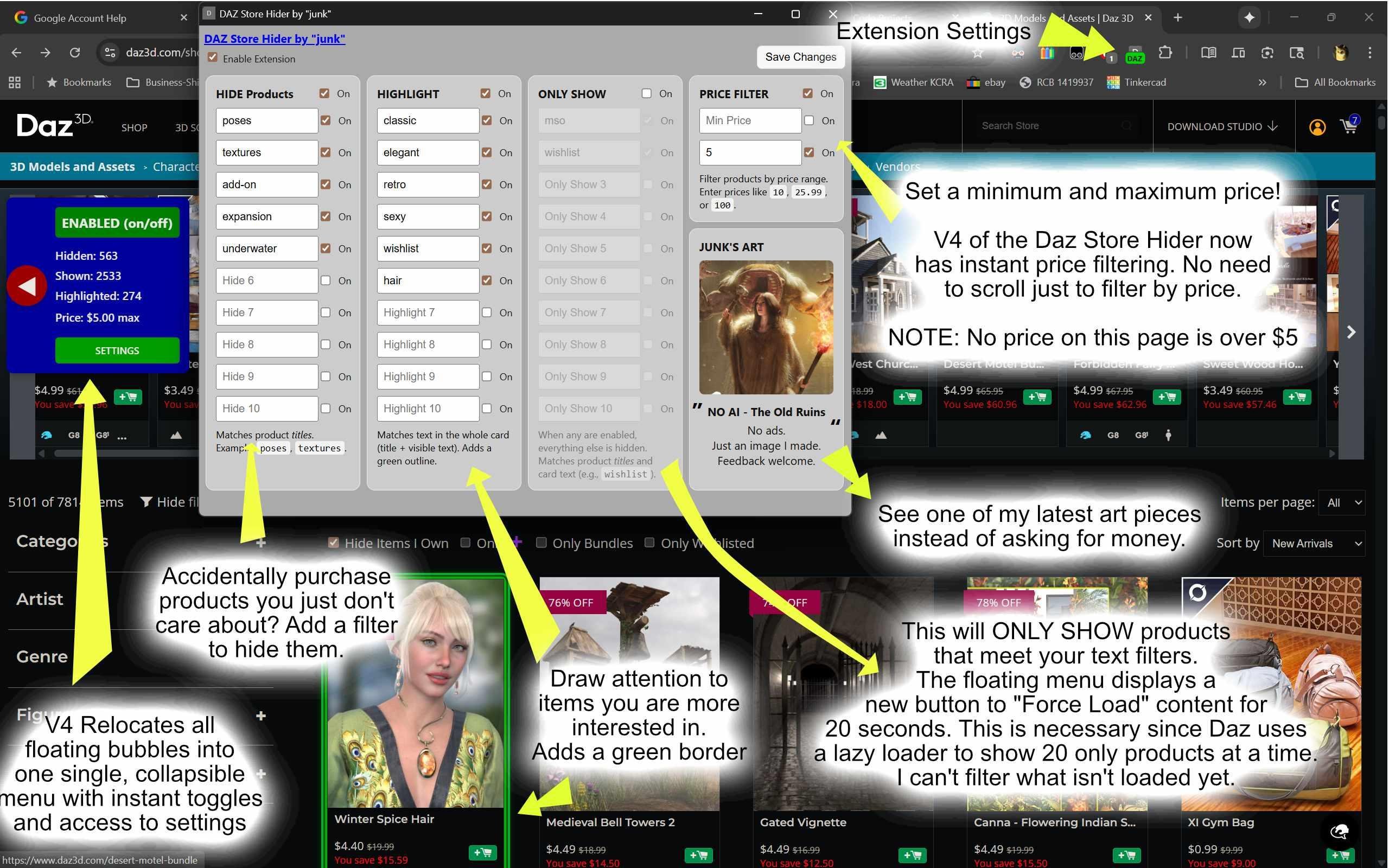
I created and am freely sharing a Chrome browser extension (or pretty much any Chromium based browser) to HIDE or HIGHTLIGHT products in the Daz3D store including PRICE. So if you don't want to see "texture" products or "add-ons", simply type it into the extension, enable it and *poof* they are hidden. Only have $10 to spend and want to see everything within your price range?
Do you like products by Mousso? Like "Hair" products? Well, step right up, boy do we have something special for you. Simply type in the items you care to stand out, enable them and then *poof* they have a green border around them. For me, it's made a world of difference, eliminates clutter, eliminates accidental purchases of something I don't care about. Figured that others could love this too.
In my screen shot example I often don't want to see poses so a product will generally say "pose" or "poses" and in this case typing "pose" will hide both of these.
Also in my example, under the "Highlight" section I put "MSO" which will then highlight a green around all products that are from Mousso. Now, keep in mind that Mousso once did not start her product titles with "MSO" and in those cases, it wouldn't highlight her older named products.
WHAT'S NEW IN VERSION 4.0
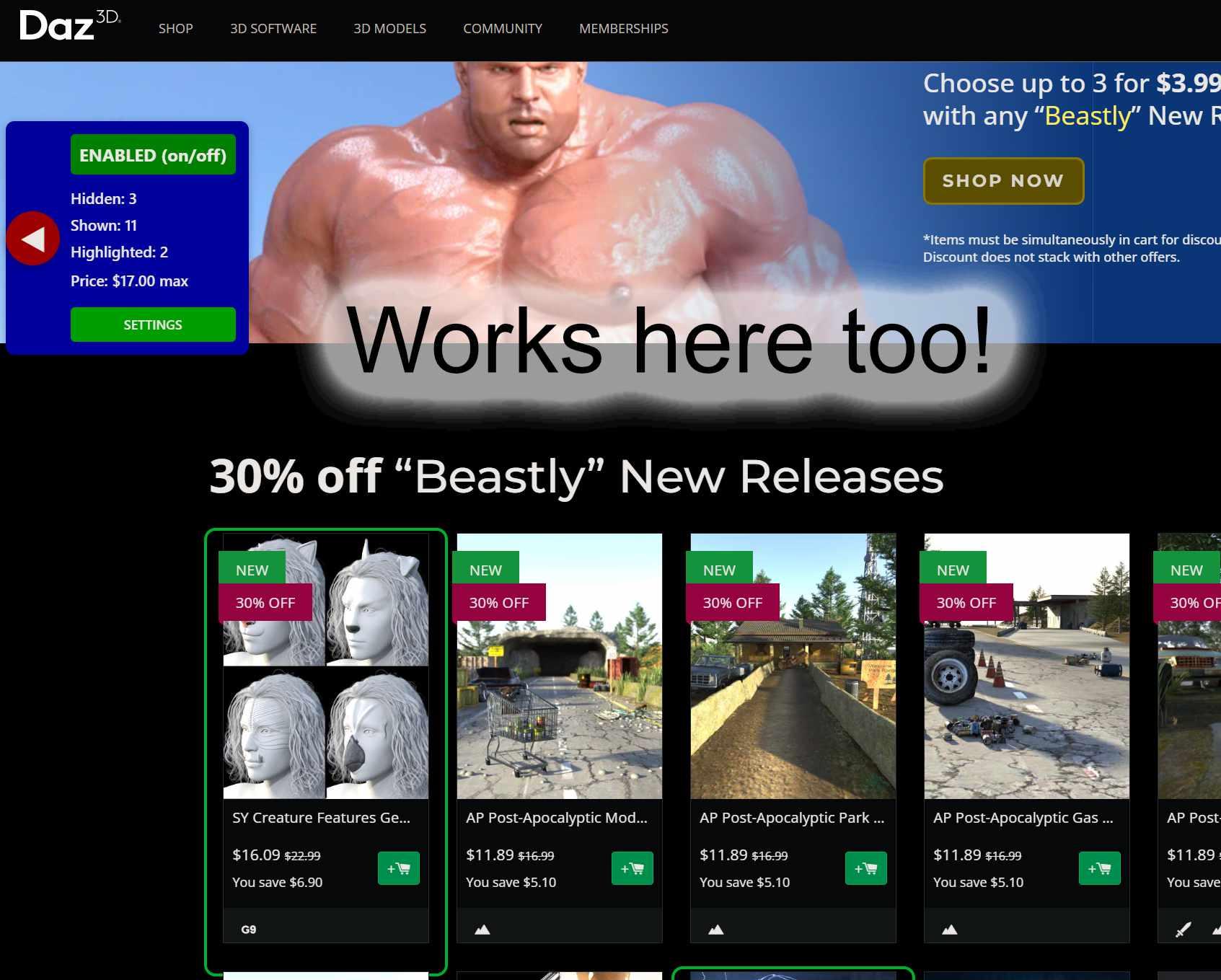
1) This version has all of the floating bubbles moved into a single collapsible menu located on the left-hand side of the screen. Older versions had bubbles that got in the way of looking at full size product images.
2) The price filter is instant now without "refreshing". The older versions required that you "refresh" the page to load more products first before they could be filtered.
3) Things are just much faster to configure and get it out of the way.
INSTALLATION:
Again, this only works on Chromium based browser such as Chrome, Microsoft Edge, Opera, Brave, etc. My instructions are directly done on Chrome version 139.0.7258.139 so things will most likely change as Chrome browser matures or if you are utilizing a different browser such as Edge.
I've tested it on Chrome for Windows 11, Microsoft Edge on Windows 11, Chrome on a Chromebook.
STEP #1 is to download the ZIP file "DPF_v4.zip" which is also attached below. Download that and unzip the folder to a place on your C: drive (at least on Windows). Remember where you unzipped it to because you will need the path when you go to add the extension to Chrome.
STEP #2 and BEYOND: After you unzip the downloaded zipped folder to a location on your computer, follow the steps in the following images from there.
NOTES:
Like most people, I am a person who has very little time and visiting the forums is even less of that total pie chart. That being said, I probably wont be visiting this post very often to offer help. If I add more features I'll probably visit to do the updates. If others get this working, and if you have the time, please help people that might have questions here. We should stick together as the Daz community and help out best that we can.
I use a dark screen extension called "Dark Reader" that converts the white and black portions of a webiste for ease on the eyes. With that said, my screen captures are all black background and may appear strange to you. My apologies.
Praying that this works for others without headaches. Installed it onto two different machines without issues but I got out of software development so long ago because supporting software hurts my brain.
I am not responsible for any problems, accidental sales or any other derivitive that arise from utilizing this extension.
SECURITY and EDITING:
The five files that create this Chrome Extension are not compiled or obfuscated. As such, you have the ability to see the current code and even make changes. You will see that there is no trickery or underhanded motives for me to make and supply this extension. I only put one shameless plug in the pop-up that if you click "Junk's DAZ Store Hider" you will be taken to my Daz3D Gallery. * Oh the shame everyone cries out * :)
REFRESH PAGE... What is that?
The "REFRESH PAGE" option was a necessary evil (for me) as I can't filter what I don't see. And since the Daz3D website is a complicated and dynamic Javascript heavy web page, it loads products only when you scroll down to avoid loading all thousands of products you never look at. I can't filter on things that haven't even loaded. SOOOO... with that said, I need to have it scroll through the website to load as many products as I can in order to filter out those products. I hope that makes sense. Anyways, I make the screen 90% opaque so you don't get dizzy and lose your lunch as it scrolls. If you have the "Items Per Page" set to "ALL", there are maybe a hundred thousand products that need to be filtered upon. Please note that there is a "Cancel" option to stop the filtering if you get tired of waiting the 20 seconds. You can click the "REFRESH PAGE" as often as you want to try and load all of the products but it will most likely NEVER HAPPEN. Please keep in mind that this is just a tool to try and get products you want/don't want to show up.
BOTTOM LINE:
Well, I hope you all enjoy it as I do. I personally think that Daz3D, with this extension, could make more sales of products when a user can see exactly what they'yre shopping for rather than shifting through dozens, hundreds, thousands of unrelated products.
If one day, before 2030 arrives, Daz3D adds more "filter" options to make the website user friendly... this extension will be obsolete and everyone can be happier.
Thank you for your time and viewing.



Daz 3D is part of 
Connect
DAZ Productions, Inc.
7533 S Center View Ct #4664
West Jordan, UT 84084
Licensing Agreement | Terms of Service | Privacy Policy | EULA
© 2026 Daz Productions Inc. All Rights Reserved.
Comments
Cool, thank you
Thanks Anita! You are always so kind to me and everyone. I am very appreciative you are present in the world of Daz3D.
This is very helpful, thank you very much!:)
Awesome work, thank you very much!
Emanuela! Thank you so much my friend. Glad it can help out.
I very much appreciate it markusmatern!
Version 3 released today. Now includes filtering products by Price Above and Below options along with other features and bug fixes.
Version 2 was too buggy to release.
Your directions are easy, perfect, and thorough. It's a wonderful creative tool, thanks. The filter functions well enough on Microsoft Edge and also works with my default Chrome browser along with having Daz-Deals installed. However, Firefox is a bit quirky because I could not find the ‘developer mode.’
Hey thank you PaperMoon!
I'm glad you tried it out on Edge and Firefox. Glad at least we have a confirmation that it works on the Edge browser for sure with a "maybe" on the Firefox browser.
Unfortunately, it doesn't filter anything for me...
Oh no! I have a new version coming out any day now. Maybe it will work for you since it's been reworked a lot.
well this is fun.
thanks so much!!
edit:
I tried to install on firefox with no luck. claimed the zip was corrupt (obvi since it was made for chrome)
New version 4.0 is out today. Hope it improves your shopping experience!
I've personally tested it on Chrome for Windows, Microsoft Edge and on my underpowered Chromebook.
I will be working on paying the $5 Google developer fee and submit this to the Chrome store to make installation easier.
I hope it's helpful Lyoness and....and... MAN! YOU MAKE INCREDIBLE PRODUCTS!!!
You have talent in spades my friend.
Hey! Backatcha. This addon is so much fun!!
Paid the $5 registration fee... hey I'm a Chrome Developer now!
More importantly I have submitted the free Chrome extension to the Chrome store. Now we just wait a couple of weeks they say. Soon, if approved, installing this will be much easier and verified by Google.
This Chrome browser plugin is now officially available on the Chrome Extension Webstore here:
https://chromewebstore.google.com/detail/daz-product-filter-by-jun/kpcgahifhpecekgdcfndidhadihcbjfl?authuser=0&hl=en
For Edge, it seems I need to register to become a Microsoft Developer before I can post it there. Geesh.... BUT, you could probably just follow the link above and install it still on Edge or other browsers. Let me know if it works.