New Account & Installation Mac DIM will not accept password
 davidjmcclelland
Posts: 0
davidjmcclelland
Posts: 0
I set up an account and downloaded DIM to (I hope) install the software and at least try it out.
Created a membership using my actual email account, received a confirmation email.
Installed DIM and filled the Login with the same account into used on the site.
Verify email and/or password and try again.
Updated password (replace spec chars with other spec chars) logged out and back in again on site.
Same result from DIM.
Googled and saw many with same issue, but since they were already using the software they could apply workaround - I cannot.
Thanks for any halp!
Off to try some other packages in the meantime...

Daz 3D is part of 
Connect
DAZ Productions, Inc.
7533 S Center View Ct #4664
West Jordan, UT 84084
Licensing Agreement | Terms of Service | Privacy Policy | EULA
© 2026 Daz Productions Inc. All Rights Reserved.
Comments
@totte I tagged the resident Mac expert to help guide you through what needs to be done, hopefully.
A couple of questions:
What OS and version are you using?
One thing that is a known issue, DIM wont save your password if you run Windows on a virtual machine, are you running macOS in a VM?
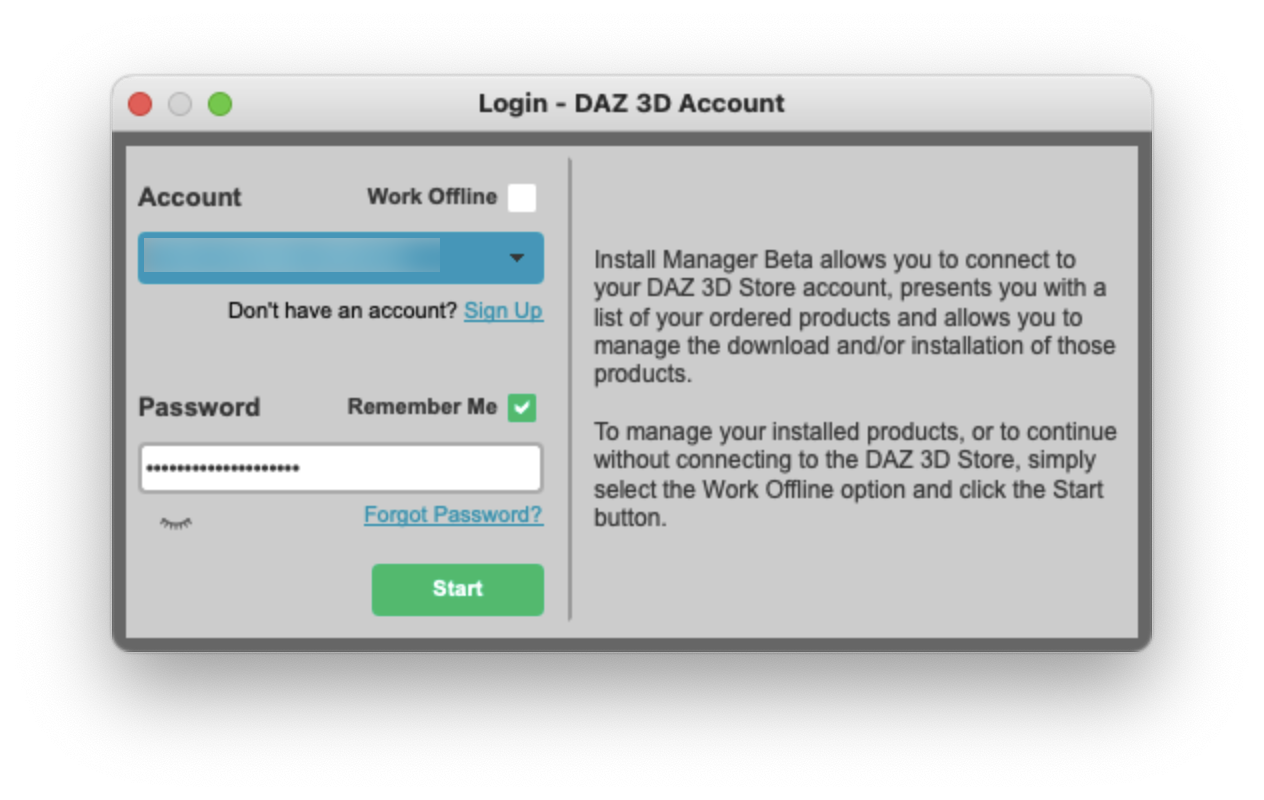
Also, it is a common mistake when logging into DIM and missing that the first dialog is the account name (your name of the account if you have multiple), second is account email for logging in, and when you actually log in, you select the account and enter the password.
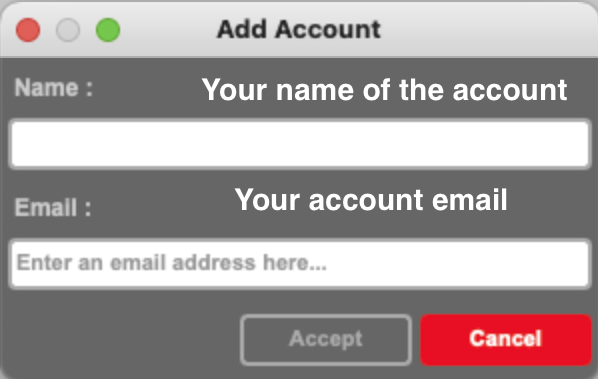
Creating an account
Logging in