KBXF Scene Favorites Tools [Released]
 kabexef
Posts: 93
kabexef
Posts: 93
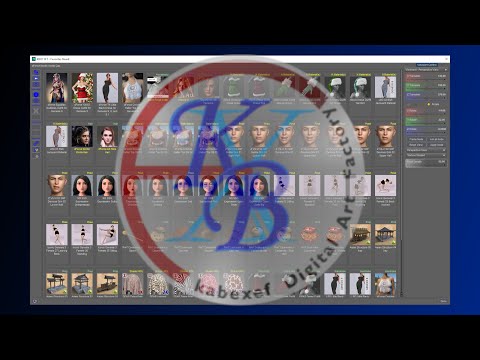
To create the perfect scene it is often necessary to try out many figures, poses, hair, clothes, surroundings, objects, etc. individually or in combination.
With the 'Scene Favorites Tools' you have the ultimate aid to carry out many of the tasks involved more easily, more quickly and therefore more efficiently.
Many frequently used standard Daz functions are embedded in the «Favorites Board» so that you don't have to leave the «Favorites Board» and call it up again and again.
Since a «Favorites Board» is located within a scene, you can easily create your own scene catalog (e.g. 'Character Favorites', 'Clothing Favorites', 'Item Favorites', ...) with the respective board and import the desired «Favorites Board» into the current scene (Merge Scene).

Daz 3D is part of 
Connect
DAZ Productions, Inc.
7533 S Center View Ct #4664
West Jordan, UT 84084
Licensing Agreement | Terms of Service | Privacy Policy | EULA
© 2025 Daz Productions Inc. All Rights Reserved.
Comments
Very interesting. I'll be watching this as it develops further.
Looks like a really interesting new set of tools and I'll be interested to see how this interacts with all of the others that I'm currently using. My real concern would be how well it works with scripts, utilities, and shaders, as just pulling all of my "use it every time" items would be a huge time saving.
Sadly, no one has yet made the one tool really I'd love to have on something like this - a "bring back cursor that's turned invisible" function.
Since the Favorites Board only allows .duf files, a script collection will unfortunately not work with this tool. The same is probably true for utilities if they consist of scripts. To achieve efficient handling of scripts, I use my own menus in Daz Studio and shortcuts for user actions.
Shaders are no problem as you can put them on the favorites board. Of course, you still have to select a surface to which the shader is then applied.
The “disappearance of the cursor” sounds interesting. I have not yet experienced this phenomenon. Can you say when it occurs or even cause it intentionally?
https://www.daz3d.com/kbxf-scene-favorites-tools
Thanks for the link. And here comes the link to the mentioned video ...
How do you access the script???
I have loaded KBXF Scene Favorite Tools using the DIM.
But I do not know or see how to run it, use it, or start using it.
Please do an example of actually using the product for the first time.
You can find the product in the Smart Content under Utilities (see 01 Smart Content)
The scripts can be started directly from there (see 02 Smart Content, not recommended)
A better way is to create custom actions for the tools (see 03 Smart Content, recommended) to access the tools from your menu (see 04 Menu)
It is even more efficient if you also assign shortcuts to the custom actions (see 04 Menu)
Another option is to access the tools via Content Library / Products / K / KBXF Scene Favorites Tool (see 05 Content Library)
Hope that helps