Problem with Precious Deer attachments [Solved!]
 Wonderland
Posts: 7,137
Wonderland
Posts: 7,137
I feel like I must be doing something wrong because this is an older product that's been around for a long time and @LadyLittlefox, a Daz veteran, but when I load the attachments they are white both in iRay and Filament. I made sure everything in surfaces is black but nothing seems to work. Both the lashes and area around the eye are attachments and I can't get the color to change. Any suggestions?
Post edited by Wonderland on

Daz 3D is part of 
Connect
DAZ Productions, Inc.
7533 S Center View Ct #4664
West Jordan, UT 84084
Licensing Agreement | Terms of Service | Privacy Policy | EULA
© 2026 Daz Productions Inc. All Rights Reserved.
Comments
Hmm, will have a look at it tomorrow since I have the whole set and Filatoon seems perfect for them
Yes, there seems to be something wrong. Maybe because of a DS or Iray update?
Works ok for me. When applying the mats for the tail etc you need the main body selected and when applying the eyelsh mats you need to select the eye lashes.
iray render
I don't see any MATS for the eyelashes and they and the other attachment load white,
So I was able to duplicate the issue, and then when I unparented the lashes and deleted the figure, the could be changed, and now I can't duplicate the issue.
Same here. There is a Materials folder, but I don't see anything there that seems to match.
And I know it used to work, for I have an old scene where it looks OK.
It's weird because no matter what I do, it won't change color. It's stuck white. Why won't it take any color?
probably a hierachial shader
Well I found a way to fix it. Copy the Precious Base shader to Skin-Head on the Girly Lashes shader:
https://app.screencast.com/IsZRBvx61R2RN
Aren't they relatively new? The product is almost 6 years old.
It also works for the Ears, just copy the Head shader here. But I can't make it work for the Tail or Feet.
DS caches different stuff in the scene, that may be the reason you can't duplicate it. You have to create a new scene to clear the cache.
Everything else loaded with textures. When I added the girlie lashes and other area around the eyes, they loaded white and no mat or color change in surfaces could change them. I've never experienced anything like this.
Sorry I have
https://www.daz3d.com/fanciful-textures-for-precious-dragon
this includes textures for the lashes etc.
Without using this product I had no problems with the ears, just make sure you have the base figure applied as they are hierachial mats.
The eye lashes didnt work on that surrounding area, there is a work around just copy the head surface and paste to the eye area. But you shouldn't have to do this.
When I had the issue replicated, the lashes and skin on the graft would be very washed out no matter what I did. I could get a hint of color (but not black), but nothing would change the washed out paleness until I separated them from the base figure and deleted the base figure. Then after that, deleting the lashes and reloading from base, it all worked normally.
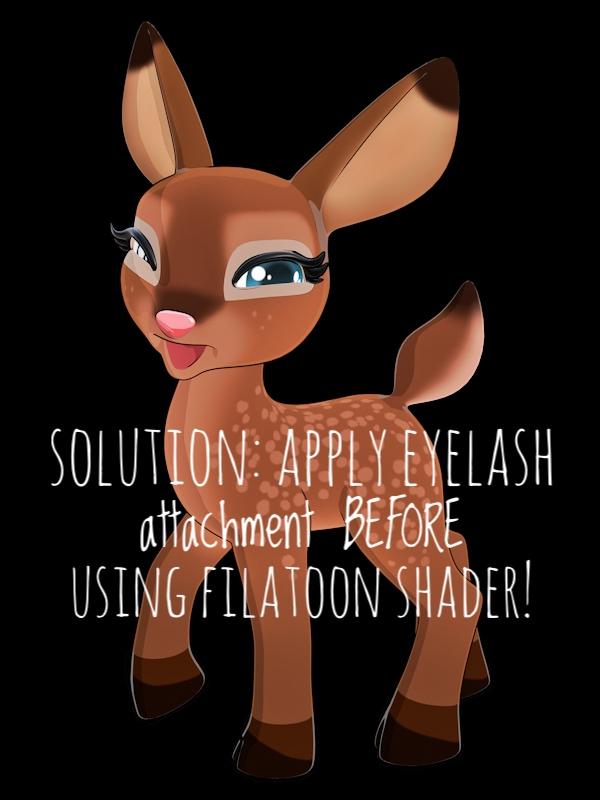
There's definitely something odd going on when using Filatoon if you apply the lashes and change the surrounding area before applying the Filatoon shader it works ok, if you add the lashes after using the filatoon shader and then use the filatoon shader on them it doesn't.
I also found it looked better if you turn off the outline shell on the grafts.
No, they have breen availble for a long time - possibly as long as DS4 - but they became more common as dForce led to greater use of Rigid Follow Nodes and as later Genesis figures used add-ons for lashes and brows etc.
YES! This worked. I had to start from scratch and add the lashes first, before I used the FilaToon shader. If you load them later, they are impossible to color!
OK, thanks. I first discovered them a year ago or so, when having problems with applying shaders to an item the usual way.