dformer question
 Nosiferret
Posts: 344
Nosiferret
Posts: 344
I looked up the dformer via the program ref guide but all the pic images were broken and they were kind of part of the tut. But I did a little searching around and I saw some tutorials for changing things with the model figure but I didn't see much on using dform on clothing items. Is it possible? I am trying to add something movement to the Medieval cloak such as make it close more than it does and I can get it to light up like a lite-bright but I can't do anything else, I get a red wire frame like ball that goes around, I've selected Node weight map brush and I get the red and green rings as a 'brush' I've right clicked and tried brush selection and used Geo selection, and Paint brush but nothing happens on any of them. Is there a tutorial out there that I can follow to get my feet wet with this process?
I am using the 4.8 D|S

Daz 3D is part of 
Connect
DAZ Productions, Inc.
7533 S Center View Ct #4664
West Jordan, UT 84084
Licensing Agreement | Terms of Service | Privacy Policy | EULA
© 2026 Daz Productions Inc. All Rights Reserved.
Comments
I don't know what tutorials are available, but here's the quick instructions for using dformers. After you have selected the node and created the dformer, it adds 3 more nodes (you'll have to expand one of them in the scene pane to see the third.)
Select the node for the dformer's field, and move/resize it until it surrounds the vertices you want to deform. You will see them as yellow through red dots, showing which verticies will be affected more or less.
Now select the node for the dformer, and move/resize it to actually deform the vertices of the object that are within the field.
Also be aware that there was some issue with moving the object after creating the dformer, I don't recall the details, so you might want to position your object before deforming it.
You can use dformers on just about anything. I've yet to find a tutorial on using deformers with the weight map brush, but for the basics, Carnite does a really good job explaining the process in this old classic -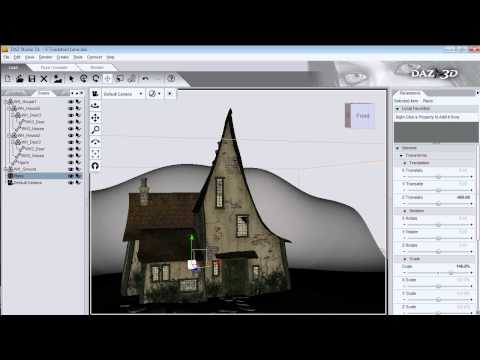
I have read a lot of comments by people extolling the virtues of D-Formers but, honestly, I find them the most unintuitive, unhelpful, frustrating feature in DAZ Studio. Top of my list of gripes is the fact that you don't seem to be able to create a new deformer that is automatically positioned and parented to a specific body part, so when you create the deformer it affects the entire body and then you have to muck around moving and sizing the field, squinting at an array of coloured dots to see where the deformation might or might not apply. I won't even mention the disconnect between the "plunger", the "disc" (as I call them) and the field. Wouldn't it be more logical to point the "plunger" at the area you want to deform (like a big finger), have the field automatically follow the tip of the "plunger", then you can push, pull or translate so that there is a logical, clearly visible, relationship between the movement of the deformer and the changes to the mesh.
And, as I said, I don't understand why you can't just select a body part in the scene heirarchy, then right click -> Deform and automatically have an appropriately sized field centred and positioned on the currently selected body part. Whenever I try and do that I get a message about not having a node selected. I thought I was doing something wrong at first, because clearly a feature like this couldn't be so useless, but then I studied the tutorials and found it to be true!
Obviously with so much support for the feature I must be doing something wrong, but I really hate them with a passion! imho Even Poser magnets are better! Hell, even going into Hexagon and manually working the mesh is better!
I've found them to work virtually identically to Poser's magnets, with the exception of the fact that it's more intuitive to paint a weight-mapped area of effect in Poser. They're picky, but effective. I use them all the time when I'm depressing cushions under butts or swaying hair that lacks adequate movement morphs. That said, DAZ Studio needs a morph brush. A lot.
One useful tip that I use in both DAZ (with D-Formers) and Poser (with magnets): Immediately after creating the D-Former/magnet, parent the field to the base. Move and scale the base to wherever you want it. Then unparent the field from the base. This moves the field with the D-Former or magnet until you're ready to disconnect the plunger/move the magnet. Eliminates that feeling of "disconnect" between D-Former/Magnet and field of effect.
Good luck!
The plunger is the actual DFormer - the way you move that relative the disc is the way the mesh will be defomed, the location of the disc is the origin for scaling or rotation. If the disc or plunger were tied to the field that would limit what you could do - for example you might want to have only the edge of the field clipping the mesh you wanted to deform, so that you could get an asymmetrical effect.
One way to get the field sized and placed for a body part is to have the bone seelcted, then select the figure node, then create the DForm.
Awesome replies, thanks for the tips! :)
Does D|S really not have a feature comparable with Poser's paint-on morph editor (push, pull, smooth, sag, tighten)? I just assumed I've simply never found it, or if I had, didn't know what it was! There are some "paint on" interfaces in D|S, but to me, they are completely unintuitive. It takes all of 10 minutes to become pretty good at the feature in Poser.
You really have to learn how to use d-formers. Many Genesis clothing don't come with many basic morphs the kind you will find with the generation 3 and 4 clothing. To me they are just as needed. I find myself using d-formers a lot after Genesis was introduced.
I suppose it's six of one, half dozen of the other...but I usually pull the item into Blender and make the morph there.
In either case, it is work, getting that perfect fit...