Question about JM HumanShader for Iray
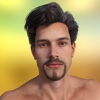
Since a few of my Characters once converted to Iray appear very glossy, before buying this product my question is, will these new shaders put them on the right settings? Will the gloss automatically be corrected? Thank you!

«1

Comments

  • acanthisacanthis Posts: 604

    I'd also like the answer to that question. Super-Gloss has been a persistent problem for me with characters in iRay.

    Also, where can I get that model of the Long, Long Trailer in your sig, Ralf?

  • Ralf1958Ralf1958 Posts: 688
    acanthis said:

    I'd also like the answer to that question. Super-Gloss has been a persistent problem for me with characters in iRay.

    Also, where can I get that model of the Long, Long Trailer in your sig, Ralf?

    A few months ago I was asking DAZ if I could sell the trailer in the store... well NOPE! It's all about textures and stuff... so, sorry but it's not available. I modeled that thing but never really thought about custom textures. In effects it's very time consuming for me, as I am not an expert, to create materials for it. I am still working on it, so maybe one day it will be on sale somewhere... ;-)

  • acanthisacanthis Posts: 604
    Ralf1958 said:
    acanthis said:

    I'd also like the answer to that question. Super-Gloss has been a persistent problem for me with characters in iRay.

    Also, where can I get that model of the Long, Long Trailer in your sig, Ralf?

    A few months ago I was asking DAZ if I could sell the trailer in the store... well NOPE! It's all about textures and stuff... so, sorry but it's not available. I modeled that thing but never really thought about custom textures. In effects it's very time consuming for me, as I am not an expert, to create materials for it. I am still working on it, so maybe one day it will be on sale somewhere... ;-)

    That's a shame because it looks great. I hope you do manage to bring it to the store one day because it would go straight into my Shopping Cart. 

  • Ralf1958Ralf1958 Posts: 688
    acanthis said:
    Ralf1958 said:
    acanthis said:

    I'd also like the answer to that question. Super-Gloss has been a persistent problem for me with characters in iRay.

    Also, where can I get that model of the Long, Long Trailer in your sig, Ralf?

    A few months ago I was asking DAZ if I could sell the trailer in the store... well NOPE! It's all about textures and stuff... so, sorry but it's not available. I modeled that thing but never really thought about custom textures. In effects it's very time consuming for me, as I am not an expert, to create materials for it. I am still working on it, so maybe one day it will be on sale somewhere... ;-)

    That's a shame because it looks great. I hope you do manage to bring it to the store one day because it would go straight into my Shopping Cart. 

    Never say never! :-) If I'll maybe find some addicted that can help me out with those textures, then it could be in the store soon. :-)

  • SuperdogSuperdog Posts: 765

    With a basic select and click the shaders will apply automatically set without removing any texture maps. 

    This is what the product says so I assume it works like RedSpec shaders for Octane Render and just improves the quality of the skin shaders using various adjustments rather than replaces the skin. So it probably adds translucency for example. I can't say 100% but I think that's what it does based on the description. My question is what does it look like in practice. Not too impressed with product images. Other skin shaders for IRAY haven't really impressed either. Perhaps someone who's bought the product could do a few renders of G2 characters? 

  • SpottedKittySpottedKitty Posts: 7,232
    Ralf1958 said:

    Since a few of my Characters once converted to Iray appear very glossy,

    How are you converting them; with the Uber Base or with the individual G2F/G2M Optimised MATs? (There aren't optimised files for other figures, unfortunately.)

  • Oso3DOso3D Posts: 15,085

    I find some conversions work better than others. If you are getting high shine, best to convert and tweak the gloss/top coat.


    I've found some shader conversions skew toward very high or very low gloss.


  • JPayneJPayne Posts: 79
    edited August 2015

    The solution to an overly glossy effect is quite simple really. After you convert an older character to Iray Uber shader.... Just slide the glossy layer weight to 0 and then incrementally turn it up to you get just enough gloss. It's that easy. Then save a material preset and you're golden.

    This solution takes less than 1 minute to do an entire figure... It really doesn't get any easier than that.  

    Post edited by JPayne on
  • Ralf1958Ralf1958 Posts: 688
    Ralf1958 said:

    Since a few of my Characters once converted to Iray appear very glossy,

    How are you converting them; with the Uber Base or with the individual G2F/G2M Optimised MATs? (There aren't optimised files for other figures, unfortunately.)

    I am using the optimized MATs but like I said, some characters turn out super glossy.

  • Ralf1958Ralf1958 Posts: 688
    edited August 2015

    I find some conversions work better than others. If you are getting high shine, best to convert and tweak the gloss/top coat.


    I've found some shader conversions skew toward very high or very low gloss.


    Thanks for the advice. But I am looking for a one-click solution and I thought maybe these shaders would help :-) 

    Post edited by Ralf1958 on
  • Ralf1958Ralf1958 Posts: 688

    Well, I've purchased this shader mostly out of curiosity. I have only used this only on V7 so I have a somewhat limited experience. 

    I have made up my own shaders over the past couple months that I find satisfying, but I'm always looking for something new. The product doesn't come with any instructions which I would find helpful. There doesn't seem to be any genital preset and I have had to do it the hard way, Cut and past from torso and manually change maps. The shader overall seems to take V7's texture and mute it somewhat. It has kind of an alabaster feel to it. There seems to be 2 options for applying the shader to the skin but selecting all of V7's material zones will leave you with a white opaque Eyeball area. there are several options for changing specific zones in the eye like Irises etc... But none for the eye moisture. I believe this was misnamed eye surface. V7 ended up with a very pale skin and a lot of confusion on my end. IMHO the product needs documentation and a one-click apply solution that includes gens and also sets the eyes at the same time. more gloss etc... should be an option after all has been applied. I have attached a small image showing the same base pose on 2 V7' the left V7 is using my own solution and the V7 on the right is using the "Human shader" Base. Both have V7's base texture map. 


    I see! :-) Hmmm... I think I will wait before buying. Thank you! 

  • SuperdogSuperdog Posts: 765
    edited August 2015

    Well, I've purchased this shader mostly out of curiosity. I have only used this only on V7 so I have a somewhat limited experience. 

    I have made up my own shaders over the past couple months that I find satisfying, but I'm always looking for something new. The product doesn't come with any instructions which I would find helpful. There doesn't seem to be any genital preset and I have had to do it the hard way, Cut and past from torso and manually change maps. The shader overall seems to take V7's texture and mute it somewhat. It has kind of an alabaster feel to it. There seems to be 2 options for applying the shader to the skin but selecting all of V7's material zones will leave you with a white opaque Eyeball area. there are several options for changing specific zones in the eye like Irises etc... But none for the eye moisture. I believe this was misnamed eye surface. V7 ended up with a very pale skin and a lot of confusion on my end. IMHO the product needs documentation and a one-click apply solution that includes gens and also sets the eyes at the same time. more gloss etc... should be an option after all has been applied. I have attached 2 small images showing the same base pose on 2 V7' the left V7 is using my own solution and the V7 on the right is using the "Human shader" Base. Both have V7's base texture map. The second image has what appears to be "Human shader" Skin shader I had added this second image after I realized that there was a difference between the 2 shaders.


    Thanks for making these tests. I agree that this product creates an alabaster effect rather than natural skin tones. I really like your shader though so perhaps that should have been released commercially? I think those who are attempting to create realistic IRAY skins need to examine the RedSpec shaders for Octane. RS really seem to understand how to emulate the transluncey of real skin. Even though Octane is a different unbiased renderer I don't see why, with some work, skin shaders of a similar quality can't be made for IRAY.

    Post edited by Superdog on
  • IsazformsIsazforms Posts: 210

    Very hard critiques for the product. ugh. In my opinion the right image looks better.

  • j cadej cade Posts: 2,310
    From the description on the product page, they are shader presets not material presets, so you need to select the relevant material zones in the surfaces pane to have it apply. Material presets are more 1 click, but the advantage of shader presets is they are not reliant on material zones, so they work more universally (you wouldn't be able to make a material preset that applies to v4, v5, and v7). Given thisthis, you should also be able to apply the skin shader to the genital prop with no issues.
  • Ralf1958Ralf1958 Posts: 688
    edited August 2015

    Ok, so after all, is there anyone that has already bought those shaders and has applied them to a super glossy Iray converted character? That's all I would like to know. If it takes away the supergloss I'm going to buy it instantly. smiley

    Post edited by Ralf1958 on
  • IsazformsIsazforms Posts: 210

    I correct "supergloss" thing varying the glossy color between gray-white. I have this problem with Domina Character and I fix with the color gloss.

  • evilded777evilded777 Posts: 2,482

    But is is a shader or just a material preset? Ignoring the Studio difference between how shader vs materials preset is applied... is it using the Daz Uber Iray shader or is it ACTUALLY a new shader? I'm betting its NOT a new shader and I wish people would use the correct terms... it just bugs me.  Not to down on the product, the artist's work can be very impressive. And.. there is no one click solution, ever.  Sorry, but that's a simple fact.

  • JPayneJPayne Posts: 79

    This is a shader or shader preset as it looks to contain the same options based on the Uber Iray shader. It has no material preset. It looks to have a selection of presets for the Uber Iray shader. But I could be wrong...

  • SpitSpit Posts: 2,342
    Ralf1958 said:

    I find some conversions work better than others. If you are getting high shine, best to convert and tweak the gloss/top coat.


    I've found some shader conversions skew toward very high or very low gloss.


    Thanks for the advice. But I am looking for a one-click solution and I thought maybe these shaders would help :-) 

    If you want a one-click solution then get someone to make a shader to your exact specifications. I doubt if a 'one-click solution' would ever satisfy more than a subset of users.

  • SuperdogSuperdog Posts: 765

    This is not a material preset. It doesn't change any of the materials. It adjusts the IRAY settings of the originals materials so that they are closer to the way skin reflects light. Whether this is entirely successful depends on the particular settings. There are several skin shader products available for IRAY. I'm not convinced by this one atm based on the images and the test. Perhaps other people can demonstrate better results with it. I suppose I've been spoilt by the Red Spec shaders for Octane but until IRAY has an equivilant I'll postpone any skin shader purchases.

    If anyone just wants to get rid of the glossy skin effect then check out some of the IRAY skin settings on DeviantArt for free.

  • ToborTobor Posts: 2,300

    Except for the nVidia MDL exampls that come with 4.8, and a smattering of a couple others, I don't see anyone doing new Iray *shaders*. They are all based on the Uber shader, which is overkill for some materials -- light emissive is one; the shader is far too complicated for what the basic emissive MDL should be doing. I suspect that even when a particular node (like glossy) is dialed to off, Iray still has to compute through all of it for each ray traced.

    On skin materials presets, I've never found one that worked for EVERYTHING. I don't have this product, and I'm not sure I'll get it, but there are enough examples out there to create a basic setup and tweak. Unless you get a skin set with some Iray presets specifically for it, there will not be a one-size-fits-all button you can click.

  • Ralf1958Ralf1958 Posts: 688
    Tobor said:

    Except for the nVidia MDL exampls that come with 4.8, and a smattering of a couple others, I don't see anyone doing new Iray *shaders*. They are all based on the Uber shader, which is overkill for some materials -- light emissive is one; the shader is far too complicated for what the basic emissive MDL should be doing. I suspect that even when a particular node (like glossy) is dialed to off, Iray still has to compute through all of it for each ray traced.

    On skin materials presets, I've never found one that worked for EVERYTHING. I don't have this product, and I'm not sure I'll get it, but there are enough examples out there to create a basic setup and tweak. Unless you get a skin set with some Iray presets specifically for it, there will not be a one-size-fits-all button you can click.

    Since I am not making portrait renders, from the distance, for my needs, I don't really need a "perfect skin" shader. It just bothers me to have to play around with all those settings and sliders. All I am looking for is a one-click-gloss-away... because the gloss ist noticeable even from far away. smiley But, as far I can see until now, except for JPayne2014, noone has bought and tryed these shaders on a glossy conversion. Bummer! sad

  • Oso3DOso3D Posts: 15,085

    My free skin shader:

    Start with Iray optimized skin.

    Change to Specularity/Glossiness

    Glossy weight: .5, Glossy color: 192 value gray, Glossiness .4

    Top coat weight: .5, Top color: pure white, Fresnel, IOR 1.34, Top coat glossiness .8


    Save as a shader preset and apply to 'Skin + Lips.'

    Adjust weight between glossy/top coat depending on how shiny/wet you want the skin (more top coat, more wet).

    I often reduce the translucency for most skin, if it looks too ruddy, and then up the translucency and top coat of Lips.


    There. I saved you a bunch of money.


  • Ralf1958Ralf1958 Posts: 688

    My free skin shader:

    Start with Iray optimized skin.

    Change to Specularity/Glossiness

    Glossy weight: .5, Glossy color: 192 value gray, Glossiness .4

    Top coat weight: .5, Top color: pure white, Fresnel, IOR 1.34, Top coat glossiness .8


    Save as a shader preset and apply to 'Skin + Lips.'

    Adjust weight between glossy/top coat depending on how shiny/wet you want the skin (more top coat, more wet).

    I often reduce the translucency for most skin, if it looks too ruddy, and then up the translucency and top coat of Lips.


    There. I saved you a bunch of money.


    Thank you sooooooo much!!! smiley Whenever you drop by, I'll invite you for a beer... or two! wink 

  • Oso3DOso3D Posts: 15,085

    The logic behind that setup is that the 'dry skin' has a very broad, fainter highlighting. You can use other glossy colors if you want to add some undertones; yellow or blue can shift the appearance of skin without going nuts, if you keep it light.

    The top coat then addts that shine that comes from skin oil or being wet. Theoretically skin oil would have a slightly higher IOR than water, but I'm not sure it's worth worrying about.


  • Ralf1958Ralf1958 Posts: 688

    The logic behind that setup is that the 'dry skin' has a very broad, fainter highlighting. You can use other glossy colors if you want to add some undertones; yellow or blue can shift the appearance of skin without going nuts, if you keep it light.

    The top coat then addts that shine that comes from skin oil or being wet. Theoretically skin oil would have a slightly higher IOR than water, but I'm not sure it's worth worrying about.


    You just made my day. I followed your instructions, saved as shader preset (without images) and it's working perfectly! Thank you again!  laugh

  • SuperdogSuperdog Posts: 765

    Great skin settings! Thanks for sharing.

  • SuperdogSuperdog Posts: 765

    Ralf1958, your trailers look great. DAZ are mad not to market them. Try one of their competitors.

  • Ralf1958Ralf1958 Posts: 688
    Superdog said:

    Ralf1958, your trailers look great. DAZ are mad not to market them. Try one of their competitors.

    Thanks, Superdog. smiley Actually the only one that's almost 100% ready to go is the "New Moon", still a few little details to work on. The second one is not even half way through. But I'm positive sooner or later they will be availeable somewhere wink

  • IsazformsIsazforms Posts: 210

    My free skin shader:

    Start with Iray optimized skin.

    Change to Specularity/Glossiness

    Glossy weight: .5, Glossy color: 192 value gray, Glossiness .4

    Top coat weight: .5, Top color: pure white, Fresnel, IOR 1.34, Top coat glossiness .8


    Save as a shader preset and apply to 'Skin + Lips.'

    Adjust weight between glossy/top coat depending on how shiny/wet you want the skin (more top coat, more wet).

    I often reduce the translucency for most skin, if it looks too ruddy, and then up the translucency and top coat of Lips.


    There. I saved you a bunch of money.


    Glossy weight refers to Glossy layered weight? Only for be secure. This adjust looks more matte.

Sign In or Register to comment.
