DazToUnity 2022 Bridge (SEPTEMBER UPDATE): What's New and How to Use It
 danielbui78
Posts: 333
danielbui78
Posts: 333
The September Update for the Daz to Unity Bridge is now available on Daz Central and Daz Install Manager. These are the new features and some video tutorials on how to use them.
- Bugfixed URP shader code
- Updated to latest Daz Bridge Library v2.2
- Fixed morph undo bug (distorted faces on export)
- Improved Geograft material support
- Preliminary steps for Geograft Morph support (exports blendshapes)
You can find out more about DazToUnreal Bridge and Daz Bridges from these resources:
- Download latest updates and bugfixes (Github Release Page)
- DazToUnity Main Github page
- How to Install DazToUnity
- How to Use DazToUnity
- DazToUnity FAQ
- Daz Bridges
The steps to install the Unity Plugin have changed from previous versions. Please make sure you follow these directions to fully install the Unity Plugin component:
How to Install the Unity Plugin
- Start your Unity Project and leave it in running in the background.
- Start Daz Studio and select File -> Send To -> DazToUnity.
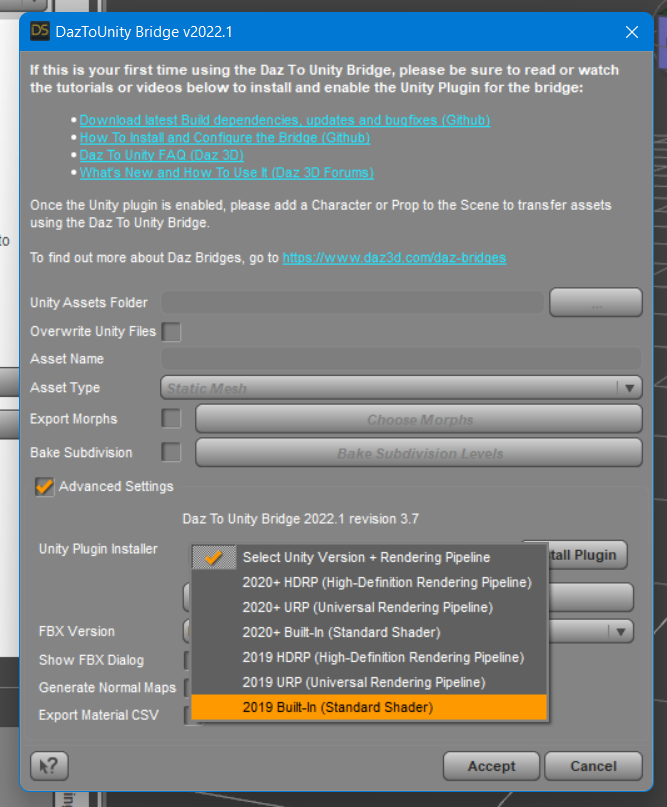
- Enable the Advanced Settings checkbox.
- Select your Unity Version and Rendering Pipeline from the dropdown.
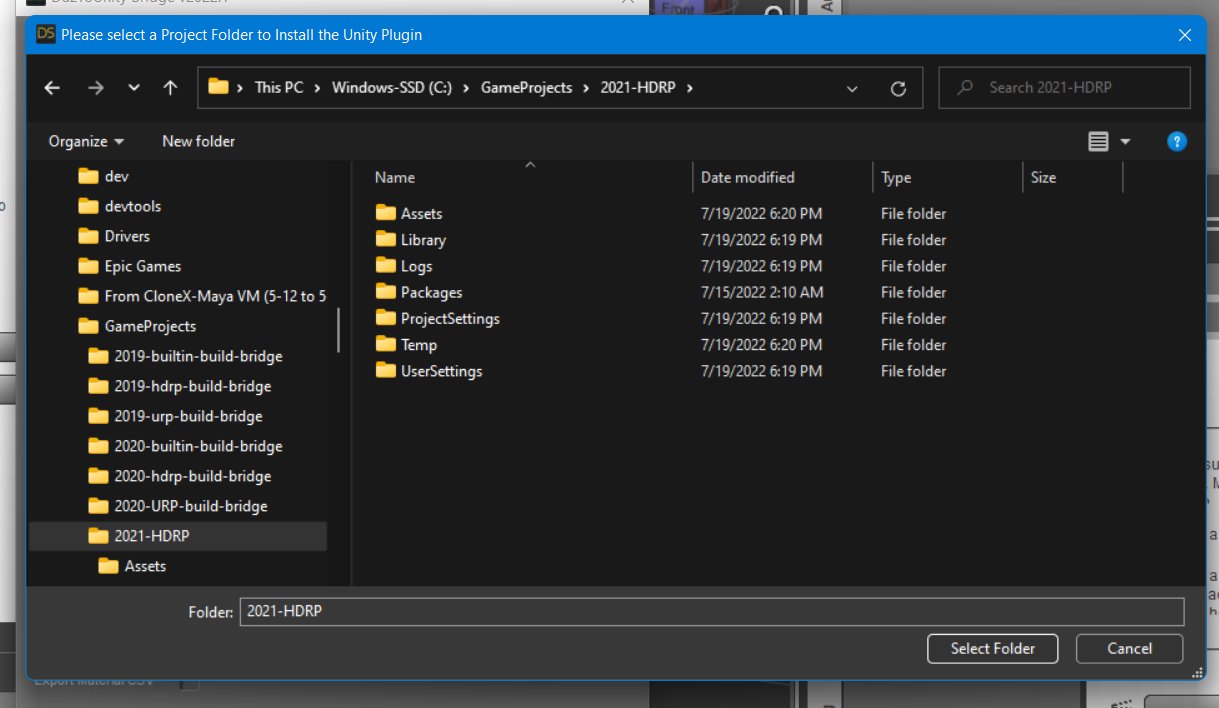
- Click "Install Plugin". A window will popup for you to select a Unity Project to which to install the Unity plugin.
- Navigate to your Unity Project's root folder.
- Click "Select Folder". You will see a confirmation dialog stating if the plugin was successfully copied to your Unity Project.
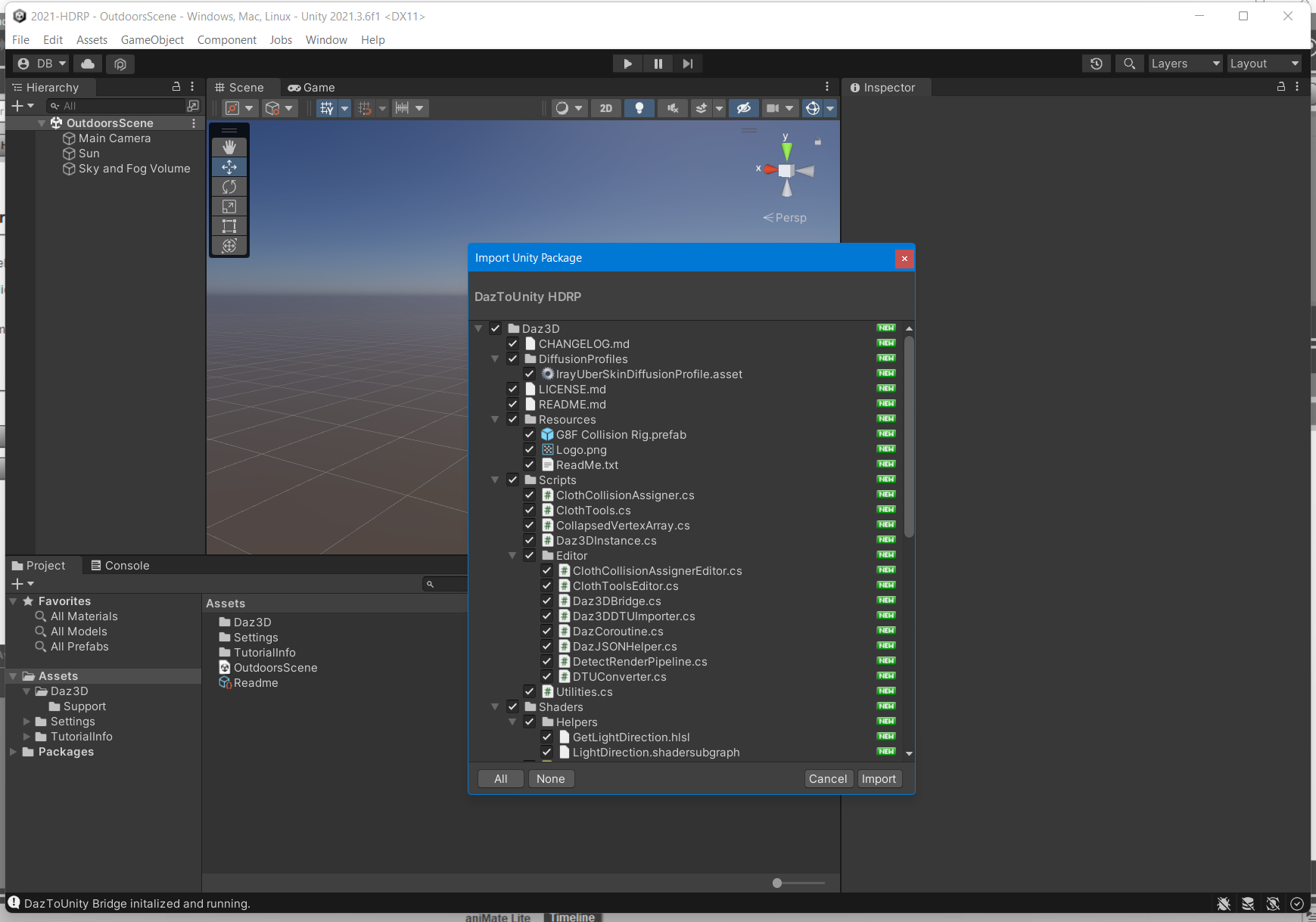
- Depending on your machine and setup, a Unity Import Package dialog may automatically appear. Click Import.
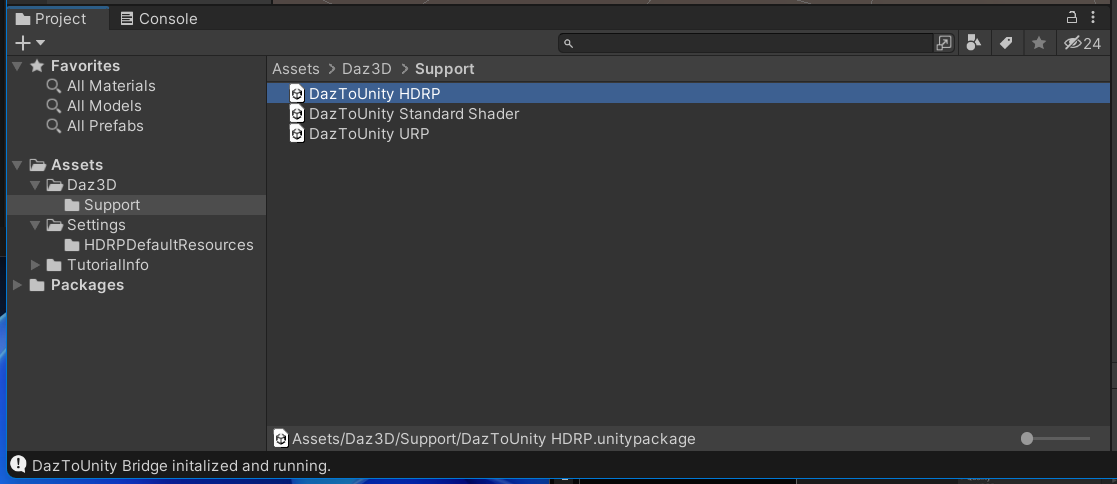
- If an Import Package dialog does not appear, switch to your Unity Project and navigate to the Assets\Daz3D\Support folder.
- Inside that folder, you will find installation packages for all render-pipelines:
- For HDRP: double-click "DazToUnity HDRP.unitypackage" and click Import.
- For URP: double-click "DazToUnity URP.unitypackage" and click Import.
- For Built-In Render-pipline: double-click "DazToUnity Standard Shader.unitypackage" and click Import.
- If a popup window asks you to Update the Scripts or API, then click "Yes, for these and other all files".
- For HDRP, you will also need to add a diffusion profile: Unity 2019: This list is found in the Material section of each HD RenderPipeline Asset, which can be found in the Quality->HDRP panel of the Project Settings dialog. Unity 2020: This list is found at the bottom of the HDRP Default Settings panel in the Project Settings dialog. Unity 2021: This list is found in the Graphics -> HDRP Global Settings panel.
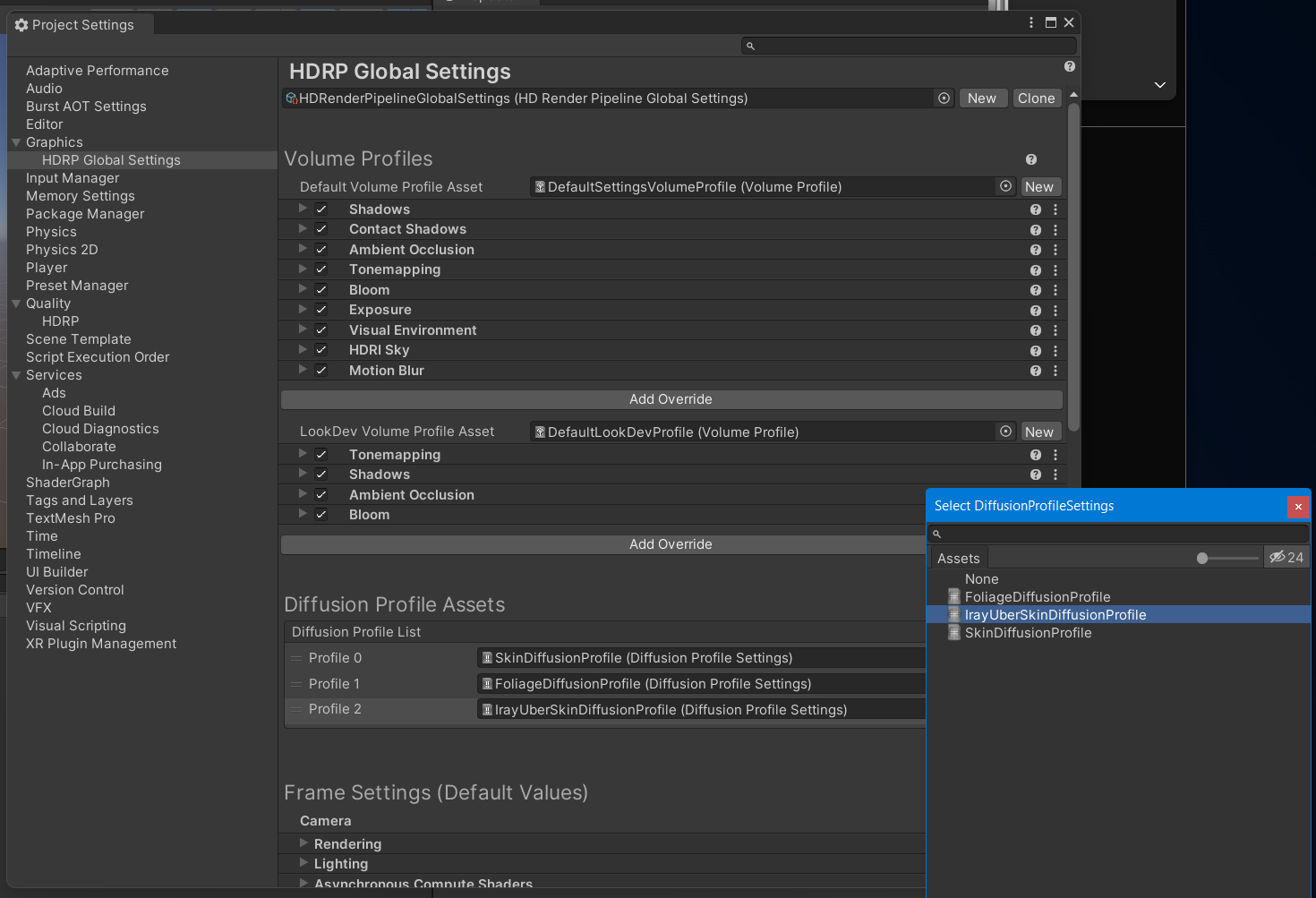
Here is a video demonstrating the above steps for Unity 2021 LTS + HDRP:
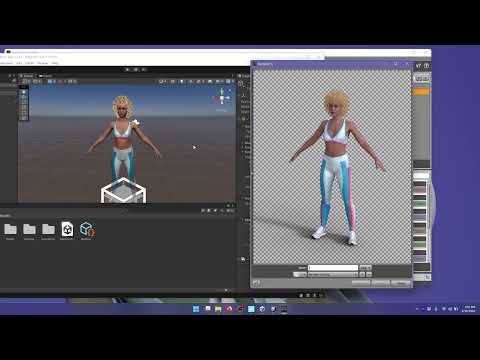
1. How to Install DazToUnity Bridge with Unity 2021 LTS + HDRP:
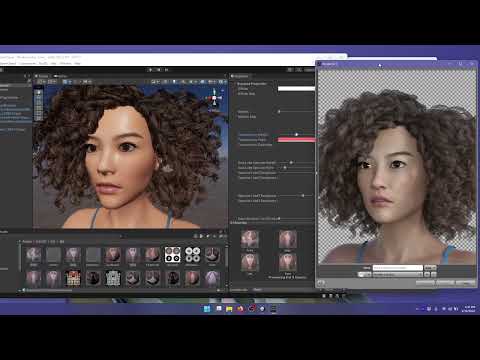
Does the skin look too shiny or oily? Is the complexion too red? Are the hair strands or eye-lashes too blocky or pixelated? Check out how to modify these things in video #2...
2. How to tweak Materials in Unity that were generated by DazToUnity Bridge:
more videos coming soon...

Daz 3D is part of 
Connect
DAZ Productions, Inc.
7533 S Center View Ct #4664
West Jordan, UT 84084
Licensing Agreement | Terms of Service | Privacy Policy | EULA
© 2026 Daz Productions Inc. All Rights Reserved.
Comments
Thanks a lot for the tutorials.
I am really enjoying the possibilities of what Daz to Unity bridge offers.
Thanks, i got it but i dont know how to send my full environments, i think i asked in 2 threads already. Is it possible? i tried but it only sends material of one object in my environment( like my boxing gym or a restaurant and in Unity ( i use HDRP)..because only one material folder was created for one object like the bench etc, all the other object surface will be pink.
I remember i could export full environments before, it's not possible anymore?
I don't remember the old one having ability to do full environment, but I could be wrong. The code for Unity and Unreal and all other Bridges is being merged together. The environment function is already in the Daz Studio component, but I haven't had time to put it into the Unity plugin yet. It is definitely on the todo list to be done some time soon, that's why I left the option greyed out.
Yeah i was easy able to send environments I sent like 15 full ones and all the Materials for every little things would be sent, it would of course take a while. And then i would in Unity have to convert the Materials to HDRP because they looked fuzzy in daz format.
But i remember having to select all the items in the environment , and later i tried i UDTU and it didn't work and also now in Official DTU it doesnt work anymore.Myabe i didd some kind of trick that worked by chance and i don't remember how i did it
Ok i knew i wasn't going crazy. It's Unofficial Daz to Unity Bridge Version 1.1. Sending Full Environments works and all the Mats for every object in the scene is created and then the prefab is created. Yeah i guess you forgot to add this in UDTU v1.2 . And Official DTU 2.x doesn't have it at all unfortunately.
So i'm gonnna send all my environments with UDTU v1.1, i wonder if i can then move the envieonments to another folder and delete that daz3d folder so i can install UDTU v1.2
By the way , while it's true Official DTUD newest is a bit good, it lacks some things for example the Height map value you're limited so little the slider just goes to from like 0 to 2 or 3, same for the Roughness..There's a Glossy ROughness slider and it's so limited so you can't reach appearanes of extra moist skin, like you can in UDTU. Here's a pic easy import FG Boxying Gym with UDTU V1.1, all materialls for all objects inside the gym Plus a prefab for all the environment.
I just discovered it actually also works with UDTU version 1.2, i guess i rediscovered the trick nice!!!!
The July Update of the Daz to Unity Bridge is now available on Daz Central and Daz Install Manager! Please refer to the main post for more information about this update.
Very nice we no longer have to google "how to fix eyebrows" for new users with daz to unity import. lol
Thanks for the update.
I'm going to get serious about doing some development work between now and Xmas.