
Daz 3D is part of 
Connect
DAZ Productions, Inc.
7533 S Center View Ct #4664
West Jordan, UT 84084
Licensing Agreement | Terms of Service | Privacy Policy | EULA
© 2026 Daz Productions Inc. All Rights Reserved.
Comments
There's a YouTube channel I follow called "Owl Kitty" with some fantastic composite shots, where the cat's owner puts her in famous movie scenes, then does breakdown videos of the scenes.
Hitfilm Express does the tracking and masks too for those interested in using that
These are great and informative videos, thank you for posting them.
It is about a man who is doing what he can to buy a $100,000 ticket so he can move to the off world colonies.
They made this movie in a garage and fabricated real props along with miniatures. Although it was edited on a computer and sound mixing, music composing done on a computer, there was NO CGI. It was all done 1980s style. They ended up doing a crowd funding drive half way through in order to complete the movie. Raising $80,000. It took about four or five years to make this movie.
So don't feel bad if your DAZ animation does not measure up. Imagine what you could do if you had a team of Daz friends to help you animate and render, write and edit, audio record and compose, and everything that goes into making a movie. I am IMPRESSED with these guys and IMPRESSED with the Daz Animation Group(s).
Slice of Life trailer.At 11:20 he shows how to stop the dinosaur from sliding on ice in the desert. It would help to render Victoria (her walks render like a giraffe on roller skates) or whoever as a separate layer with a walk cycle you can loop if need be. Make sure that layer has alpha background.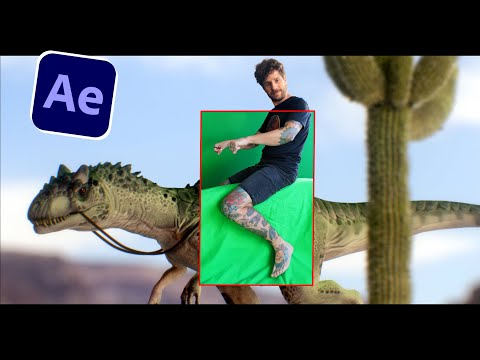 The whole tutorial is excellent as usual.
There are so many great techniques being offered by these lower budget productions. It really is a whole new level of guerilla film-making. Necessity and lack of money being the mother of invention. Keep posting these I'm learning new stuff with each one.
Could be done in Final Cut Pro or After Effects or Photoshop. Could be using 'Find Edges' or 'Line Art' or add 'Gaussien Blur' if I want to soften it for that pencil and smudge look. Alternatively, could use the sharpen filter if I want hard edges.
The JPG image I attached was a composite of nine or ten separate PNG renders in Daz with 3Delight. I realize I could also do these with LuxRender too or simply a 'Print Screen' for no wait rendering, just paste into Photoshop.
The advantage for me rendering a PNG is less render time and that there is an immediate Alpha Channel. Otherwise I have to spend some time in Photoshop or After Effects masking the objects with the pen tool.
The other advantage is that I can animate these separate PNG images, even being able to create a parallax effect, or rack focus too if I want. Separate PNG images let me walk in front of and behind the objects.
Just need to remember to KISS. Keep it simple and straight forward. I just need to remember that telling a story is what this is all about.