Have any of you tried Carrara?
 Dartanbeck
Posts: 21,988
Dartanbeck
Posts: 21,988
I only ask this because, back with 3ds Max 5, I found that I loved being able to unwrap UVs (plugin) and, although I was brand new to the concept of modeling 3D back then, I loved the tools - but discovered that what I really wanted to do was to put these things in motion.
The fellow that was tutoring me sent me a copy of Poser 5, since he recognized my love for working with human figures, always trying to animate them, texture them, etc.,
So this began a search to find something of a modeling software that could also import Poser figures, which is what Daz's Millennium Man and Woman were back then - Poser figures.
Stumbling upon Carrara (in a hospital waiting room, of all places!) really changed my world! For me it had:
- Easier animation workflow
- Wonderful Shader setup room
- Very nice built-in atmospheres and volumetric features
- Really fast render engine - highly configurable settings
- Animated primitives, like Ocean and Fire, for example
- Dynamic Hair, Particles, Bullet Physics
But the number one thing that sold me was that we can add our Poser/Daz 3D libraries directly into the browser, load the figures complete with morphs and rigging, apply morphs, poses and presets directly from the library (just like in Poser/Daz Studio) and that we can then use real vertex modeling tools to tweak or even completely redesign 3D mesh to our liking!
Slightly over ten years ago I bought Carrara 6, 7 and 8 (I know... but....) and I've been happily enjoying the software ever since!
So I just wanted to throw it out there, in case anyone might be curious about this. Sure, it's not the constantly developed high-end studio platform of 3ds Max. But I've found that it has everything I need to do what I want to do most.
Interested in taking a look?
Check out my site and see what I do with Carrara: Dartanbeck.com
If nothing else, just tell me what you think?

Daz 3D is part of 
Connect
DAZ Productions, Inc.
7533 S Center View Ct #4664
West Jordan, UT 84084
Licensing Agreement | Terms of Service | Privacy Policy | EULA
© 2026 Daz Productions Inc. All Rights Reserved.
Comments
So far, beyond the main pages
I still have tweaking to do on this - especially the articles

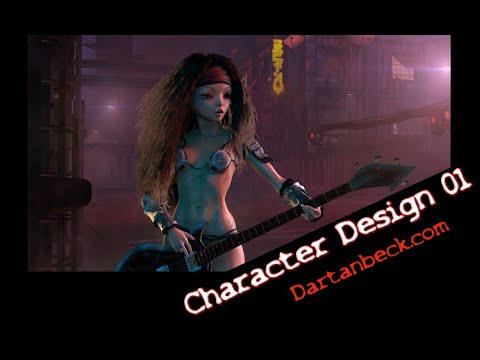

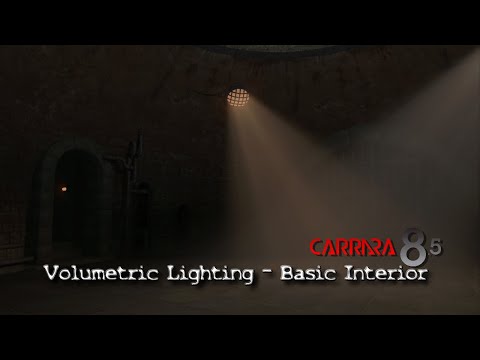

Much much more to come!
See the full current site map Here, or simply use the navigation menu to explore!
Daz Studio Page Quick Map
What is Daz Studio?
Master Daz Studio
Daz Bridges - Maya, Blender, C4D, 3ds Max, Unreal and Unity
Daz Bridges How To - Steph, from Daz 3D, shows you how to use them
dForce and New Animation Tools Demos
CARRARA ZONE
Carrara Info
Carrara Info Guide
Carrara Plugins
Dartanbeck Articles
Carrara CG Workshop
Story
Pacing and Rendering
KitBash Marcoor
Volumetric Lighting
Introducing Rosie 5
Making Rosie 5
Using Genesis in Carrara
Genesis Morph Reduction
Dynamic Hair
EYEdeas 3+
Millennium Teeth
Character Transfer NLA
Character Design
Modeling for Genesis
Animating
Hybrid aniMation
aniMate 2
DAZ ZONE
Daz 3D Content
Daz 3D Bundles
Genesis 1 Rocks!!!
Victoria 4
Some Personal Favorites
Carrara 8.5 Pro Content
Daz Studio
Content Creation Tools
PC+ Experience
PC+ Cloth Frenzy
Do it in Post
Fusion
DaVinci Resolve
A Quick Look at Resolve
Gallery
Inspiration
Downloads
Humble Beginnings
The Software
Dynamic Hair is looking pretty great! Hair is usually quite easy in Carrara. This one is a challenge because it's so long and so curly - but I'm getting it! The one little glitch we see here is only when the gif restarts to go to loop. Otherwise it turned out beautifully smooth!
I'm sure Carrara 8.5 matches up nicely with very early versions of 3dsmax as far as features, but if the goal is to model and animate your own models then 3dsmax is way ahead of Carrara in that regard. 3dsmax has 3 different types of rigging methods. It has standard bones and skin, just like Carrara, but it also has some very handy and advanced rigging addons called Biped and CAT. CAT especially is way better than just standard bones, allowing you to set up very complicated rigs in a fraction of the time. Biped is an older addon, but super simple to rig any bipedal character, and is compatible with almost every motion capture format available, like BVH. Both CAT and Biped allow you to layer and blend different motion capture data files into the rig, as well as creating your own keyframed animations using layers, which is very powerful. Also, with 3dsmax you have incredibly fast and powerful industry-standard render engines like Arnold, Vray, and Corona. Arnold now comes shipped with Max as a default render engine. These render engines blow Carrara's renderer out of the water in both quality and speed. Carrara's render engine would be more like the Scanline engine in 3dsmax.
That said, Carrara obviously works well with Daz content out of the box, but it's my understanding that the newer Daz figures do not work so well with Carrara?
I think people who are thinking of moving away from 3dmsax would look first toward Blender. Blender is really much closer to what they would be used to in 3dsmax, and in some ways even better.
Fair enough. I can't disagree with any of your points.
However, when we are just taking Daz Content and putting it in motion, Carrara is a Snap!
No need to dig up plugins, and we can make mesh changes on the fly.
I like how the Carrara render engine works, even if it is considered 'dated' from a modern graphics software standpoint. The above GIF was rendering out at just a few seconds per frame at 1280 x 720 (I reduced the size for the GIF)
I certainly don't mean to put Carrara up against Blender or 3ds Max in development terms. But for a person wanting to just put Daz figures into Action, I feel that Carrara - as dated as it is, is still a wonderful home animatio tool!
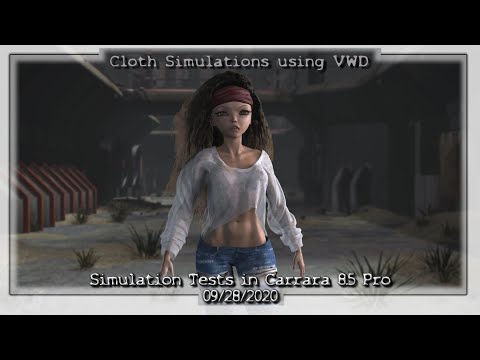
It's very easy to use as well. Here's an example of my animation, simulation and compositing workflow:
Article Site Link
I understand your points, Dartanbeck, and for sure when it comes to compatibility with some Daz content (especially the older stuff) then Carrara is the much easier tool to get things going quickly. However, if you are a 3dsmax user who has experience with some of the rigging tools in the software, and has some time to actually rig a newer Genesis character natively, then the benefits outweigh a lot of the convenience in the long run. I think your render looks very nice. However, the speed isn't really all that impressive overall because it's just one character on a blank background without many complicated render effects or materials. I am not trying to dismiss your skill or talent in any way by saying that, the render is very nice. I like it. However, I'm trying to simply make the point that if you were to render the same character with the same materials and lighting in any number of render engines, the render time would be very comparable. In 3dsmax, the same render could be done with the old Scanline render engine, for example, using Hair and Fur, in about the same timeframe at that resolution with everything else being about equal.
At any rate, if you're happy with that style of rendering, and you have no interest in creating your own character rigs, then perhaps Carrara is a good option. Personally, I'm looking for a bit more flexibility in the rigging and rendering aspect of the software, which is why I've started to look more towards Blender lately. There are some addons for Blender now which handle Daz content quite well.
That's awesome!
I have spent quite a bit of time working with rigging before, and decided that rigging is not really what I want to do. Same actually goes for modeling, even though I still do quick modeling with and without rigging from time to time, just not for my characters.
I do know that 3ds Max has evolved immensely since Max 5 (many, many years ago, when they were developed by Discreet) and back then I really liked it!
Since I actually swing a hammer as hard is I can at a hand-held stone chisel all day, I don't have enough time to do everything myself. My Max mentor turned me onto Poser 5 after he saw how much I'd rather be putting together scenes and just animating my characters (and the monsters chasing them) through it.
I really kind got off on Poser for a while - thought it was really cool how I didn't have to actually UV Unwrap everything after I modeled it - I didn't have to model anything!
But the problem came when I found that I couldn't model anything either.
I found and liked the idea of Carrara, but couldn't afford it. One day my Awesome wife told me that she saved enough for me to buy that computer thing I needed (Carrara) and, by then Daz 3D had acquired it. For my money I got Carrara and a Huge pile of wonderful goodies because in one day I became a Platinum Club member, bought Carrara and a bunch of other things, and then Daz 3D gave me a whole lot of free goodies with Carrara, with the membership, and with a bok that I bought - plus all of the freebies from the (then) PC freebies section!
I've been pretty darn happy animating away (or learning to) ever since!
It probably doesn't show well in that diminished GIF, but she does have some pretty cool Subsurface Scattering shaders going on and I had a LOT of fun with reflection, refraction and translucency in the Irides of her eyes. Plus there are four layers of separately simulated dynaimic (strand-based, created via shader) hair. Her armor would be black, but I'm using a sperical map in the render engine to create the reflections. As dated and simplistic as Carrara seems, it does have some impressive features - just that the designers tucked a lot of those features into work sheets that we fill out via selections, check boxes and sliders, hiding the guts under the hood.
Again... I know it's no 3ds Max - or Blender. And I also know that it wouldn't be the right choice for you at all. But someone who might be paying subscription fees for software that doesn't allow for the simple Daz 3D/Poser library option that Carrara does... it might just be the ticket they were looking for!
I guess I feel lucky in the fact that I've used Max before coming to Carrara. I was actually planning on buying LightWave because it (at that time) had a community that didn't entirely shun me for asking about getting Michael and Victoria 3 into it with working morphs - that was before I found Carrara.
Max and Maya users didn't want to have any part of the Poser world. LW community was game to it, but couldn't yet get morphs and rigging working right. When I saw Carrara 5 in action, well... you know the rest of the story, I think! ;)
Hey, Cheers GregsGraphics! You Rock, and I hope your Max/Blender endeavors fare you well!
I always had a fear of rigging with standard bones. That's one reason I stuck with 3dsmax for as long as I had, because of the Biped addon that made rigging as easy as fitting the Biped mannequin rig into the character mesh and then rescaling the "bones" to fit inside the limbs, etc. It seemed so much easier than starting with one bone and creating the rig from scratch. Then I started playing around with Blender's rigging system and once I got the hang of creating bones and learned some of the tricks like adding IK and such, I couldn't believe how easy it was. Now I can create custom rigs that will do exactly what I want with every character, and I can add my own custom helper objects to make animation 100x easier than it would have been if I just used the native rigging that transferred over with the FBX. Of course, there are some Blender addons like AutoRig which really make it dead simple to create a great animation-friendly rig for just about any character mesh too, complete with helpers and all sorts of professional rigging assets, like face bones to animate expressions (much better than morphs or shape keys).
Being an animator, you should really experiment with rig creation on the side. A custom, professional rig system can truly make your life as an animator a ton easier, and not having to depend on prefabricated motions like Aniblocks is quite liberating. A custom rig can really elevate the level of your animations and make your job so much faster and easier with even better results than before.
Happy Thanksgiving! Talk to you again soon.
I always found fingers (weight painting) a Big PITA!!! LOL
Never got past that to move onto the mouth and face - the thought of those kinda scared the crap out of me after having such a terrible time with fingers!
In fact, while I'm a big fan of the concept, I haven't had much joy using the facial bones of Genesis 8 yet - not much practice either though.
Also, GenX2 works both ways - we can add stuff from earlier generations to the later as well, but Genesis 8 is not (yet) supported.
At its base level GenX2 works for bringing generation 4 (any/all of them - M4, V4, A4, F4, etc., etc.,) morphs of any kind to Genesis. If we want to add a specific character shape from a character pack, we can just add that, and GenX2 will automatically include any other morphs it requires or uses, as long as you have them installed.
Sound like a commercial? LOL
Nope. Just a very satisfied user. After I discovered how well it works, I saw Mika 7 one day as I was browsing through sale items. Mika 7 just looked cool, and actually looks kind of like she might be related to my hero character Rosie I keep showing. So I checked GenX2 and foung that there's a Genesis 3 Addon, and the one addon works for Male and Female - so I bought that and Mika 7.
I actually never ended up using Mika 7 in my Rosie 5 (Genesis 1) figure, but the exercise was well worth it - and now I have Mika 7 for my Genesis 3 version of Rosie - Rosie 7. But that's another story altogether.
In the workflow video above, I show how I can use any clothing made for any figure (period) for my character or any character. So this opens up a whole new realm of just buying what I like the look of, paying less to no attention to which figure it was designed for or compatible with. This might not be exclusive to Carrara, but it doesn't seem (so far) to work as well in Daz Studio.
In Carrara, when I save the scene the simulation gets saved literally, frame for frame. I have yet to be successful saving simulations in DS and haven't been successful running multiple simulations of the same item, which I have been doing to great effect in Carrara. But I have to add that I don't usually use Daz Studio for this sort of thing - but am now beginning to experiment.
Anyway... it's a lot of fun and very headache free, which really helps someone with little time like me ;)
Cheers, my new friend!