Fire chain or fire juggling
 archgeo
Posts: 36
archgeo
Posts: 36
in The Commons
Hey,
I hope you are all fine.
I have the idea to do a fire juggling scene and with one or several dancers with fire chains. While I will have to do post edits for the motion blur, I wonder how I could get an light setting which simulates torches and moving fire chains. Or is there even a product for that, which I could consider?
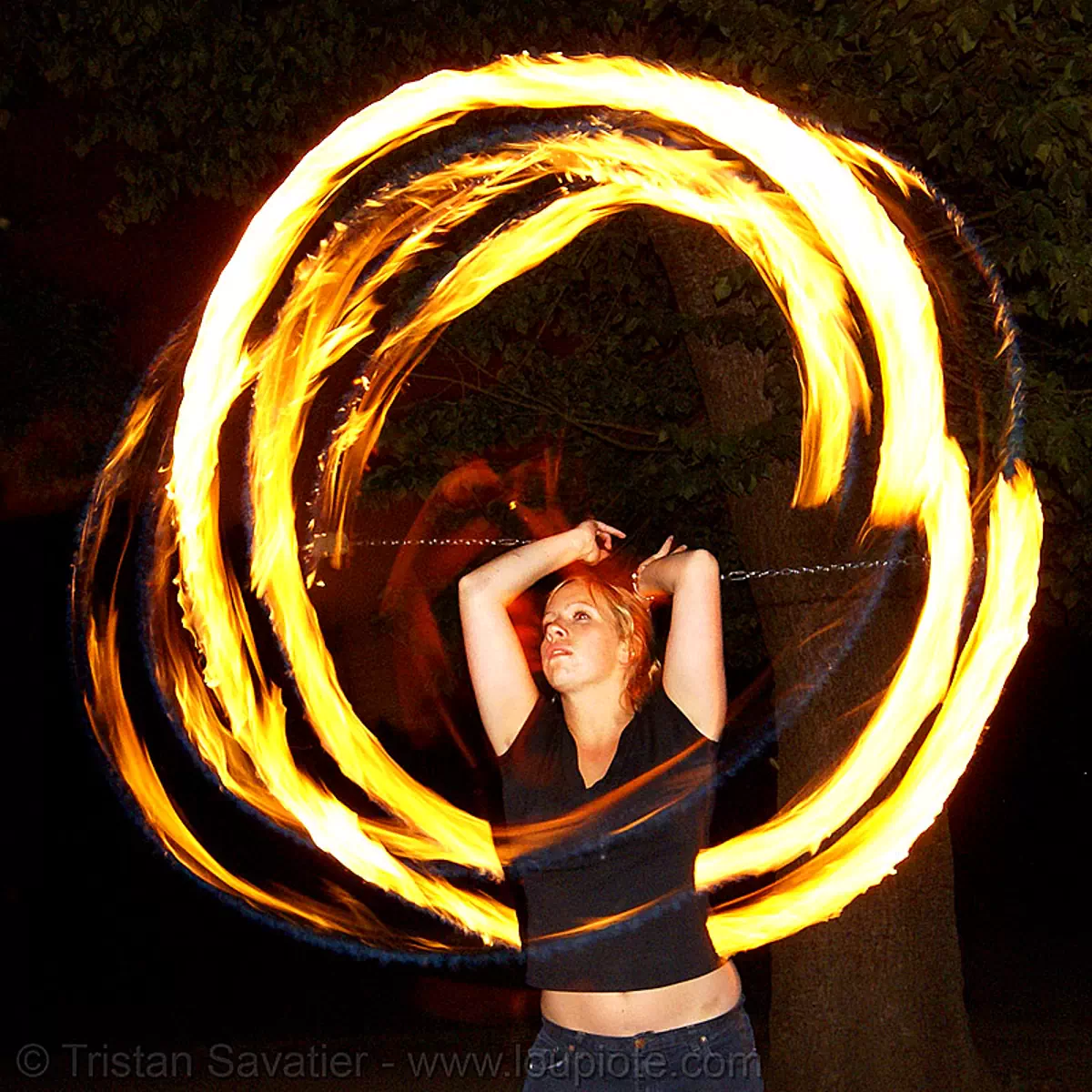
Thanks for your ideas and input.
Ciao

Daz 3D is part of 
Connect
DAZ Productions, Inc.
7533 S Center View Ct #4664
West Jordan, UT 84084
Licensing Agreement | Terms of Service | Privacy Policy | EULA
© 2026 Daz Productions Inc. All Rights Reserved.
Comments
I recall there being at least one fire/elementalist effect set, although I'd mostly try to do it in post. Just use some point lights or mesh lights in the render setup to make some glow on the bodies, but don't otherwise mess with the moving fire.
It's a cool idea, anyway.
Would either of these work for the fire chain?
https://www.daz3d.com/soldiers-of-magic-serpio
https://www.daz3d.com/mmx-fire-and-smoke-for-iray
Thanks!
The Soldiers of Magic looks promising and yes, I will rework the fires in post. I was really wondering if I can have a base for that (lighting, shadows) already in the render. :-)
Let's wait till those products are on sale one day ;-)
It converts well to iray. Just adjust the emmision setting and add some bloom. I realize I did a render a while ago!
Particle Illusion Standalone by Boris FX is free
you can composite an animated overlay
MMX Fire and Smoke was released just over 60 days now. I have just sent an email to see if it can join the rest of my store which is on sale. So double check it today to see if it is able to happen. And thank you too.
Thanks for the suggestions! I guess I will try a bit of a combination of in render and postedit.
@Mattymanx .. I put it in my list and will take it when it is on sale. By the way, also the smoke trails look nice.
Thank you Archgeo.
I asked and F&S missed the boat to be on sale with the rest of my store but I have a release for August and my store will go back on sale then and MMX Fire and Smoke will be included then.
Thanks!
You're welcome!
Unfortunately you can't render with alpha in the free version, I have both the free and paid version, the preview works also with free version and alpha layer, although there is a workaround to render with the free version but not perfect.
I've used the free standalone version and there is an Alpha Layer created. I have used it to create a fog layer and then used it in Vegas Pro on a DAZ Studio Animation. When loaded into Vegas I used Screen to make the background animation visible.
I used overlay a freeware software from sourceforge to place my ghosted image on top
but you can also add an image to a basic particle as the bottom layer
a tutorial I whipped up for Carrara forum thread
Exactly, this was the workaround and a working solution, and yes, there is an Alpha Layer created in PI, but you can't directly overlay a film within ParticleIllusion in the free version, whereas this is possible with the paid version or the plugin. The free version also can't output a png only mp4 or mov files, you would have to extract the pictures from the movie with an other software for better compositing etc. But what the hey, it's free now!
Hah, I picked you up wrong. I thought you meant it rendered without an Alpha Layer, not that you can't use the Alpha layer with a movie to work with
Well, since english isn't my native language, I'm afraid that I would pick up myself wrong as well
Now that's neat
yeah I composite in Hitfilm Express also free
the point is an image render can still be animated with particles and Hitfilm can output images if you prefer too
and again you can match your alpha video particle layers up in Hitfilm too
just render as many as you wish as overlays to reuse
Both are working solutions and thanks for the hint with the overlay software from sourceforge, didn't know it and I tried it immediately and this little piece of software is really useful.
Now on sale...!