Does DAZ Studio recognize edited Normals?
 DesertDude
Posts: 1,239
DesertDude
Posts: 1,239
Hi all, total noob to DAZ Studio, so please forgive me. Asking this question for a friend. 
The goal: Import geometry into...that smoothie app that starts with a 'B' and use one of two Modifiers (Normal Edit or Data Transfer), then export using any of the three file format options that DAZ allows to import, and hope the edited Normals are not recalculated upon import.
I can do this in Carrara by exporting my edited Normals geometry as an OBJ, then importing into Carrara and, from the WaveFront OBJ import dialog box, selecting 'Facet Meshes'.
I see no such option in DAZ Studio when importing an OBJ file, even after clicking 'Show Individual Settings'.
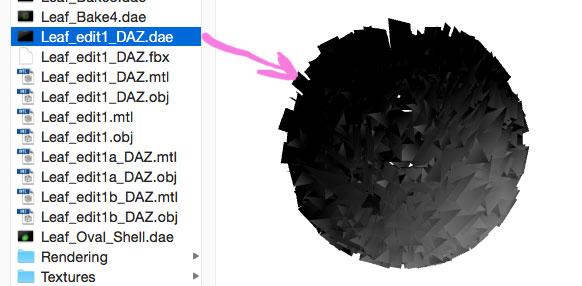
Curiously, the screen display of the geometry as a DAE file in the file browser looks like it is displaying the edited Normals, yet upon import into DAZ...no dice.
There are many uses for this that go way over my head, but one use is to create a stylized look and uniformity of edited normals for foliage. This is used a lot in video games (another area I have no knowledge unless we're talking 80's / 90's arcade games...)
Here are some pictures which I hope can clarify.
These first two are renders from Carrara:
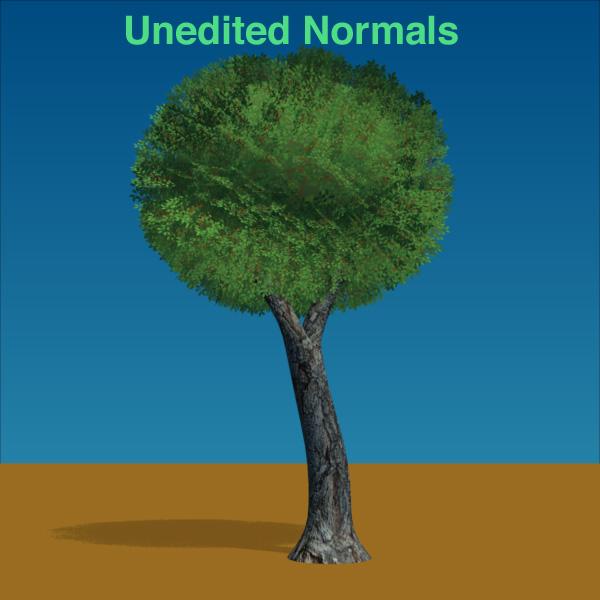
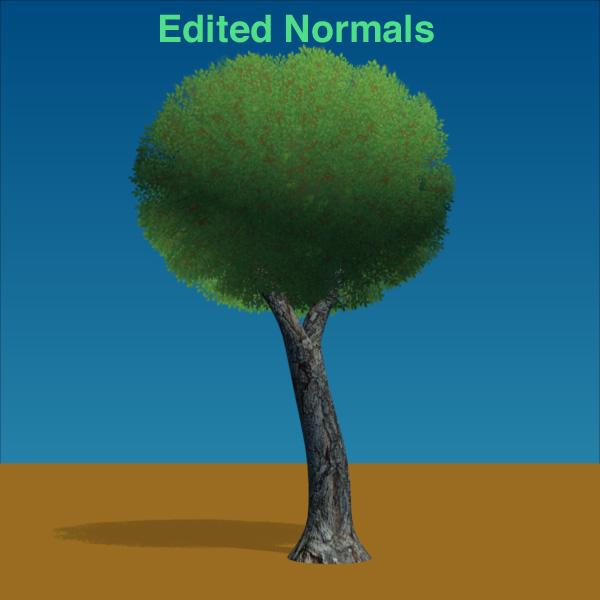
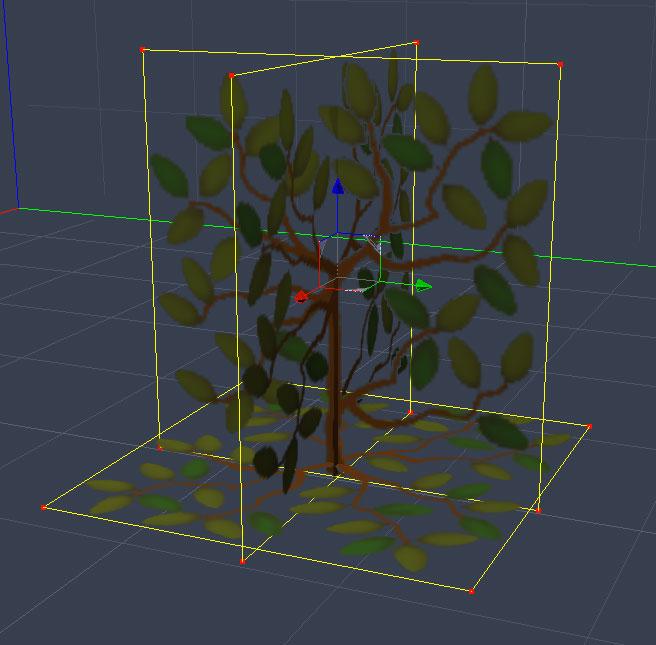
Here is the 'Leaf' object:
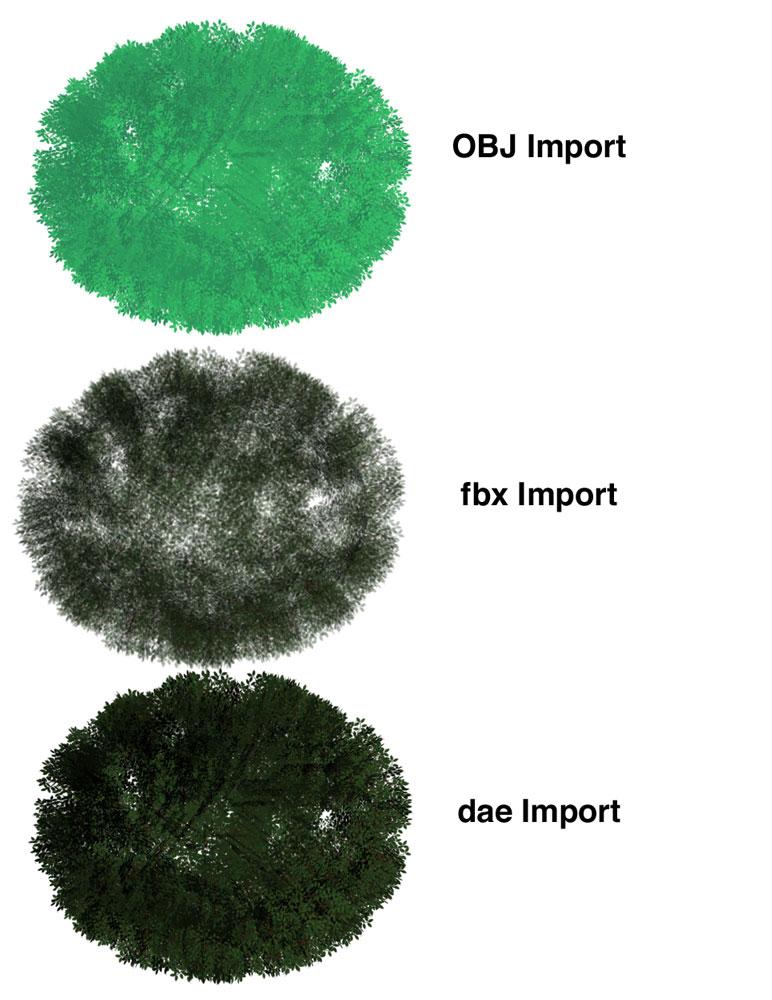
Here are my imports into DAZ Studio...I don't think it recognizes edited Normals...
Screen shot of file browser from computer...looks like edited Normals still
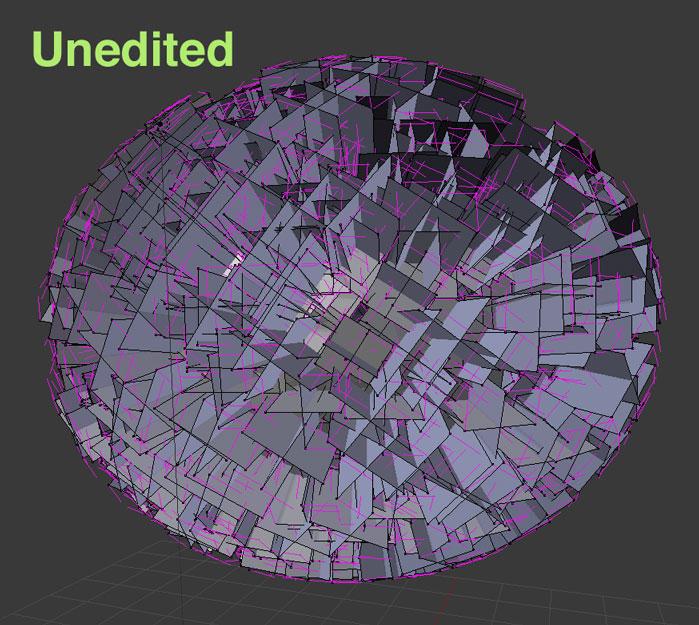
Screen grab of unedited Normals in 'B'
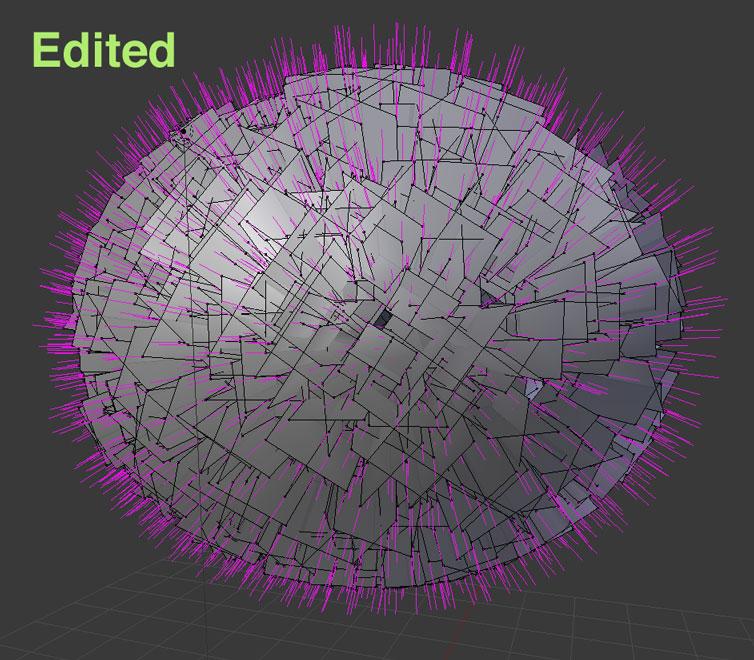
After applying Data Transfer Modifier, using an enlongated sphere. You can see the Normals popping out as if they were part of the same sphere.

Daz 3D is part of 
Connect
DAZ Productions, Inc.
7533 S Center View Ct #4664
West Jordan, UT 84084
Licensing Agreement | Terms of Service | Privacy Policy | EULA
© 2026 Daz Productions Inc. All Rights Reserved.
Comments
I'm pretty sure DazStudio completely ignores any normals that are in obj's and creates it's own on import
Thank you Stonemason for confirming...agh, what I had suspected.
Yet there is this strange option upon import as an OBJ in Carrara that retains a sort of...shading as a skin / primitive. If you convert to other modeler you lose the special shading. Cool and, weird.