Selfie Thread?
 wmiller314
Posts: 184
wmiller314
Posts: 184
in The Commons
It occurs to me that with all the face and body morph kits on daz studio, it's possible to make a self protrait and I was wondering how many people would be interested in doing a daz selfie thread? I think this is a really fun idea. Lets all do our best to create a selfie in daz and upload!

Daz 3D is part of 
Connect
DAZ Productions, Inc.
7533 S Center View Ct #4664
West Jordan, UT 84084
Licensing Agreement | Terms of Service | Privacy Policy | EULA
© 2026 Daz Productions Inc. All Rights Reserved.
Comments
Sorry, this is the only selfie I'm willing to post
Bwahaha but you didn't make it in daz. Shame on you. Let's see the same thing made with daz studio!
I recall @WendyLuvsCats making a vid of the mods.
But, but - I do have a selfie as my avatar
This is as close to capturing my essence in a DAZ-selfie as I can imagine.
...while my "handle" is the name of one of my longest running RPG characters, I consider the image I use as a selfie of the way I feel.
LOL you better make a rule not to use any of the face generating products where you snap photos and voila.
I've tried a few times but it's like, well, mediocre results, no fault of DAZ & the PAs they've actually got my results up to mediocre from the prior 'what is that?' with no skills at all on my part.
...besides only I and people that know me would know if the fascimile was any good anyway.
@MimicMolly She/you looks/look great! I'd buy that Daz character. Did you use OOT's shader (or Sveva's?) to get the crinkle waves?
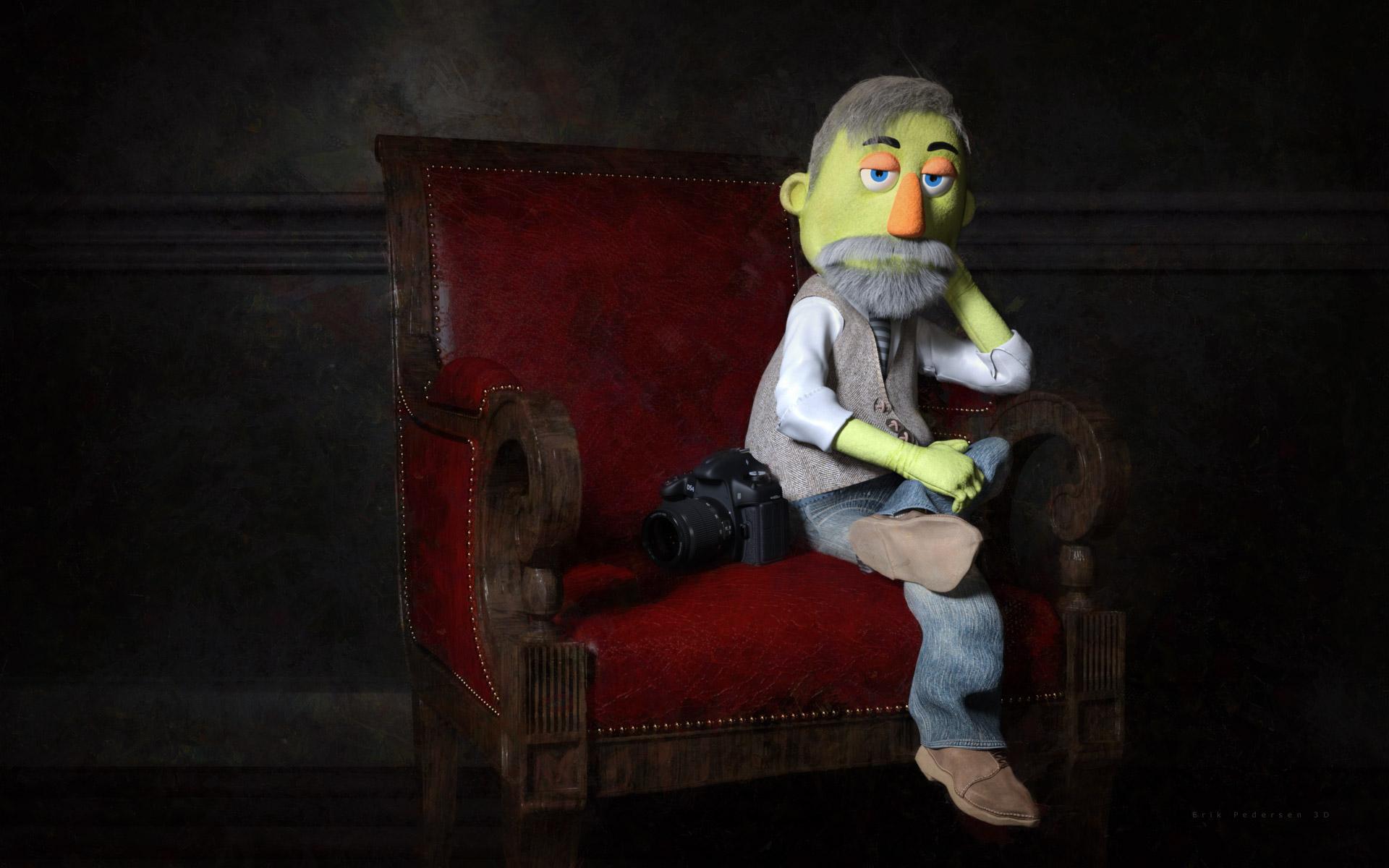
@gogger I love it! That is such a great render. Captures your inner muppet! Very nice.
@Kyoto kid and @MimicMolly Very cool. I like the idea of using my self portrait as my forum pic. I'll try to make a character as close to me as possible. Your is especially life like Molly. Where did you get the glasses and hair?
@Novica Whatever people need. I say use all tools at your disposal. Haha. I've only got face morphs so thats what I'll use.
Not a self portrait, but my wife drew this picture of me.
funny!
Dont tell the people over at Blender nation that My "Bio Picture" they used, in their featured article on my Blender content creation pipeline,
.....was Actually my CG Doppleganger (Aka the Daz Genesis 2 male) https://www.blendernation.com/2020/04/29/behind-the-scenes-sci-fi-armor
Given the state of the planet, living vicariously through your CG persona May be the safest option.
well it's between you & mimic molly
I would say that wolf won, because I've not found hair in the marketplace that looks like mine (long curly/wavy frizzy hair in a single braid and a visible hair clip in the back).
@wmiller314 I had answered the hair in another post, but it is Eudora Hair by 3Dream and Mairy sold here at DAZ, except with ColorWerks (original, not Xtreme) Iray shaders applied. This is a V4 hair, but I don't remember if I did this render before or after I got the Riversoft Hair converter. The glasses I used are from Young Minto https://www.daz3d.com/young-minto-and-dforce-minto-outfit-for-genesis-8-females . Outfit is Aeon Soul's Lyra Outfit.
Okay. So here is my best Self portrait. I did the best I could with my morph, all though now that I look at it, the nose probably needs to be a bit bigger. LOL. But this is me on a typical saturday night.
Got around to making this random self-portrait, with bonus Ronen. I just dress up my avatar with whatever outfits I have in My Library.
Is he upset cause you took his staff ?
This is as close as I get to me
I wasn't going to participate because I wasn't satified any attempts I would make to make a new render would be an improvement over past attempts so then what would be the point?
So then well I was supposed to plant 19 fruit & nut trees they delivered yesterday but it poured rain all day so instead I thought why not try again & spend a few hours trying to impove on past attempts. A very slow process as I CPU render.
Anyway I think I did manage to make a sizeable improvement this time. So much so that whenever I'm in the mood I will reopen the scene and work on it until it looks like my avatar and is realistic too (at the resolution rendered in, maybe not higher resolutions).
I'm happy I had to edit no textures, model no clothing, or do any post-processing. My eventual goal is to get it realistic looking for the resolution it's rendered at using only DAZ 3D products (or Rendo, Hivewire, & so on).
So I you see attached my newest attempt at realism. It's better than my previous attempts but here are some of the improvements that could be done. Feel free to comment and point out improvements you see could be done as well.
1) Body Pose is off. Look at the arms,, angle of the hips, torso, and head. The shadows won't match the picture in the inset if I don't get all that correct.
i) By the way, the photo was taken on 16 Aug 2003 in the Rhein in Trun, Switzerland at 10:40 AM so I was able to set the iRay Renderer to Sun-Sky and set all the geolocation and date entries while changing the rest to defaults and it worked out great. We really were searching for gold but didn't find any. I did find a bigger than my thumb berg crystal (clear hexagonal quartz) in a dried up river bank in nearby Sur Selva though. I eventually bought a tiny gold nugget (less than 5 grams I'm almost certain) for 70 francs from the tourist shop that someone else had found in the Rhein at Disentis (a local most likely).
2) Look at the face in both the render & the inset picture in the render. I used FaceGen to get the face morph 80% of the way there but FaceGend seems to loose geometry when transferring it's morph in FaceGen to DAZ Studio. I think it has something to do with not enough polygons in Genesis 8 characters. Example, the lips become invariably thinner. So I used the DO G8M Head Morphs and the RareStone's Face Morphs Collections for G8M to try and visually compare the original real photo with the scene in DAZ Studio I just created using FaceGen Artist Pro and made adjustments until I "thought" it was right.
i) But it wasn't right. Close inspection today shows big differences. I'm not much of an artist so I must work at it more than others. Look at the face in the sun in inset & render. Notice how the inset cheek is so sharply angled going back to the eye? Notice how the nose in the inset seems to also go sharply back away from the camera? The little slivers of light on the nostril & cheek in the shade? In comparison the DAZ 3D G8M model's face is much flatter. To remedy I need to use the DAZ Originals Head Morphs for G8M product and sink the nose bridge 50% - 100% and test render again.
ii) Notice the inset, the forehead is bulbous and that bigger bulb has a slight depression running up the middle. I've tried different RareStone & DAZ Originals morphs to get that shape but haven't managed it yet. It's sort of a weird shape. I will need to hide the hair and render so that all the hair isn't casting shadows while I try to figure that out.
iii) Notice the lips, especially the lower lip, is too thin compared to the picture. I've tried both DAZ Originals and RareStone morphs to improve it and it has a lot but still could stand some more improvement.
iv) Notice the chin in the inset is much more organically rounded in shape but I couldn't do that with DAZ Originals Head Morphs which was straighlined and squarish so I will try at a later date using morphs available in RareStone's package.
v) Notice the corners of the mouth on your left. The DAZ 3D model has the corner of it's mouth on that side pulled to far back instead of pulled outwards resulting in the different shadows you see there.
vi) Notice the lower eyelids in the inset are so pronounced compared to the render lower eyelids. Now that might be remedied by making the nose bridge deeper but if it doesn't the eyes can be made deeper (DOs Head Morphs for G8M has such a morph) or the cheeks again made bigger (I've already made them 25% or 50% bigger using a DO G8M Head morph in the current render). That should also get the wrinkles present in the photo but not the render to show up under the lower eyelids.
vii) The skin in the inset compared to the skin in the render. Even though I added a medium red-pink to the transluncency color channel the skin didn't turn out as nearly a red (That is not a camera mistake as look at the tint of the water - I think I am allergic to too much sunlight as I turn red as a lobster after only a couple of hours even in places as far north as Switzerland) in the render. To help detect geometry of the face in excess having the face cast shadows on itself I applied Maxx HD's Specular Strong Setting to the model's skin to maker it shinnier.
3) I trying dForce but as you see with the render the results are uncontrollably not right for some poses. Maybe after I correct the pose it will dForce draped OK. I also need to find cotton knit materials that will add small wrinkles (as opposed to draping creases. The Russian pants I will replace with those old Dynamic Cloth Cargo Shorts from I forget the PA's name but they were freebies with M4 so a while back.
Summary:
Noticing mistakes like those above is why I choose a high contrast photo which the face casting shadows on itself with which to made a scene in DAZ Studio & FaceGen. I'm not a good enough artist to attempt it other ways. My plan is to repeat the prodecure until I'm satisfied I can't make the shadows any closer without sculpting in Blender or Hexagon (which I have no appreciable practice to be any good at anyway).
If after I get it that far I can then use the DAZ model in other old and real pictures to make DAZ scenes and the shadows and face still looks correect than I consider the learning exercise a success even if I do take my time getting there.
So, it you want to try the same methods to recreate personal family photos or likenesses of famous people I think such methods would be a big help in making it easier for you to do so when you're in the mood.
Below is the original render in the DAZ Gallery with the products I used listed, click the render to be taken to the product listing.
Woot woot! Hawt momma! I didn't think to put a hunk in my selfie. Maybe I should make another? Lol. I like this a lot. You did great. love the outfit too! That was my hardest consideration in how to dress myself. Can you link this outfit in the store?
Awww! So cute! Love the dress.
Hey this is really good! You put a lot of work into this. Very nicely done. You look kind of like my BF by the way.
Thanks, I quite like all the selfies as I know they all took a lot of work. It was fun trying & getting improved results for a change.
Has any one 3D printed there selfie?
If so how did it come out
I bought the outfit, where the staffs are from, so technically he's upset I didn't let him borrow one of mine. XD
Your avatar looks adorable, by the way.
Outfit is Aery Mage for G3F. https://www.daz3d.com/aery-mage-for-genesis-3-female-s
Since my avatar is G8F, I moved the arms up to T-pose the figure a bit and un-selected it before loading the staffs. Then I spent a while trying to adjust the fingers around the staff. I used the Scene Identification trick for most parts, except the bikini underneath. Dressing the avatar was the easiest part, since I only chose an outfit I liked for its look. Finding a good pose and adjusting it for the composition was the hardest. XD
@nonesuch00 That render is still an excellent likeness despite its mistakes.