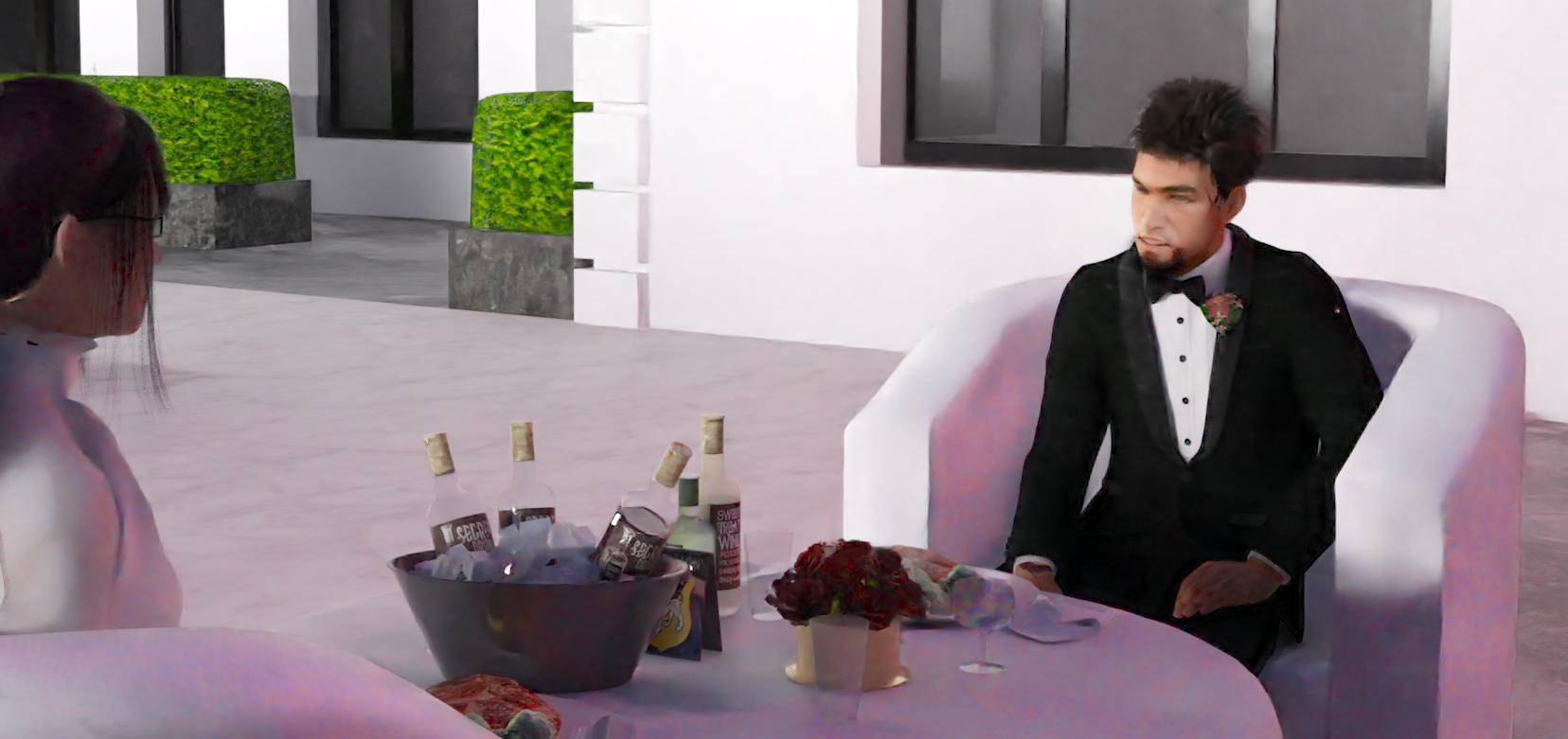
What kind of render is this?!!!!!
 Griffin Avid
Posts: 3,837
Griffin Avid
Posts: 3,837
So today, for the first time ever, I'm getting a "painted look" while Daz is rendering.
Usually when I use Iray, I get the points that eventually clear up into the image.
With 3Delight, I get a scan line kind of thing where it draws the image in rows from top to bottom.
Now, when I hit render I get the fiull image almost instantly, but it looks painted.
It renders TOO QUICKLY for the size of the scene and over time, the painted look doesn't really go away.
Not that I remember that fully, but it looks like a default 3Delight render.
In the render settings, everything is only set to NvIdia, no CPU even.
------------
I set the render presets back to default and then loaded my rendering prest and it's gone back to normal.
That was weird.

Daz 3D is part of 
Connect
DAZ Productions, Inc.
7533 S Center View Ct #4664
West Jordan, UT 84084
Licensing Agreement | Terms of Service | Privacy Policy | EULA
© 2026 Daz Productions Inc. All Rights Reserved.
Comments
I did save that as a render preset, but I can get the painted look using filters and have more control.
I thought maybe my card died.
If you've got an nVidia GPU, you may have the post denoiser in render settings enabled?
Looks like the post denoiser to me.
It's off now, but that could have been it.
Something scrambled all those settings.
Don't know how a crash could do all that.
yes looks like that denoiser thing, I had that on once and was really not impressed by the result (rather denoise in post and get the image to a good level before)
...hmm kind of like the "oil painting" look. May have to try rendering with the denoiser.
That's the denoiser working on very few iterations. It improves the longer you leave it of course. The point of the denoiser is to converge faster, which it does do, leaving the image almost indistinguishable from a render without it but much more quickly. I have noticed with iray in the view it stops way too soon and doesn't seem to continue on. I don't know if that's a setting or a bug or something...
I was dorking around with the iRay renderer presets last week & I also unintentionally got the same effect but I can't remember what I did. I think it was setting the bloom filter to be far to influential though. Or it might of been one of the controls on the 'Tone Mapping' section like raising gamma too high (or was it too low?) which will wash out most details as it's, more as less, washing out darker contrast.
Just set the Post Denoiser Start Iteration to a higher number. By default it is 8, try 100 or 200 or give it a few minutes to cook until it looks decent, then set the start iteration a bit higher that the current iteration count. A render that converges fairly quickly won't need a long time, but those dimly lit ones can take hours. Getting the filter to cut in at the right moment can be a real time saver. You can set it in the render window's secret side panel without restarting the render.
What's the render window's secret side panel?
In the middle of the left side of the render window, you will see one of those tiny rectangular buttons that is used to collapse/expand windows in various tab panes. This one opens up a subset of the render settings that can be changed while the render is running. You'll see it and a vertical line highlighted if you mouse over it.