Animate help
 brainmuffin
Posts: 1,285
brainmuffin
Posts: 1,285
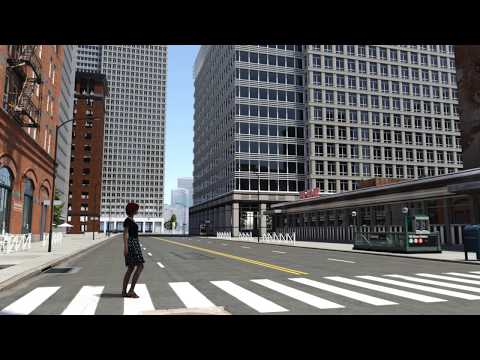
I'm using the Animate Forward (1-cycle)-g8f stacked till Aisling is across the street. The oddness is in the feet shifting as she walks. This is also seen before I render. Is there a way to correct this?

Daz 3D is part of 
Connect
DAZ Productions, Inc.
7533 S Center View Ct #4664
West Jordan, UT 84084
Licensing Agreement | Terms of Service | Privacy Policy | EULA
© 2026 Daz Productions Inc. All Rights Reserved.
Comments
It's the point between the end and start of the aniblocks. If you watch you'll see the gizmo jump each time it transitions. This the base node being reset to current position.
you'll probably need to manually edit the keyframes to correct for it.
use the 'Bake to studio keyframes", and edit the keys there. Roughly at about keyframe 28-29.
Hmmm .... instead of stacking the 1-forward, have you just used a single 1-forward and stretched the end time across the several seconds needed to get her across? It will basically repeat itself and perhaps mesh together more smoothly.
EDIT: I just tried it and it did not fix the problem.
Thanks for trying. Appreciate it.
Thanks, I'll take a look. I also realized I have the walk construction kit for V8, so I'll look at that as well.
It's simply an animation that needs tweaking. The foot is moving in the animation, because it was animated that way. It just doesn't match the forward motion of the actual model.
I would try to edit the actual animation itself. Use a solid primitive block as a guide for checking foot-drift, vs body-motion. (A block, as opposed to a plane, because you can slide it up to identify the hip and body-motion as well as identify that foot position.) She is sliding her foot back, at some point near the end, but her body is still constantly moving forward. Using the "block" as a guide, you could be able to identify the point where the animation of her foot isn't matching the forward motion of the body and just move it, so it stays still, on the surface of the box.