Shadow/Shade on round beam too sharp - Any solution?
 dream-weaver
Posts: 145
dream-weaver
Posts: 145
I created a simple beam via primitve inside a room.
For comparison, the beam is about 15" in diameter and has a wooden texture.
The pics below are done without texture for better visulization.
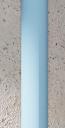
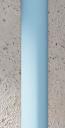
Imho the edge between light and dark side is way too sharp. If you wouldn't have the reference on the top end where the beam is completely in shade, you would think that this beam is actually rectangular.
The left image shows the current state, the right is a quick mockup by me how it should look, maybe the transition should have even smoother.
Lighing is only via HDRi. The beam is not glossy. Other shadows in the room are smooth and nicely diffuse. But the shade on this beam is way too sharp, isn't it?

Daz 3D is part of 
Connect
DAZ Productions, Inc.
7533 S Center View Ct #4664
West Jordan, UT 84084
Licensing Agreement | Terms of Service | Privacy Policy | EULA
© 2026 Daz Productions Inc. All Rights Reserved.
Comments
If it's the only thing in this room with this problem, either apply subdivision to the primitive or create a new one with more sides.
Ok, I created a new one with more sides. The original had 12 sides and in closer inspection I could see that it's not really round. I did'nt noticed that before, I really had to look at the base to see it.
The new ones now have 60 sides, which seemed enough looking at the base. But the render turned up exactly the same. There is no difference, the shadow is still too sharp making it look like a rectangular object.