I want this hammer
 Quietrob
Posts: 361
Quietrob
Posts: 361
It is used here...Skadi for V4
https://www.daz3d.com/skadi-for-v4
See the Hammer in the Promo? I want that. Here is the promo sheet as well. Thank you for your help.
Post edited by Quietrob on

Daz 3D is part of 
Connect
DAZ Productions, Inc.
7533 S Center View Ct #4664
West Jordan, UT 84084
Licensing Agreement | Terms of Service | Privacy Policy | EULA
© 2026 Daz Productions Inc. All Rights Reserved.
Comments
Quite easy to make it yourself (and maybe even improve on it) if you're interested.
It is this one, they have elongated the handle (probably as simple as: select handle, scale y axis). Both this and Skadi were RunTimeDNA products back in the day.
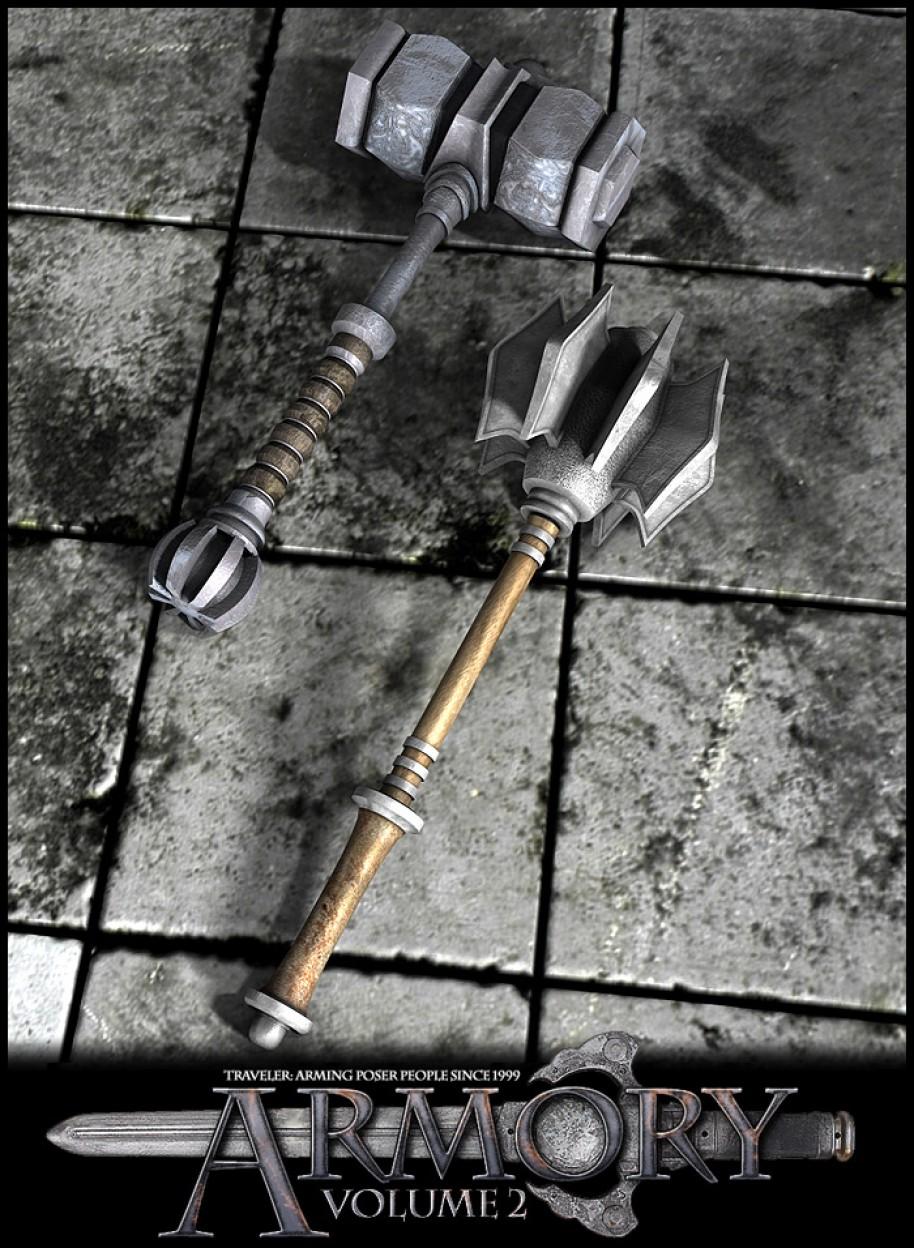
Have fun!
https://www.daz3d.com/armory-volume-2
..the head on this one looks pretty close
https://www.cgtrader.com/3d-models/military/melee/metal-warhammer-01
It comes in .obj format
A little kitbashing on the handle (like using say a short staff or scepter to elongate it) and some retexturing could do the job.
The promo is from one of the RDNA products, so check that catalogue. That was one of the collaborative efforts that theyn used to do over there. So check all of the listed artists, too. Of course the promo may have been using props which weren't a part of the collection, but at least it's a place to start.
You are right, it is from RDNA, I posted the link to the product in the DAZ store in my comment above. I have always liked the Skadi outfit.
Thanks for this thread...it got me interested in trying to duplicate this hammer in Blender. Like I said, it's pretty easy and straightforward. If anyone is interested in trying, here's the steps I used to build the handle:
The hammer head is pretty much the same process.