G8F Skin rendering transparent (DS 4.10- Iray) and/or purple
 Silent Winter
Posts: 3,916
Silent Winter
Posts: 3,916
I've not rendered G8 much, but I'm currently trying and getting an odd result.
The skin surfaces (not lips or eyes) are rendering as though completely see-through (barring some slight purplish rendered skin at some edges. When the render starts, there's some rendering of skin which gradually disappears.
It looks as if the skin has a refraction setting with a number that makes light pass through, but I tried adjusting (and turning off) refraction to no avail.
I tried different HDRI lights and different mesh lights but got the same result.
In DS 4.10 with Iray.
Any ideas what might be causing it?
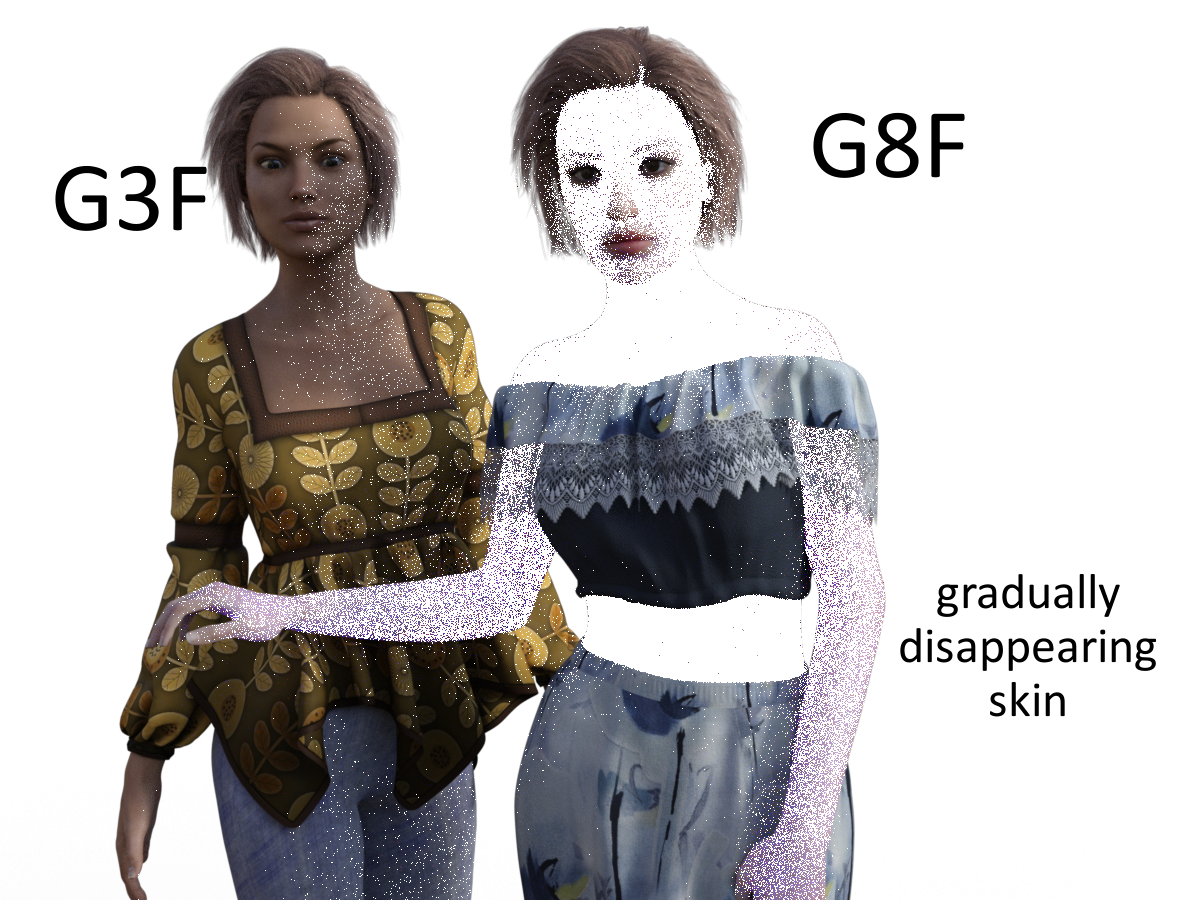
Edit:^ Here it looks white because of the background but in the renderer it shows the 'nothing' checkerboard if I don't have a background/HDRI - otherwise it shows through to that).

Daz 3D is part of 
Connect
DAZ Productions, Inc.
7533 S Center View Ct #4664
West Jordan, UT 84084
Licensing Agreement | Terms of Service | Privacy Policy | EULA
© 2026 Daz Productions Inc. All Rights Reserved.
Comments
This is an issue with the Chromatic SSS mode when Draw Dome is off. it's fixed in the version of iray included in the DS 4.11 Public Beta, or it can be avoided by turning Draw Dome on or by setting the SSS Type for the affected surfaes to mono.
Awesome - thanks for the info Richard
I am currenty using Daz Studio 4.23.0.1 and this issue is still present in Iray with "Draw Dome Off" with SSS set to Mono.
It doesn't look as distarerous as the original poster's error, but it's a noisy see through error all around the figures surfaces.
The only to fixes since forever are turn Draw Dome back on or to use Enviornment Tab>Type>Backdrop and the error goes away
BUT you lose the artistic freedom of putting a clean finished PNG cutout of your character-s/scene anywhere you want in image programs such as Photoshop.
Is there still no fix to this within Daz Studio?