Can Lip Outlines be Softened?
 IceScribe
Posts: 694
IceScribe
Posts: 694
in The Commons
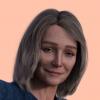
I would like to purchase some characters like the G3 Shangrila. But, I do not like that hard lip outline feature. Can that be softened to a soft transition from lip to skin? I've attached an example

Daz 3D is part of 
Connect
DAZ Productions, Inc.
7533 S Center View Ct #4664
West Jordan, UT 84084
Licensing Agreement | Terms of Service | Privacy Policy | EULA
© 2026 Daz Productions Inc. All Rights Reserved.
Comments
Yes, but requires editting in photoshop or similar.
I think it depends on the character. Most just seem to cut out the entire mouth for makeup. That would be sloppy to edit if you're not a Photoshop expert. But, very few use overlay masks to apply lip makeup. That would be best for editing, since you're not repainting the skin, just the makeup.
Ok, looks like it won't be a morph issue, which I was hoping was the case, either un-HD it or something. I can probably smooth out the border between lip and skin in photo shopping but my skills are not that great. I've decided to pick up Ai HD instead. Her lips graduate into her skin "normally". Thank you, nicstt and Dave230 for your suggestions.
One of my morphs has a soften outline for lips, not sure if its default or from a morphpack, will check it later.
Also often you can use lip make up from other characters.