All lights have the (near same) effect?
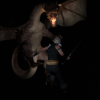
So while messing around with different lights, I noticed that regardless of which one I used, it still looked the same. I tried messing around with the position of the lights, but nothings changed. Am I supposed to add them directly into an existing object, or do I need to have a backdrop first?
Just to make sure, I also tried doing the same image with no lighting, moon lighting, and dusk lighting where I messed with the stuff that was added.

Daz 3D is part of 
Connect
DAZ Productions, Inc.
7533 S Center View Ct #4664
West Jordan, UT 84084
Licensing Agreement | Terms of Service | Privacy Policy | EULA
© 2026 Daz Productions Inc. All Rights Reserved.
Comments
Make sure that you also turn off the headlamp on your camera. That will override your environment and scene lighting and cause no end of frustrations. :)
Note that there are two default lights (unless you load a scene that already has a light setup in it). The Camera Headlamp is basically a preview light; it turns off if you add one of the DAZ|Studio standard point, spot or distant lights. The default Environment light gives you the equivalent of a bright cloudy day, with sunshine coming from the right side of the camera view. It looks like one or the other of these is bright enough to wash out the lights you've added to your scene.
You can turn off the default headlight by selecting the camera and looking in the Parameters tab (this only works with an actual camera, not the Perspective View, which is not a camera). You can adjust the Environment light in the Render Settings>Environment tab; either change the Environment Mode to Scene Only (this turns off the Environment light) or adjust the Environment Intensity setting to change its brightness. You can also adjust Dome Rotation to change the direction of the sunlight (this is measured in degrees, 0-360, and goes clockwise).
Also note that the free content includes a set of Light Presets — Iray HDR Outdoor Environments — which give you more options for environment light settings.
hasn't helped, changing any of that has only made it toggle between the same thing as lights being added or not
Crank up the lumiance (NOT the strength) of your light to 10000 kcd/m².
Does it show any difference, then?
Where's the luminacnce slider?
Why don't we start with what kind of lights you're using, and go from there. Bee's suggestion is good start, but it only relates to mesh (emissive)lighting. The "standard" lights -- spotlight, point, and distant -- don't have a means to change the units of luminance.
Tobor, they do. It's just called Luminous Flux. It chances the lumiance.
You'll find the slider when you select the light in the scene tab, then go to the Parameters tab and select "light". From the list, it will then be at the bottom.
But as Tobor said, it would be a good idea if you give a few more details about which lights you have in your scene, exactly. Did you load any light sets? If yes, can you give a link to which one?
Also, if you (general "you" for those who are very new to DAZ Studio and also read this thread) have not had a look at them, I'd strongly recommend that you check out https://www.daz3d.com/help/help-daz-3d-video-tutorials
They cover a wide range of basic topics, also lights, and will give you a better idea where is what. Here's an example:
I was talking about the units of the luminance value, e;.g. cm2 or m2, etc. This option only appears for mesh emitters, so if someone is using a standard light the inclusion of the units of measure might confuse them. The standard lights use lumens, which is calculated diffrently from candela, and involves total light output from the emitter. This is merely one of the ways Iray lighting baffles some people, because the different light sources behave so differently, with different kinds of settings each.
So, IMO the suggestions for fixing the issue can be more precise once we know what kind of light the OP is using.
@Tobor ah, that is true. The Lumiance Flux would have to be cranked up to something higher. i usually put it between 5000 and 12000 for front lights, but to see the difference, cranking them up to 50000 would sure do the job. :-)
Alright I think I figured it out, it seems like I need to move the light, then mess with it's settings. I'll mess around a bit more, but thanks for helping me