Photoshop/PSP/GIMP Filters: NIK collection - free
 daveso
Posts: 7,844
daveso
Posts: 7,844
The NIK collection is still free through Google, or from its new owner, DxO. This filter kit is very nice and would be well worth the download.
I have a feeling they will not remain free for much longer, as DxO is working on an updated set for 2018.
https://www.google.com/nikcollection/
https://nikcollection.dxo.com/
Post edited by daveso on

Daz 3D is part of 
Connect
DAZ Productions, Inc.
7533 S Center View Ct #4664
West Jordan, UT 84084
Licensing Agreement | Terms of Service | Privacy Policy | EULA
© 2025 Daz Productions Inc. All Rights Reserved.
Comments
I'm not sure if there are any significant changes; but I notice that the DXO file is somewwhat larger than the file I got from Google in 2016
i might download it then.
i found a great bunch of tutorials from way back and more recent. The filter set is easy to use so I never worried about it much, but even a couple of them I watched taught me so much I didn't even realize was there.
https://www.youtube.com/user/NikSoftwareLessons/featured
I don't know if there are any changes either. I downloaded to see. I currently use the Google one with Gimp and I love working with it.
They work great in Affinity Photo too if anyone was curious :)
Color Efex is my favorite. I use the bleach bypass alot in tiny amounts to bring out detail in skin. Works great :)
Laurie
Someone says that he's now getting a trial version offer when he opens the program:
https://plus.google.com/+NikCollection/posts/H6vUh2SGYQA
maybe for the new 2018 set?
First, thanks for letting us know about the switchover to DXO, and the link to the YouTube tutorials. Glad NIK wasn't completely abandoned.
I just downloaded and installed it for Photoshop CC 2018, used Sharpener Pro and Silver Efex Pro a couple times and did not get a trial version offer. I'll keep it in mind as I continue to use it.
He says "Hey, I got this program when Google made it free" so I was assuming that it was that version he was refering to. Technically it could contain deactivated trial version options which have been used in earlier versions, and which might be activated again from a remote server, on demand, or which have been accidently enabled in the version he downloaded, and then disabled again in a later version.
hope it's ok to post this video here not actually filters but it's a tutorial to create a rain effect in paintshop which you could also do in photoshop and others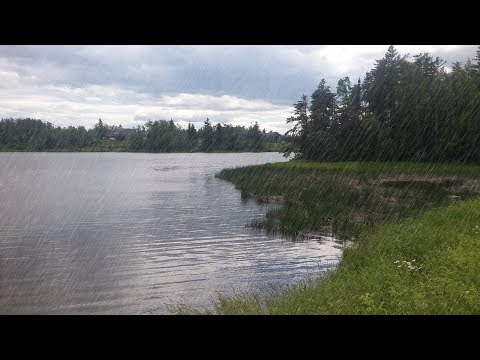
BTW, if anyone is downloading the package from the DX0 site (for Windows, anyway - don't know about Mac), the downloaded file appears without any extension. They may have done this to avoid problems with ISP filters, I don't know. Anyway, you will need to add a .exe to the filename so Windows will recognize and run it as an installer. The difference between the DX0 file and the original file I downloaded from Google is only about 8 MB, so I'm guessing that there isn't a great deal of difference between the two, but who knows.
thanks..interesting how to do that
I downloaded it yesterday from their site and it had the extension. Windows 10 Pro.
Hmmm, interesting. I wonder if we downloaded the same way, then. Did you download it directly from their site by logging in to an account? I downloaded it from the email links they sent after registering for their newsletter - see screen capture.
Yep, same as you, from the email with the subject "Your Nik Collection download links."
I think you may be right. It looks like if you download directly from the email you get the file without the exe extension but if you click on the "View this iemail in your browser" tghen you get the file with the exe extension.
Maybe each browser handles it differently. I'm using Chrome and downloading directly from the email gives me the file with the extension:
I've only had the Google version for years and there was never a nag screen like this. I suspect it is an addition on DxO's part.