Playing with DForms on the Karissa Hair
 cdpro_2831bbd990
Posts: 1,430
cdpro_2831bbd990
Posts: 1,430
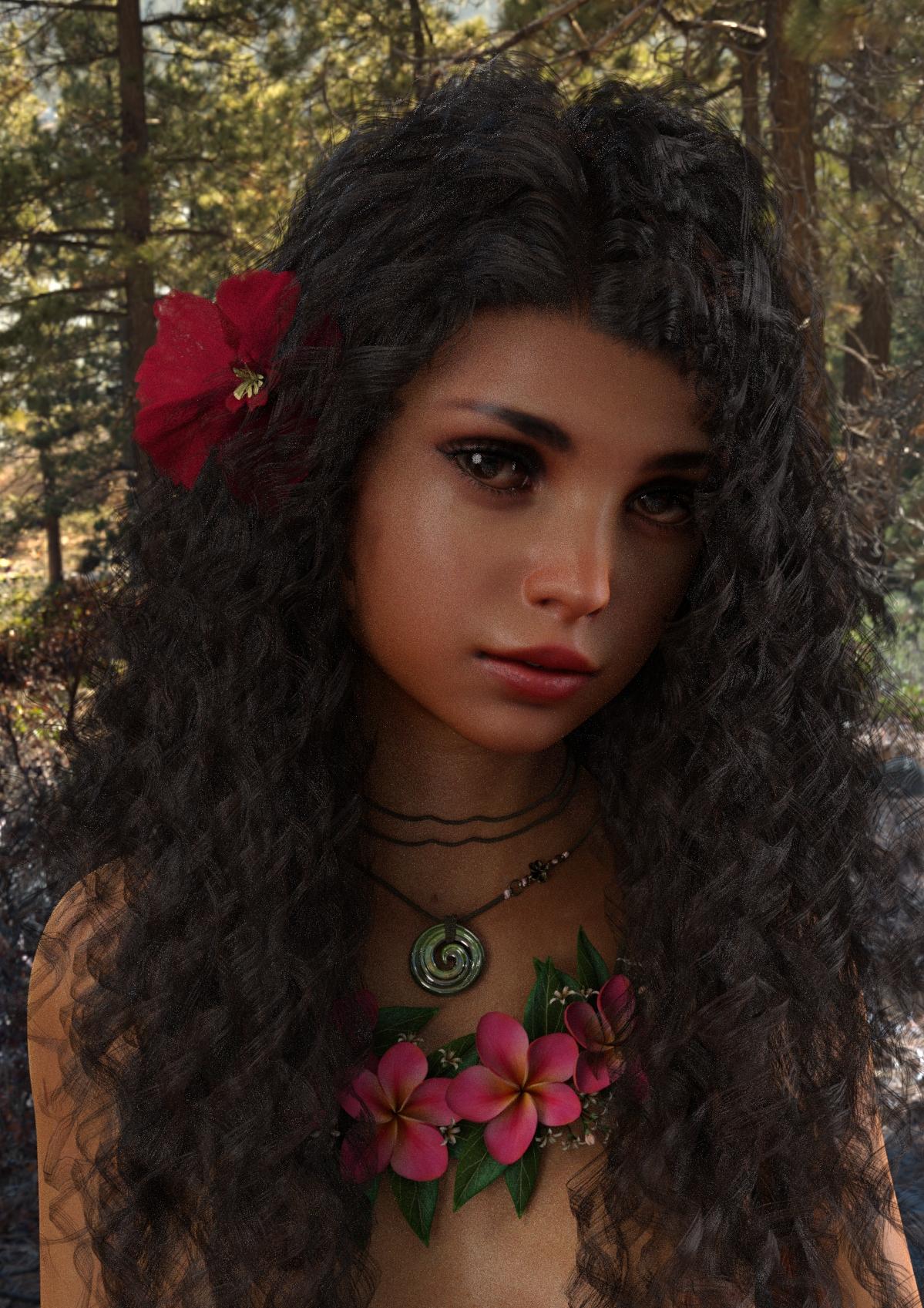
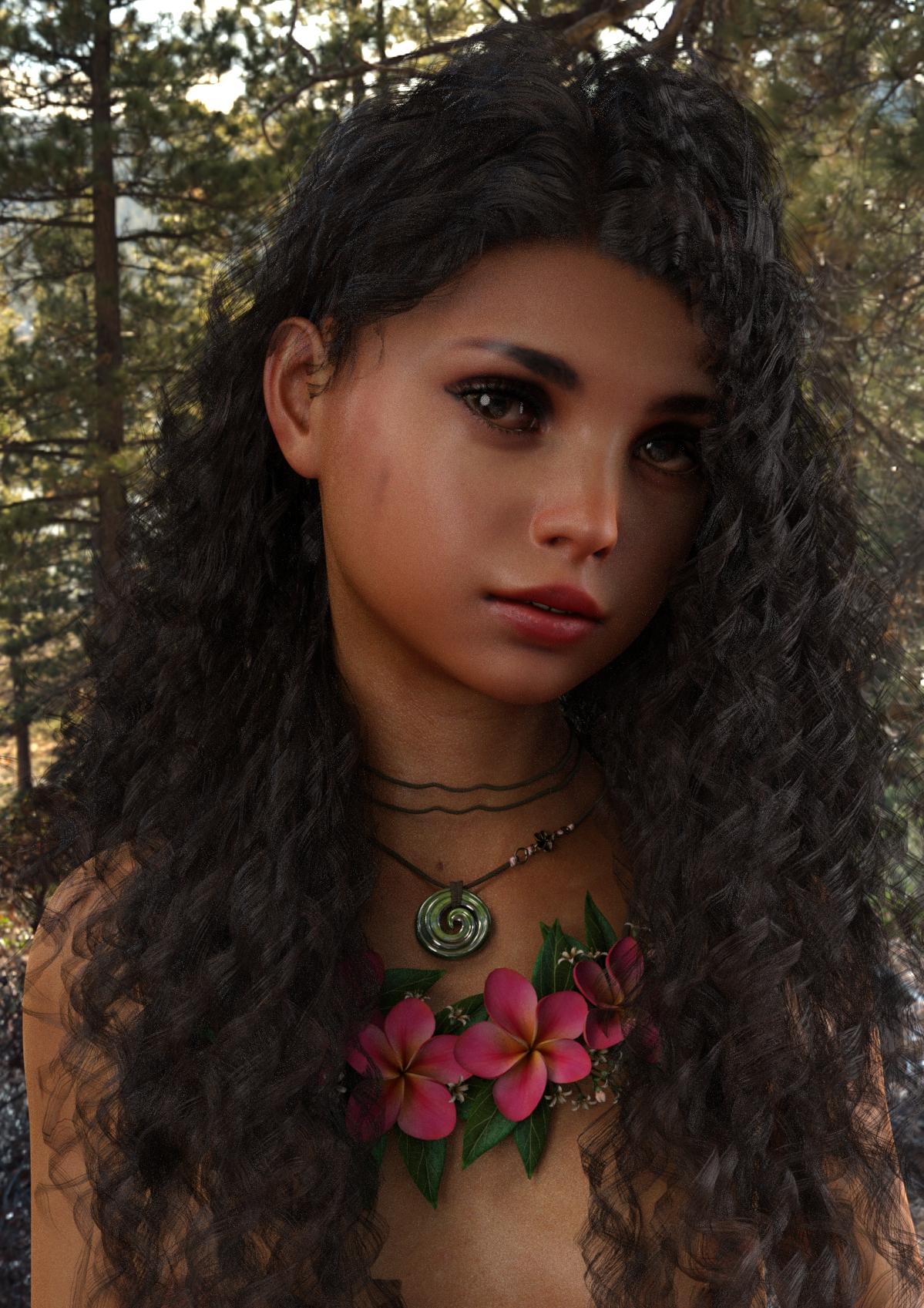
So, since I haven't seen a side part, loose bangs, sort of version of curly hair, yet. I've been playing with DForms on the closest I've found, the Karissa Hair, to try and get that romantic style. I made two versions, one with the crown volume thinner, part to the right and bangs loose forward. The second is the same but with the right side pulled behind the ear. I would like to have another single strand on the left front that could be pulled stray over the left eye. But, the model seems to have that portion integrated into a larger hair section. Possibly, it could be done with a cutout...or a separate add on lock.
It could still use a little work. But, here's what I've come up with so far...no postwork, and these are about 90% rendered.
The character is my own creation. I'm calling her, "Flower," as a working title. :)

Daz 3D is part of 
Connect
DAZ Productions, Inc.
7533 S Center View Ct #4664
West Jordan, UT 84084
Licensing Agreement | Terms of Service | Privacy Policy | EULA
© 2026 Daz Productions Inc. All Rights Reserved.
Comments
Very lovely character! That's also a great hair. It's neat to see what you did with it.
Thanks. It takes quite a lot of pushing and pulling and changing the field parameters to target what areas of the mesh are affected. Then, there's a lot of test renders. But, I'm pretty happy with this result. The mesh stretching isn't too distracting.
The character was developed using Facegen and Figure Metrics. It's amazing how much you can do with just those two tools. FG faces rarely look spot on by just using the auto generator. Generally, there are still hours of tweaking the face morphs before the proportions and particularly, the jawliine, looks good. I use HinkyPunk's Build - a - Babe Photoshop template to create the skin. But, I'm going to try working up something in Skinbuilder 3 as well when Zev0 puts out the G8F upgrade.
Don't forget that you can use a weight map to control the area of affect of a dForm - it will apply the weights from the field initially. Select the dForm, switch to the Node Weight Map Brush and in the Tool Settings pane Add the Influence Weights map then edit it.
Thanks, I haven't tried that. That does sound like an easier way to control the area of effect.