There is no tutorial how to do IRay portrait of official figure with "clear eyes"?

Is it seriously that we can not use default IRay setting to render an official figure portrait with "clear eyes"? And no tutorial to make it work?
I always get problem on the eyes of the figure both studio light and dome light. Anyone experienced on doing portrait could check for me what I am doing wrong?
Thank you
Post edited by ccthien83 on

Daz 3D is part of 
Connect
DAZ Productions, Inc.
7533 S Center View Ct #4664
West Jordan, UT 84084
Licensing Agreement | Terms of Service | Privacy Policy | EULA
© 2025 Daz Productions Inc. All Rights Reserved.
Comments
You're going to have to define "clear eyes".
The first one looks ok, its got some nice reflection going on. The second one... eh, not so much, hardly looks Iray at all.
You could move this question over into the New Users Help Forum, that's what the NU forums are there for, Edit your top post and change category to New Users, someone will soon pop along and help you.
Thank Chohole, I already did.
Dear evilded777, I selected a white eyes not a black eye:

As you can notice: both has some firefly on them. And that firefly after processing, it is better but still make the eye not good as expected.
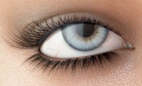
I would like the eye look like this:
For the reflecting surface - which is different for the different Genesis genarations - set Glossy Roughness to 0, Glossyness to 1 respectively. Depends on which parameter is used for the glossy reflection.
And Glossy Unisotropy to 0, too.
For Iris and Pupil shut off the glossy reflection.
The back-reflection between Cornea and Iris/Pupil is responsible for the fireflies.
Oh, well that is mostly the result of how the texture sets for the eyes were created. Snowflake for Aiko 7 has nice clear eyes colors and there is the other product called 'Macroeyes for iRay' (or something like that).
Could you please tell me which one is related to... Eyes?
Eye has 5 parts: Cornea, EyeMoisture, Irises, Pupils, Sclera. Am I right?
Thank you AndyS, nonesuch00 for your tip.
"Eye has 5 parts: Cornea, EyeMoisture, Irises, Pupils, Sclera. Am I right?"
It will vary depending upon the figure that you are using, as different figures have different material zones. For G3F, for example, there are Cornea, EyeMoisture, Irises, Pupils and Sclera as you have said. For G2F there is Cornea, EyeReflection, Irises, Lacrimals, Pupils and Sclera, plus a Tear setting. For Genesis there is Cornea, Lacrimal, Iris, Pupil and Sclera, plus a Tear setting. And so on.
Wow, thank you SixDs.
Now I understand why I search for tutorial and they said about Lacrimal, Tear and I do not know why my character do not have them.