Iray noise

Recent attempts to render with iray,Unfortunately, I can not deal with with noise. I tried to increase the noise filtering, set quality rendering for 2 but it did not help.
I changed nothing in tone mapping and environement.
10 hours rendering, 11000 iray iteration
effect

Daz 3D is part of 
Connect
DAZ Productions, Inc.
7533 S Center View Ct #4664
West Jordan, UT 84084
Licensing Agreement | Terms of Service | Privacy Policy | EULA
© 2026 Daz Productions Inc. All Rights Reserved.
Comments
1. What is your lighting setup for the scene?
2. What are your systems specs?
1. Sphere 6500k Luminance 1000000000.0 and plane 6500k Luminance 20000000.0
2 i5 2500k 4.3 Ghz, 12Gb ram, hd 7950, win 7 home premium
For mesh lights, a sphere is a horrible choice, because each face (and most of the time to get a sphere it needs to have many) is an emitter, so instead of one light, it's like having that many (number of faces on the sphere) individual lights each needing to be calculated, Even a simple 8 segment/8 side sphere has 64 faces.
A better choice would be to use a point light, set to spherical geometry.
Where is the sphere placed, because at that light level it should be blowing out just about everything around.
The plane, as long as it's a single face is practically 'cost free' when it comes to render times. Also, it's placement will be key....and orientation (could it possibly be pointing the opposite direction than the one you want?)
Then, there is the fact that your Radeon card will not be giving any assistance to the render, so expect a couple of hours, at least...10+ is way over expectations. 2-4 should be enough.
++++++++
I just ran a quick test...using a simple 64 sided sphere and a point light set with spherical geometry
I cut the render off at 15 mins.
The sphere was 71% converged and still very noisy.
The point light was finished in 12 mins 17 secs...and not noisy.
Mówisz o prostym punktu światła od Daz lub o punkt świetlny na iray? Render is faster but does not look good. Adjust the spotlight right next to the window.
I use this guide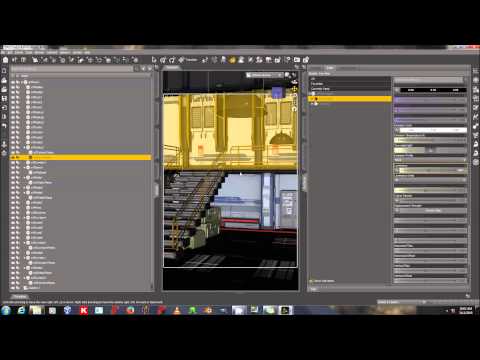
While Sickleyield's set up will work, the problem with it is, without the powerful video cards she is using, it will take a very long time to converge. She hit over 800 iterations in about 1 minute. Going by your 11000 iterations in 10 hours, it would take your machine nearly an hour to reach that point. Ditching the sphere will be the first way of speeding up the render. Especially if you are using it as she does, for a 'skydome'.
Iray has a 'virtual' skydome that accepts HDRI images to provide lighting. That works well for exterior scenes and moderately well for simple interior scenes. But giving it a 'boost' by creating a 'ghost light' or two will speed up things even more.
I'll grab some links a bit later for info on 'ghost lights' and a more general approach to lighting interior scenes for those who don't have high powered video cards...
Here's the thread...
http://www.daz3d.com/forums/discussion/127056/ghost-lights-interior-lighting-tutorial
skydoom works better than a sphere? as in this link I did the scene and there is a lot of noise
LOL, I put 2 plans for the scene, one in the window and one on the opposite wall. I Changed Environment Mode on scene only, and that is the effect.
8k iray iretation, 5 hours rendering. I do not know why as I set the plan out the window, it does not emit light to inside room. I set it against the glass in the window.
If the plane is not sending light into the room try rotating it so the other side is facing in - unless you enable the Two Sided option light will come only from the normal side (the front) of the mesh. You can specify which way the normals face when creating the plane.