Monthly Coupon Invalid Why doesn't it work?
 UHF
Posts: 518
UHF
Posts: 518
I can't figure out what to do or how to cause the coupons to work or identify in any why what causes them to barf.
The only error the sales app gives is, "Coupon code "09-16Save6" is not valid." Which tells me precisely zero. The internet isn't any better for answers.
I'm attempting to purchase this, which isn't on sale;
http://www.daz3d.com/genesis-3-uvs-for-genesis-2-female-s
I am attempting to cut and paste the coupon code, "09-16Save6" from my account's Monthly PA Coupon.

Daz 3D is part of 
Connect
DAZ Productions, Inc.
7533 S Center View Ct #4664
West Jordan, UT 84084
Licensing Agreement | Terms of Service | Privacy Policy | EULA
© 2026 Daz Productions Inc. All Rights Reserved.
Comments
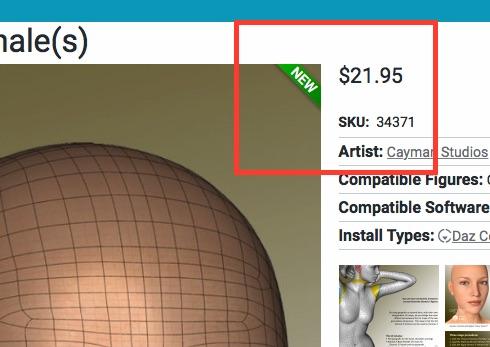
The item is still new (within 60 days of release and with the green banner). The coupon does not apply to new items.
TD
Yup clear as mud.
http://www.daz3d.com/platinum-club-plus
So now I must wait 60 days because I didn't rush in fast enough. Seriously. Its not like I have any idea what so ever for when Daz with screw around with prices, and add hidden unforseeable or understandable pricing changes.
So, 60 days from what date? There are no dates on anything? (Or version numbers for that matter.) Can someone give me a date so I attempt to give money to Daz Studio some other day?
Herb Tarlek works there does he? Can he tell me?
Released Sept 14.
The coupons are great, but they have to be applied as soon as possible, since they are picky about what they can be used on. I've lost far too many to count due to waiting and then not finding anything I want to use them on toward the end of the month.
I'm still seeing the identifying banner. It the product is new, it should be marked as new
.
You can see the release date of the products on their readme pages.
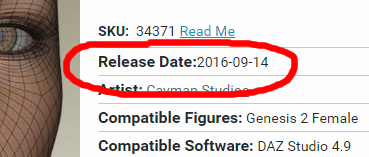

You can find the readmes either by starting from here: http://docs.daz3d.com/doku.php/public/read_me/index/start
Or by using the Daz Deals extension, that will put the link to the readme right on the product page: http://www.daz3d.com/forums/discussion/106296/announcing-daz-deals-browser-add-on/p1
Or by using the "Release date for new items" script from here: http://civilizationhunt.com/ds/
This latter serves two purposes. For one, it shows the release date on the product page itself:
And two, it shows the release date of new products on the category page as well: