Can somebody explain the iRadiance Light Probe products to me?
 exstarsis
Posts: 2,128
exstarsis
Posts: 2,128
in The Commons
I keep looking at the iRadiance Light Probe HDR packages. I want them! But I keep being confused by them. What is HDR vs HDRI? Why are they all represented by that little ball? What is a light probe? Does anybody have more renders to show me what they can do?
Thank you!

Daz 3D is part of 
Connect
DAZ Productions, Inc.
7533 S Center View Ct #4664
West Jordan, UT 84084
Licensing Agreement | Terms of Service | Privacy Policy | EULA
© 2026 Daz Productions Inc. All Rights Reserved.
Comments
It's just environment lighting. I think the probes are just the bright spots (which provide the light)
Is the difference between HDR and HDRI the fact that HDRI has a skybox?
I'm not sure. I've never noticed a difference honestly. These are great products though, I use them a lot and highly recommend them. I actually just bought the second light probe expansion lol.
No. For CG there really isn't much difference. HDR just refers to the technique and HDRI to the image
HDR = High Dynamic Range
HDRI = High Dynamic Range Image
https://en.wikipedia.org/wiki/High-dynamic-range_imaging
I admit I'm curious about this. It interests me that a number of the promos appear to be interior shots... Something that I haven't found HDRI very good at. I am curious about it too.
Pick this up with your lights as well. http://www.daz3d.com/light-probe-tool
Its free and it makes positioning your lights so much easier than just guessing their position. I dont know anything about the tech aspect of the lights but I really enjoy the light probes. I use them all the time.
I agree - this enables you to make HDwhatevers match what YOU want instead of crutching it.
I have all three of the iRadiance light packages and love them. I use them a lot when testing images. I also have one selected as my default HDR in the environment map instead of the terrible default one that comes with DS. It can give you a nice set of general purpose lighting and background for when you are just testing things out and don't have a light set in your scene, yet, and it can, also, be used in interior exterior scenes where you aren't using the dome, but want a little extra ambient light to go with you main lights. They are very versatile.
Here are a few test images I've done. I was basically seeing how different light affected the dress I was testing to see what kind of lighting went best. Exact same texture on the dress, just different lighting from the iRadiance presets
.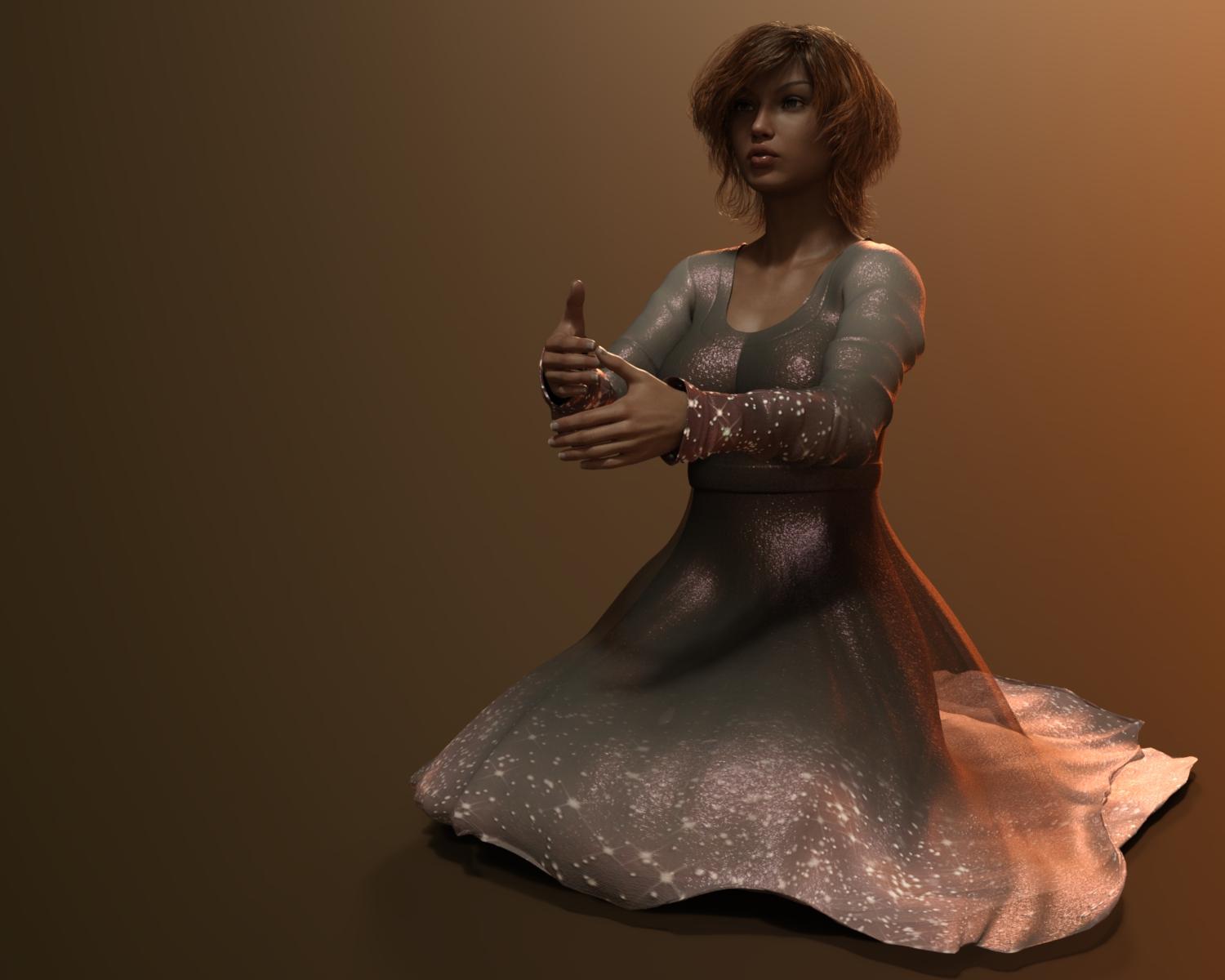
Here are a couple more with just the iRadiance lighting.
Here is my latest that used iRadiance as part of the background lighting, but also used other lights for the figure as well. This is the original image straight out of Iray without any postwork. The postworked version is in my gallery.
Thank you so much for all the images. I grabbed the light probe tool too although I'm such a newbie to lighting that even it poses a challenge. Still, experimentation teaches a lot, I guess.
They certainly can be good at it, but as with exterior HDRI images, relies on them being good.
As Charlie Judge mentioned the only difference is the omission of "Image" in the product name. High Dynamic Range Images are the special types of photos that store brightness information which can be used to light your scenes. High Dynamic Range lighting (as it's put in the name of the Light Probe products) just describes the type of lighting cast by High Dynamic Range Images.
Light probes are a specific type of HDRI that are only designed to capture lighting information without any sort of background detail My other HDRI sets are of environments with the intention of letting you place your characters into those environments and have them lit accurately by their captured brightness information. Since the Light Probes aren't meant to have any background detail and are intended to really only be used for lighting I went with "HDR Lighting" to separate them a bit more from my other products. Though the smooth gradients from the light probes can look great as backgrounds like others have shown with their renders here.
I have them displayed with spheres the same as my other lighting/HDRI sets because the shape of a sphere best shows the lighting information and reflections etc from every angle. It's easy to tell when a sphere is being lit from behind (as opposed to a cube which can really only show lighting from 3 directions at any given time). So the thumbnails should give you a good idea of all the colors present and which presets have rim lighting or high contrast.
If you want to use these for interior lighting the set your using just needs some windows or other openings to let the light in. Think of it as opening your curtains at home. You'll have to crank up the exposure values or environment intensity to make them provide enough light to illuminate interiors but it's entirely possible. The whole thing works the same way as needing different real world camera settings for taking pictures inside as opposed taking pictures in direct sunlight.
Thank you so much for the detailed explanation, DT! I picked up one and had to stop myself from grabbing all three because, uh, moderation. I'm not a huge fan of the image-based HDRI backgrounds because they always seem a little more unreal (when combined with a character) to me than other kinds of backgrounds, although I love how much easy versailitity they give. But I do love love playing with lightning and color. It'll be a lot of fun to change a shot's mood with these.