
Daz 3D is part of 
Connect
DAZ Productions, Inc.
7533 S Center View Ct #4664
West Jordan, UT 84084
Licensing Agreement | Terms of Service | Privacy Policy | EULA
© 2026 Daz Productions Inc. All Rights Reserved.
Comments
actually Carrara but I just had to add a twerk too
Oh crap I will have to fix that on Chrome on my PC unless an admin does first, the image resizing dialogue did not keep my settings on iPad
fixed, it was on the older version of this forum in my render thread when gifs worked onsite
yes even on PC the image properties do not display had to fiddle a bit in source
Only need them the scripts you are planning on working with g3. other wise. you don't need the conversion scripts for generation 4 to genesis or genesis 2.
Thats good ..lol
I uploaded mine to google and then just posted the upload link, Google has a faster server than daz for Gif's
For SubD meshes ,V3 was not professional grade. V4 is 100% quads but too high of a polycount so not really professional grade.
Genesis 1,2,3 meshes are professional grade ,there the best meshes for sell.
So DAZ is making a effort towards professionalism
Please no "twerking" or similar gyrations in front of a Jedi!!
Do I need both scripts at that point or only Animation Conversion Genesis 2 to Genesis 3? And if so, wondering if it's worth it for one character. Maybe I can change the G3F morph (Priya) to G2F. Then I wouldn't need anythng.
I've only been working with G2F so far, and will add G2M, I think. Several G2 characters, but only the one G3F. And she's the one with the most diverse moves, so maybe it's better to change her. Was planning on getting swordfighting and combat aniblocks for her character, but I bought the G2>G3 script and using an offset aniblock, the basic walk still looks a bit off. Or maybe it's me. Resuming testing tomorrow, barring acts of God and fathers-in-law.
Generation 4 ani blocks work okay for genesis and Genesis 2 characters with just using feet off set to correct the feet & you may need to make some minor adjustment of the fingers & hands, .. same with posr mocaps genesis and Genesis2 aniblocks. they all pretty much play nice with each other.. But they do not play nice with Genesis 3
So if you plan on using older generation aniblocks with genesis 3 characters you will need Dragonsstroms Genesis to genesis 3 aniblock conversion script for converting them to work with g3... and even then you "WILL" need to do some fixing of the hands and other minor corrections . also please keep in mind as great Dragonsstroms scripts are they do not work on all ani blocks and the scripts do not work for Maya or poser BVH motions files. which BHV files do work or generations 4 and genesis and Genesis 2. I think its because Genesis 3 is a exotic mesh which broke most of the compatibility with older generations, so when trying to use it in animations with older content its a lot of baking keyframes and correcting motions tweens. . so for me if I animate genesis3 it will be just best if I build my motions file library for that character mesh,
I'm kind of waiting to see if or when genesis 4 comes out and it has not broke compatibility with genesis 3 then for me it will be worth me making motions files for those character meshes as it is now..it to much work just for one generations mesh.so I don't bother.with genesis 3 .. Heck I still buying genesis 2 content..lol
I should add if you want to invest in a useful tool I highly recommend using Genesis 3 Female for Genesis 2 Female(s) this way you won't miss out on cute Genesis3 clothing content for your genesis 2 characters. :) when you creating animations
Yes, I mostly buy Genesis 2 also. Just lately bought more Genesis 3 due to great discounts, but a bit wary, as I knew it didn't play well with animation. (Then I had to fall in love with Priya - awesome ethnic face, imo.)
Side note... When setting up a "city" for a flyover/flythrough animation, discovered the set is in no way in proportion to the default DAZ character size. I guess I'll resize my characters and vehicle, but it's a bit of a disconnect. Then again, I may render the animation separate from the background or let the game engine describe the path and animate the flight.
Note: It seems each step of what I want to do requires learning at least one program and/or plugin. And I always feel that I'm probably making some really basic errors. The hazards of learning on the fly, I guess.
I have bought Genesis 3 Female for Genesis 2 Female(s), Ivy. I've tried to buy most auto-fit clones since I want things to work between generations, especially since I've kept my Genesis 3 to the minimum (couldn't resist some of the crazy stacking sales)... Although I've skipped legacy and backwards compatible UV converters.
I thought I'd bought a morph converter that let me use Genesis 3 morphs on Genesis 2, but now I think maybe I just got all those converters mixed up and the only morph converters are legacy. I'd love to be able to use Priya's face on Genesis 2 and not worry about animating Genesis 3. Nvm, found it. Now to experiment. I need to update the manual "catalog" I keep of my DAZ assets.
as you see, Ivy, major problem is the footsliding
Agreed,
That is a big issue I have complained about for years,.the seriously lack of floor pinning tools in Daz Studio & poser. Also just basic Physics for soft tissue and fluid water would be nice as well. But Daz studio don't hve those features, so we work with what we have don't we?,.
I have done a couple of flight animations they turned out to be simpler than I thought it be tio animate. when i first started creating them it was kind of intimidating ..
This one is kind of cute.
Spy Girl in "Flight Fight." Daz Studio Animation
Wow, Ivy. Fun to watch! :) That looks like a lot of work went into it. (And a lot of learned expertise!) Thanks for sharing that; it gives me a good idea of what I can do with a flight path animation. :)
I always say make the animations you like to watch yourself. :)
This animation is 3 years old. and was done with Generation 4 characters.Daz 3dl was not as far advanced as it is today., This animation was one of my first atemps at trying to make a serious cimatic type film. It was also the first time I exprienced Googles partnership program police..lol , and boy did google ever want documents on everything used for this film, music & sound files Daz ELUA & proof I purchased the graphics files, they even made it so I went and got registered at MPAA.org. it was ridiculous what I went through with this film,m I guess they thought i ripped it off from some video game,. & top that off with having a stalker following/ harassing me and trying to make showing my films impossible anywhere . Its been a very long road to learn what I have using daz for animation..
New Dawn ~ of the dark ages
Actually poser Ik could have pinned those feet alot better
the problem with poser is that the IK solver is global and once turned on cannot be deactivated in the same session
for the figure upon which you used it.
poser pro 2014 IK animation
This was part 2 of the last film this film is also 3 years old, it was when i was really learning how to use daz for animation
New Dawn II - Taking Back
I suppose it's how you look at what one defines as 'can you make decent animations in DAZ Studio' --->
Tools and their quality have always been an issue. For example, I am a professional colored pencil portrait artist and have been so for over 25 years before growing bored and finally moving over to graphic and computer aided design. Can I draw a decent portrait of Brad Pitt with Crayola Colored Pencils that cost about $5 at Walmart?
Sure!
Will I get the same overall awesomeness of effect drawing Brad Pitt as I would have using a set of Caran D'Ache Supracolor or Faber Castell Polochromos?
Oh, HEY-LL NO!
In that way, DAZ3D Studio is no major contender against the big boy pro-programs like Maya 3D Studio - but can I create quality animations if one takes the time to learn the program and really understand the lighting dynamics and all of the elements to their animation software/plug-ins?
Of course you can!
There are plenty of shaders and dynamic hairs for DAZ and Poser with plenty of bones for rigging movement out there from this site to many others like Rendo - take SAV's hairs for example (RIP: Joanna). There are many 3D long and short hairs fully capable of being moved and shifted as the wind blows in your scene, or if your character turns their head. Will you get lifelike simulation?
No. Of course not. Even the Pixar Animators have to fully build and rig their hairs for character specific movement in order to achieve that final windblown effect.
Then, there is even the factor of the price of the software. A high-priced program like Maya isn't the only thing out there that can create fluid and beautiful animations of great quality. Sometimes FREE, like DAZ is a better investment in the end. For example, Blender is also FREE, but the learning curve and user interface is not as simplistic as that of DAZ3D. And YES! A Disney-quality animation CAN be produced on that program with a lot of time and effort and understanding of the program (and some financial support and a team of 35 people for three years also doesn't hurt). See example below:
So $$$ isn't always a factor in acheiving pro results.
Overall, I love DAZ for animation - and while a bit rough at times, I find that I can animate in the program as well as if I drew the frames by hand, frame by frame in a program such as Toon Boom, or by hand --- (but it's easier that I don't have to draw).
I'm not a film student, nor am I a lighting expert - so I have to observe what other people are doing in their films and learn from their expertise. YouTube is a savior of our times in teaching nearly everything.
And maybe my final comicbook trailer will look like an amateur made it - which is understandable because I AM an ana'newbie-mator and a hobbiest of DAZ3D (and also in filmmaking as well), but a good camera angle is still a camera angle. The rule of thirds still stands no matter what your are trying to render, draw, photograph, or film even in a program like DAZ. A good editing program is still going to give you those professional results and iron out the kinks at the end.
In conclusion, I am a firm believer that you can flub anything in the end into looking professional even with a hobby program such as DAZ for animation with plug-ins and such - just like I can draw Brad Pitt using only a set of Crayola colored pencils or crayons and make him look lifelike.
It's all in the technique.
If you turn IK off before saving it is working quite okay in Poser.
PS: Just one final add-on to my previous comment. I believe with a lot of time and patience a person (or an army of people with six or seven incredibly powerful workstations) CAN achieve the same results in animation as in the video above using DAZ3D Studio.
Remember, that most people using DAZ to animate always try to animate in a realistic fashion, which winds up better used and saved for video games cutscenes in this modern age, but not for the entertainment of a mass of people. See the box office results of the 3D Movie, "Final Fantasy" (which was beautiful) VS "Frozen". Why?
I was taught in "The Animator's Survival Guide" by Richard Williams (who directed animation for 'Who Framed Roger Rabbit') that people reject realism in motion graphics and animation. For the human eye, there is something offensive to aethestic perception that our minds cannot wrap around the illusion of reality, and therefore reject it. Because our minds are in a constant state of flux of what we see isn't really there, it becomes more difficult to invest ourselves into the story, arcs, and dialogue - which is a shame, because a realistic set of animated characters on one story should stand true for a stylized animated story of the same nature. Because of this strange, but proven psychological concept of the human psyche - we are taken out of the illusion of reality that most stylized tales transport us into.
PS: People in the modern age seem to like more stupid and redundant --- but that's another argument that was presented by Doug Walker (Nostalgia Critic).
So, should we stop animating in realism? NO!
It you like animating in that style, then keep pushing the limits of reality and reach for the stars, but remember that your competition in telling an animated story to others will always be dumb stuff like this:
PSS: Sorry, if I made DAZ sound poor quality comparing it to Crayola Crayons. It is an EXCELLENT product IMO!
...well, appears this thread has turned into a discussion on animation rather than reasons for why some do just single images and others do animation
Ah, well, was interesting for a little while.
For many of us, it is still interesting. :)
I just do still 2D images. My main purpose is simply creating characters, I used to create tons of unnamed characters for people to use as profile pieces for Dungeons and Dragons, avatars, and stuff like that. Might seem odd but I just love mixing and matching all the morphs and textures available until the right character appears on my screen. It's kind of like an adventure in a sense cause sometimes scary things come about. :)
Some things you just cannot unsee. Lol
cool :)
An animated gif is still an animation and your machine could probably handle that if you were so inclined.
i never used poser
so
which version of it would be enough for this kind of animation ?
is it different from mcasual Jaques scripts ?
Hi, any version of poser from poser 6 up to poser 11
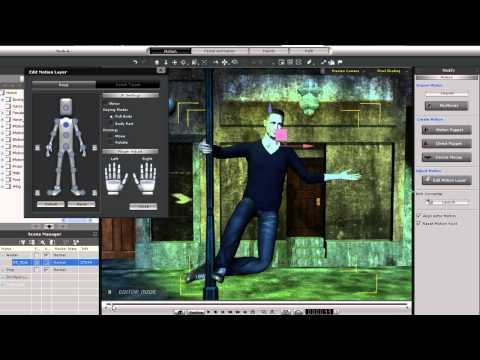
could do this simple animation
No scripts involved I simply turned on IK
for the feet and pulled her hips left and right a few times setting keyframes for each left/right position
neither of those "twerking" gifs appeared to be using Ik hence
the footsliding.
My point was that poser has an IK system just not a very versatile one compared to Iclone Pro that we now use over here for major body motion,