Atmospheric Perspective / Haze, how?
 JeremyD
Posts: 265
JeremyD
Posts: 265
in The Commons
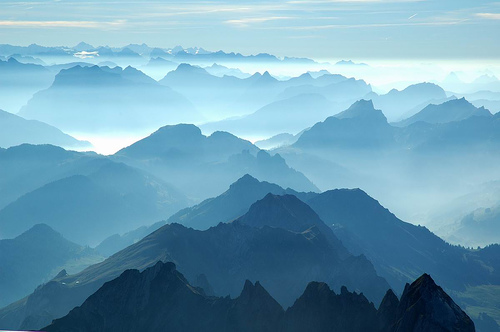
How does one go about achieving this effect in their landscapes, where things go hazy in the distance?


Daz 3D is part of 
Connect
DAZ Productions, Inc.
7533 S Center View Ct #4664
West Jordan, UT 84084
Licensing Agreement | Terms of Service | Privacy Policy | EULA
© 2026 Daz Productions Inc. All Rights Reserved.
Comments
Which application are you using?
Daz Studio (4.9)
(..buuuuut I have a feeling this can be done in Bryce?)
where does one find distance canvas? everytime I think I finally have a good grasp on Studio I find out about something new :P
You can use this camera I made
http://www.daz3d.com/iray-envirocam
Rawn
Aye, Can be done quite easliy in Bryce. One plays around with haze and fog settings, and sometimes with volume blocks with volumetric textures to vary the haze levels.
My sig banner uses haze and haze volumes
And, well except for the volume stuff, haze in Bryce makes the render FASTER. The less contrast between pixels, the faster Bryce renders them.
It should be fairly simple to fake an atmospheric effect using a large primitive. Just create a large cube in Daz Studio and reduce its oppacity down to a tiny value like 1%. You will need to adjust other parameters too. I think Sickleyield did a tutorial on this a while back; http://sickleyield.deviantart.com/journal/Tutorial-Creating-Dust-And-Atmosphere-in-Iray-522291773
Alternatively, if you want more details in the atmospheric effect, you may be able to use my Volumetric Light product by resizing the light beams and tiling them to cover the ground (http://www.daz3d.com/epic-props-godrays-volumetric-light-for-iray).
Bryce can do this effect easily...but so can iRay, with a little work and patience.
-P
thanks guys for all the responses
I ended up doing the cube method which for the most part gave the effect needed
the store add ons also look interesting and i've wishlisted both of them!
If you are using the cube method and want good godray effects from it, I highly suggest doing multiple passes with different light sources. Otherwise all light will tend to turn the cube into opaque mist.
Brilliant Will! I'll have to try the multiple pass thing. I use AoA atmosphere/volume cameras and this problem occurs frequently if I don't take it into account. Of course it doesn't help when I don't really know what I'm doing....
It took reading conversations about 3DL compositing, Iray canvasses, and struggling to keep secondary light sources from turning my scene into pea soup to finally put it together.
One approach some people do with Iray canvasses is to do one canvas per light source (light paths or something?) That way, you get the scene lit by each light source, and can then plop each of THOSE into a layer, and then effectively decide how to light your scene after the fact. Nifty.
So, yeah, doing it in two passes helps a huge amount.
Here's a render I did doing this. The first render was just exterior light + fog volume. Second was just interior light with fog cube hidden. Then I just layered, did, I think, 'lighten' or something similar until the combination looked right and flattened it.
(click for full size)
This can also be done in Carrara using the volumetric fog or volumetric clouds.
it can also be done in postwork (e.g GIMP, Photoshop), and doing so will allow you much faster renders and greater control over the final result.