Im trying :(
 Angelman
Posts: 42
Angelman
Posts: 42
in The Commons
Cant seem to get my lighting down like I want

Daz 3D is part of 
Connect
DAZ Productions, Inc.
7533 S Center View Ct #4664
West Jordan, UT 84084
Licensing Agreement | Terms of Service | Privacy Policy | EULA
© 2026 Daz Productions Inc. All Rights Reserved.
Comments
What are you trying to accomplish here, exactly?
Iray or 3dl?
If you go to the render tab, then check out the "Render Engine". By default, it should be "Iray"
I assume that you are rendering with the default setting, so that should be "Iray" and "Dome and Scene".
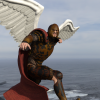
Also, you are rendering in a closed room, where the only light seems to be the coming from the side, and from the small glow.
The scene setup looks good, I like the dynamics in it.
Can you please also post your scene settings, so that we can see what light sources you are using?
So, what effect do you want to achieve? Is the image too dark, no light from the right side? Please let us know. If it appears too dark, it could be a simple case of adjusting your tonemapping, or enter more lights into the scene.
This tutorial offers a good intro into Iray. Some of the lights were named differently when 4.9 came out; basically, you do not have separat lights for Iray and 3DL inside of the default lights that you can insert, but they are combined.
http://sickleyield.deviantart.com/journal/Tutorial-Getting-Started-With-Iray-519725115
The second post is a thread which has, in the middle parts, some examples about lights and tonemapping:
http://www.daz3d.com/forums/discussion/59766/lights-gloss-and-shine-on-skin-iray
Okay I got it..thanks for the help..
Trying again
What effects are you trying to accomplish?
I can't find the tone mapping option in Daz Studio 4.9 Pro T_T Just renders presents. Please help!
In the Render Settings pane, go to the Editor tab.
Looking at the renders you have posted, they look to me that they were done using 3Delight rather than iRay, and 3DL has no tone mapping.
Edit: I missed you last render, of just the dress in the corridor, that does look like iRay
I cant find the editor tab. Please :(
You are in Parameters...you need to be in Render Settings. It should be the one below the Cameras...
I don't have the render settings tab. I'm doing something wrong?
Use the menu, Window->Panes (Tabs)->Render Settings
Thanks!!!