New Free Tutorial Video Series For New DS Users: What Do You Need?
 SickleYield
Posts: 7,649
SickleYield
Posts: 7,649
I've done one video already, starting out with the interface and how to set it up to suit you.
I plan to continue with this series. The aim is to help out people new to Iray, new to Daz Studio and even new to 3D. So if you fall into that category - maybe this is your very first time on the forum! - I'm interested in what you are having the most trouble finding out. The focus will be on rendering with existing assets. Content creation, such as I'm able to teach it, will be a second series.
Right now I'm thinking:
Part 01(done): Basics of the interface.
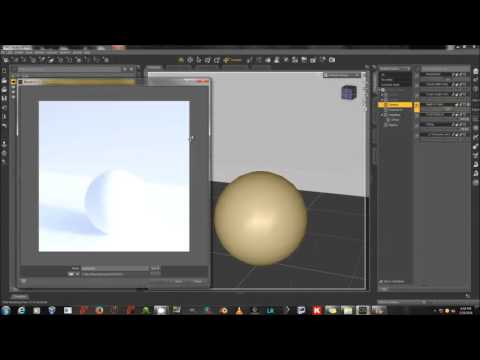
Part 02: Rendering 101 Iray (What a camera and lights are for, the environment tab, how to do a simple render with a primitive.)
Part 03: Rendering 201 Iray (How to set up and render library assets with a camera, basic lighting, render settings).
Part 03: The Surfaces Tab (where it is, what Iray channels mean, how to set up a basic retint/adapt a shader from another program).
Part 04: Advanced Lighting In Iray (mesh lights, atmospherics, bloom settings, maybe the sky setup).

Daz 3D is part of 
Connect
DAZ Productions, Inc.
7533 S Center View Ct #4664
West Jordan, UT 84084
Licensing Agreement | Terms of Service | Privacy Policy | EULA
© 2026 Daz Productions Inc. All Rights Reserved.
Comments
Thank you for taking it upon yourself to provide this service. And thank you for all the other tutorials you do on deviantart. I look forward to filling the holes in my knowledge.
I had actually thought a bit about making some tutorial videos for new users, but you have such a pleasant voice and your videos have already helped many people adjust to Iray. :) Those ideas are very good, especially customizing the interface and covering anything that would confuse new users (like the Headlight on cameras, changing Iray render quality settings so they don't finish too soon, looking through spotlights like cameras, and reminding them that Perspective camera views are not saved).
Looking forward to watching more videos in your series!
Thanks for taking the time to do these tutorials, now that I have a system that can handle Iray I could certainly use any help available with setting it up. the surfaces tab and lighting are definitely something I need to learn. In lighting even something simple like making a lamp throw light where I want it is mind boggling at the moment lol. Ultimately I would like to learn how to create my own lighting and my own shaders for products.
A good one for Iray might be the photometric light settings + maybe setting up some basic 3 point lighting
I find a lot of folks new to iray don't know about the geometry settings and get worried about how strong you have to turn up the lumens.
3 point lighting is nice because it works in most scenes, and with photometric lights also has a good benefit for beginners that it renders comparitively fast IMO
I'm finding the sound levels to be very low, both on a mobile device and the desktop. Is anyone else having this problem?
Thanks for the tutorials.
Hmmm...given I want to create my own set of hand painted textures I'm wondering where, e.g. the UV set called Basic Male for the Genesis 2 Male are found. The DAZ Studio Surfaces tab just has a drop down of the different Genesis 2 Male compatible UV sets I have installed but not where they are located.
the voice could be a little louder yes
and i very much appreciate you have no distracting music in the background like so many think they have to
If you're wanting to paint textures you actually want 2D templates, not the 3D UV files. I'm not sure if those are given out to everyone or not. I usually have created mine out of Blender. SnowSultan has also done some beautiful seam guides which are available on his own site. I'm not sure if I'm allowed to link directly to it from here but if you take his screen name as one word it's pretty much that.
Thank you for the input so far! We have a couple of votes for louder next time. I turned down the gain to get rid of more background noise, but I guess I'll have to turn it back up.
Thanks. I will find SnowSultan's seam guides. I could hear fine but I am wearing ear buds and turned up my volume on my laptop.
A great program with good sound and video controls is VLC. http://www.videolan.org/vlc/index.html
What I love is you can amp up the volume plus, for those speed modeling videos, you can slow a video down till it's real-time.
Funny you should say that, VLC is what I always use for playback!
And Part 2!
"
Really am liking your video tutorials, you give great instructions..clear, concise, no horrid background music to distract, or waving mouse pointer all over the screen, thank you! I was curious to know if you would in the future be possibly doing any updated tutorials on rigging and weightmapping as the ones that are around are a little dated now with G3 out?
May I make a suggestion. Please assume that the people watching the videos are complete novices. People who make instructional videos often forget that they are experts and forget the viewers are not. There is also a tendency to go too fast. The points might be elementary but to a novice they are not.
Thanks Ron
Thanks for the video SickleYield!! I have been using DS for awhile, but never really played with the interface much, so I thought I would check the video out to see what my options were. I would say I knew about 70% of what was covered in the video, but the other 30% I didn't know really halped with some layout issues I wanted to change, so thanks so much for that!
One thing is I like having as much viewport space open as possible especially since it also dictates how big the render will be in luxrender via reality, but have always used an undockable window for parameters which always had to be moved during setup till I saw that I can add that tab to the others, now everything is in one pane, woohoo!
As for the actual video, I watched it on VLC (as i do everything, LOL), I thought the sound level was plenty loud enough and that you were clear and concise. I also felt the pace was perfect and that you were informative without going to slow as to have my attention wander. great job!!
I'm just thinking out loud a little here, but considering that a lot of older products don't have Iray settings - some don't even have DS 3DL settings - spending some time discussing how things translate between the 3DL shader and Iray might be of use - I know it would be of use to me.
I personally think a single video on 3DL shaders might not be amiss for those who are curious about them, but I know most people are more interested in Iray.
I love your instructional videos, SickleYield. It would be nice if you had a video tutorial on using the Shader Mixer, Shader Baker because the videos I've found are all outdated and some items aren't where they used to be and names have changed. A tutorial for these specific to the more current version of DS would be really helpful. Information on Iray shaders and how to make your own Iray shaders would also be helpful.
That's a good idea, DaWaterRat. I've debated doing a brief video on 3Delight just because it's so easy to use and so great for toon stuff that at least some people will always want to use it, and lighting for it is well understood at this point in its history (even if it still sucks at refraction).
I can't do that, though, KM, because I don't know how to use either of those. Shader Mixer is based on a node connection system that I've never mastered, and Shader Baker is connected to that.
Ah, rats! I guess I'll have to continue slogging through on my own then. Still, I like the videos you can make so keep that up. Even though I've been around for a little while now, I still learned a couple of new things on your first video. Haven't had a chance to watch the second one yet, but I've bookmarked it.
You have a gift for this Sickle...nicely done
TBH, I could use a tutorial on applying Dformers to G3 characters - flattening thighs for seating on hard surfaces, enhanced biceps, and simlar.
And that's another one I can't do because I don't know how, sorry about that. I just do morphs for uses like that.
Thank you Szark!
Seriously Ctrl + E...I never knew all these years...just shows not to say "hey I have been using it for years I know it all". Well worth taking time to watch, thanks again.
I'd be happy with a morph tutorial! :-)
This procedure is the same on Genesis 1, 2 and 3.
Ah - yes; but that is how to save changes as a morph; I'm interested in the morph creation. It seems like every time I get into a modeling program my brain exploodes. So, if you're up to it - how to flatten the thighs on G3 (M or F) to sit on a simple box primitive; your choice of modeling program (I think I have them all ).
).
I use Blender. Nobody wants to hear about Blender. ;)
Au contraire! I for one would love to see a bit more about creating useful stuff in Blender. I've seen lots of Blender tutorials and they've been really helpful for creating simple props (or even more compex ones) and getting them into Studio. But what I'd love to see is any hints and tips on the process of taking a figure out of DAZ Studio and creating morphs for it (especially faces avoiding completely destroying the eyes while moving the cheeks for example). I've done some simple body morphs but would really love to see someone who knows what they're doing show me how. Maybe this isn't beginner level though.
PS: I love the two starter videos you've done so far - I've been using DS since DS3 was still current (on and off) but they still taught me quite a few things I'd not come across.