Solved - No manage tab in Simulation Settings
 artsinis.san
Posts: 10
artsinis.san
Posts: 10
Hi,
when I opened Daz the "Manage" tab in the simulations settings disappeared in the 4.24 version of Daz3d. How can I get it back? Resetting the workspace did not help.

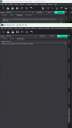
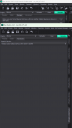
Unbenannt.png
186K
Post edited by artsinis.san on

Daz 3D is part of 
Connect
DAZ Productions, Inc.
7533 S Center View Ct #4664
West Jordan, UT 84084
Licensing Agreement | Terms of Service | Privacy Policy | EULA
© 2026 Daz Productions Inc. All Rights Reserved.
Comments
In DS, log in Daz Connect and keep DS opened for a while, appr, 5 ~ 10 minutes, so as to successfully verify your Premier membership. Close DS and relaunch it, go to: Help > About Installed plugins..., check if dForce Manager plugin is enabled.
Then you should be able to find its Tab in Simulation Settings pane.
That solved it, thanks ^^