Underwater Poses G2F, G8F and now G3F, G9 and GV3
 richardandtracy
Posts: 8,221
richardandtracy
Posts: 8,221
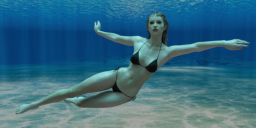
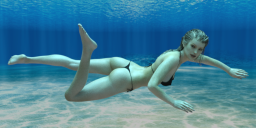
Please find attached ten G2F Underwater Poses and mirrors where appropriate, where G2F is playing & swimming in deep water. I hope they are useful. The poses are largely based on/inspired by photo references, and only lack bubbles that I can see.
For G8F poses see here.
For G3F versions see: here.
For G9 versions see: here.
For Glamorous Vicky 3 versions see: here.
The character is Fred Winkler Art's Naida & Nalin, converted for Iray skin. Naida is wearing G8F's Hongyu's Bikini, and Linday's G8F Long Wet hair. The background is Namtar3D's freebie Underwater HDRI. This HDRI is available somewhere on the forums, but I've lost the links - sorry.
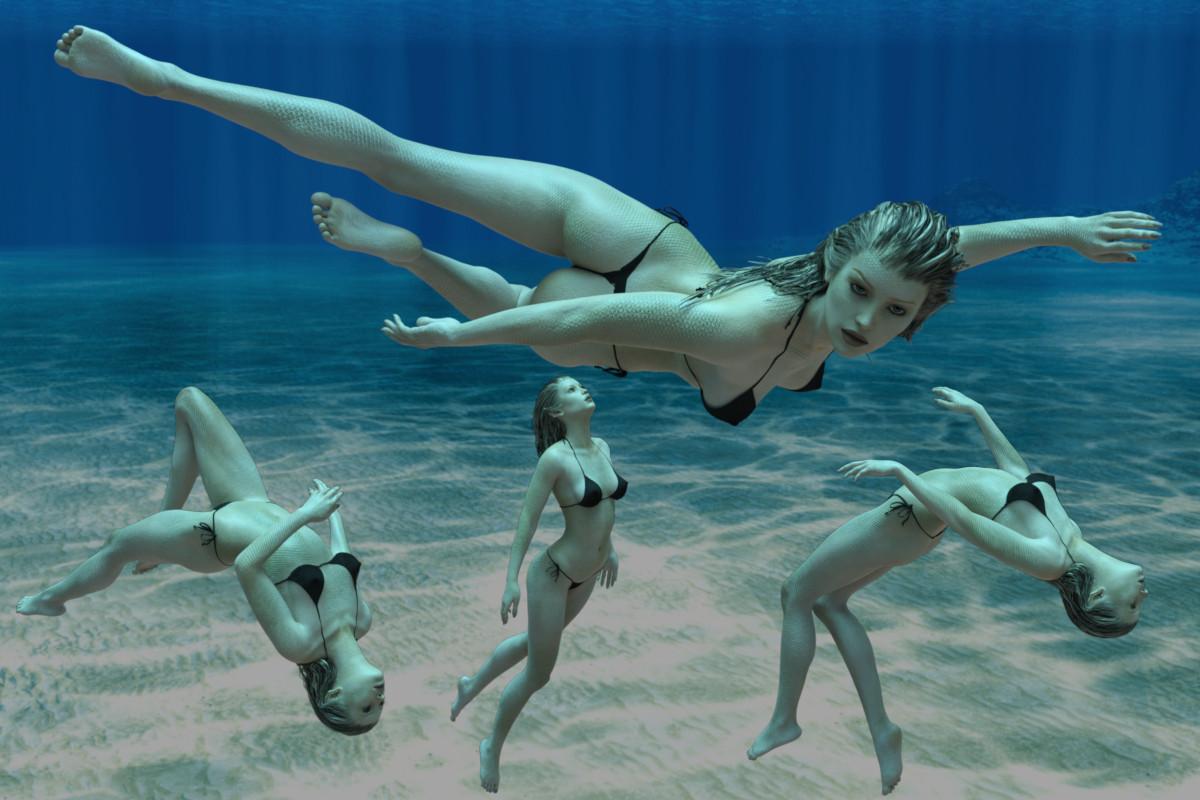
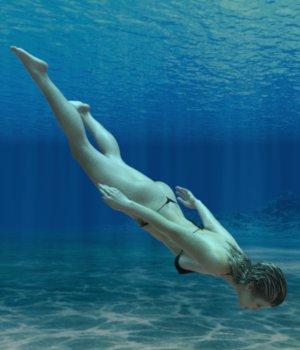
All the pose images are visible, the final five added below and not included in the text are the 512x512px or 512x256px .tip.png images direct from the poses.
Regards,
Richard




Daz 3D is part of 
Connect
DAZ Productions, Inc.
7533 S Center View Ct #4664
West Jordan, UT 84084
Licensing Agreement | Terms of Service | Privacy Policy | EULA
© 2026 Daz Productions Inc. All Rights Reserved.
Comments
and they look good + Thanx
@richardandtracy: Amazing, already installed - thanks so much!
These look great - and with a Bone Minion I can easily use on Gen9 too. Thank you!
Wonderful poses - thanks very much!
I don't have any of RiverSoftArt's bone minions, but it's on my list of things to do to use my own pose transfer scripts to convert them to G8F and possibly then onto G3F & G9.
Thank you for the vote of confidence in the poses.
Regards,
Richard.
ETA 1 July 2025: I've converted five of the poses to G8F, had to tweak a couple of the poses a little, and was able to change Pose 2 so the character's arm pointed straight up, G8F rigging seems better at the shoulder than G2 and the results look more realistic. Should be able to get Underwater 07 looking as I originally wanted too, with the arms straight out front ready for a breast-stroke arm movement.
I generally prefer to use G8F, and have only just tried out G2F, which is where the poses for the first post in this thread came from. Now, I couldn't leave my favourite character unable to go swimming, so I converted the G2F poses to G8F and took advantage of G8F's better shoulder rigging to get two poses exactly as I originally envisaged.
So, I would like to present G8F Underwater Poses 01 to 10, but I can't because the upload size is 5.3Mb and the forum limit of 5Mb applies. It's available here instead: https://www.renderosity.com/freestuff/items/99018/g8f-underwater-poses-01-to-10.
Edited to add that the incorrect foot position noted by Riuken1 (below) has been corrected in the Renderosity download.
Regards,
Richard.
Great timing! Thank you :-)
Oh. Do you have an interesting project on at the moment?
Regards,
Richard
Well, I have a number of new bathing suits to try out ;-)
Would anyone find a use for G9 versions of these poses? I'm very likely to do G3 versions as I have a standing request to do G3 versions of any G8 poses I do, but G9 is something I find hard to gauge the demand. Over at Rendo I have tried doing G8F/G8M and G9 versions of the same poses, and I'm finding G9 is a bit more popular than G8M, but also a fair bit less than G8F, and considering the poses are male & female compatible really they should be compared with G8F+G8M numbers. G8F and G8M together are at least double G9 downloads, so it almost seems to make sense to ignore G9.
Or.. does Bone Minion make it so easy to convert G8 to G9 that specific G9 versions are entirely un-necessary?
Regards,
Richard
Hello Richard, I hope you are having a good day. I was checking the poses for a scene and I notice a issue I did not know if is on my end or the poses, wen I apply the pose to G8F the feet position is not look right. I check all the poses and this are the ones also the mirors, pose # 1, 2, 3, 4, 5 7, 8, 10, I check the genesis 2 version all the poses work fine, and I was able using your converters, to convert the poses to Genesis 8,8.1 and 9. Thaks for all your work the poses look amazing.
Thank you very much for the poses. :)
@riuken1: I have finally spotted the problem, and discovered it too late to do anything about it for a week or so. I do feel really stupid about the way I introduced the problem, and I apologise.
The problem is that my favourite character has the 'High Heels' slider set in the character scene subset I used, and I forgot this when I created the poses. I usually use G8F Base with a different texture and a character's head, so don't have to think about any spurious slider settings - and didn't this time. Huh, habits..
So, using my favourite character with her high heels feet, on making the toes look right she already had her feet pre-shaped. When I saved the pose preset file I tried to keep the size down by only saving the bone poses and as a result the high heels pose setting that would have completed the toes pose wasn't saved. I am a bit annoyed with myself over this.
I will correct the pose files, but not immediately. I am due to go on a week's boating holiday today. That may not happen due to the state of my MIL's health - she seems to be making a valiant effort to die of dementia at the moment, but even if I don't, I'm likely to be trying to help my wife and MIL and not able to fix the problem.
Regards,
Richard
@richardandtracy, Hello, not worry I'm not in a rush, I still can convert the G2 to any figure using your converter, I understand IRL can get complicated some times. I hope all be ok for you and your familly take care.
@richardandtracy: Did you maybe mean this thread?
https://www.daz3d.com/forums/discussion/339726/underwater-hdri-freebie?srsltid=AfmBOopEfj0Rgrnco-GYuODhxlXeCYJkhEUBDU3P9oQHEm6bvduWughN
Sorry to hear of your MILs' tough situation. Hope you can overcome those huge difficulties!
Thanks, Richard, but I only searched "daz3d.com forum free underwater hdri" in google and it was the first one to come up. When I saw that you thanked the OP for that HDRI, I went on to ask you, so easypeasy, lol.
I have added more generations to the available range of underwater poses. There are now G3F, G9 and Glamorous Vicky 3 (Jim Burton's beautiful re-work of Victoria 3, known from now on as GV3). These are available in the following three posts. There are 38 renders for the poses for each generation, then a further four for the promo image. There are 10 poses, 8 of which have mirrors, and a zero pose for each generation.
Regards,
Richard
Genesis 3 Female.
The poses are modelled by Victoria 7, wearing Hongyu's Bikini 1 for G8F and Linday's dForce Wet Hair. Due to size restrictions, the poses are split into 01 to 05 and 06 to 10.
Regards,
Richard.
Genesis 9.
The poses are modelled by Nerdworks' Damira wearing Hongyu's Bikini 1 for G8F and Akhelloos's Kasia Hair. Due to size restrictions, the poses are split into 01 to 05 and 06 to 10. As can be seen, the poses apply to male versions of G9. None of the poses are gendered.
Regards,
Richard.
Glamorous Vicky 3
The poses are modelled by GV3 wearing Jim Burton's Glamorous Vicky Calendar Girls Bikini and Jim Burton's now unavailable Las Vegas Hair. Due to size restrictions, the poses are split into 01 to 05 and 06 to 10. GV3, being 5 generations older than the pose source I used (G8F), required the most work after pose conversion, but seems to work well with the poses. It might be amusing to see what is the previous most recent freebie V3 pose set released. It's probably a few years ago.
Regards,
Richard.
Thanks for all these wonderful poses, Richard!
Thank you Richard for all these beautiful and very useful poses!:)
Those are good. Thanks.
Thanks for the poses. I'll try to make something that uses them.