-
Legacy shapes and V4 clone etc
Corrected V4 UV for Genesis: this gives you a better version of the V4 UVs for Genesis 1, you have less texture distortion when you use a texture made for V4 on Genesis and switch the UVs to the corrected version than when you use the default V4 UVs included with G1.
V4 and M4 Shapes for Genesis: this gives you 2 shapes (= morphs) for Genesis 1, one that makes it look like the default V4, and one that makes it look like the default M4.
Victoria 4 for Genesis 2 Female: This adds 3 things for Genesis 2 Female: the V4 UVs (so that you can use V4 textures on G2F), a morph to make G2F look like the default V4, and a clone so you can autofit V4 clothes to G2F.
Victoria 6 and Michael 6 UVs for Genesis: this adds V6 and M6 UVs to Genesis 1, so that you can use textures made for V6 or M6 on Genesis.
Genesis 2 Male and Female Base UVs for Genesis: Similar to M6/V6 UVs for G1, this one enables you to use textures made for G2F and G2M on Genesis
Generation 4 Legacy Shapes for Genesis 2 Female: Morphs to make your G2F look like Genesis Basic Female, Victoria 4, Stephanie 4, Aiko 4, and The Girl 4.
A clone is a special kind of morph used by autofit, it's what enables it to adjust the shape of the clothes from your source figure to your target figure.
Victoria 4 Body and Face for G3F?Would be great to have a V4 Body and Head/Face for G3F. Anyone plan to do this?
The thing is, I do not like any character made for g3f so far and I really have problems to create a good character on my own for g3f, I do not know why, but it is so. V4.2 made it much easier I think to create good looking characters.
BTW. I haven`t visit the store for a week and what do I have to recognize today? Nearly no new products. That is poor.
FREEBIE CHALLENGE --- September and The Leaves Are TurningCongratulations to winners and HMs

It was a surprise to see the results were here today! I'm very happy!!!! (I started writiing yesterday or the day before)
I have a quick question! The daz freebies are supposed to show here on the bottom right? http://www.daz3d.com/freebies I can't see anything but the ones that come in daz already... (maybe it's my internet?)
An unbiased renderer (Octane, Iray, LuxRender) is like a light simulator - realisim is easy, at the expense of the flexibility in a biased renderer. A biased renderer, like 3Delight, uses tricks to make rendering faster (at least if not aiming for true photorealism) and allows all sorts of cheats (objects not casting shadows, for example, or physically impossible fall-off of light intensity). Which you prefer for what is going to be a matter of taste.
Oh, I understand now, thank you for explaining! I really love the velocity that 3Delight renders everything... I always get pretty impatient when I'm rendering in Iray, and I keep looking at the screen all the time...

Thank you! :D The background is Autumn Thicket - DS Creative - Issue 1 - page 33 (it comes with 3 backgrounds (image files) in the download, all very beautiful).
Yes, it's Iray (used lights that come in Daz already) It's my favorite render, too bad it takes so many hours in my computer... (I urgently need to learn 3Delight) But I heard if a person has that special nividia (?) graphics card it goes very fast! (the problem is that i make it in a laptop, so it uses the processor, and it's not possible to change the graphics card, not to say its probably expensive).
I love DS Creative! They publish in the middle of the month right? I can't wait for the next one! Do you participate in the magazine? You could save them as .pdf and read in your free time (if you have any hehe). I particularly would love to have a physical copy of the magazine in hands... I find it a bit hard to read on pc :|
Oops! I totally missed the fact that you listed the background as the first item on your freebie list - I've got to read this lists better!

I know what you mean about long render times especially with the physical based render engines. I don't know if it is just my machine or if others are running in to the same issue, but when I use the 3Delight engine in Studio 4.8, the shadows and lights don't seem to work the same as they used to before Iray was added. Anyway it would probably be cheaper for you to buy the Reality 4.1 plugin for DAZ (especially since it is on sale this month) than to install new processesor or buy a newcomputer. The new version of Reality has really shortened render times compared to the original version. You can check out their promo video here: https://www.youtube.com/watch?v=aSY-YW1RVj0
That's ok :) Well, I don't know how 3Delight used to work before Iray because when I joined Daz3d my software already came with Iray... Which render do you use more/prefer? I just watched the Reality 4.1 video and I fell in love with it - WHAT is that render?! So perfect! When you buy Reality 4.1, if it gets upgraded to 4.2, for example, do you have to buy again? I would love to buy so many things in here, but I will have to wait my currency go up again (my country is going through hard times lately). Hopefully it will be better by the end of the year (I'm happy to see Daz has lots of promotions!). The time reduction from the renders was incredible! From 2 hours to less than 10 minutes is a huge improvement! I should start making a list of products I want for when they have promotions... (I think I need to have more items before getting a better render...) I think Victoria bundles are a great thing to purchase (I just wouldn't know the difference between them).
I used to use 3Delight exclusively until I purchased Reality a couple of years ago. The folks at Preta3d.com are very good about the upgrades. So far the incremental updates (i.e.Reality 4.0 to 4.1, etc) have all been free. I only recently went from Reality 2 to Reality 4 which was just a lower "upgrade" price. I've actually haven't played much with Iray yet since I'm just more comfortable with Reality but some of the test renders I've tried look promising and many of the Iray renders I've seen posted here are very impressive! I always say, stick to what you are comfortable with and what works for you! Great art is not about the tools but the artist!

I have to say all the Daz bundles are a great deal. Keep them on your wishlist because they frequently go on massive sales, up to 70 to 80%. The only difference between the bundles really is how much is included. The higher priced bundles usually having every thing the other bundles have. For example, usually everything in the "starter bundle" is part of the "complete bundle", and everything in the "complete bundle" is in the "pro bundle". Of course, sometimes you just don't need or want something in a bigger bundle so you can save money for a different bundle later!

Sorry for the late reply... I fell in love with Reality after watching the video... I willl definitely purchase it when I improve my skills... So many beautiful things here... What bundles you would recommend for beginners? From what I have noticed, having Victoria and Michael is very important, even because it increases the range of freebies I can use... (Is it possible to make a Genesis 2 a child without buying Kids bundle?). About Iray, I need to read more about it, there are lots of options there and I only know how to add sunlight/sky option...
Congratulations Taemimun! Not a bad way to start your freebie contest career!
Very well done indeed!No worries about the late replies... the conversations in the forum usually span days to weeks anyway! With regard to bundles, it is definitely a matter of personal taste and budget. I wouldn't worry about buying a lot of stuff early on as there is so much out there both old and new to use to practice with. Michael 4 and Victoria 4 probably do have the most freebies out there just because they have been around the longest and were, until recently, the most popular with both Poser and DAZ users. Genesis and Genesis 2 also have a lot of freebies now and Genesis 3 characters are still a little too new but it seems to be doing well. I haven't done much with Genesis 2 or 3 as most of my runtime collection are for M4, V4 and Genesis 1. I know Genesis 1 has a built in Kids morph but I am not sure about Genesis 2 or 3.
Ultimately, deciding on what bundle to invest in depends a lot on what you plan on doing. Though M4, V4 have probably the most products on the market both pay and free, Genesis 2 and Genesis 3 have improvements in modeling and rigging that go beyond M4 and V4. I understand DAZ is also doing their best to make the newer generation figures including Genesis 3 backwards compatible within Studio. That being said Autofit is not perfect and clothing items usually work best for the character it was originally designed. Having bought a lot of bundles over the years, many of which I have not used much, I would recommend with sticking with what you like and what you are comfortable with for now. Push what you have to the limit and then buy the stuff that you really need to do the things you can't with what you have.
I agree with Cho, you don't have to have to get Reality to get photorealistic renders as Iray is more than capable of achieving the same types of results especially on a budget. The only benefit at this point I think is speed. Had DAZ Studio come with Iray 2 years ago, it is very likely that I would not have purchased Reality - though now that I have it, I wouldn't give it up!
Thank you!!!
I got so happy, I wasn't expecting... Probably beginner's luck! Sometimes I get good renders, but most of the time they are not so good even if I try to do the same as I did with the good ones...Michael 4 and Victoria 4 are very used yes, and many times the items for them do not work in Genesis... There is a very nice free cat woman suit in renderosity that won't load in my DS because I don't have V4, even though V4 is a character for Genesis! So why do people make items for V4, V6, V7 instead of making for Genesis, G2F, etc? Wouldn't it fit Victoria too?
Yeah, I will push ir to the limit! There are so many great freebies out there! Yesterday I modelled a cup and it worked on daz! Im so happy! I don't know how to set up surfaces and save it though, to put in freebies installation format... I would like to make it a freebie and make other stuff to put together like plates etc...
About Reality, I understand... But I will have to say that video is pretty amazing! I guess the best option is really to learn to use Iray better, in my case haha...
Fiddling with Iray skin settings...colors : blackskin (way more melanin) filters MOST ligth waves under 600nm...... it is even more important to see RED as the main translucency color for black skin types then it is for caucasian types (more blue).... asia is somewhere between....
600nm is yellow, 700 is red > 750 is infrared.....Almost... every skin type, be it from someone of asian, caucasian or african descent; filters MOST light waves under 600nm, the lower the wavelength, the stronger the effect. What differs at an african skin type, is that the curve towards the lower wavelegths is way much steeper. (see the graph below. Source: Sheng-Hao Tseng, Alexander Grant, and Anthony J. Durkin "In vivo determination of skin near-infrared optical properties using diffuse optical spectroscopy", University of California, Irvine Beckman Laser Institute Laser Microbeam and Medical Program).
The wavelengths for yellow lie in the narrow range between 575 and 585 nm, 600 nm is more orange (585 - 650 nm), red is from 650 - 750. Unfortunately most studies cover more the near infrared ranges, which isn't very helpful for our cause.
well i overlooked Fly028Design Nathy ... thx @Arnold C... are the maps good?:-)
Normal map or bump should match the details on the skin (pores).... but are not just copies from the "photo" skin texture...(that means really scultping a 20 mio polygon model first - to get all the proper maps, just saying
And we did not talk about peach fuzz yet
Unfortunately I hadn't the opportunity to test them yet. The cooler of my PC's power supply decided to continue to fulfill it's duty any longer (deserter). And I invested in a long overdue enlargement of RAM first. But from the information given by one of their creators in the IRay and a bunch of new map types in Xtreme Merchant Resources Set 01 they seemed to took care of Iray usability.
Yeah, but that depends on the quality of the normal and bump maps. The normals for Victoria 6 f.e. I don't find that great.
Umm, that's Alessandro_AM's building site... Look At My Peach Fuzz.
Or just consider the characters are all freshly shaved, no fuzz left... Legacy shapes and V4 clone etcCould somebody please explain what these products are, what they do any what the differences between them are
Corrected V4 UV for Genesis
V4 and M4 Shapes for Genesis
Victoria 4 for Genesis 2 Female
Victoria 6 and Michael 6 UVs for Genesis
Genesis 2 Male and Female Base UVs for Genesis
Generation 4 Legacy Shapes for Genesis 2 Female
And what is the V4 clone? I have all of these products and don't know exactly what they do ThanksKrystal v1.3 (Starfox Adventures)Yep, he's been "away" for roughly 5 years, since 2010, when Victoria 4.2 was still the "latest" thing.
Occasionally "dropping in" the confines of a private forum (where both of us are members) the last few weeks, he noted he purchased a new PC and Poser Pro 2014 which was recently on sale. He is currently copying projects from his old machine onto his current one.
Sincerely,
Bill
Skamotion High Heel Walk for Gen 3 Vic 7Here is Victoria 7 with bounce. Let me know if this is too much
https://www.youtube.com/watch?v=0Rz2jAikVSM&feature=youtu.be
Depends what you're aiming for.
It looks fake, realistically Vic7 looks a little over-endowed, even so they wouldn't bounce like that - I believe she would find it painful and moderate her walk syle if it did happen. (My ex had large boobs, and she would complain of back ach; she hated them.)
But for the crowd that buy into big boobs, probably a hit /nod
Victoria 4That wasn't the folder i was asking about - do you have My DAZ 3D Library\Runtime\Libraries\!DAZ\Victoria 4?
Skamotion High Heel Walk for Gen 3 Vic 7Here is Victoria 7 with bounce. Let me know if this is too much
https://www.youtube.com/watch?v=0Rz2jAikVSM&feature=youtu.be
Genesis 2 Legacies for Genesis 3 Female: LegendsI've been wondering, it's been a while since Slosh released his "Genesis 2 Legacies for Genesis 3 Female" shapes for the Classics (Victoria, Stephanie, Aiko, Girl) and Beauties (Gia, Olympia, Mei Lin, Monique), but what of the others? I'm interested in buying the products, but I noticed we're missing the "Legends" Giselle, Lilith, Ninive, and Ysabeau. We're also missing Teen Josie and Belle for that matter. Coincidentally, all these missing ladies are the very ones I actually like out of the whole Gen 6 Female line. Are these characters on hold or are they even being worked on?
Victoria 4My DAZ 3D Library>Runtime>Libraries>Character>DAZ People>Victoria 4.2.cr2
Character Presets for G3F PeopleI made some character presets for Eva 7, Karen 7 and Bethany 7 over the weekend and they're posted to my ShareCG, DeviantArt and R'osity locations. I've learned a few things and am liberally applying them to what I'm doing here.
The Details: These are dialspun and require Eva 7, Karen 7 and Bethany 7--in addition to the G3F base figure. They also require the G3F Head and Body Morph packs also found here at Daz's store. These character presets are free for personal or commercial rendering use. It's a gift to the community. They may not be redistrubuted without written persmission from Kat Nisaá aka AnIronButterfly.
I'll post the ShareCG and DA links here:
http://www.sharecg.com/v/82302/view/21/DAZ-Studio/Jun-for-Karen-7
http://www.sharecg.com/v/82301/view/21/DAZ-Studio/Jax-for-Bethany-7
http://www.sharecg.com/v/82300/view/21/DAZ-Studio/Jai-for-Eva-7
You can also find them in my DA Freebies folder here:
http://anironbutterfly.deviantart.com/gallery/56297992/Freebies
Otherwise, enjoy and I'll be posting more as I get them done!
Updating on 10.09.15: Adding Jas (male) for G3F: http://anironbutterfly.deviantart.com/art/Jas-Male-for-G3F-565309737
ShareCG is being finicky, so I can't add him there at the moment, but will as soon as they stop giving me errors... Look for R'osity sometime in the next day. :)
UPDATED on 10.10.15: Jas (male) for G3F @ ShareCG: http://www.sharecg.com/v/82333/view/21/DAZ-Studio/Jas-Male-for-G3F
UPDATED on 10.11.15: Jet for Victoria 7 @ DA: http://anironbutterfly.deviantart.com/art/Jet-for-Victoria-7-565527459 and @ ShareCG: http://www.sharecg.com/v/82339/view/21/DAZ-Studio/Jet-for-Victoria-7
Victoria 4Where is the Runtime\Libraries\!DAZ\Victoria 4 folder? Is the folder that holds that Runtime folder set as a Poser Content Directory in DAZ Studio?
Fiddling with Iray skin settings...http://www.nature.com/jid/journal/v117/n6/fig_tab/5601313f1.html#figure-title
Black, asia, caucasian ->
3 skin types -> wavelentgh measuring on the backThanks Andy, good find. For our IrayUber SSS we would more need the reduced scattering (μs′) and absortion coefficients (μa) than overall diffuse reflectance, but as I see there are some weird formulas given in the Appendix which could be of use.
This is the sort of "desaturated" map that susbstance painter ends up with. The two images are basicaly the same though the lighter one has some dirt and lightening of the text when rendered. But the text is only nominaly faded (a dark brownish rather than blackish) and not white. Both render pretty much the same with the exception of the aging changes. In other words the two textures are going to give pretty much the same results.
Aww right, de-saturating wouldn't be the correct term for the procedure MEC4D recommended, it's more de-vibrance. http://www.daz3d.com/forums/discussion/comment/809252/#Comment_809252 and http://www.daz3d.com/forums/discussion/comment/809714/#Comment_809714. You don't touch Photoshops "Hue/Saturation".
I digged and found one of the testrenders I did back that days which doesn't violate the forum TOS.
 Sorry for her baldness.
 Same sun-sky lighting, same shader setup, except on the the left one a desaturated texture at -60 (in Photoshop) is used, and the right one made with the untouched Victoria 6 texture. Face and legs of the default texture contain a bit too much red for my (and MEC4D's taste).
Victoria 4I have prepared a scene with Victoria 4 and i have recorded. When i open i have a message such as that which i enclose. Where I am going wrong? How do I register the file? Thanks
many nonfunctional morph parametersI found the hidden dials in the root node, but they don't seem to have any effect either. Both sets of dials generate things like this in the log file:
Loaded Morph Deltas in 0 min 0.0 sec.
Loaded file: PBMBreastLift_abdomen_pBreastLift_18.dsf
Loaded Morph Deltas in 0 min 0.0 sec.
Loaded file: PBMBreastGone_chest_BreastGone_688.dsf
Loaded Morph Deltas in 0 min 0.0 sec.
Loaded file: PBMBreastGone_rCollar_pBreastGone_619.dsf
Loaded Morph Deltas in 0 min 0.0 sec.
Loaded file: PBMBreastGone_lCollar_pBreastGone_619.dsfThis is a previously saved .duf scene subset that contains just the V3 figure with all morphs and a texture.
I tried "Victoria 3 SAE.cr2", which has only the hidden dials, those also do nothing, but then I finally found the original morphs in "!All Body Morphs.pz2" from "Victoria 3.0 Body Morph Pak", and after re-running that (either on the original base figure or on my saved scene figure), now things work. So, looks like I'll just have to go through and re-apply all the morphs to my base figure and resave it, and I'll be back in business. Not sure why it wasn't working though.
And thanks for the warning... I tried the REM injection to see if it would have made the dials go away or if it would have just left them there but nonfunctional, and that just crashed DS. Gotta remember to not do that. Actually, I've never had a reason to remove injections (intentionally), probably why I've never noticed it.
NEW! Novica & Invited Guest Contributors Tips & Product Reviews Pt 6This is Sasha (V7) again, with Sela Hair (Genesis 3) and using the Apocalyptic Plant Outdoors Set 1
I made NO changes to the out of the box settings for the lights. I chose the "Sunny" render option.I let it go for 40 minutes so you could get an idea (in case it goes offsale, time is of the essence.)
EDIT: Second render: I tested increasing the Environment Intensity, and 1.30 will give you a lighter scene, and works well with an ISO of 110. With Sasha being darker skin, increase your Burn Highlights to .30 (In Tone Mapping.) Any of these settings can be further increased, but this was a darker character so for your lighter ones, I think starting there would be prudent. Note it did wash out the clouds in the sky, but if you aren't rendering the background, that won't matter.
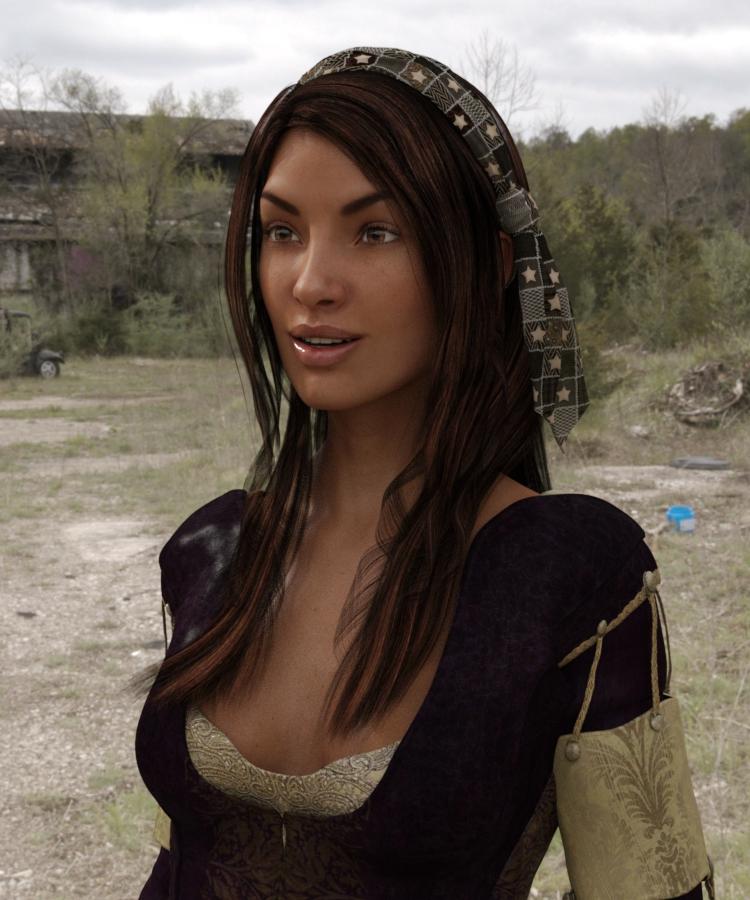
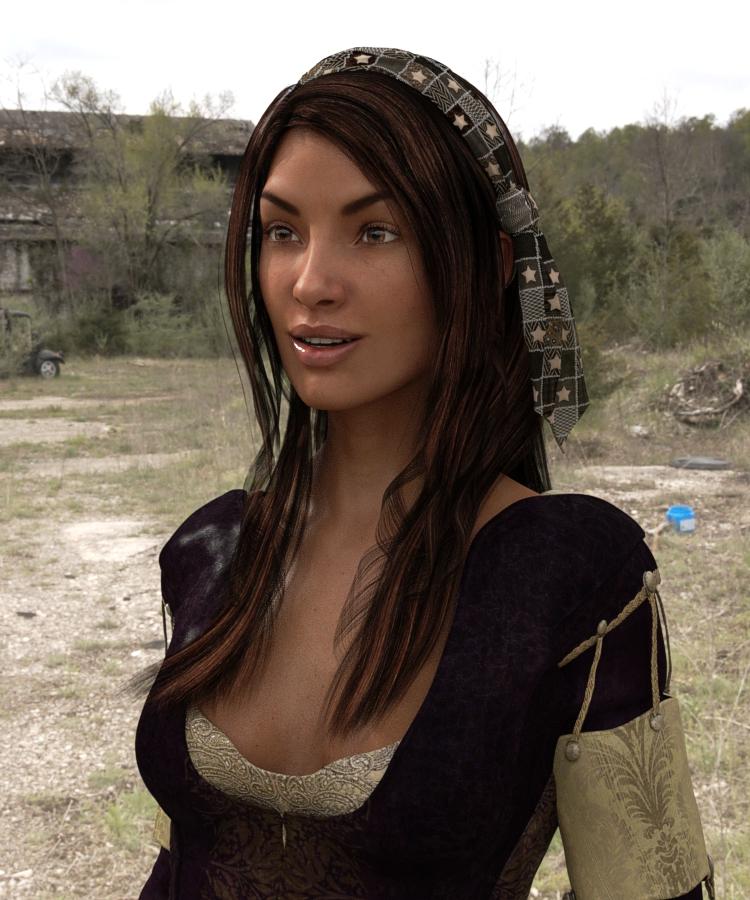 FREEBIE CHALLENGE --- September and The Leaves Are Turning
Thank you! :D The background is Autumn Thicket - DS Creative - Issue 1 - page 33 (it comes with 3 backgrounds (image files) in the download, all very beautiful).
Yes, it's Iray (used lights that come in Daz already) It's my favorite render, too bad it takes so many hours in my computer... (I urgently need to learn 3Delight) But I heard if a person has that special nividia (?) graphics card it goes very fast! (the problem is that i make it in a laptop, so it uses the processor, and it's not possible to change the graphics card, not to say its probably expensive).I love DS Creative! They publish in the middle of the month right? I can't wait for the next one! Do you participate in the magazine? You could save them as .pdf and read in your free time (if you have any hehe). I particularly would love to have a physical copy of the magazine in hands... I find it a bit hard to read on pc :|
Oops! I totally missed the fact that you listed the background as the first item on your freebie list - I've got to read this lists better!
I know what you mean about long render times especially with the physical based render engines. I don't know if it is just my machine or if others are running in to the same issue, but when I use the 3Delight engine in Studio 4.8, the shadows and lights don't seem to work the same as they used to before Iray was added. Anyway it would probably be cheaper for you to buy the Reality 4.1 plugin for DAZ (especially since it is on sale this month) than to install new processesor or buy a newcomputer. The new version of Reality has really shortened render times compared to the original version. You can check out their promo video here: https://www.youtube.com/watch?v=aSY-YW1RVj0
That's ok :) Well, I don't know how 3Delight used to work before Iray because when I joined Daz3d my software already came with Iray... Which render do you use more/prefer? I just watched the Reality 4.1 video and I fell in love with it - WHAT is that render?! So perfect! When you buy Reality 4.1, if it gets upgraded to 4.2, for example, do you have to buy again? I would love to buy so many things in here, but I will have to wait my currency go up again (my country is going through hard times lately). Hopefully it will be better by the end of the year (I'm happy to see Daz has lots of promotions!). The time reduction from the renders was incredible! From 2 hours to less than 10 minutes is a huge improvement! I should start making a list of products I want for when they have promotions... (I think I need to have more items before getting a better render...) I think Victoria bundles are a great thing to purchase (I just wouldn't know the difference between them).
I used to use 3Delight exclusively until I purchased Reality a couple of years ago. The folks at Preta3d.com are very good about the upgrades. So far the incremental updates (i.e.Reality 4.0 to 4.1, etc) have all been free. I only recently went from Reality 2 to Reality 4 which was just a lower "upgrade" price. I've actually haven't played much with Iray yet since I'm just more comfortable with Reality but some of the test renders I've tried look promising and many of the Iray renders I've seen posted here are very impressive! I always say, stick to what you are comfortable with and what works for you! Great art is not about the tools but the artist!
I have to say all the Daz bundles are a great deal. Keep them on your wishlist because they frequently go on massive sales, up to 70 to 80%. The only difference between the bundles really is how much is included. The higher priced bundles usually having every thing the other bundles have. For example, usually everything in the "starter bundle" is part of the "complete bundle", and everything in the "complete bundle" is in the "pro bundle". Of course, sometimes you just don't need or want something in a bigger bundle so you can save money for a different bundle later!
Sorry for the late reply... I fell in love with Reality after watching the video... I willl definitely purchase it when I improve my skills... So many beautiful things here... What bundles you would recommend for beginners? From what I have noticed, having Victoria and Michael is very important, even because it increases the range of freebies I can use... (Is it possible to make a Genesis 2 a child without buying Kids bundle?). About Iray, I need to read more about it, there are lots of options there and I only know how to add sunlight/sky option...
Congratulations Taemimun! Not a bad way to start your freebie contest career!
Very well done indeed!No worries about the late replies... the conversations in the forum usually span days to weeks anyway! With regard to bundles, it is definitely a matter of personal taste and budget. I wouldn't worry about buying a lot of stuff early on as there is so much out there both old and new to use to practice with. Michael 4 and Victoria 4 probably do have the most freebies out there just because they have been around the longest and were, until recently, the most popular with both Poser and DAZ users. Genesis and Genesis 2 also have a lot of freebies now and Genesis 3 characters are still a little too new but it seems to be doing well. I haven't done much with Genesis 2 or 3 as most of my runtime collection are for M4, V4 and Genesis 1. I know Genesis 1 has a built in Kids morph but I am not sure about Genesis 2 or 3.
Ultimately, deciding on what bundle to invest in depends a lot on what you plan on doing. Though M4, V4 have probably the most products on the market both pay and free, Genesis 2 and Genesis 3 have improvements in modeling and rigging that go beyond M4 and V4. I understand DAZ is also doing their best to make the newer generation figures including Genesis 3 backwards compatible within Studio. That being said Autofit is not perfect and clothing items usually work best for the character it was originally designed. Having bought a lot of bundles over the years, many of which I have not used much, I would recommend with sticking with what you like and what you are comfortable with for now. Push what you have to the limit and then buy the stuff that you really need to do the things you can't with what you have.
I agree with Cho, you don't have to have to get Reality to get photorealistic renders as Iray is more than capable of achieving the same types of results especially on a budget. The only benefit at this point I think is speed. Had DAZ Studio come with Iray 2 years ago, it is very likely that I would not have purchased Reality - though now that I have it, I wouldn't give it up!
The We Are All Prime Numbers Complaint Thread..and now Frederic Chopin.
Which by all sensible rules of spelling should be spelled as "Showpan". dang furiners!
The American and British approach to this issue is quite simple: Americans spell words sensibly, in the United Kingdom, we spell words properly.
...
But long ago abandoned the link between the alphabet and sounds.
Give a man a ghoti and you confuse him for a day, teach a man to ghoti and you confuse him for life.
..and now Frederic Chopin.
Which by all sensible rules of spelling should be spelled as "Showpan". dang furiners!
The American and British approach to this issue is quite simple: Americans spell words sensibly, in the United Kingdom, we spell words properly.
...
But long ago abandoned the link between the alphabet and sounds.
Give a man a ghoti and you confuse him for a day, teach a man to ghoti and you confuse him for life.
Sounds fishy to me
Are you Shaw?
I remember my (schoolteacher) grandmother playing word games she learned as a child for example ghoughphtheighttoh (I think) for potato, she was born when Victoria was queen and they made their own entertainment. Um, going to take a chance here and guess GBS has been misrepresented over Ghoti - *ducks* Word games were quite common in the Victorian era
FREEBIE CHALLENGE --- September and The Leaves Are TurningThank you! :D The background is Autumn Thicket - DS Creative - Issue 1 - page 33 (it comes with 3 backgrounds (image files) in the download, all very beautiful).
Yes, it's Iray (used lights that come in Daz already) It's my favorite render, too bad it takes so many hours in my computer... (I urgently need to learn 3Delight) But I heard if a person has that special nividia (?) graphics card it goes very fast! (the problem is that i make it in a laptop, so it uses the processor, and it's not possible to change the graphics card, not to say its probably expensive).I love DS Creative! They publish in the middle of the month right? I can't wait for the next one! Do you participate in the magazine? You could save them as .pdf and read in your free time (if you have any hehe). I particularly would love to have a physical copy of the magazine in hands... I find it a bit hard to read on pc :|
Oops! I totally missed the fact that you listed the background as the first item on your freebie list - I've got to read this lists better!
I know what you mean about long render times especially with the physical based render engines. I don't know if it is just my machine or if others are running in to the same issue, but when I use the 3Delight engine in Studio 4.8, the shadows and lights don't seem to work the same as they used to before Iray was added. Anyway it would probably be cheaper for you to buy the Reality 4.1 plugin for DAZ (especially since it is on sale this month) than to install new processesor or buy a newcomputer. The new version of Reality has really shortened render times compared to the original version. You can check out their promo video here: https://www.youtube.com/watch?v=aSY-YW1RVj0
That's ok :) Well, I don't know how 3Delight used to work before Iray because when I joined Daz3d my software already came with Iray... Which render do you use more/prefer? I just watched the Reality 4.1 video and I fell in love with it - WHAT is that render?! So perfect! When you buy Reality 4.1, if it gets upgraded to 4.2, for example, do you have to buy again? I would love to buy so many things in here, but I will have to wait my currency go up again (my country is going through hard times lately). Hopefully it will be better by the end of the year (I'm happy to see Daz has lots of promotions!). The time reduction from the renders was incredible! From 2 hours to less than 10 minutes is a huge improvement! I should start making a list of products I want for when they have promotions... (I think I need to have more items before getting a better render...) I think Victoria bundles are a great thing to purchase (I just wouldn't know the difference between them).
I used to use 3Delight exclusively until I purchased Reality a couple of years ago. The folks at Preta3d.com are very good about the upgrades. So far the incremental updates (i.e.Reality 4.0 to 4.1, etc) have all been free. I only recently went from Reality 2 to Reality 4 which was just a lower "upgrade" price. I've actually haven't played much with Iray yet since I'm just more comfortable with Reality but some of the test renders I've tried look promising and many of the Iray renders I've seen posted here are very impressive! I always say, stick to what you are comfortable with and what works for you! Great art is not about the tools but the artist!
I have to say all the Daz bundles are a great deal. Keep them on your wishlist because they frequently go on massive sales, up to 70 to 80%. The only difference between the bundles really is how much is included. The higher priced bundles usually having every thing the other bundles have. For example, usually everything in the "starter bundle" is part of the "complete bundle", and everything in the "complete bundle" is in the "pro bundle". Of course, sometimes you just don't need or want something in a bigger bundle so you can save money for a different bundle later!
Sorry for the late reply... I fell in love with Reality after watching the video... I willl definitely purchase it when I improve my skills... So many beautiful things here... What bundles you would recommend for beginners? From what I have noticed, having Victoria and Michael is very important, even because it increases the range of freebies I can use... (Is it possible to make a Genesis 2 a child without buying Kids bundle?). About Iray, I need to read more about it, there are lots of options there and I only know how to add sunlight/sky option...
Nowadays you don't really need to think about purchasing Reality when you start out as DS comes with Iray built in, which is also an unbiased renderer, like Luxrender. With Iray you don't need to worry about purchasing a plug-in in order to use an unbiased render, you already have the choice of biased or unbiased built in, with either Iray or 3Delight.
What is biased and unbiased? :I
I have seen renders in reality that look so realistic! (some in Iray do too, but I have no idea how to do that. Is it lights? Camera?)Daz 3D is part of

Connect
DAZ Productions, Inc.
7533 S Center View Ct #4664
West Jordan, UT 84084Licensing Agreement | Terms of Service | Privacy Policy | EULA
© 2026 Daz Productions Inc. All Rights Reserved.