-
[Now Available!] Lip Service for Genesis 9 [Commercial]
Indeed, hence why I thought it would be a good gap to fill :)
Yes as with other geografts most morphs and poses applied to the base figure should follow - the 4th promo above (Angela 9) shows her with a smiling expression.
My only concern would be morphs or poses that are extreme may exhibit problems, though I haven't run into anything.
Update: turns out that HD morphs don't appear to transfer to geografts. I thought at first this was because the 'Auto Follow' checkbox for certain morphs isn't always checked, but testing has shown that even when this is checked, a hidden slider for the HD morph does get transferred to the graft and set to 100% but doesn't actually affect the geometry. I'm making some enquiries to see if this is expected behaviour, a bug or if there is a workaround available. Most geografts that are created are for new anatomy (eg horns, tails etc) which come with their own dedicated HD morphs. In this case, the graft is replacing existing geometry so it doesn't have dedicated HD morphs.
[Now Available!] Lip Service for Genesis 9 [Commercial]Hi everyone
Since Genesis 9 was released I know a lot of artists were disappointed that it doesn't have a separate lip surface, so it's not as quick and easy to change the color, glossiness etc.
My next product, Lip Service, will fix this issue by introducing 5 lip geografts with the following features:
- Quickly and easily add lip coloration (many presets included with product that use PBRSkin shader and Makeup surface properties)
- Directly apply Genesis 8/8.1, male and female material presets to the grafts - separate graft for each UV so that Smart Content is also supported
- Blend edges of the lip with skin using the included geometry shell wearable, with several lip liner and ombre presets available
- Convert Iray Uber-based graft lip material to PBRSkin, so that the included lip presets can be used
- Transfer Genesis 9 'Head' material to graft 'Lips' surface in 1-click using included script - note that this is only recommended for the Genesis 9 UV graft, as lips won't line up with Genesis 8 versions. This script is compatible with DS 4.24 but not the Studio 2025 Alpha as that's still in development.
I've tried to make it as flexible and easy to use as possible, so that if you've got favourite lip material presets you should be able to just load the relevant graft, select it in the scene and then apply your preset.
As with all cross generational UV products the UV won't be an exact match for the Genesis 8 figures, but it is very close, plus the geometry shell wearable included can help mask the edges if so desired.
Important info
Due to limitations with geografts, HD morphs will not transfer to the lip geografts. You can still apply the graft to a HD figure and most of the time it will look fine because of high quality texturing, but it is entirely possible there could be characters out there that rely more heavily on their HD morphs vs textured bump or normal detail.
If you need to use a blending shell and a graft, you need to add a graft before a shell, because the shell needs the surface generated by the graft to apply textures. Also, if you have any other geometry shells applied to your figure (for example eyeshadow) then the shell for that product will have an additional surface for the lips, which will need to be toggled off in the shell's Parameters tab. In both instances, the lips will otherwise appear white.
Store link: https://www.daz3d.com/lip-service-for-genesis-9
Magic Brush appreciation threadTorquinox said:
That's odd. Why leave those two? Maybe one can use sliders and textures on the base figure and then save out a new character without the errors?
Maybe no tickets were opened regarding them? Or the PA made a mistake while fixing them and QA is waiting for a new fix after another ticket was filed to speak about the problem persisting?
I had a problem with a product recently so I opened a ticket: most of the problems I reported were fixed in less than a week but while fixing them a mistake was made introducing a new problem, which is waiting to be fixed officially. To be fair, I only saw the mistake by pure luck, because I had the part with the problem clearly visible, so I saw a morph activating when it should not. I did send back a request about it and it's now in the PA's hands, which may be working on something more urgent (the problem was thankfully easy to fix on my end, with my current level of Daz knowledge so I'm not in any hurry for an official fix and it's not too visible so should not impact most renders using that product).
Gen9 Character directly from the store eyes don't fit socket, is that ok?crosswind said:
alex.schead said:
crosswind said:
Yes, same issue on my side and you also can see the issue in her promo images from the above product link. You can fill a support ticket to Daz via this link: https://bugs.daz3d.com/hc/en-us/requests/new
I fixed the eyeball issue as well as made two corrective morphs for Eye Blink expressions on my side.
While waiting for the fix if there'll be any..., you can extract the data folder within the attached ZIP file to the root directory of your Daz Library. Load the character, the issues will be gone. (ss 1 ~ 2)
Oh hey everyone! Sorry, I didn't even know someone had replied. I'm still learning how the forum works.
Thank you so much both for the fix and the reply, I really appreciate it. Also, now the character looks perfect! It's a different style, but for the right projects and the right cast surrounding, I really like it.
While I'm here, if I could ask you a question about "loading morphs", I noticed and was playing around with converting G8/G8.1 into G9 characters using the Daz native converter, and everything went great. I got the G9 character in the viewport and everything, but I couldn't figure it out how to load the morphs I saved so I don't have to do that every time and so I can use that as a morph to play around when making a G9 character "from scratch" by mixing with other ones.
Thanks again!No problem ~ If you converted your chars. with Character Converter, you can save the character's morphs via: File > Save As > Support Asset > Modifier Asset(s)...
Reload G9, you can dial them or mix with other morphs.
Oh now it makes sense! I was using the wrong "saving method". Thank you so much.
Smoothing rounding off teeth (diffeo)I don't understand what you mean. I exported with HD checked but didn't do an HD export (is that the same now? I'm using the latest and greatest). I don't see an HD morph in my blend shapes or the runtime lists...
Hmmmm... maybe HD expressions?
The 'Eat Your Food and Like It' Complaint ThreadNon-complaint: Two mini-adventures this week already. Yesterday (Monday) was a trip to the hospital for an ultrasound (I've got a lump in my left pec that is "probably benign" but needed to be examined). Had breakfast beforehand at the little diner next to the hospital. I tried their version of an egg-McMuffin, and it was vastly superior to McDonalds.
 Then a short Uber to the nearby bank for some cash, and then continue the uber to home. Short mini-adventure.
 Today was a planned breakfast outing with my symphony buddy. We joined the rest of the ancient persons at the local Bob Evans, where I had their wonderful Biscuit & Sausage Gravy.
 Such a big bowl of gravy that I had to order two more biscuits to bring home with me. Mmmm... warmed-over biscuit & gravy. Confirmed with symphony buddy our trip to Erie, Pennsylvania for a symphony on the 25th. Symphony buddy is not doing so well, he's still adjusting to a heart pacemaker implant. My turn may come sooner than I want.
 I also had my symphony buddy stop at the local trash transfer station to drop off some dead small appliances and a big box of disassembled cardboard boxes. And I dropped off some old (way to big for me) clothing at a donation box. Yay, I have more room in my apartment again.
 And I had him stop at a grocery store where I got a bag of potatoes and some fresh fruit and salad greens. All in all, a good week so far. Weather getting cold now. Changing leaves are looking beautiful. Mid-October.Smoothing rounding off teeth (diffeo)
That's the HD morph being applied. Either disable the HD morph before exporting or export as HD, either will work. The HD morph is not visible in the viewport for performance reasons, unless you enable it in the multires modifier, HD is always visible in rendering though.
Magic Brush appreciation threadHavos said:
mazinkaiserzero said:
Artini said:
These duplicate formula issues scares me away.
I thought that Magic Brush will finally know what to do to avoid them...
This. Magic Brush and MGAB both seem to have this issue. My guess this happens when you actually have more than one of their characters because they probably use the same morph corrector names or something like that for all their characters. I reported the issue with one MGAB character, after a while they told me the PA fixed it but still had the issue. Fortunately my library is divided by PA folders so I just have to remove them from my Daz library and the issue stops but I'd like to use the characters I paid for
Most (maybe all?) duplicate ids happen when the same id is used twice in a single duf or dsf file. As such it is an error in the creation of that one file causing the issue. I don't think it is ids from different files that are clashing, but I am not 100% sure. If I am right, it should not matter if you own any of their other characters, you would still get the error.
In my experience almost every Duplicate Formula in a store item is down to two products clashing. Freebies have sometimes had a self-contained error, but even that is rare.
I should also mention that the majority of duplicate id errors are harmless, apart from the annoying popup.
Magic Brush appreciation threadmazinkaiserzero said:
Artini said:
These duplicate formula issues scares me away.
I thought that Magic Brush will finally know what to do to avoid them...
This. Magic Brush and MGAB both seem to have this issue. My guess this happens when you actually have more than one of their characters because they probably use the same morph corrector names or something like that for all their characters. I reported the issue with one MGAB character, after a while they told me the PA fixed it but still had the issue. Fortunately my library is divided by PA folders so I just have to remove them from my Daz library and the issue stops but I'd like to use the characters I paid for
Most (maybe all?) duplicate ids happen when the same id is used twice in a single duf or dsf file. As such it is an error in the creation of that one file causing the issue. I don't think it is ids from different files that are clashing, but I am not 100% sure. If I am right, it should not matter if you own any of their other characters, you would still get the error.
I should also mention that the majority of duplicate id errors are harmless, apart from the annoying popup.
Magic Brush appreciation threadArtini said:
These duplicate formula issues scares me away.
I thought that Magic Brush will finally know what to do to avoid them...
This. Magic Brush and MGAB both seem to have this issue. My guess this happens when you actually have more than one of their characters because they probably use the same morph corrector names or something like that for all their characters. I reported the issue with one MGAB character, after a while they told me the PA fixed it but still had the issue. Fortunately my library is divided by PA folders so I just have to remove them from my Daz library and the issue stops but I'd like to use the characters I paid for
Gen9 Character directly from the store eyes don't fit socket, is that ok?alex.schead said:
crosswind said:
Yes, same issue on my side and you also can see the issue in her promo images from the above product link. You can fill a support ticket to Daz via this link: https://bugs.daz3d.com/hc/en-us/requests/new
I fixed the eyeball issue as well as made two corrective morphs for Eye Blink expressions on my side.
While waiting for the fix if there'll be any..., you can extract the data folder within the attached ZIP file to the root directory of your Daz Library. Load the character, the issues will be gone. (ss 1 ~ 2)
Oh hey everyone! Sorry, I didn't even know someone had replied. I'm still learning how the forum works.
Thank you so much both for the fix and the reply, I really appreciate it. Also, now the character looks perfect! It's a different style, but for the right projects and the right cast surrounding, I really like it.
While I'm here, if I could ask you a question about "loading morphs", I noticed and was playing around with converting G8/G8.1 into G9 characters using the Daz native converter, and everything went great. I got the G9 character in the viewport and everything, but I couldn't figure it out how to load the morphs I saved so I don't have to do that every time and so I can use that as a morph to play around when making a G9 character "from scratch" by mixing with other ones.
Thanks again!No problem ~ If you converted your chars. with Character Converter, you can save the character's morphs via: File > Save As > Support Asset > Modifier Asset(s)...
Reload G9, you can dial them or mix with other morphs.
Gen9 Character directly from the store eyes don't fit socket, is that ok?crosswind said:
Yes, same issue on my side and you also can see the issue in her promo images from the above product link. You can fill a support ticket to Daz via this link: https://bugs.daz3d.com/hc/en-us/requests/new
I fixed the eyeball issue as well as made two corrective morphs for Eye Blink expressions on my side.
While waiting for the fix if there'll be any..., you can extract the data folder within the attached ZIP file to the root directory of your Daz Library. Load the character, the issues will be gone. (ss 1 ~ 2)
Oh hey everyone! Sorry, I didn't even know someone had replied. I'm still learning how the forum works.
Thank you so much both for the fix and the reply, I really appreciate it. Also, now the character looks perfect! It's a different style, but for the right projects and the right cast surrounding, I really like it.
While I'm here, if I could ask you a question about "loading morphs", I noticed and was playing around with converting G8/G8.1 into G9 characters using the Daz native converter, and everything went great. I got the G9 character in the viewport and everything, but I couldn't figure it out how to load the morphs I saved so I don't have to do that every time and so I can use that as a morph to play around when making a G9 character "from scratch" by mixing with other ones.
Thanks again!There's Always Another Sale Thread -- Discussions Only Pt 5Leana said:
XiousDs said:
So, for the first time I looked at Princess Petra's stuff on Daz, and I am kind of blown away by how exquisite some of it looks from the sales photos. Is her stuff really as good as it looks or is she just that good at making daz images to make it look that good? Regardless as far as photo realism goes, I think she could sell a how to on making photorealistic art in daz.
I have a lot of Princess's stuff and I find them quite good, especially the hairs.
I have a few also. I just tested one of the three hairs and an outfit on a not quite 'ideal' sized character (chubby pre-teen) and it performed wonderfully. My only wish would be that it had a lengthen morph for the dresses skirt area for younger characters. I have a number of their products wishlisted.
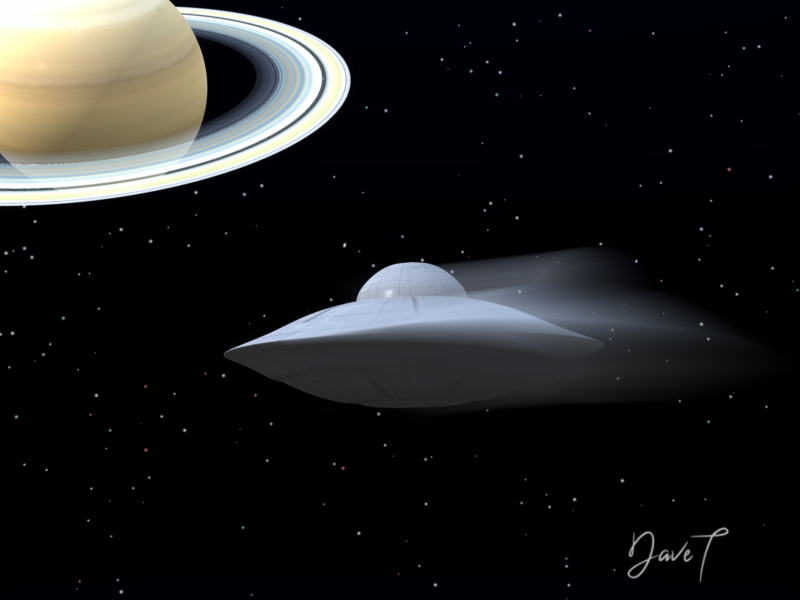
more....Wacky Modelling ~ In Carrara ~lol.... wacky Martians

the cube into a martian saucer with a morph ahk ahk ahk
it's in the zip file for you to invade your Runtimes

 Aligning normals via reimport instead of manually
crosswind said:
You need to import the full OBJ file...The data of normals can either be saved within the geometry library of its DSF file in data folder...or saved in a DUF scene file without saving Figure / Prop assets.
I figured out the solution, though it was case specific. It was never a normals problem. Turns out this clothing item was composed of two "shells" floating extremely close to each other (>1mm, the inside of the clothing is a different color than the outside and the inside can be seen because it's baggy and has some openings) and when the creator fit the clothing to the character they didn't realize some of the internal shell got hit by the weight differrently so it broke through the external shell.
I had to manually tweak those broken through polys back in C4D and then just load it as a corrective morph like usual.How to stop morphs from applying by default?nimonsi said:
crosswind said:
Well, you have to fix sort of issue case by case, especially on Genesis 9. In your case, you need to identify a culprit property that controls other properties, i.e. it triggers other properties to have values, e.g. those Proportion properties, Scale... in your screenshot. So you only need to fix the culprit property, by setting its Default value to 0.
The "standard advice" you posted is not specifically for G9. On G9 Base, there're several properties having default values ... but not triggered by other controlling properties. If you followed the "advice", you would ruin G9 base figure.
Instead, after Zeroing figure, just manually check and locate the culprit property in Currently Used. The trick is to filter out the properties that are not Daz Originals, i.e. without gray icons, not in yellow color, etc.. Then you should be able to locate the culprit(s). (example in screenshot 1)
Now Ctrl + Z to undo Zeoring. You'll see the culprit properties turn into 100% in gray color. Click the gear icon on the right of the property slider to open Parameter Settings..., set both Default and Value to 0. Then Save Modified Assets....by just ticking the culprit property. Accept. (screenshot 2)
Reload G9, the issue should be gone ~~
Edit: You didn't load a G9 Dev Load as lilweep said. Load a G9 Dev Load instead. (screenshot 3)
Then if you were not able to locate the culprit, post a screenshot of the full list of Currently Used, we may help to identify the culprit.
Thank you so much, guys! You have no idea how grateful I am to you. Thanks to your advice, I was able to identify that damn morph that was ruining everything and delete it. Now everything is restored.
I just have one question left. You scared me when you mentioned that I might have messed up the base version. As I understand it, I wasn't working with the regular
dev load, but with theGen9 base. I only touched dev load ascrosswind saidand saved it as shown in the second screenshot. I compared the baseGen9with theGen9 dev log, and they are absolutely identical. Does that mean I didn't break anything? Thank you!The files you load are essentially a list of ingredients, plus local overrides for things that are not in the default state. When you save modified assets you are updating the ingredients, which means that every figure using them will get the same changes (that is also why the unwanted chnages from the character affected every instacne of that figure).
Aligning normals via reimport instead of manuallymmdestiny said:
crosswind said:
There's no such an option of flipping normal when importing assets in DS... AFAIK. You either manually do it with Geometry Editor in DS or with external applications, like Blender, C4D...
Not necessiily looking for a literal option in the import itself. More like I'm wondering if, say I fix everything in C4D, then export as an obj. If I were to use "Load UV Set" to load that obj, would DAZ pick up that the normals have changed? I'm not sure where in the asset the normal information is stored. Or perhaps load the fixed obj in morph loader pro, and even though there's nothing new IN the morph (no changed deltas), maybe it would pick up the change to the normals.
You need to import the full OBJ file...The data of normals can either be saved within the geometry library of its DSF file in data folder...or saved in a DUF scene file without saving Figure / Prop assets.
Aligning normals via reimport instead of manuallycrosswind said:
There's no such an option of flipping normal when importing assets in DS... AFAIK. You either manually do it with Geometry Editor in DS or with external applications, like Blender, C4D...
Not necessiily looking for a literal option in the import itself. More like I'm wondering if, say I fix everything in C4D, then export as an obj. If I were to use "Load UV Set" to load that obj, would DAZ pick up that the normals have changed? I'm not sure where in the asset the normal information is stored. Or perhaps load the fixed obj in morph loader pro, and even though there's nothing new IN the morph (no changed deltas), maybe it would pick up the change to the normals.
How to stop morphs from applying by default?nimonsi said:
crosswind said:
Well, you have to fix sort of issue case by case, especially on Genesis 9. In your case, you need to identify a culprit property that controls other properties, i.e. it triggers other properties to have values, e.g. those Proportion properties, Scale... in your screenshot. So you only need to fix the culprit property, by setting its Default value to 0.
The "standard advice" you posted is not specifically for G9. On G9 Base, there're several properties having default values ... but not triggered by other controlling properties. If you followed the "advice", you would ruin G9 base figure.
Instead, after Zeroing figure, just manually check and locate the culprit property in Currently Used. The trick is to filter out the properties that are not Daz Originals, i.e. without gray icons, not in yellow color, etc.. Then you should be able to locate the culprit(s). (example in screenshot 1)
Now Ctrl + Z to undo Zeoring. You'll see the culprit properties turn into 100% in gray color. Click the gear icon on the right of the property slider to open Parameter Settings..., set both Default and Value to 0. Then Save Modified Assets....by just ticking the culprit property. Accept. (screenshot 2)
Reload G9, the issue should be gone ~~
Edit: You didn't load a G9 Dev Load as lilweep said. Load a G9 Dev Load instead. (screenshot 3)
Then if you were not able to locate the culprit, post a screenshot of the full list of Currently Used, we may help to identify the culprit.
Thank you so much, guys! You have no idea how grateful I am to you. Thanks to your advice, I was able to identify that damn morph that was ruining everything and delete it. Now everything is restored.
I just have one question left. You scared me when you mentioned that I might have messed up the base version. As I understand it, I wasn't working with the regular
dev load, but with theGen9 base. I only touched dev load ascrosswind saidand saved it as shown in the second screenshot. I compared the baseGen9with theGen9 dev log, and they are absolutely identical. Does that mean I didn't break anything? Thank you!It's for sure that you didn't break anything ! No worry ~~
Actually, trouble-shooting with a Dev Load is the safest way because it's just straight-forward with the simplest mesh / hierarchy. If doing the job with a G9 Base, there'll be conformers under it, e.g. Eyes, Mouth, Tear, EyeLashes. If there're any wrong things on them, especially mess the ERC Links in between the figure and conformers, it'll make fixing work more complex.
Edit: So it's also an advice.
How to stop morphs from applying by default?crosswind said:
Well, you have to fix sort of issue case by case, especially on Genesis 9. In your case, you need to identify a culprit property that controls other properties, i.e. it triggers other properties to have values, e.g. those Proportion properties, Scale... in your screenshot. So you only need to fix the culprit property, by setting its Default value to 0.
The "standard advice" you posted is not specifically for G9. On G9 Base, there're several properties having default values ... but not triggered by other controlling properties. If you followed the "advice", you would ruin G9 base figure.
Instead, after Zeroing figure, just manually check and locate the culprit property in Currently Used. The trick is to filter out the properties that are not Daz Originals, i.e. without gray icons, not in yellow color, etc.. Then you should be able to locate the culprit(s). (example in screenshot 1)
Now Ctrl + Z to undo Zeoring. You'll see the culprit properties turn into 100% in gray color. Click the gear icon on the right of the property slider to open Parameter Settings..., set both Default and Value to 0. Then Save Modified Assets....by just ticking the culprit property. Accept. (screenshot 2)
Reload G9, the issue should be gone ~~
Edit: You didn't load a G9 Dev Load as lilweep said. Load a G9 Dev Load instead. (screenshot 3)
Then if you were not able to locate the culprit, post a screenshot of the full list of Currently Used, we may help to identify the culprit.
Thank you so much, guys! You have no idea how grateful I am to you. Thanks to your advice, I was able to identify that damn morph that was ruining everything and delete it. Now everything is restored.
I just have one question left. You scared me when you mentioned that I might have messed up the base version. As I understand it, I wasn't working with the regular
dev load, but with theGen9 base. I only touched dev load ascrosswind saidand saved it as shown in the second screenshot. I compared the baseGen9with theGen9 dev log, and they are absolutely identical. Does that mean I didn't break anything? Thank you!Daz 3D is part of

Connect
DAZ Productions, Inc.
7533 S Center View Ct #4664
West Jordan, UT 84084Licensing Agreement | Terms of Service | Privacy Policy | EULA
© 2026 Daz Productions Inc. All Rights Reserved.