-
G3M and G3F based off a different mesh?
Here's the 4 textures that work on G3M from left to right Arabella, Eva, Karen, and Victoria
Thank you @DKGoose! I appreciate you sharing. I tried Amisi because it's one of my favorite textures but it for whatever reason didn't transfer well.
Trish
G3M and G3F based off a different mesh?Here's the 4 textures that work on G3M from left to right Arabella, Eva, Karen, and Victoria
Yes! Yes! 'Wear Them All' for G3Male. Hats off to ValzheimerHere's a question: the ad copy for Wear Them All for G3 Male says "... autofitting clones are created to smoothly fit any Genesis 2 Female, Genesis, Victoria 4 and Michael 4 conforming clothes to Genesis 3 Male(s) ..." and the list of auto-fitting clones included begins with "Genesis 2 Female Clone".
Am I right in thinking that this is copy-pasted from the corresponding product, and that "Genesis 2 Female" should actually read "Genesis 2 Male" in each case?
It would seem odd to me if valzheimer had made a product for G3M that included the ability to wear G2F clothing, but not G2M.
What Richard already said, Genesis 2 Male clone is included in Genesis 3 Essentials, while Genesis 2 Female one is provided in WTA pack :)
Cheers,
V.
Yes! Yes! 'Wear Them All' for G3Male. Hats off to ValzheimerHere's a question: the ad copy for Wear Them All for G3 Male says "... autofitting clones are created to smoothly fit any Genesis 2 Female, Genesis, Victoria 4 and Michael 4 conforming clothes to Genesis 3 Male(s) ..." and the list of auto-fitting clones included begins with "Genesis 2 Female Clone".
Am I right in thinking that this is copy-pasted from the corresponding product, and that "Genesis 2 Female" should actually read "Genesis 2 Male" in each case?
It would seem odd to me if valzheimer had made a product for G3M that included the ability to wear G2F clothing, but not G2M.
Finding Old DialsThe absolute location doesn't matter, but the relative location does (the location within a content directory matters - the location of the content directory doesn't matter). Are these custom morphs or morphs from products/freebies?
These are the basic dials that come with the figures. Though I would also like to get at ones added by other products. All of them have been loaded new and are in place if I start a new figure. Also I hope sorting out these will also help in rebuilding the surfaces such as which Diffuse map was added, colors, etc.
So just for a simple example. Load up Victoria 6 from a render back in September. Find out what number the "Fitness" morph dial was at. See what the Diffuse map was for the Iris. Those kinds of things.
Meh... so uninspired right now.... - New Light ProblemV5 is a character for Genesis 1. I think if you have a relatively modern version of Studio you get V5 by default. The fact that you have the V5 UV available to you is all you really need to care about, and you do, so you're good there.
Based on this info from the Sumiko product page:
"This product uses the Victoria 5 UV Maps"
I'd say sticking with the V5 UVs is the right thing to do. I've noticed that with a lot of characters, though the upper product description info tells you it requires a certain other character, often times the detail listing below will also say it uses the UV from yet another character. Seems like the "requires" part is mainly in reference to the shape(s) you need to support the product, only sometimes do the UVs match the required shapes.
For example, this one: http://www.daz3d.com/liu-yan-hd-for-victoria-6-and-mei-lin-6 I've been dying to get, but mainly for the textures (as they look absolutely beautiful) and not the shape. But since I have Mei Lin and don't have V6 I haven't picked it up yet since I won't be able to use the textures without the V6 UV map. Frustrating.
Hmmmm... I just checked my product library and couldn't find anything related to V5 other than an outfit. So I searched the store for her and I don't actually own Victoria 5 or the Victoria 5 Elite Tectures pack. Man, could this mean I've been using a 'gimped' girl all this time?!?! Say it isn't so!!! Not my Sumiko!!!!
Meh... so uninspired right now.... - New Light ProblemBased on this info from the Sumiko product page:
"This product uses the Victoria 5 UV Maps"
I'd say sticking with the V5 UVs is the right thing to do. I've noticed that with a lot of characters, though the upper product description info tells you it requires a certain other character, often times the detail listing below will also say it uses the UV from yet another character. Seems like the "requires" part is mainly in reference to the shape(s) you need to support the product, only sometimes do the UVs match the required shapes.
For example, this one: http://www.daz3d.com/liu-yan-hd-for-victoria-6-and-mei-lin-6 I've been dying to get, but mainly for the textures (as they look absolutely beautiful) and not the shape. But since I have Mei Lin and don't have V6 I haven't picked it up yet since I won't be able to use the textures without the V6 UV map. Frustrating.
Hmmmm... I just checked my product library and couldn't find anything related to V5 other than an outfit. So I searched the store for her and I don't actually own Victoria 5 or the Victoria 5 Elite Tectures pack. Man, could this mean I've been using a 'gimped' girl all this time?!?! Say it isn't so!!! Not my Sumiko!!!!
Meh... so uninspired right now.... - New Light ProblemBased on this info from the Sumiko product page:
"This product uses the Victoria 5 UV Maps"
I'd say sticking with the V5 UVs is the right thing to do. I've noticed that with a lot of characters, though the upper product description info tells you it requires a certain other character, often times the detail listing below will also say it uses the UV from yet another character. Seems like the "requires" part is mainly in reference to the shape(s) you need to support the product, only sometimes do the UVs match the required shapes.
For example, this one: http://www.daz3d.com/liu-yan-hd-for-victoria-6-and-mei-lin-6 I've been dying to get, but mainly for the textures (as they look absolutely beautiful) and not the shape. But since I have Mei Lin and don't have V6 I haven't picked it up yet since I won't be able to use the textures without the V6 UV map. Frustrating.
Are you rendering with 3Delight or Iray?
If it's Iray I've heard some say (I have yet to experiment with this) that SSS settings can result in waxy looking skin. I've also had that happen with too much Translucency I believe. If you are using Iray try turning both of those off and see what happens. If that does resolve the issue, you can experment with bringing them back up gradually.
I don't use Iray yet... from what I've read, there's a lot of stuff to learn and it's too much for me right now. I'd actually like to figure out Reality/Lux as i bought those.
Anyway, I'm using 3Delight with G2F (this character is the Sumoko FWF Sumiko for Mei Lin). Funny thing, when I checked which UV it was using, it says V5, not Mei Lin, or V6 or any of the ones I would have expected. When I changed it to Mei Lin (and the other G2F girls), the finger edges (from the middle knuckle to the tips) went pitch black. I thought maybe it was shadows, but nope. Something with the map. So I put it back to V5 and went on from there.
I'll take some screenies and post them after work so you can see what I'm referring to.
V4 Morphing Fantasy MaskIs there one? I have found one for V3, Genesis, Gen2F Gen2M and Gen3. Can't find one for V4. Does the one for genesis work with her or the one for V3? Still not certain how all of the character generations work althought I am closing in lol.
There is a mask included in the V4.2 Bodysuit expansion set:
http://www.daz3d.com/victoria-4-2-bodysuit-expansion-pack
I'm not sure if this works without the bodysuit already purchased (I got mine at the same time in a bundle). The mask is a cowl-type, good for Catwoman-style characters and with different ears and you can also choose more domino-style masks as well.
RRRR - Murphy’s Law Render Contest *closed*Finally RRRR time again
And already some great ideas in, it's gonna be fun again
here is my first pull
Rag-Erator for DAZ Studio
Cista Sanctus DS
Victoria 4 Skin Maps Std Res
Wretched for Spirit of Punk DS
I guess this something to work with for Murphy's lawBodysuits for Genesis 2 Males and Females?
I'm not at my computer right now, but as far as I can remember, the seams can't be hidden. The suits don't have various material zones, which limits their use with shaders, but they are very well made.I know that the M4 bodysuit and V4 bodysuit has an option to hide its seams.
I would like to know if both the Super Hero Suit for Genesis 2 Male(s) and Michael 6 and the Super Hero Suit for Genesis 2 Female(s) and Victoria 6 has an option for hiding its seams.
Bodysuits for Genesis 2 Males and Females?I know that the M4 bodysuit and V4 bodysuit has an option to hide its seams.
I would like to know if both the Super Hero Suit for Genesis 2 Male(s) and Michael 6 and the Super Hero Suit for Genesis 2 Female(s) and Victoria 6 has an option for hiding its seams.
GENERAL FREEBIE REQUESTS Part 2Free maternity dress for V 4.2?
If you use poser these dynamic pants are free: https://www.renderosity.com/mod/freestuff/dynamic-maternity-pants-v4/74223
Not free but fairly inexpensive: https://www.renderosity.com/mod/bcs/maternity-for-v4/53898/
The V4 Morphing Fantasy Dress has a pregnant morph and is very cheap ($1.99) if you join the PC :http://www.daz3d.com/v4-morphing-fantasy-dress
And this is available from PoserWorld with a paid membership:https://poserworld.com/pregnant-for-victoria-4
RRRR - Murphy’s Law Render Contest *closed*Murphy's First Law for Delivering to a Remote Corner of the Gallaxy:
You Will Always Arrive at a Bad TimeUsed:
Gardens of Poseidon - Reef Rocks
Old West Mercantile Interior
The Firearm Pack
A Curious Tea Iray
Space Relic (LB)
Pitfall Poses for Victoria 7 (LB)
Vintage Bouquet (LB)
Fountain of Health (LB)
Elegant Fabric Iray Shaders (LB)Ron's Explosions
Bellatrix for Genesis 2 Female(s)
Mars Explorers for Genesis 2 Male(s)
Nano Suit for Genesis 2 Male(s)
Sci-Fi Crates 'n Containers
Rock & Grass Bundle
Areion's Blaze Transport Ship
OOT HDR 360° Environments Space for DAZ Studio Iray
Modern Industrial Floors for Iray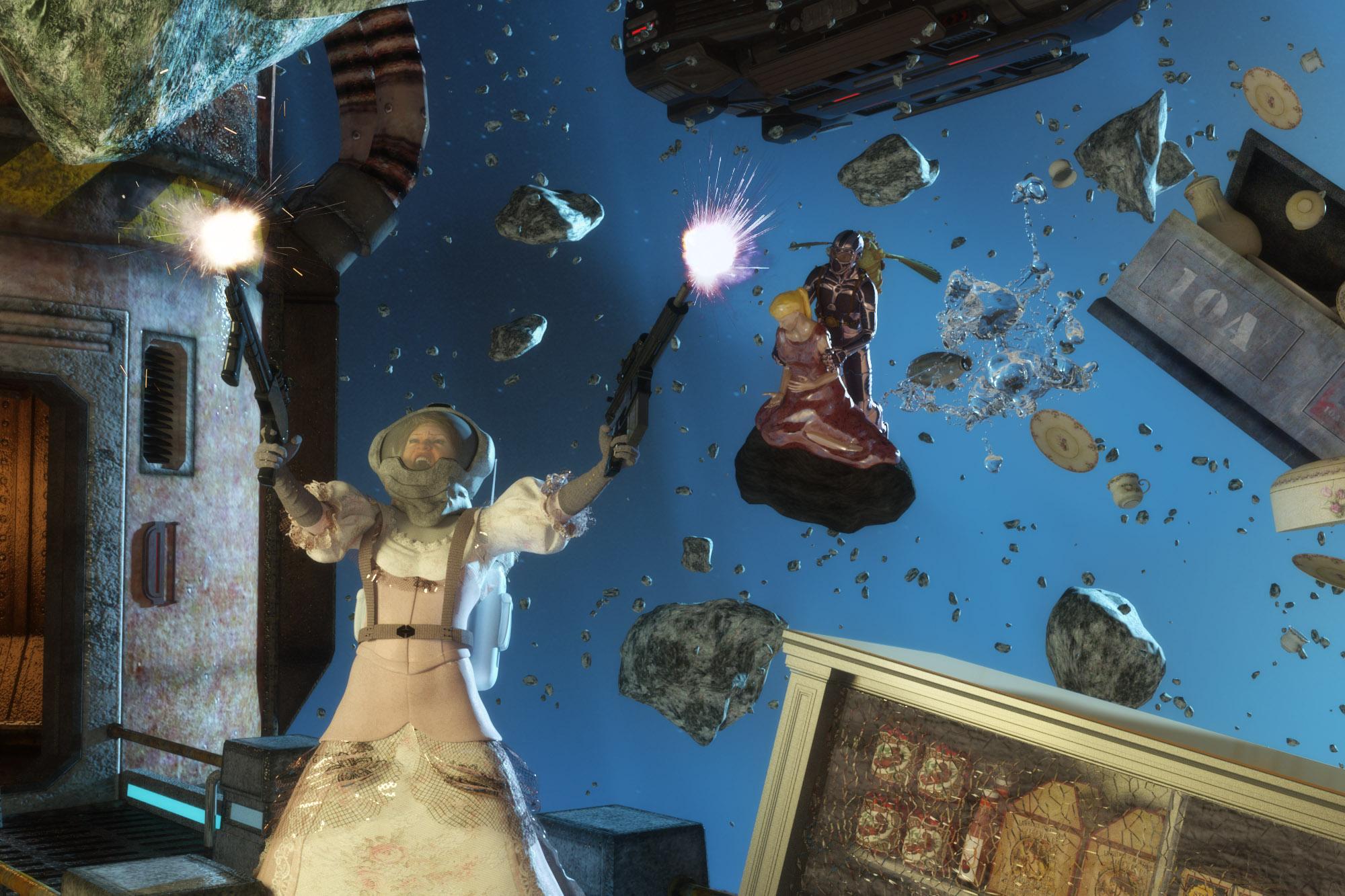 Victoria / Michael 4 missing metadata
I'm coming back after a long time in the real world. I got DS 4.8 and reloaded some of my content. I loaded everything for Michael 4 but when I try to bring him into a blank scene, I get a PowerLoader:Import no metadata dialog. I've searched around and I did find that I had the files in runtime/support.
I get the same thing with Victoria 4
I've included screenshots of the dialogs.
I'm clueless why.
Any help would be great.
AnimationI've been working on animating Michael 6 and Victoria 6 into this short trailer :

But it still needs a lot of improvement : the movement of the characters doesn't look natural.
I'm looking for people who have experience in DAZ animation techniques that could help me out.
Thanks.
 GENERAL FREEBIE REQUESTS Part 2
does anyone know where to get FREE clothes for Michael 4 and Victoria 4? Big thanks in advance.
https://poserdazfreebies.miraheze.org/wiki/Victoria_4/Wardrobe
https://poserdazfreebies.miraheze.org/wiki/Michael_4/Wardrobe
NEW! Novica & Invited Guest Contributors Tips & Product Reviews Pt 6From a great distance she'll be less cranky... or, at least out of reach.
 (grin, duck, run)
In a galaxy very far, far away perhaps...
I'm going through and rendering some gals, all from Genesis 2, to test Iray lighting on them. I'm making small squares for my thumbnails for my catalog, so these are brighter than normal but work perfectly for me when the pages are printed out. Happy to share a few, but keep in mind I am rendering to suit my purposes and not providing optimum lit renders. I want to see which ones really need tweaking, so this might help you too, depending on what Iray lighting you're using. This is from Content Library>Light Presets> Dimension Theory> Real World HDR > and the Maui E set.
I'm starting with the A's, only doing those I own (which are tons.) I'm using the exact same lighting on all of them to do equal comparisons but am changing the brightness/intensity if the figures aren't brightened up enough. So these are NOT indicative of the out of the box, it will show you the facial features, textures such as moles, I'm looking at eyebrows, and the teeth for some of them, as the exact same expression is applied so I can see how the mouth morphs.
These all are only going about 10-12 minutes, that's all I need to get an idea of the facial features.
Before I choose a main character to morph for my book, I want one that the mouth looks good in poses. Some are better than others IMO. I am NOT applying the Genesis 2 Iray material to the skin, unless there is possible improvement needed. I will be using a Photoshop plug-in for my book, so I won't be having photorealistic images, and I don't have much time to spend on each image either.
I also want to see if there are any irregularities which show up more in IRAY, or even in 3DL. Because I have to many to do, and because I am not using 3DL, I won't need to render 3DL comparisons. If anyone has Alora and feels like rendering her face in 3DL to test the materials on the nose, that would be nice for others to see. I don't recall her ever being featured in these threads but it's possible. She has several faces but the same skin. I'm getting slightly more noticeable skin variations on the nose, so I did one with and without the Iray mat fix applied.
Will show you in the next post or two- I used the same lighting on Dash but upped the intensity, lowered the crush blacks due to the dark skin, and upped the burn highlights to .44. That's for the first two. Then I added a distant light for that dark side as the one side is so dark. I ended up darkening the image in postwork (you can compare the backgrounds.) While the first render only took 20 minutes, adding ONE distant light upped it to two and a half hours, and was only 62% (I'm still puzzled about that- is that 62% of whatever time I set or max samples? It's not 62% DONE, as we deternine how long for it to go with the two render settings mentioned?) Regardless, they were both on the same settings and the first was done in 20 minutes.
Slosh's outfit Just Josh for Genesis 3 Male(s) is fun and easy to apply, the sleeves and cargo shorts all have the shrink option so if you want to get the sleeves and legs closer to the body, you can. I showed it out of the box. Love the tiny details (like the buttons) and the fluidity of the material, it's not stiff at all. Keep making male clothing Slosh!!!!! Hope it sells well for you, I'm sure it is. Note it comes with an undershirt in addition to the top shirt, you can have a layered outfit, really nice- and also has shoes. A complete package!
This is Adalia- and she is from Mystics. Took me forever to figure out why in Content Library I had an Adalia and none to be found so far as a separate product.
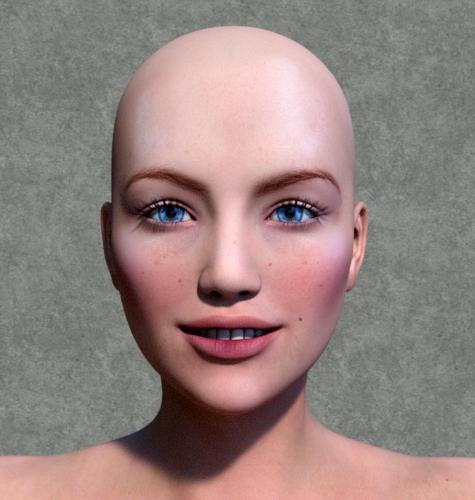
Adrianna, below.
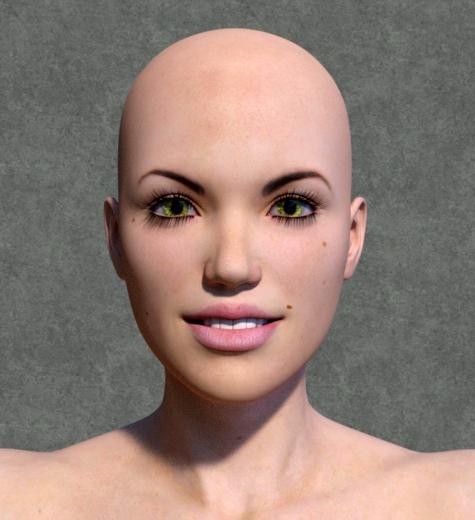
Aiko 6
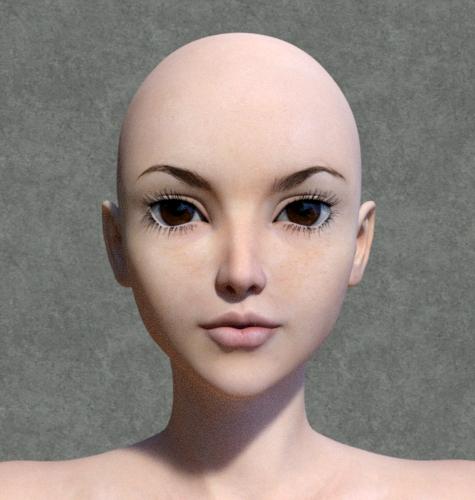
Aiyana, which definitely would need tweaking. Too orangey.

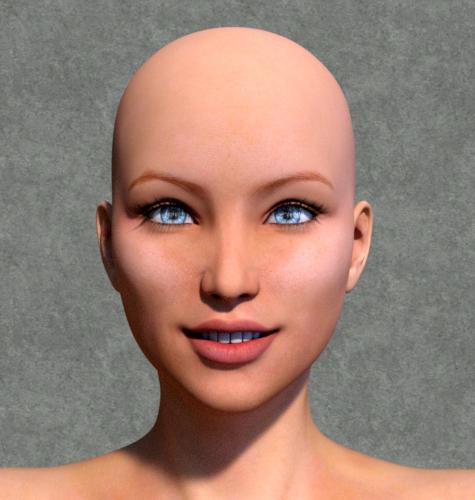 Teen Josie Down on the Corner
Teen Josie uses her ballet skills to connect to evil Victoria's jaw and escape this potentially deadly situation. What will teen Josie's next misadventure be? Hmmm...
Magix 101 hairs. thoughts?Yup. 'Wear Them All' comes through once again. Sabrina hair for V4 on Victoria 7. yay! I love that plug-in. Breathing new life into all kinds of items.
Daz 3D is part of

Connect
DAZ Productions, Inc.
7533 S Center View Ct #4664
West Jordan, UT 84084Licensing Agreement | Terms of Service | Privacy Policy | EULA
© 2026 Daz Productions Inc. All Rights Reserved.