-
How I get facial expressions to work? No parameters to change face... [SOLVED]
These are all the procuts I now have purchased, when became "back" to graphics after years:
http://www.daz3d.com/genesis-3-female-head-morphs
http://www.daz3d.com/victoria-7-pro-bundle
http://www.daz3d.com/genesis-3-female-body-morphs
http://www.daz3d.com/platinum-club-annualI used Daz Install Manager.
All possible view related things I browsed through earlier I could find, but still "Pose Controls" can't be found.
So as it seems that something is messed, complete reinstall all content and so on...? At least I was able to see, that for example the hand palm's bones seems to affect the shape, pretty cool effect, at least.
How I get facial expressions to work? No parameters to change face... [SOLVED]1) the head morphs add morphs to the figure - select the root (Genesis 3 Female) and in the parameters pane look under Actor>head for the sliders.
2) According to the readme (the locations are in the Content Library pane, first set under DAZ Studio Formats>My Daz 3D Library assuming you used the default location, the second under categories):
-
You can find new icons for loading this product in the following DAZ Studio Folders:
-
“People:Genesis 3 Female:Expressions:Feel It:Full”
-
“People:Genesis 3 Female:Expressions:Feel It:Lower Face”
-
“People:Genesis 3 Female:Expressions:Feel It:Upper Face”
-
-
You can find new icons for this product in the following DAZ Studio Categories:
-
“Poses:By Function:Expression”
-
“Poses:By Region:Partial Body:Head”
-
“Poses:Other:Reset”
-
3) Pose Controls are also found in the Parameters pane, as their own group below the Actor group.
1) The only options from under Actor>Head Parameters is "Mouth Realism HD"
2) Content Library Pane [check], Daz Studio Formats [check]My Daz Library [check], then there
People [check], Genesis 3 Female [fail]
On content library search field:
genesis 3 [search. fail]
genesis [search. only the content by the program, genesis 1-2 related found]Content Library Tab>Categories:
>default (only available category)
Poses>By Function>Expression: [double clicked everything ~100 items, even the re was only that Feelit and then some v4-retalted items]
... ... nothing related to body morrphs, though. The "Feel It"-things existed. Clicked them also.
Those Region, and Other, Reset- folders clicked also.3)Parameters-tab> selected "Victoria 7 active and visible folder structure, when expanding all:
Victoria 7
General
Transforms
Translation
Rotation
Scale
Misc
Mesh Resolution
Actor
Head
Face
Mouth
Real World
People
Real World
Waist
Real World
Display
Rendering
Scene view
Bones
--------------------------------------
Pose Controls-option is not found.-------------
Checking now those other steps...
How I get facial expressions to work? No parameters to change face... [SOLVED]So far I have been testing and examining, even purchased some packages more. But those purchases can't be found by any method through the program.
So there is base work trying to get things to work for me, like (for example, may encounter to more) :
#1)"Genesis 3 Female Head Morphs". Installed, but those can't be found even by search-fields in the program. At least I found that rotating the jaw bone makes the mouth open/close or side-side.
#2)Then therefore things like "Feeli It! Mix and Match Expressions for Victoria 7" does not have any effect (I guess it needs some those morph products, of which I have no clue, what is needed)
#3)Menu "Pose Cotrols" waits still to be found.
#4)Most likely other findings, but getting even those things to work are already demanding enough....
gen 2 female and gen 3 female clothsand then there's the wear them all for genesis 3 product that'll allow you to use any clothing from Victoria 4/Michael 4, Genesis- Female and Male clothing, Genesis 2 Male/Female on your Genesis 3 ladies http://www.daz3d.com/wear-them-all-autofitting-clones-and-clothing-smoothers-for-genesis-3-female-s
How I get facial expressions to work? No parameters to change face... [SOLVED]Hmm, my version of program seems to miss the Pose cotrol or something, as that option is not found. I have only "General","Actor" and "Display" under "Victoria 7".... So I seemingly miss something....
How I get facial expressions to work? No parameters to change face... [SOLVED]After you load Victoria 7 and have her selected in the scene, go to Parameters under Victoria 7, Pose Control, Head, Expressions and dial one up or mix at low percentages.
How I get facial expressions to work? No parameters to change face... [SOLVED]Hi, everyone,
This may be a dumb question, but of curiosity I purchased Victoria 7 Pro pack and have not been around for years.
How one gets any facial movements? No mouthee, eyes, brows or anything can be moved...?
What is missing?
(EDIT: Added [SOLVED] to title)
Semi-OT what Daz Studio or Poser features would you like in real life?I know that it would be a lot of work, but compatibility between models would be nice. I am thinking of being able to use, for examle, Victoria 4 items with Genesis and Genesis between all versions..
 NEW! Novica & Invited Guest Contributors Tips & Product Reviews Pt 6
I was fairly sure I read this correctly, and decided to test it. My hesitancy was that it said the BODY shape was used- nothing about the face, and V6 is a required product, so I entered the never ending spiral of overthinking it. Even though the vendor was quite specific, there's no helping some of us who are determined to create work for ourselves. So I tested her on Gen2F and V6, and DON'T use her on V6 as the ears crinkle and the nose slope crushes down, among other things. Thought I'd give you a chuckle at my DUH and show you my test. BTW, I can claim my illness as a liability in my thought process, yes, went to the doctor and it's severe bronchitis, had to get steroid and antibiotic shots, meds, nasal prescription medicine, they only forgot the spy under the kitchen sink...but overnight, wow, feeling SO much better today!
"She includes a custom sculpted head morph that requires only Genesis 2 Female base to use. (WHICH IS WHAT YOU SHOULD ONLY USE.) The body shape is created using Victoria 6 body shape and Genesis 2 Female Body Morphs.
*Note - Textures are built off the Genesis 2 Female Base UV and will work with any Genesis 2 Female Figure*"
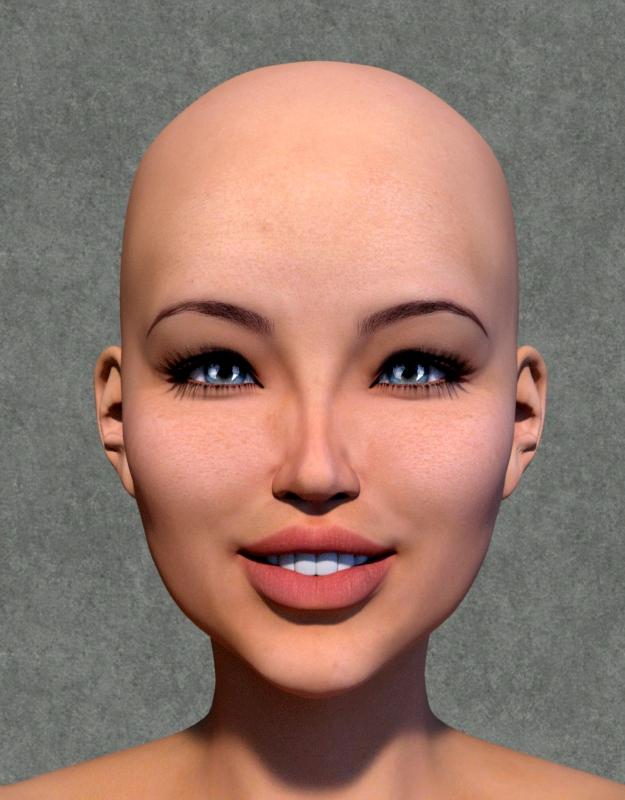
Bryonia on Victoria 6, obviously not correct.
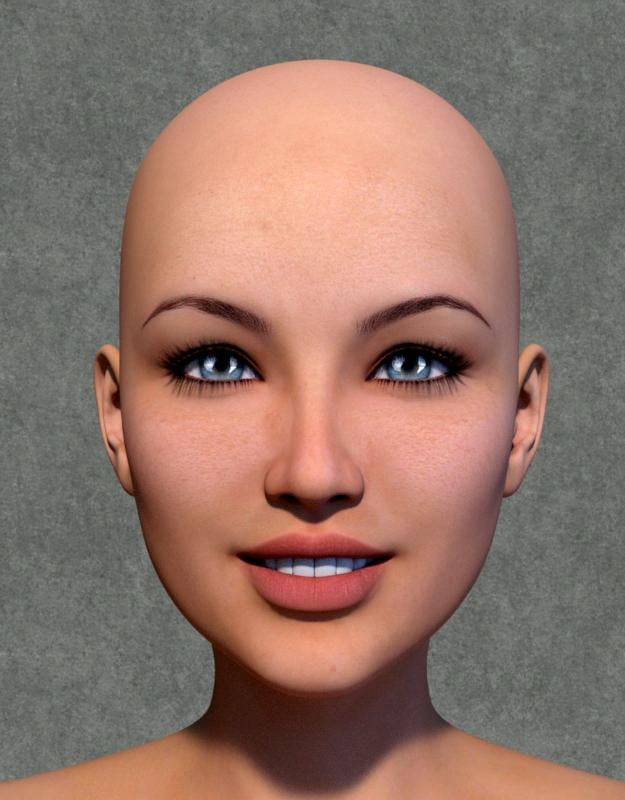
Bryonia on Genesis 2 Female, there's our gal!
 Does Genesis 3 work on Daz Studio 4.6?
She looks a little like Victoria 4.0 here, in DAZ Studio 4.6, but nothing that a little work with the Surfaces Tab, lighting, etc. couldn't improve, if so inclined. As others have said, the only thing that you can't use will be Iray and associated Iray materials.
Well, I was going to post a render, but Windows seems to have eaten it (after I closed the scene without saving, of course). Trust me, DS 4.6 and G3F works better than this buggy operating system.
It's Raining Men - Forum Team Challenge to the Forum Community (winners announced)Never done this here before so I hope it's ok.
Title: Cult Scam - The Leader
Come, come children of evil. Come to me and be saved, forfeit your worldly posessions and be free from evil. Donate those evil things to the worthy cause of our temple. Come, come oh ye children of sin and evil, only I can save you.
Male or nuetral items:
Genesis 2 Male Base Figure |
Philip (all hairy) Face No 5 | - Genesis 2 Male Starter Essentials
Base Pose No 20 |RDNA Shoctober Gothic Cross - http://www.rdna3d.com/Halloween/Tr_Shock_gothiccross.zip
Re-purposed Female Items:
Arki Raven Mohawk Feather earring for V4 - http://forum.runtimedna.com/downloads.php?do=file&id=9&act=down&actionhash=guestSwam Doll Hair for G2F - http://www.daz3d.com/doll-hair-for-genesis-2-female-s-and-victoria-4 and
- http://www.daz3d.com/doll-hair-colorsKaos Imadoki Sunglasses - http://www.sharecg.com/get_file.php?upload_file_id=55339
Neftis Beautiful Black Headband for V4 - http://www.daz3d.com/beautiful-black-hairstyles
Mamomamo MM Bangle01 for V4/A4 - http://blog.goo.ne.jp/mamomamo_2007/e/d06633b0f5a4630d9a3e8f5f24dacc4a
Lunchlady v4 BraceletLH - was a Renderosity monthly newsletter give-a-way. Can't find a current link though.
Grace NoseRing - http://www.daz3d.com/grace-for-v4
Ghastly Tabard Dress for Genesis 1 - http://www.sharecg.com/v/72562/favorite/21/DAZ-Studio/Ghastlys-Tabard-Dress-Genesis-1
Shaders
Allen Art
Daz Uber
Parrotdolphin pd-softleather
webtreats stone tile stone05As I said, I hope this is ok for this contest and that it meets the rules.
BronzeDragon
Missing IRAY Light Shaders (and UI bug?) *SOLVED*On the Smart Content pane - you are in product view, so when you double-click Victoria 7 it shows the individual files in the product rather than loading the actor. You can switch between product and File view using the tabs at the top.
On Shaders - it looks as if you may not have isntalled the Default Lights and Shaders since the iray shaders were added, or for some reason the Content Management System isn't seeing them.
Thanks everyone for the quick responses. In hindsight, I feel quite silly for not noticing that I had the Products view selected. Can't see the forest through the trees sometimes! :)
As for the Shaders, I'd still appreciate additional insights into that issue. The DAZ Install Manager shows that I have the "Default Lights and Shaders for DAZ Studio 4.8+" installed. Is this one of those situations where uninstalling and re-installing the default lights package may help?
Thanks again.
David
mcjAutoLimb 2014, an IK system for animators now with poles - For DS 1, 2, 3, 4if you do character animation in Daz Studio 1,2,3,4
there's a tool i made to keep her hands or her feet or even a sword she holds
stay put as the rest of her body moves
it's basically indispensible
you want it
yes you do
this all worked fine with Aiko3, Victoria3, Victoria 4, Genesis 1, Genesis 2
but Genesis3 is so different that mcjAutoLimb2014 fails to do it's deed
this shall change incredibly soon !
in this animation you can see it aaaaaaaaaalmost works already
when it's ready i'll tell you right here
the old version is here https://sites.google.com/site/mcasualsdazscripts3/mcjautolimb2014 RRRR - Murphy’s Law Render Contest *closed*
Finally RRRR time again
And already some great ideas in, it's gonna be fun again
here is my first pull
Rag-Erator for DAZ Studio
Cista Sanctus DS
Victoria 4 Skin Maps Std Res
Wretched for Spirit of Punk DS
I guess this something to work with for Murphy's lawTitle: Not a tunnel
Law of the many Laws: The shortest way from point A to B is by GPSHe: It's not my fault, the gps navigation system said it's a tunnel
She: When was the last update....
He: Update, there are updates?additonally used:
Steam from the Steamworks
curtains from the curiaous Hallway
Stairways from Divinity skies Rapture II, heavily d´-formed
Vampire huntress for g2f
Urban metro outfit for g2m
pants from Nightguard for g2m
goggles from X-tech
 Missing IRAY Light Shaders (and UI bug?) *SOLVED*
On the Smart Content pane - you are in product view, so when you double-click Victoria 7 it shows the individual files in the product rather than loading the actor. You can switch between product and File view using the tabs at the top.
On Shaders - it looks as if you may not have isntalled the Default Lights and Shaders since the iray shaders were added, or for some reason the Content Management System isn't seeing them.
Missing IRAY Light Shaders (and UI bug?) *SOLVED*Greetings. I'm new to DS and it seems that I run into “issues” daily while attempting to learn this fantastic software. I know from experience that any powerful software is complex and takes a lot of dedication and effort to learn. I guess that's just my brief intro and knowledge level disclaimer.
This is my first post asking the community for help or seeking some guidance and it's a multiple question posting. I realize that it is sometimes frowned upon to ask too many questions in one thread, but I'm guessing that these are relatively simple things that shouldn't be too complicated! I know I shouldn't assume!
Questions:
The behavior of the (my) DS interface seems to have changed. I can't quite put my finger on it so hopefully the image below helps identify the issue. It used to be that when I wanted to load a figure (say Victoria 7) into a new scene I would simply click on Figures in the Smart Content tab and then double-click on Victoria 7. Now when I double-click on Victoria 7, the UI “expands” in a way I haven't seen before and then I have to locate and double-click on the Victoria 7 Actor icon. I also noticed the green “back” arrow indicated in the image below that I definitely didn't notice before! I wasn't tinkering in any of the menus and I certainly wasn't attempting to modify the way the interface works! It's an extra step and not a big deal, but I'm just curious what changed?

I found a nice video tutorial on YouTube on how to use a primitive plane to light a scene. Unfortunately I can't seem to locate the shaders, specifically the Emissive shader, that the video author is using. It's pretty frustrating because I can follow along with what he's demonstrating, but I can't recreate the results! I'd really like some help figuring out where these IRAY shaders are hiding!

This is what I see when I select the primitive plane, then the Surfaces Tab and then Presets. I don't even have an IRAY folder in the list.

Here is a link to the YouTube video.
https://www.youtube.com/watch?v=QURC4WYQ2SE
Why when applying a pose to Victoria 7 from the “Victoria 7 Attitude” collection do I receive the “Preset Exceeds Limits” message? If these poses were created for and bundled into a Victoria 7 Collection, shouldn't the limits all be set correctly?
Well I think that about covers it. I appreciate any help you can provide!
Sincerely,
David
DAZ Studio 4.8 Pro
Windows 7 64-bit
GeForce GTX 970
Intel [email protected] (4 CPUs)
8192 RAM
Yes! Yes! 'Wear Them All' for G3Male. Hats off to ValzheimerHere's a question: the ad copy for Wear Them All for G3 Male says "... autofitting clones are created to smoothly fit any Genesis 2 Female, Genesis, Victoria 4 and Michael 4 conforming clothes to Genesis 3 Male(s) ..." and the list of auto-fitting clones included begins with "Genesis 2 Female Clone".
Am I right in thinking that this is copy-pasted from the corresponding product, and that "Genesis 2 Female" should actually read "Genesis 2 Male" in each case?
It would seem odd to me if valzheimer had made a product for G3M that included the ability to wear G2F clothing, but not G2M.
I was wondering why no G2M autofit so I opened daz studio to see if g3m already have a G2M autofit clone.
Can't fit Braces to any figure.Presumably these http://www.daz3d.com/braces-for-genesis-2-female-s
Says on the store page
The Braces will auto conform to the upper and lower jaw when loaded. They contain morphs to fit to Victoria 6, Teen Josie, Girl 6, Growing Up for Genesis 2 Female (Youth Morph only), Gia 6 and Olympia 6. There are included pose files to auto position the braces to the listed character shapes and will even auto dial the required morph. When mixing different character shapes you will need to manually adjust the position and morph of the braces to fit. For that purpose the X,Y,Z translation and rotation dials for the braces have had the sensitivity adjusted so you can easily move and rotate them in very small increments. Seven color options are included and one default mat pose. There is also a default pose file that will zero the position and morphs. Please note, the braces do not auto fit/follow Genesis 2 Female as you dial in and mix character shapes.
Fiddling with Iray skin settings...But using PBR Specular and bump is in my eyes clearly better to control shine on a skin then mapping PBR Metals glossy roughness parameter..
Depends on the quality of the bump map, I'd say. But nevertheless, bump has it's limits (like shown at one of your testrenders. The upper arm/armpit area there doesn't look that nice to me. Not your fault, though
 )
)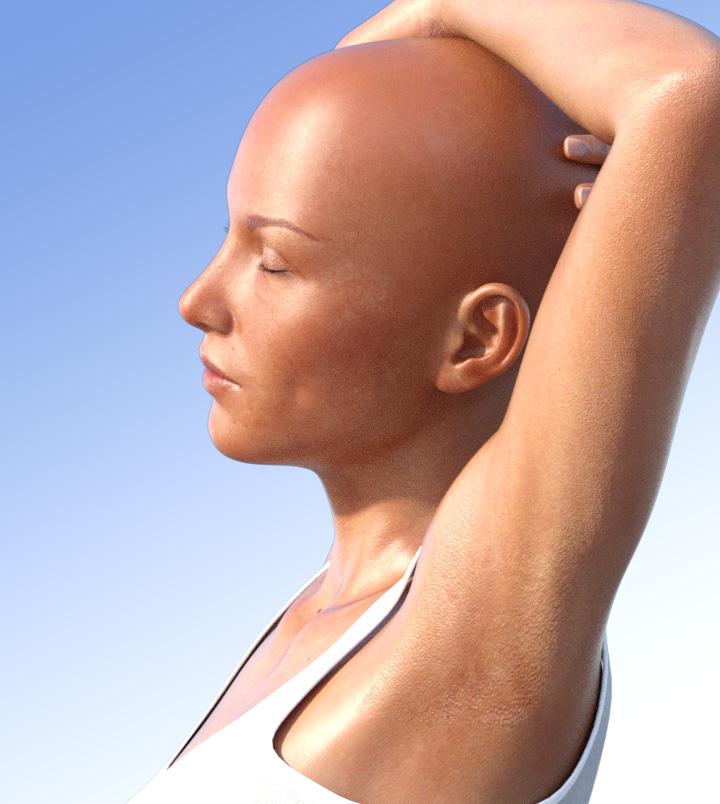
i tried to upload the bump map for free use in your tests - but the forum system wont let me doing it (format? to large?) -> send me a PM if you like to use this map.
@Arnold C. i also tested PBR metal .. while the roughness parameter is nice i have way more problems to control REFLECTIVITY using this shader... i could not replicate the demonstrated "shine" control from above without to much reflectivity and had to balance 4 parameters (weight, reflectivity, roughness AND bump... that's not good for skin .. in specular i use only 2 parameters for full control - glossines and bump strength
The maximum size of a picture for the forums is 2000x2000 pixels, if I remember correctly. If your map is 4kx4k, it won't allow you to upload it. I've got a dropbox account, which is scarcely in use. Could upload it there and set a link here in the thread for everyone to get at if you like.
Reflectivity correlates to the Refraction Index used. Default Reflectivity and IOR are set to plastic. Since the outermost layer of human skin has the same IOR (and Reflectivity), the default values should be somewhat valid. Didn't you yourself said that human skin looks very plastic-like?

Odd, I only use TWO parameters on PBR Metal/Rough, too... Glossy Roughness and Layered Weight (the latter only 'cause I use a Top Coat to mimic the oily layer). Instead of bump I prefer to let the lighter pixels of a roughness map "break the gloss". Bump strength is set some notches below a value on which the bump turns out ugly.
After several attempts to create a hand drawn roughness map using gradients (without sharp egdes at gradations
 ), converting specular and bump maps I found a more easy way to create those by loading the Diffuse Maps in Photoshop, change them to Black & White, then Invert them, and with the Background (original diffuse map) selected, adjust Brightness/Contrast to -150/100. On most Diffuse Maps the forehead, nose ridge/nosetip, cheek and chin areas turn out to be darker than the rest of the map.
Overhauled one of my earlier renders with my newest skin shader setup for Victoria 6, applied MEC4D's Unshaven 2 on the "Heidi Hair" (like she called it
) and got her jump into the Martian Princess outfit [Victoria 6, not Cath!  ].
].Applying the appropriate Iray presets on it's countless material zones took way more time than anything else.

No postwork except applying the DS/Iray Logo.
Not having much luck working daz studioI believe you use daz studio 4.8 product ver,(I hope so) or you install beta by DIM?
then how you install daz studio, and daz content? Did you install Daz Install manager first? or download installer package ?
because, to solve CMS problem ,Usually we need to know, how you set-up DAZ content root directory.
is it DIM default location, or you choose custom directory? and if you install daz studio by package, I remember, the default locaiton is different whcih of DIM.
(It is really bad , I think,then it should cause problem for new commer)
then you need to tell daz studio where the root contents directory by "content directory manager".
After you can udnerstand clear, (DAZ contents directory structure, and CMS set up, ) , you at least load items from content library.You may need to show more details of your install process .
Most of Aiko4 (Victoria 4 morph shape) contents need to be install runtime directory too. and you need to set root directory for Poser directory too.
(usually it is same root directory. then DS can find contents from runtime directory too)
In my pic I set root directory like that, but if you install daz studio, and content by DIM it already set root directory as default.
and your CMS is running? how you set port? you can check it by F2>Preference CMS settinig. and windows task manager>process tab
I am wiindows user, then if you Mac user, you need to tell it too. anyway, you need to show more detail ^^;
=========================
And if DAZ believe they offer good document for DS usage, and user can easy find them
, at first check these topic, then understand why new user easy feel difficult just install content and daz studio .
if your document is well, we need not tell details again and again to help new user.
we may just need to show one link of documetn, then user can easy understand, how DS work.
DAZ need to understand, your document is really bad.
Daz 3D is part of

Connect
DAZ Productions, Inc.
7533 S Center View Ct #4664
West Jordan, UT 84084Licensing Agreement | Terms of Service | Privacy Policy | EULA
© 2026 Daz Productions Inc. All Rights Reserved.