-
What Character Was Used for these Promos?
Just wondering. It's very distinct looking and I could use it for a project.
http://www.daz3d.com/venice-hair-for-genesis-3-female-s-genesis-2-female-s-and-victoria-4
 Recommendations
Thanks for the enlightenment, Ken! Will give them both a go.
After having poked around, I'm getting the idea that both Poser and Daz can render to some pretty realistic figures. I was seeing some Poser figures used for accessory and clothing demos that looked pretty mannakin like, but some artists seem to be able to do lots more with expressions and poses than others, with the same base figures (Victoria and versions of her, for example.) So it looks like the potential is there, but requires some expertise.
Where to get dynamic pleated skirt?The pleated skirt is not available to the public. It was a sample cloting item made available to the private beta testing team that was testing the OptiTex Dynamic Clothing back in 2009.
This is what the skirt looks like - Default textures and appearence on Victoria 4 on the left. Teen Josie 7 weares it but is using the DG shader essentials 3. It has 3 length settings, bottom image shows its shortest length
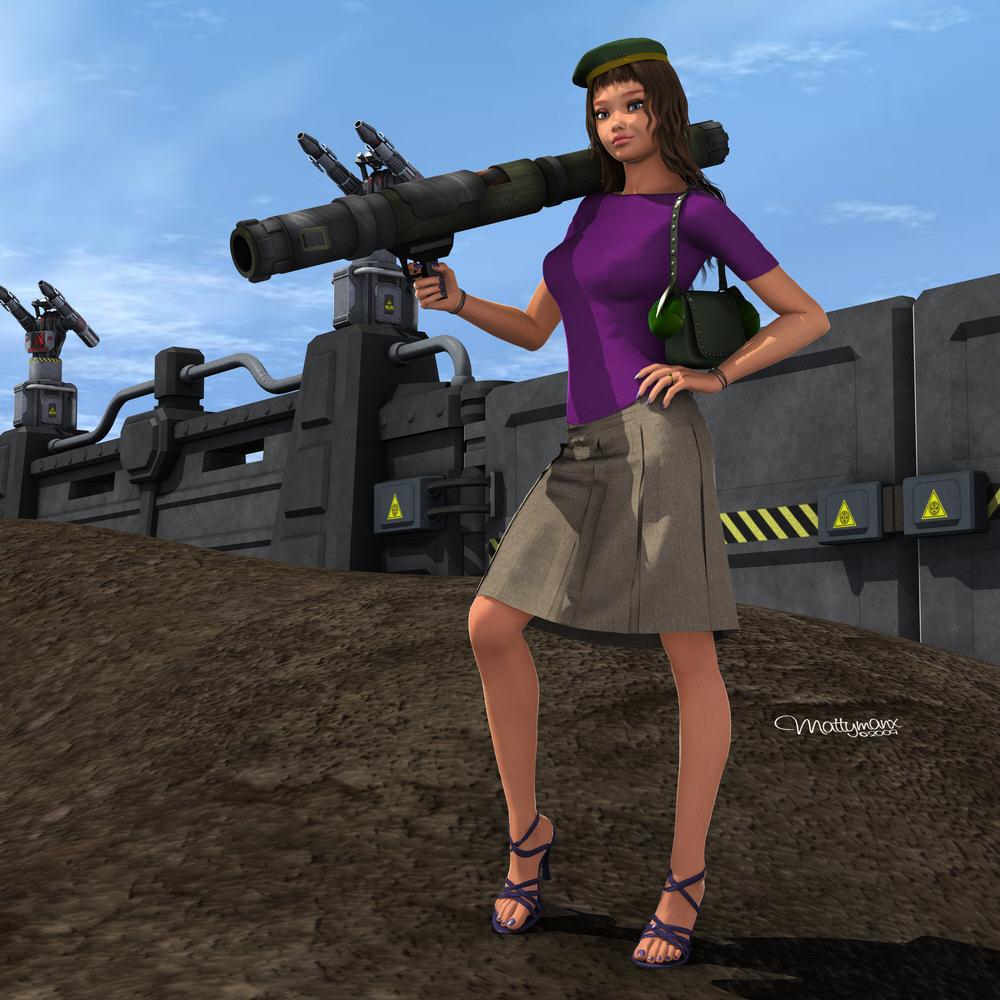
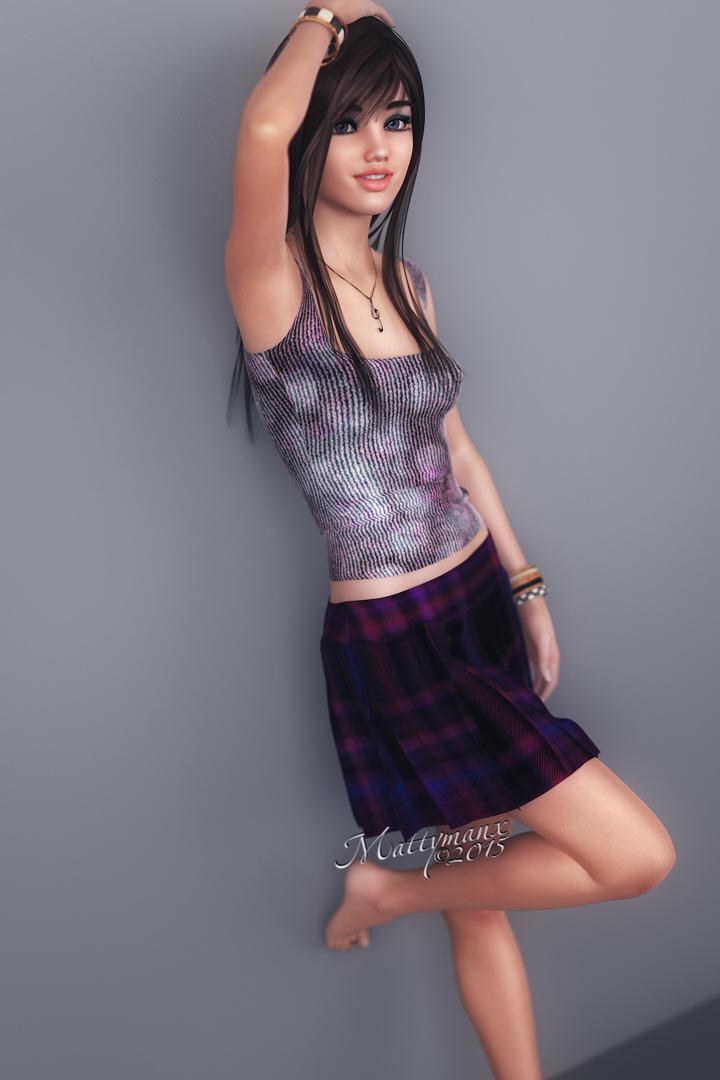

Two of the girls here are wearing it too - http://www.daz3d.com/gallery/images/92719

Shortest length seen here - http://www.daz3d.com/gallery/#images/71654
Flash Sale alertsIf I had wanted any of his stuff I would have got it a few days ago when you could get 85% off here. For me personally though it is a moot point, as I very rarely buy tutorials, so not much in his store that interests me.
It's a completely different set of tutorials. I think if you sell on the Daz store, you have to give them exclusive rights to those products.
Anyway, I'm definitely the opposite. I've been like a kid at Christmas with his stuff- I've bought about 6 tutorials this month already, and now have my eye on Victoria in the forest, but my bank account is seriously complaining
Victoria 4 Base Model?Can anyone direct me to the base victora 4 model? I can only find 4.2
Skin Tone - How to Lighten Victoria 7's Tanned SkinWhen I load the Indigo and Rayn Gen3F Actors into my scene and then apply "Victoria MAT" (Iray) to both of their Skin surfaces, they seem extremely dark.....very suntanned. What settings would I adjust to lighten their skin color? There are soooo many dials in the Surfaces Editor, I don't know where to begin.
Relationship between normal maps and HD morphs of DAZ 'figures'Cake One
This is a standard DAZ original DAZ -6 or -7 figure HD Add-On, I was looking at one I had, and am asking if the others are the same in only adding details that are exactly the same as those added by the Normal maps for that figure. That HD add-on (I presume they are all the same) was I think the Karen7 one. (I did the test a couple of months ago, and my meds have given me the memory of a goldfish: I remember the result (indistinguishable renders using HD morph or Normal maps) very clearly, and the only -6 or -7 shapes I was working with at the time were Gia6 and Karen7, seeing if I could recreate a Gia6 character on Karen7 - yes with the head, no with the body. As there is no HD morph for Gia, the test MUST have been the Karen7 HD morph versus the Karen 7 Normal maps.) The HD morph dsf file filename says Level 4. Applied at 4. Exactly the same render result using that level 4 HD morph as using the normal maps. Same details produced by eye, and differencing the renders as layers in photoshop there was no difference at all. Rendering with HD morph took 10 times longer than rendering with normal maps (or with neither).
RawArt,
In the times I am up to both thinking vaguely coherently and typing a bit (which often don't coincide) I tend to ramble a bit, so I guess you got lost in my rambling and asides, You've missed the point and the actual question, which has a yes/no answer. I am aware of the nature of HD morphs and normal maps. I know they work differently and you can do things with the morphs and not the maps etc. I wasn't asking generally about the differences between normal maps and morphs, HD or otherwise
My actual question is simple: for the DAZ 'figures', by which I mean all the numbered DAZ own figures like Victoria 6, Olympia 6, Monique 6, Victoria 7, Karen 7, Eve 7 etc, not anything else, not your products (unless you made some of those DAZ 'figures' for DAZ) - for them ONLY, do the normal maps that come with that figure base product add exactly the same details as the HD add-on morph that comes out later? Are both the normal map set and the HD morph for each figure simply different formats of the same details from the same hi-rez sculpt of the figure they are for? I know they don't HAVE to be. I'm asking if, they are.
And I ask this because on the one I've examined closely (I think it was Karen 7), with a plain grey material, no other textures to mislead over the appearance of details, close in renders of (1) the G3F figure with no normal maps or HD morph applied, (2) exactly the same but with the normal maps applied, HD morph still at zero, and (3) exactly the same again but with the normal maps removed and the HD morph applied at full, comparing the renders two things were clear:
(a) On the grey material skin, no bump, no displacement, no diffuse, no funny lighting, I could easily see on the renders the fine detail applied by the normal maps and the HD morph as compared with the render of the figure without either.
(b) I could not tell the difference between the render using the normal maps and the render using the HD morph, they put EXACTLY the same fine details on the surface on rendering. EXACTLY. I did some Difference comparisons of the pairs of with-normal-map and with-HD-Morph renders (I did several different sets of plain/normalmap/HDmorphs, focusing on different parts of the figure up close) as layers in Photoshop and there is not a pixel difference. At all.
So for that one figure clearly the answer to my question is 'yes'. There was no further sculpting of the base (K7, I'm pretty sure it was) after creating the normal maps to add more or different details in the HD morph. Using the Normal Maps and using the HD morphs produce exactly the same details on the figure on rendering as each other.
What I am asking is whether that is the case on ALL the DAZ 'figure' shapes. Does the Olympia 6 HD morph generate exactly the same details on rendering as the Olympia 6 normal maps. Does the Darius 6 HD morph produce exactly the same details as the Darius 6 normal maps? And the MIchael 7 HD morph versus the M7 normal maps, the Eve7 HD morph versus the Eve7 normal maps? All of the -6 and -7 HD morph add-ons versus their normal maps.
The fact that the figure .dufs - of the couple I looked at - for the SD figure loads the normal maps, whereas the -HD .duf that comes with the HD add-on sets the HD morph on but DOESN'T load the normal map suggests to me that in each case the normal maps and HD add-on add exactly the same details (so there is no point using both together). If they were different details (coarser with the normal maps, finer with the HD morph, or vice versa, for example) I would have thought the HD add-on .duf that loads the figure set to HD would load the normal maps too.
I would like to know for a mixture of several reasons:
(i) I've been disabled since 2007, live only on not-at-all generous state benefits, and don't have much money to buy products. If I've basicaly got the extra detailing that come with an HD-addon morph already in the normal maps that came in the base product, in many (but not necessarily all) cases i wouldn't want to spend the money on the HD addon too and would rather spend the money on something else. Whereas if the HD add-on adds extra - or at least different or more detailed - details then I might. (I have SOME of the -6 and -7 Add-on HD morphs already, but this question still hangs over those I don't.)
(ii) In my tests on K7, as I said in the first post, using the normal maps produced identical renders as using the HD morph - but TEN TIMES faster and didn't lock the computer up against any other use while it was doing it. That speed difference may be a serious practical advantage if doing a lot of renders. In many cases, why take the render speed hit of the HD morph if the normal map will produce the same result? But if that HD morph adds different details in other -6 and -7 figures it may be worth it on a case by case basis.
(iii) I am nearing the end of getting ready (finalising morphs, clothes, textures for characters, etc) for starting producing a long graphic story (actually three long graphic stories), and I know my poor laptop is goihg to struggle with rendering many. many scenes containing multipe perople with clothes, hair, props and scenery. Basically I need the most memory and processor efficient options to get the result I want. Again, where i want details on a character, i want to know if the all the HD add-on morphs for the -6 bases give the same details as he normal maps (so I pick the more efficient) or not (in which case I need to do comparisons of the results).
(iv) I'd just like to know as I get to using a base -6 or -7 shape wanting high detail, do I bother spending time seeing what the different details in the normal maps and HD morphs are, or - if in all cases they are the same - can I skip that?
Not having to waste time doing comparisons of HD morph and normal map on all the other -6 (and -7, but I'm not using those) figures is important to me. I only get short intervals when I'm clear headed enough and at a low enough pain level to do anything sensible on the computer and I'd like to devote them to getting on with the graphic stories, not doing multiple renders of grey figures to peer with a spinning head at what details HD morphs and normal maps are producing in minute detail.
Now, clearly DAZ themselves know whether the normal maps and HD morph addons for the -6 and -7 figures are actually both off exactly the same very hirez sculpt of the base -6 or -7 figure, and so produce exacty the same added details on rendering, or not. So I'm asking. Simple 'yes' or 'no' from DAZ staffer will be fine.
By the way. RawArt, if you're are taking requests, there's one thing you could produce that would enable me to use the Genesis 3 figures, at least when i'm prepared to take the HD render-time hit, as currently I cannot make any of the characters i want given the current morphs available for the Genesis 3s. and especially the G3F, but one morph could change all that. That is an HD muscle definition morph ... a morph JUST for muscle definition, NOT muscle bulk . (Yes, I have your Massive product for G3F, bought it the day it came out; no, it's no good for what I want. It ties muscle definition to bulk, which is fine for morphing a steroid using contest ready bodybuilder at 5 percent bodyfat and dehydrated to go on stage, and the HD details component adds the shredding that goes with both dehydration and unfeasably low bodyfat for anyone just walking around. Plus (more minor problem for me) you've coupled the morph to height, almost beyond the Height dial's ability to correct for a character who is 5 foot 6 without turning off limits). Muscle deinition mostly goes with bodyfat independently of muscle size. A heavyweight bodybuilder off season may have large muscles but virtually zero definition. A good marathon runner may have 6 or 7 percent bodyfat and lots of muscle defintion but very slim, unbulky muscles (as may a skinny fashion model). And a heptathlete or rugby player may have 10 percent bodyfat, very noticeable definition (without shredding) and noticeable but certainly not competitive bodybuilder bulk muscles. Frankly, with the current Body Morphs pack morphs, your Massive, SimonWM's Muscular and the Muscualr morphs in the ShapeShift set, morphing a G3F a competitive bodybuilder going on stage at a contest is easy in a number of variations, but there's a whole range of physique types that are not possible to make on G3F, including all my main characters, with the ecisting morphs. The only definition ONLY morphs are the Body Morphs set Bodybuilder Details and Fitness Details, but they are SD morphs, and with just the SubD 1 normal HiREz figure and - for the first time since Victoria2 - no edge-loops in the base mesh outlining the main surface muscles, the BB and Fitness Detail morphs are not and cannot be much good - you can see how inferior they are compared with the G2F versions which does have the appropriate edge-loops round the main surface muscles in the promos of the G3Fand G2F Body Morph sets, let alone twiddling the dials. Similarly the (SD) G3F Gia and Karen7 body morphs are missing almost all the defintion tht's on the Gia 6 for G2F body morph - the edge-loops just aren't there to morph it in. By experiment I found it took level 3 HD morphs (or for some things level 4) in combinations of your Massive and the SimonWM Muscular to get certain degrees of definition visible on a G3F (and this is with the figure at some distance from the camera) to match a morphed G2F alongside it using no HD morphs at all! And to get the wanted level of definition, it was only with considerably more muscle bulk than wanted with it, because there's no separate HD defintion in those two products - definition is only in what are muscle bulk morphs. I find it very sad that DAZ increased the articulation of the facial muscles in Genesis3, but lost a huge amount of muscle articulation from the base and SubD 1 hirez body mesh by taking away the basic main muscle group edging edge-loops. As I say, currently it's all great for morphing the bodies of hardcore contest ready bodybuilders or exaggerated Hulk/She-Hulks, but it is truly lousy for morphing the varied kinds of musculatures, with the differing proportions of bodyfat and defintion on the one hand to muscle bulk on the other, found in many real world athletes. And the only people who look like competition bodybuilders are ... competition bodybuilders at contest time. I have several athletic characters who train hard and, while not professionsl athletes, have physiques that resemble those of athletes in various disciplines, one like a heptathlete, another like a marathon runner, and so on. I can morph them on G2F - and not have to take an HD morph render hit. But with G3F it's terrible (and also sad that they've replaced the one morph they've ever made modelled closely on a real female athlete with a stong physique - Gia, modeeled on Gina Carano in her old MMA days - and altered the morph for G3F into a fantasy Holywood/Comic bimbofied version, Karen7, narrowed shoulders and waist, softened the muscle defintion and massively amped the bust - Gina Carano was already a D-Cup!). There needs to be a muscle defintion ONLY morph to use alongside your and DAZ's and SimonWM's and Zev0's various muscle bulk ones, to adjust the defintion up or down from the defintion burned into the bulk ones (and no shredding - that's in your Massive details). And (sadly, to me) it needs to be an HD one because of the lack of muscle outlining edge-loops. And only DAZ and DAZ PAs can make HD morphs, the rest of us don't have the tool to get them into DS, even if I, say, had the time and skill and tools (which I don't) to take a highly subdivided G3F mesh out of DS and make such a defintion morph myself. It's just ... really sad that we've gone from a G2F that can actually be morphed with available morphs into virtually any real world atheletic and strong woman physique, to G3F who can't actually be morphed into most of the varied physiques of real women athletes at all realistically, just limited extremes of top end bodybuilders who nobody else looks like, comoc book she-hulkm, or comic book or Holywood standard faux action girl oh-look-upper-arms-just-tripled-in-circumferance-the-stuntwoman-who-can-actually-do-that-just-stepped-in. A muscle defintion ONLY moph will change that hugely (and let me render the stuntwoman with G3F - one of the main characters in the 3rd graphic stories I'm doing IS a stuntwoman), in combination with the other muscle-bulk-and-definition-combined morphs like your Massive..
Where I can buy this?I'm not sure what 'compatible Victoria 4 with Genesis 2 females' means. It's a Genesis 2 Female product. There's also a Genesis version.
If you mean 'will it also work with V4,' then no, unless you have GenX2 and can transfer morphs between generations.
Where I can buy this?Thanks!!
Last... Is compatible Victoria 4 with Genesis 2 females?
RecommendationsThe only DAZ figures that are not compatible with Poser are the Genesis 3 figures, and the characters derived from them. The Genesis and Genesis 2 figures can be imported into Poser using the DSON Importer for Poser (and I've read in these forums that the DSON Importer will work with Poser 11 -- I personally cannot vouch for that, as I am still (impatiently) awaiting delivery of my copy of Poser 11 Pro).
Earlier figures -- Generation 4 (Victoria 4, Michael 4, etc.), Generation 3, and earlier -- are directly compatible with Poser; they should be, since Poser was the target market for them. It really wasn't until DS 4 was released that it was potent enough to give Poser a run for its money. (DS 3 was pretty good, but I still stuck with Poser. Then version 4 came out, and it was a quantum leap over DS 3. I now prefer it over Poser, and I basically haven't looked back.)
How can I group (regroup) a particular item in the scene?Like Chohole says, it's most likely down to the textures... There are other tricks too which we use to reduce the amount of textures used in background (and even foreground) figures. The main one being that if a character is covered in clothes, you don't need to export the actual body as you can't see it anyway. Only select the clothing (you might have to test a few if for instance the sleeves are shortish, you'll have to export the hands and maybe the forearns)
This is especially helpfull with Genesis figures and Victoria Elite textures, which will hog a lot of memory within Bryce.
For background figures, maybe use a less detailed (lower poly) model or a V3 or M3 with only basic textures added.
Relationship between normal maps and HD morphs of DAZ 'figures'A question that's a bit late to the party. Something I noticed awhile ago and wanted to ask about, but kept forgetting about during the odd times I'm up to typing a post. Can't find the answer with quick search - sorry if the answer is in the forum somewhere I'm not finding.
First, by DAZ 'figure' (in quotes) I mean one of the DAZ character shapes like Victoria 6, Olympia 6, Karen 7 etc - as oppsed to DAZ figure (no quotes) for G2F, G3F etc.
Awhile ago I was examining the body details on one of the 'figure' morphs, no textures on the figure, just that old default grey surface Genesis loads with, so I could cearly see the details that are in just the morph. I forget which 'figure' and even whether it was G2F or G3F ... might have been tthe Karen 7 morph on G3F.
But what I noticed was that if I did a simple (3Delight) render up close of the basic 'figure' morph with the normal maps on that came with the 'figure', and then I did the same render again, changing nothing else but turning the normal maps off and the HD morph for that 'figure' on to 100%, the renders were identical ... and I mean IDENTICAL, not a pixel different. The added detail from the normal maps was EXACTLY the same as the added detail from the HD morph. And I also note that while the 'figure' load .duf (e.g. the Victoria 6 or Karen 7 .duf) that comes with the 'figure' has the normal maps set to ON, the 'figure' load .duf that comes with the HD add-on (e.g. the Victoria 6 HD or Karen 7 HD .duf) has the normal maps set to OFF.
Now, clearly the normal maps and HD morphs for a 'figure' don't HAVE to produce identical effects for any technical reason - a high rez mesh may have been scultped once to produce the details for the normal maps, then again, and differently, for the HD morph. But my question is, in the case of the actual Genesis 2 and Genesis 3 DAZ 'figures' DO the normal maps and HD morphs actually correspond for all the figures like with the one I happened to notice on? Are all the pairings by 'figure' of normal maps and HD morph actually the output, just in two different formats, of the SAME high resolution sculpting of the 'figure' mesh and therefore contain the same details? (And therefore one clearly wouldn't usually want to use BOTH the HD morph AND the normal maps on a figure at the same time, as one might if the details on them were different.)
If the normal maps and HD morphs for a 'figure' are actually the same for all 'figures', then I could stop feeling annoyed at Gia 6 being the one and only G2F ';figure' without an HD morph, as she does have normal maps, so that would mean I have no reason to need the HD morph as it would just give the same added detail results as the normal maps I already have.
 (On the other hand, it would mean it should only take a minute to generate the HD morph from the already existing hirez scultped Gia the normal maps were made from, so why on Earth has she been left as the only G2F 'figure' without an HD add-on?)
-------------------
Just on a related matter, one of the 'selling points' of the HD morphs was "More definition, and more details, without significant system overhead" (announcement post of the V6 and M6 HD add-ons by DAZ_jared). Without significant system overhead? Really? A little while ago I was trying to recreate on G3F, using the Karen 7 body morph as a base (with a bunch of oother morphs), a G3F character that uses the Gia body morph as a base (plus a bunch of other morphs), and I had the morphed G2F and G3F standing side-by-side in the viewport. The attempt ultimately failed due to inherent limitations of the topology of the G3F body (but not head) mesh as compared with the G2F body mesh; but while I was working at it there was a point where i was doing repeated test renders to see the difference made by the Gia normal maps on the G2F, and the Karen7 normal maps and HD morphs on the G3F. Not artistic renders - just simple to see the HD morph and the normal map contributions to the standard morphing, just the G2F and G3F standing side-by-side, textured, but no hair, no clothes, no scenery, nothing else at all, and just the camera headlight and the 3Delight renderer. With no normal maps or HD morphs, the renderer whizzed through in seconds. With the Gia normal maps added on the G2F and the K7 normal maps on the G3F, the renderer also whizzed through, not much difference to the time. But when I took the K7 normal maps off the G3F and turned on HD morphs on the G3F instead (but no HD morphs on G2F), the renderer whizzed as before over the empty areas and the G2F, but slowed to a crawl over the now-HD G3F. It took ten times as long to do the render (yes, I timed it). TEN TIMES LONGER, when the only difference was turning on HD morphs in one of the two figures in the scene. AND while it was doing the buckets over the HD G3F it had the cursor hourglassing and me unable to move focus to another window and e.g. read a webpage while the render was grinding over the G3F with HD morph on. THAT I woulld call a 'significant system overhead', not an insignificant one.
(As for HD morphs being UV independent being a big advantage over normal maps ... well, normal maps are pretty UV independent too. I had DS use the Map Transfer function to produce conversions of the Gia Normal maps to the V4, V5, V6 and G2F Base UVs. Doing close up renders of basic grey surface, just switchinng figure UVs and switching normal maps to the matching UV conversion, again there's not a pixel difference between using the Gia UVs with the original normal maps and using the V4, V5, V6 and G2F UVs with the matching Map Transfer conversion normal maps. So normal maps can actually be 'UV independent' too with just a minute to convert them to any other UV on the figure!)
Where I can buy this?Is compatible Victoria 4 with Genesis 2 females?
Where I can buy this eye style?
Thanks
Daz Studio Pro BETA - version 4.9.0.44!Ha ha,, I can not load Victoria 4 anymore ^^; but could load AIko3 OK,, I feel she is tough enough.
Iray's dirty little secret...Ok
Here is some "proof".
I made a scene, Victoria 7 and 1 light dome from Dimension Theory. I added some jewelry to get some gold and shiny diamond.
There is no Depth of field as my point is to show how more sharp your render can be.On the left image, i rendered at 800x760, and didn't touch the"defaut" pass : 5000 and let it render till it ends itself.
It took almost 7 minutes.
On the right, i doubled the size and reduced the number of pass to 2000 but at the end, I didn't let the renderer end it itself, i stopped it before at around 7 minutes to be able to compare results on the same TIME (i could have let it continue to have a better render but that was not the point here). In photoshop, i reduced the size by 2 to match the original render size.
Now, click on the image to have it full size with no web browser compression.
See how the left one seems blurry compared to the right one, which looks much more crispy? look at the fingers joints, the lips, the face skin pores etc...
The point here is :
To achieve a certain quality, it takes less time to render twice the size et reduce it later. :)
Try and and even post the results here
Discounts math :)Greetings,
Originally the underwear stuck out like a sore thumb to me - I mean, they're just painted on, and look like they're made for the world of Victoria 3 to me. The sort of thing that gets featured on R'osity 15 times a day.
Yes, but these ones have no holes for the butt cheeks. :)
(The sad part is I'm not even making that up...)
Butt those holes 'enhance and shape the volume of' their bottom! Or...something like that. SMH
Yeah, clothes via skin textures is pretty much just not something I've ever thought was a good idea, but I understand the niche places where folks might want it. At least these are LIE presets, so they'll work on any tone of skin, which is a pretty cool feature.
I'm also not a huge fan of shaping clothes via cutout opacity, but it's a common enough approach (especially on 'rosity) that I can't dismiss stuff solely on that basis.
-- Morgan
Finding Old DialsIt's possible that when you saved your old files you had nested content directories - there was a content directory inside another content directory, and the Data folder with the morphs was in there. If that was the case DS may have added the extra folder to the relative path, which would then fail on any other system. Can you open one of the .duf files that is failing in a text editor?
Apologies, other work distracted me. I tried to open a few of the DUF files in two text editors and they are all encoded in something other than plain text.
As I've been reinstalling, mostly with the Daz Install Manager, I already have files installing to two similarly named locations for the newest files. Older files are going to a third folder but some of those seem missing from the DIM entirely. Based on past experience I never get everything all in one single place. They break down by generations and I have items back to Victoria 3.
Discounts math :)Originally the underwear stuck out like a sore thumb to me - I mean, they're just painted on, and look like they're made for the world of Victoria 3 to me. The sort of thing that gets featured on R'osity 15 times a day.
Yes, but these ones have no holes for the butt cheeks. :)
(The sad part is I'm not even making that up...)
Discounts math :)Originally the underwear stuck out like a sore thumb to me - I mean, they're just painted on, and look like they're made for the world of Victoria 3 to me. The sort of thing that gets featured on R'osity 15 times a day. I couldn't figure out how that passed the supposedly super strict Daz QA team to get released. But then I thought about it some more, and I realised that it could be useful for pinups in which clothing is half pulled down and you need a glimpse of underwear that isn't supplied with the over layer of clothing being used. Because 90% of G2/3F items seem to be focused around pinup style things and super trashy stripper styles.
I pretty much agree with your assessment of the rest of the items. I'm sure someone wants a fairytale prince but most won't, the Loki outfit is adapted from the female version, but wow the underlayer looks amazing. Iolani wings are beautifully painted but I wouldn't want a 2D image of wings in a render personally. I already have a slider for making ears pointy by default, but the people who want pointy fairy ears tend to be very specific about the exact type of pointy they want, so I'm sure that has an audience. Poses whatever - with the super combined partial pose packs around, I'm not sure why people are still okay with a few static poses instead of just posing them yourself, but sure. Text could be useful to many? And Iray lights and shaders seem pretty standard. (Also, not in this promotion, but a new PC+ Iray shader pack made me really happy. I buy those up like candy.)
Also, the 65% banner is gone, but the Rune Outfit is probably still cheaper to buy piece by piece if you want all of the bits (using this offer.)
How I get facial expressions to work? No parameters to change face... [SOLVED]Seems like this way:
Content (D:/Daz3D/My DAZ 3D Library) :
- /data/DAZ 3D/Genesis 3/Female/Morphs/DAZ 3D/Victoria 7/CTRLVictoria7.dsf
- /People/Genesis 3 Female/Characters/Victoria 7.duf
- /Runtime/Textures/DAZ/Characters/Genesis3/Victoria7/Victoria7_Arms_NM_1004.tif
Content (D:/Daz3D/My DAZ 3D Library) :
- /data/DAZ 3D/Genesis 3/Female/Morphs/DAZ 3D/Body/CTRLBreastsImplants.dsf
Content (D:/Daz3D/My DAZ 3D Library) :
- /data/DAZ 3D/Genesis 3/Female/Morphs/DAZ 3D/Head/CTRLCheekbonesSize.dsf
Content (D:/Daz3D/My DAZ 3D Library) :
- /People/Genesis 3 Female/Expressions/Feel It/Full/Feel It Full 00 Zero.duf
Daz 3D is part of

Connect
DAZ Productions, Inc.
7533 S Center View Ct #4664
West Jordan, UT 84084Licensing Agreement | Terms of Service | Privacy Policy | EULA
© 2026 Daz Productions Inc. All Rights Reserved.