-
Could we have a goat, please?
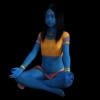
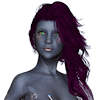
I really wish Capricorn had been a morph for Daz Horse 2 with the tail as a geograft.
One problem after another with this project !!! This time, a dForce problem ...Errrrr ...
I am starting to think my simulation troubles have nothing to do with Lincoln's shirt. I'vetriedto load and drape three different things and am getting error messages like: Error preparing objects to simulate. I've had more problems since this latest update ....
barbult said:
Well, I built a jersey in MD and packed it up, but Daz forums won't let me attach the zip file. Here are some renders. It's too late to mess with it any more today.
Edit: Thanks @felis for identifying the size problem. I compressed the normal map and rebuilt the files. Now it looks like Daz lets me attach it. This jersey would look best with shaders applied. The texture in the zip file is just rudimentary, to show the surfaces in different colors.
OMG ... You are absolutely amazing. That's perfect! Thank you so much!
Linwelly said:
whenever I have to change the shirt design, I take the texture map to gimp and recolor it there including logos and the like, that way it keeps all d-force zones intact and you can place logos more precisely
it's a different kit but I do this quite often

I normally would modify textures in Photoshop because I'm much more familiar with that, but in this instance, I just had square textures to work with rather than an actual map.
rosseliani said:
And I tried to make a better morph for the Lincoln Tshirt, I'll try to post the data file tomorrow,
That is looking so cute. Even with barbult's shirt, I can see having this in my arsenal helpful, too ... different looks. Thanks :)
But on a positive side ... Happy Easter/Ostara everyone :)
One problem after another with this project !!! This time, a dForce problem ...And I tried to make a better morph for the Lincoln Tshirt, I'll try to post the data file tomorrow,
Algovincian's NPR and Other Junk (2022)Since several people have asked lately about the progress with regards to my Non-Photorealistic Rendering algorithms (and possibly releasing a product here in the DAZ3D store), it seemed like it may be worthwhile making a new thread to discuss it. In this thread, you'll find info/discussion about the status of my NPR work, as well as a place to post some new NPR styles (images > words) and a few other non-NPR projects (SBH, dForce, animation/video, etc.). It'll be a dump for DS related stuff in general.
Those of you that have been following along are already aware that the output the algos produce is the result of a long, complex process. The fact that, at its heart, it's been an exercise in automated systems integration, makes it difficult (if not impossible) to neatly package up, distribute, and install on other peoples' machines due to the sheer number of components, licensing considerations, etc.
In an effort to find a solution to these limitations, I've been exploring my own flavor of Neural Style Transfer (NST) networks as a replacement for the existing process. The idea is that once completed, such a network could be distributable.
With NSTs, normally there is one style image (like a Monet painting for example) and a subject image (like a photo of your house). The style is transferred from the painting to the photo - in this example your house would be painted in Monet's style. This is accomplished with the help of a pre-trained Convolutional Neural Network (CNN) and the iterative minimizing of a loss function.
IMHO, while the results from such networks are interesting, they're limited and leave much to be desired. The idea here is to incorporate some old-school supervised training into the mix, as well as take advantage of the added info 3D rendering provides to improve the networks:
1. Typical NSTs don't utilize explicit input/output image pairs for supervised training (a picture of a particular mountain and a corresponding painting of that mountain). For obvious reasons, large numbers of these pairs simply don't exist. However, the current algos make it possible to create large datasets of these input/output image pairs.
2. The network has access to much more information than a single 2D image can provide at the input thanks to the analysis passes rendered out of DS (separate masks, color, shading, shadows, ambient occlusion, fresnel, etc.).
What I've been doing is rendering thousands of matched pairs of input/output to be used in the supervised training of such a network. Unfortunately, I apparently suck, and have failed at designing such a network as of yet lol.
It's no surprise that this has proven to be challenging. I'm continuing to look at several problematic realities including the scale of the structures involved (not looking at single pixels), the complexity of the relationships between the input/output, the complexity of both the input layer/overall network, the fact that the output is too random (not deterministic enough due to the iterative stroking, etc. used in the current algos), etc.
So that's what I've been doing, where I'm at, and where I'm headed with regards to a potential NPR product. Will it ultimately be successful? Who knows.
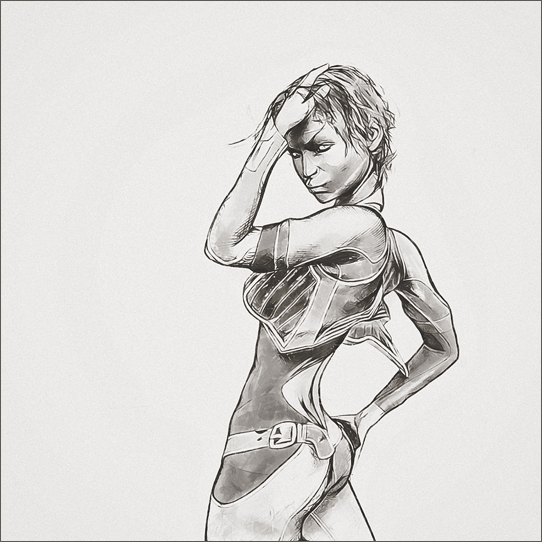
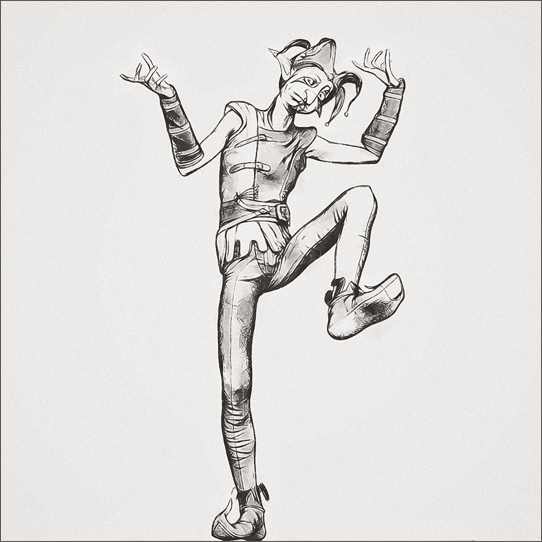
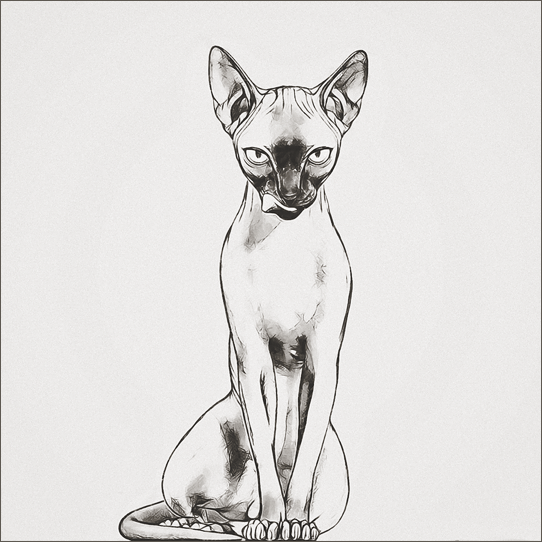
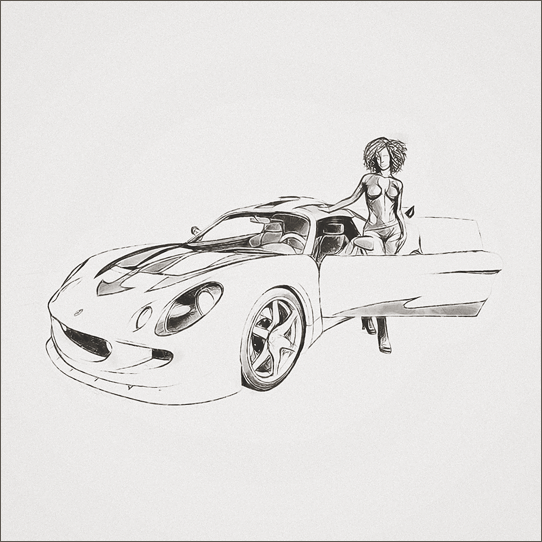
Anyway, this long-ass post needs some pictures to go along with all the words, so here's a dump of the output from last night's batch (a new black and white style):
Looking through this batch quickly, there definitely seems to be some issues that need addressing. I'll come back and look again with fresh eyes after a few days have passed before making changes to the code, though.
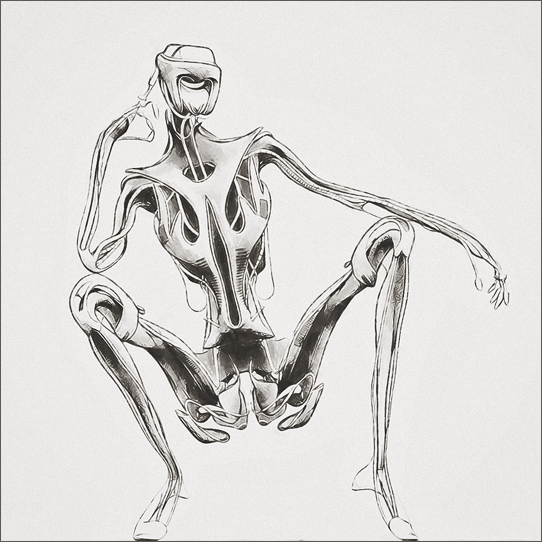
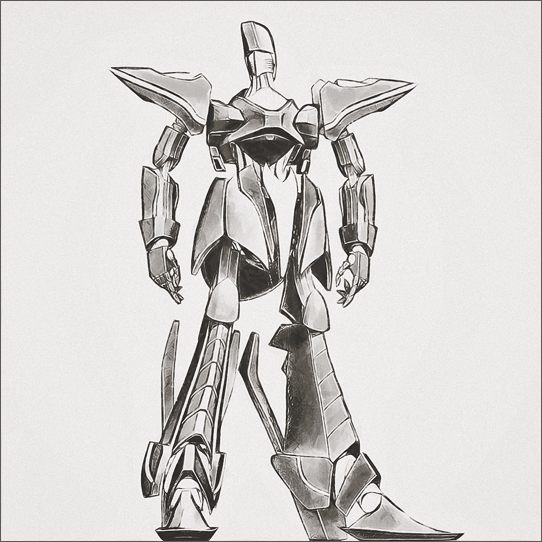
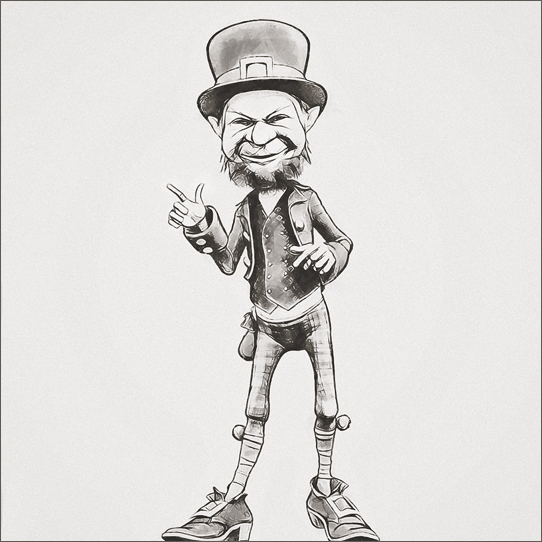
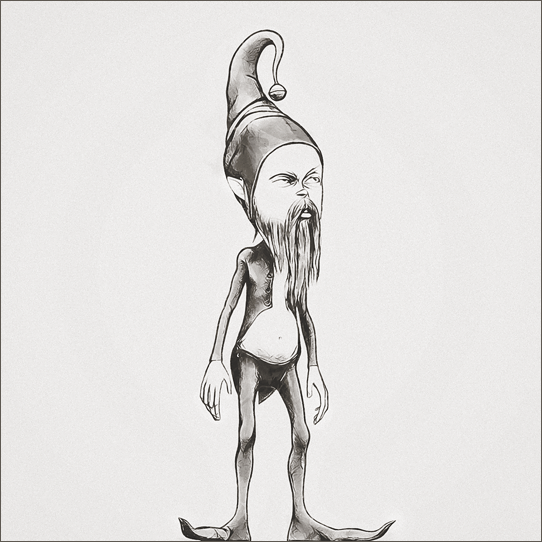
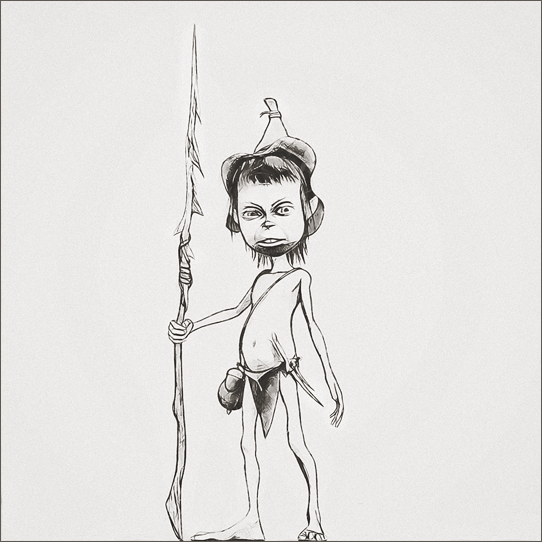
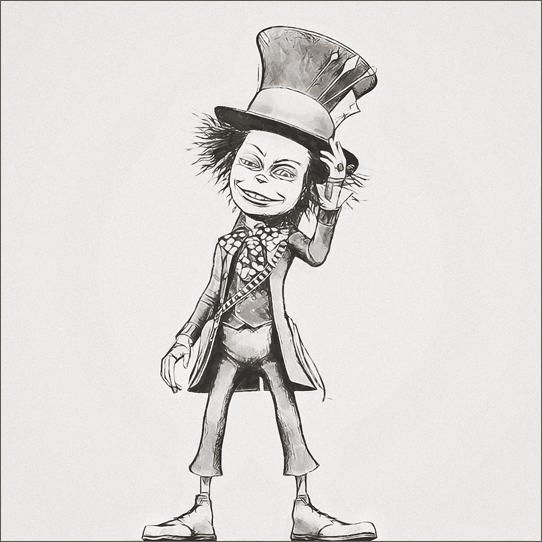
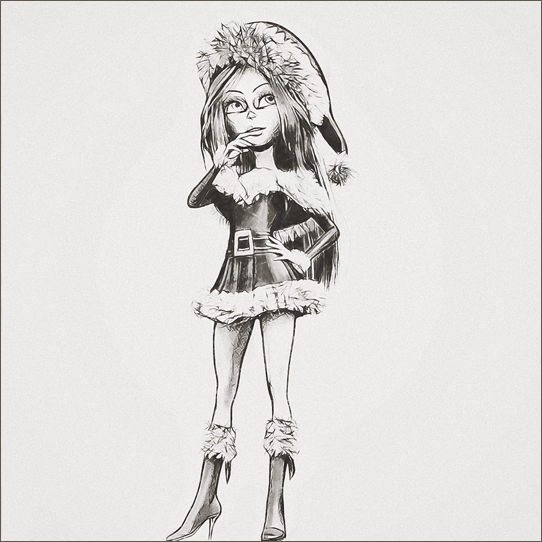
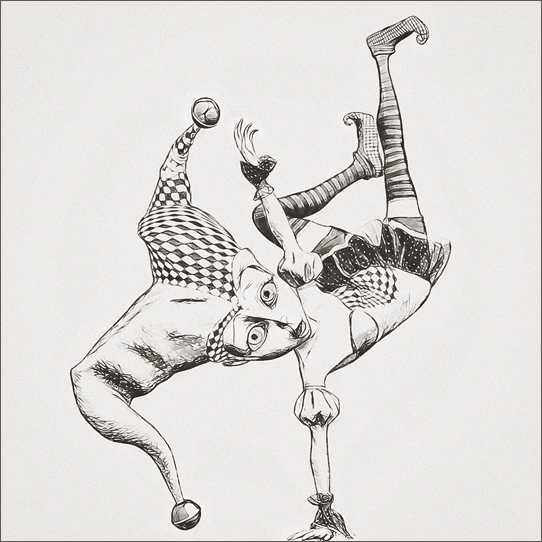
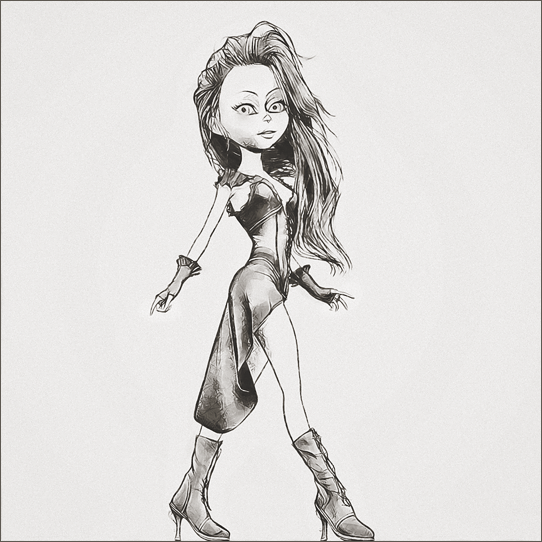
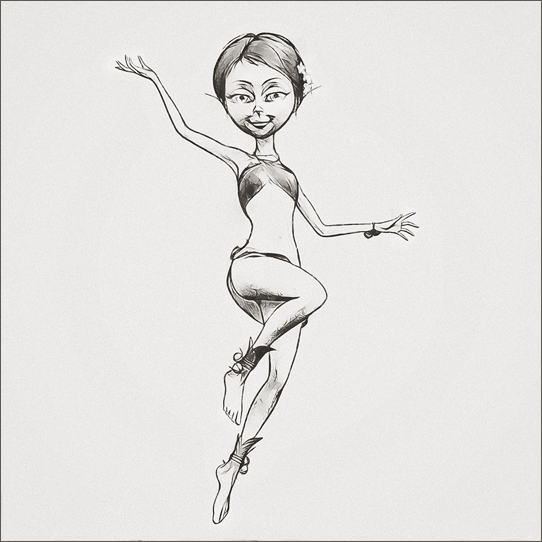
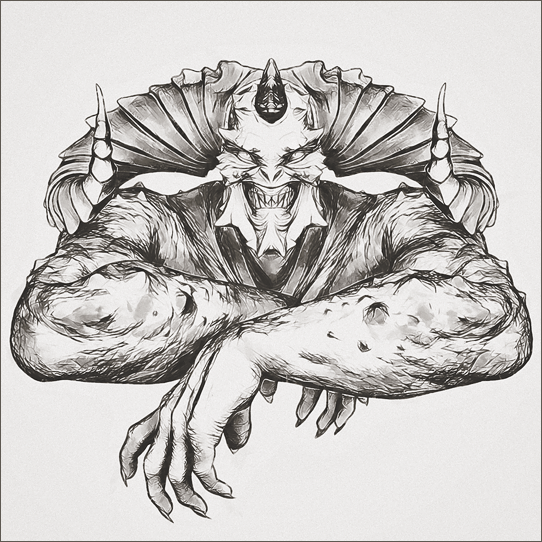
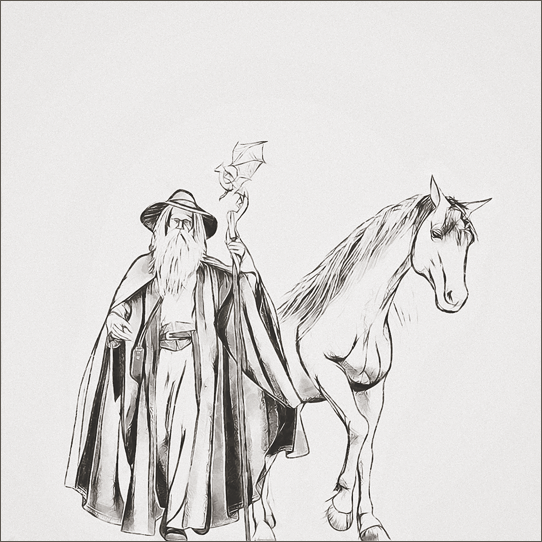
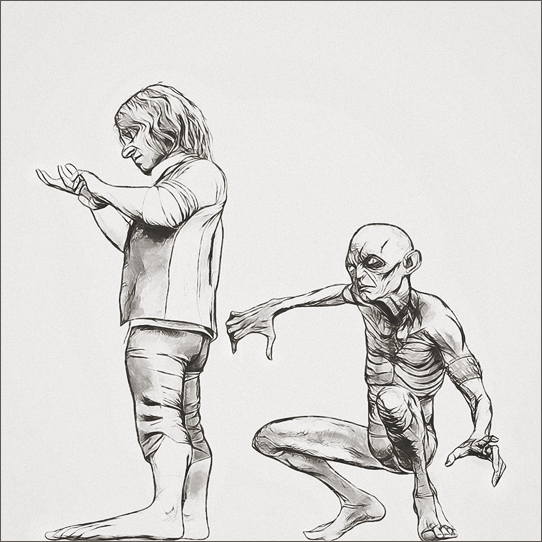
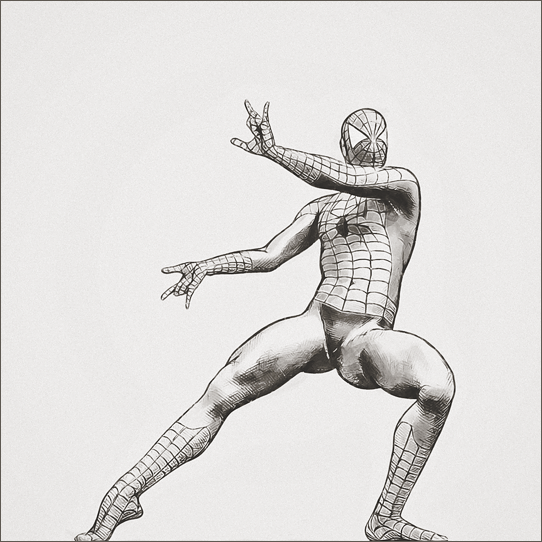
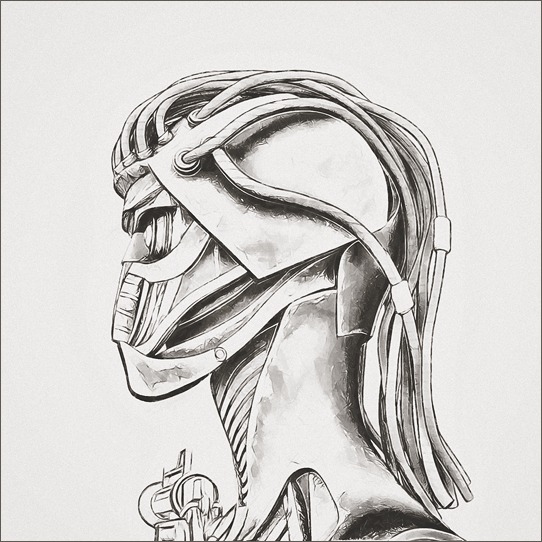
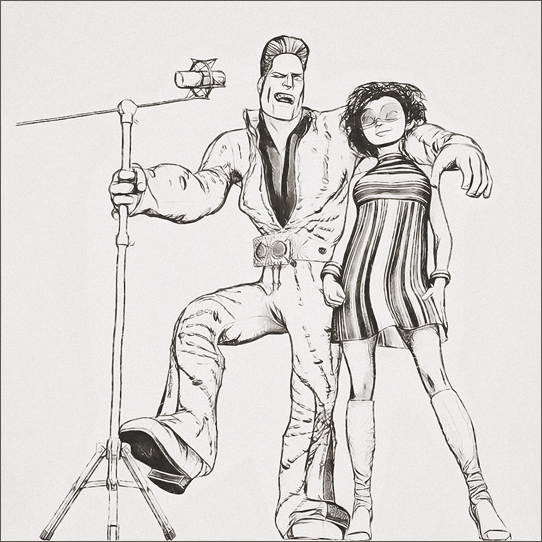
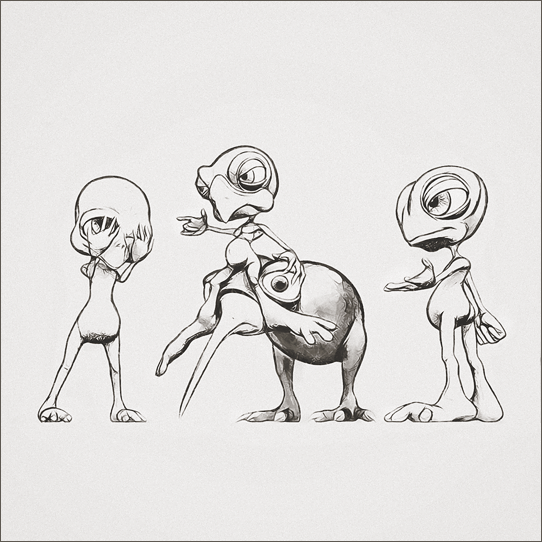
- Greg
A question about shutting down Daz Studiomarble said:
From discussions in other threads I think the cause is due to the number of morphs loaded - particularly a problem with G8 rather than previous generations. I like to fashion my own characters from the various morph packs available and it seems that DAZ Studio insists on loading every single morph in your library for that figure (G8F or G8M). Having said that, every character that you buy has its own morphs and I buy very few characters so my wait time is possibly less than those with a large collection in the library.
I thought I had seen a suggestion that this has been "fixed" in 4.20 but, sad to say, it hasn't. In fact I swear it is taking even longer.
That could certainly be part of it Marble, I don't know.
It also appears to be cleaning up RAM, I've seen this too with complicated scenes and lots of figures. I watch Task Manager, and see that the RAM used by the Studio process is slowly using less and less RAM until it eventually closes down.
Freebie Challenge April 2022-"New Beginnings" -Entries Thread OnlyHoping for Peppers
I don't usually enter more than once, but I was so inspired by my trip to Costco and Home Depot on my day off. Except I planted tomatoes and flowers. Postwork in Photoshop to smooth out rough polygons (original in attachments).
Click image for full size.
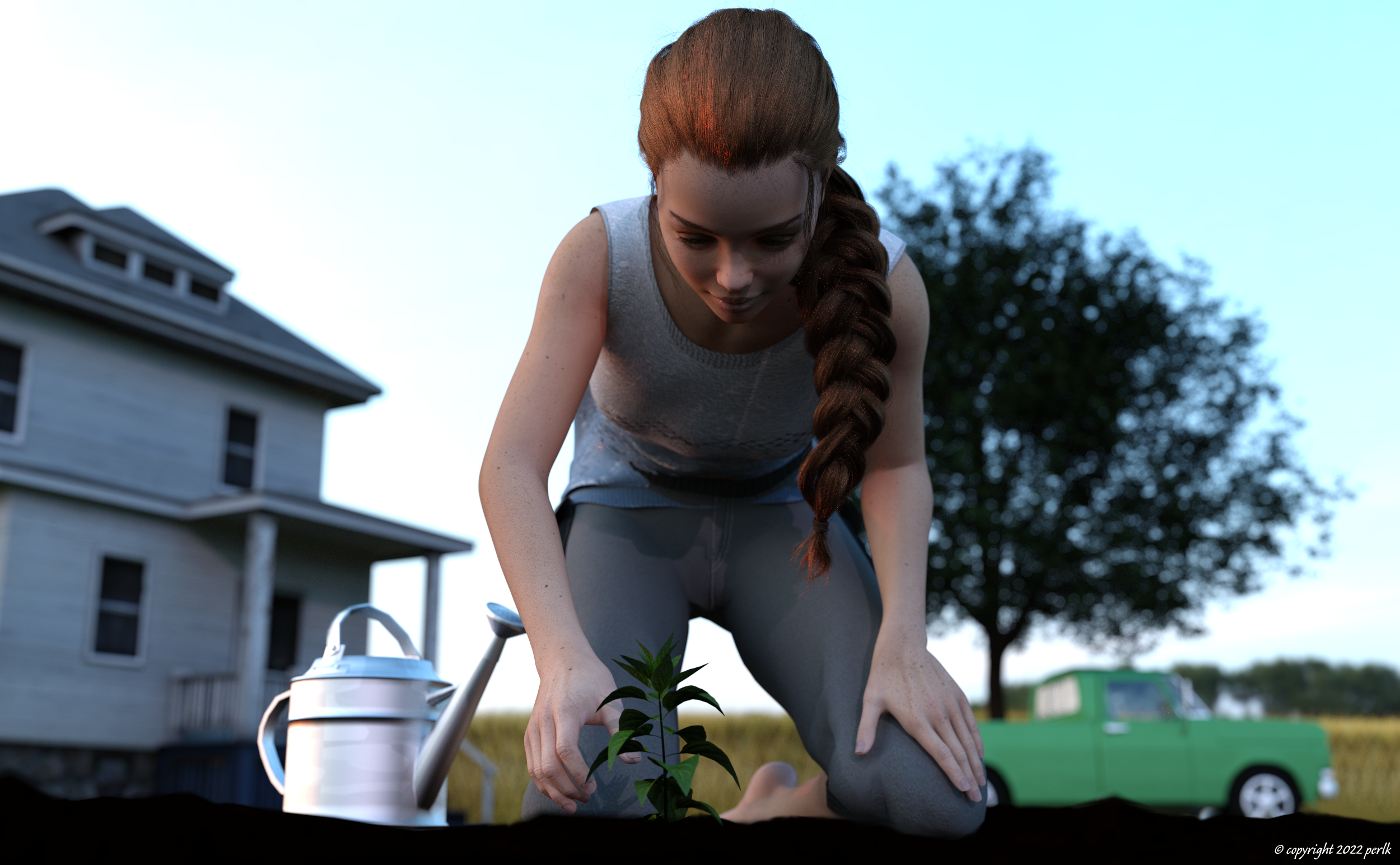
This image has been resized to fit in the page. Click to enlarge.
No count: Genesis 8 Female, metal shader for watering can
- Props - Stable Builder (used terrain prop, and modified in geometry editor to hide the weeds)
- Microfibershader (colored brown, for terrain prop)
- Champ de ble (wheat field, for non-French speakers)
- Skin with freckles
- Candy braids hair for Genesis 8 Females
- dforce Shirt for Genesis 8 Female
- dforce Pants for Genesis 8 Female
- Pose (Kneeling) 7 (modified slightly)
- Bell pepper seedlings (modified in geometry editor to hide 3 of the 4 seedlings)
- The Old Truck
- Tulip Tree (Liriodendron) 12m
- Watering Can
- 3D Farm House Low-poly Free
- Industrial Sunset HDRI
Paid: Mckenzie HD for Genesis 8 Female (young female morph)
Error "Could not resolve: /data/DAZ 3D/Genesis 8/Femaledef/Genesis8Female.dsf"Bejaymac said:
Basically you have a morph DSF file with a bad pathway written inside the file.
To find the problem file check your log for three errors "Could not find parent for modifier", "Failed to prepare modifier" and "Failed to create modifier". All three should have the same asset ID at the end of the error, which should help find the problem file.
Once you know what file it is you have a choice, uninstall the product and complain loadly to who ever made it, or edit the file yourself (line 18, starts with Parent).
My log file didn't have any of the three errors you mentioned. For now, I just created the dumb folder and put the dsf file in the folder to prevent the error message. I know it's not an ideal solution but it did the job.
Error "Could not resolve: /data/DAZ 3D/Genesis 8/Femaledef/Genesis8Female.dsf"Basically you have a morph DSF file with a bad pathway written inside the file.
To find the problem file check your log for three errors "Could not find parent for modifier", "Failed to prepare modifier" and "Failed to create modifier". All three should have the same asset ID at the end of the error, which should help find the problem file.
Once you know what file it is you have a choice, uninstall the product and complain loadly to who ever made it, or edit the file yourself (line 18, starts with Parent).
One problem after another with this project !!! This time, a dForce problem ...You guys are so amazing ... I love this community.

RGcincy said:
Can you post the dForce surface parameter settings? (If there are multiple surfaces, each surface has sepeerate settings that may or may not be the same)
How do I do that? All I've done up to this point is load and drape at default settings.
RGcincy said:
Also, a screenshot of the shirt in wireframe mode to see what the mesh looks like
That I can do :) Coming up soon.
Petra said:
What character is that, you are using the T.shirt on.
I have some costume characters and when I used Force outfits on them, they not always behave as they should.
The character is G8M with Toon Gen 2 age 9 morph dialed in.
Zai said:
Yep...when a new zone is made, it loses the sim settings on just that zone. You can add them back in, but it takes a couple of steps.
Try simming a different load of the shirt with no mods and if it sims correctly, then I think I have an answer for you. Also..the sim settings are a lot ot transfer section by section so I think I have a sort of copy / paste solution for you.I tried loading a new shirt without the new collar surface zone or any modifications, ran a simulation on it and it also melted, so it was suggested to completely uninstall then reinstall Lincoln's shirt and try to simulate that before any mods. I'm guessing someone here has Lincoln's shirt and it drapes ok for them? I'm willing to buy it for someone if not.
kyoto kid said:
...hmm one (two?) more things(s) I need to e concerned about as in my story Lady Grande is a long time Arsenal fan and Leela likes Crystal Palace because of the name.
As Leela comes from Croatia, she is also a fan of the local team Dynamo Zagreb (her brother always wanted to play for them). So, a third permission to deal with.
If I couldn't have gotten permission, I had the option of creating an abstracted and similar crest or simply putting the word Liverpool across his chest. But, yeah, I always have to be hyper-aware. I've turned down multiple gigs to create fanart for fanart novels because I'm paranoid.
rosseliani said:
1 - Reinstall your Lincoln Tshirt from the original files.
Will do ... re-downloading my copy for reinstall, now :)
2 - Reset the dForce settings to "default" in the Simulation Tab
Tried that before but shall try again after reinstalling. :)
3 - Instead of creating new surfaces, better create new textures maps using the UV layouts, even a screen copy of the DazStudio UV view is sufficient, but you should resize it to 40096x4096 in your image editor ((Photoshop, GIMP, etc).
Not sure how to do the UV view but shall try to figure it out. Seems like something I should know how to do and should have sussed out long ago, lol.
Here are pictures of a quick job I made using Blender for the UV layout, but IMO the DazStudio UV view will be easier to use.
rosseliani said:
I had some time to waste, so I did some basic textures maps for you. Just save the maps in the right folder (runtime/textures/etc) and apply them in the Surfaces Tab.
But first reinstall the Tshirt product!
I need some of that (time to waste). Although, with as long as this is taking me, it seems I have wasted a lot, lol. And thank you so much! I shall try these if the reinstall fixes the simulation problem.
rosseliani said:
I went google searching for shirts that would match the images you provided, but I failed. Then I tried to make a quick morph of the Lincoln shirt collar and it ended like this:
Not a good result, but it seems possible to make it better.
I wish you a happy Easter!
I'm thinking people are right when they tell me I need to model my own shirt. I'm just so hesitant to learn Hex, lol. I keep hoping there is an easier way. Were you searching for the team jersey? How are you morphing it?
RGcincy said:
Looks good. You could potentially use mesh grabber to move the vertices to remove the v's, then create a morph to use as needed.
I have mesh grabber but was told it would be a pain and basically told to learn Hex or Blender, lol.
Happy Easter to all of you wonderful people!
Freebie Challenge April 2022-"New Beginnings" - Main Threadperlk said:
Hoping for Peppers
I don't usually enter more than once, but I was so inspired by my trip to Costco and Home Depot on my day off. Except I planted tomatoes and flowers. Postwork in Photoshop to smooth out rough polygons (original in attachments).
Click image for full size.
No count: Genesis 8 Female, metal shader for watering can
- Props - Stable Builder (used terrain prop, and modified in geometry editor to hide the weeds)
- Microfibershader (colored brown, for terrain prop)
- Champ de ble (wheat field, for non-French speakers)
- Skin with freckles
- Candy braids hair for Genesis 8 Females
- dforce Shirt for Genesis 8 Female
- dforce Pants for Genesis 8 Female
- Pose (Kneeling) 7 (modified slightly)
- Bell pepper seedlings (modified in geometry editor to hide 3 of the 4 seedlings)
- The Old Truck
- Tulip Tree (Liriodendron) 12m
- Watering Can
- 3D Farm House Low-poly Free
- Industrial Sunset HDRI
Paid: Mckenzie HD for Genesis 8 Female (young female morph)
Love the POV and lighting. Reminiscent of the days when I lived in the Midwest... miles and miles of wheat fields. I miss that pace of life.
Bring on the ghost peppers
 ... Please move to the Entry Thread.
  One problem after another with this project !!! This time, a dForce problem ...
Looks good. You could potentially use mesh grabber to move the vertices to remove the v's, then create a morph to use as needed.
Error "Could not resolve: /data/DAZ 3D/Genesis 8/Femaledef/Genesis8Female.dsf"I got this annoying error message whenever I loaded G8F character. "Could not resolve: /data/DAZ 3D/Genesis 8/Femaledef/Genesis8Female.dsf"
Of course, there is no directory named "Femaledef" in /data/DAZ 3D/Genesis 8. I think it's misspelled somewhere. But I couldn't find the offending package/morph/whatever. I tried to find some clues in Log in vain. Do you have any idea?
2022-04-16 15:58:44.416 [INFO] :: Finished asset load (merge): 0m 0.44s - /People/Genesis 8 Female/Materials/Base Materials/Iray/Base MAT Eyelashes.duf
2022-04-16 15:58:44.417 [INFO] :: Unlocking viewport redraw...
2022-04-16 15:58:44.417 [INFO] :: Viewport redraw unlocked.
2022-04-16 15:58:44.419 [INFO] :: Finished Loading Character Addons
2022-04-16 15:58:44.530 [INFO] :: Finished asset load (merge): 1m 9.290s - /People/Genesis 8 Female/Genesis 8 Basic Female.duf
2022-04-16 15:58:47.035 [INFO] :: Unlocking viewport redraw...
2022-04-16 15:58:47.035 [INFO] :: Viewport redraw unlocked.
2022-04-16 15:58:47.035 [WARNING] :: Could not resolve: /data/DAZ 3D/Genesis 8/Femaledef/Genesis8Female.dsf
2022-04-16 15:58:47.303 Iray [INFO] - IMAGE:IO :: 1.0 IMAGE io info : Loading image "G:\My Library\Runtime\Textures\DAZ\Characters\Genesis8\FemaleBase\G8FBaseTorsoMapSSS_1002.jpg", no selector, pixel type "Rgb", 4096x4096x1 pixels, 1 miplevel.
2022-04-16 15:58:47.306 Iray [INFO] - IMAGE:IO :: 1.0 IMAGE io info : Loading image "G:\My Library\Runtime\Textures\DAZ\Characters\Genesis8\FemaleBase\G8FBaseTorsoMapS_1002.jpg", no selector, pixel type "Rgb", 4096x4096x1 pixels, 1 miplevel.Help with poke-throughsometimes you may need to scale a item to make it fit but in other instances you can
-see if there is a specific morph on the body or the item that adjusts the item.
Sometimes customized figures can have strange results with wearable items.-make the body part underneath invisible, actually this is a good practice for speeding up renders and cutting down on resources.
-check to see if a bump or displacement map is set too high/low that it causes the poke through
-use a deformer to pull the item
One problem after another with this project !!! This time, a dForce problem ...I went google searching for shirts that would match the images you provided, but I failed. Then I tried to make a quick morph of the Lincoln shirt collar and it ended like this:
Not a good result, but it seems possible to make it better.
I wish you a happy Easter!
Projection morphsYes, I meant a projected morph. It would help if Daz had some updated documentation you could look in.
Too bad that they can't be found.
I usually always apply smoothing and it can help, but often not enough.
Projection morphsThe projected morph, which is I think what you mean - the one that is created in the fitted item when it doesn't start with a match for an AutoFollow morph on the base figure - is held in memory, and recreated on reloading the scene. I am not aware of a way toe dit them, though you certainly could apply a Smothing Modifier and set its smoothing type to Generic so it didn't completely erase the morph(s).
Projection morphsWhere can projection morphs be found?
I assume that projection morphs are stored somewhere temporarely.
I searched in userdata, but was unsuccesfull.
Projection morphs does sometimes distort both mesh and texture of clothing, dependant on the individual character morph, e.g. so a straight line end up as zigzag.
I know that you can take it into a modeller and do a spedific morph, but I was thinking that maybe there was a faster way.
So I was thinking that potentially the projection morph could be smoothed, and thereby minimize distortion without causing clipping. Especially for clothing that are not skin-tight.
But then first step would be to find it.
Daz Studio 4.20[.0.x] Pro, General Release! (*UPDATED*)I don't remember anymore, it was a month ago
I started searching for the morphs related to eyelashes "PHMEyelashesCurl.dsf", "PHMEyelashesLengthLower.dsf" and "PHMEyelashesLengthUpper.dsf" and while removing them from the wrong locations, I noticed other morphs and morph folders in locations they were not supposed to be, like in ...\Data\Creators name\CharacterName\Jeans\Morphs\Daz 3D\
Some creators had included probably all the morphs they had installed in their system, some had even included the base G8 meshes.
Zipped up the unnecessary duplicates in case something wouldn't work afterwards and deleted them
AIUTO...CHI CONOSCE L’ITALIANO? PARTE TREDICIAnfy said:
Ho un PC antidiluviano - del 2007 probabilmente visto che il BIOS è del 2006 - con montato Win 7 visto che, per qualche strano motivo a me ignoto, non riesco ad aggiornare a Windows 10. Win 11 è ovviamente una chimera per un computer sì obsoleto. Scheda video Nvidia GTX 970 con 4 GB di RAM che mi salva un poco. A caricare il personaggio principale, la stessa modella in 3D soggetto del 99% delle mie immagini, ci mette il tempo necessario per farmi un caffè e berlo. Evvabbè.
I driver Nvidia, gaming, sono aggiornati, proverò a passare a quelli Studio. Al momento il Noise Degrain Filter è disattivato e ottengo orridi pixel gialli tra i capelli (Xu Hair), che correggo spesso in post. Non è elegante, lo so.
Procurati l'installazione di G8 pre-FaceTransfer, i miei G8 caricano in quattro secondi con più di duemila morph installati e senza plugin aggiuntivi tipo quello appena uscito.
Come avrai capito anche tu, DAZ3D non ha la minima attenzione per i clienti e NON hanno intenzione di sistemare quel problema (l'hanno detto loro), l'unica soluzione è il rollback a versioni funzionanti.
Quanto ai punti gialli, prova con un setup di luci diverso o che degli shader meno pretenziosi. O Molla del tutto IRay che è morto sei mesi dopo il suo rilascio, ci sono mucchi di motori molto più performanti e soddisfacenti e senza nemmeno il bisogno di fare conversioni. Se sei fortunato e il tuo modello è nel gruppo dei sei che il Blender Bridge supporta, puoi renderizzare con Eevee su Blender, per gli still è perfetto.
2nd of nine lives Cat Girrrl render thread prrrNice. Both the pic and the morph.
Daz 3D is part of

Connect
DAZ Productions, Inc.
7533 S Center View Ct #4664
West Jordan, UT 84084Licensing Agreement | Terms of Service | Privacy Policy | EULA
© 2026 Daz Productions Inc. All Rights Reserved.