-
I want to initiate my own OpenGL window inside Carrara Extension
Sent a PM about the Ray Dream Studio 5.5, easy enough to google abandonware nowadays. There is also an old RDS plugin support site that is still online, not OpenGL specific, but a decent reference to view: https://www.ultradrive.com/raydream.htmI Samuel said:3drendero said:
Fourth option, there may be some hints on the Ray Dream Studio SDK, one of Carraras parents, that seems to have a similar SDK structure as Carrara. RDS did not feature OpenGL previews, but maybe there is a hint in there... Carraras other parent, Infini-D seems to lack an SDK and it only supported Apples Quickdraw3D, not sure if there is anything to dig up there.
Thank you for the great information. Is it possible to get download information for the old Ray Dream Studio SDK and even other older SDKs that you mentioned?
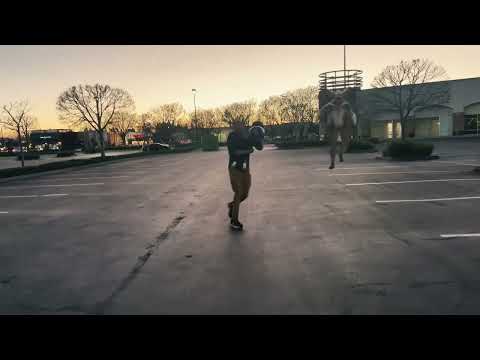
Carrara Sale Email Message Alert threadFreebie with code today, includes 11 Carrara items and 1000 compatible items V4-G2.US AI 48 Hour Film Contest - View Entries & VoteI have watched all 13 of the AI entries, some interesting stuff. The visuals are definitely different from the normal 48 Hour entries (live action and animation), many with that "other worldly" look of AI images. One video in particular impressed me, "Whispers Of The Night Market", mystery genre. Unlike some entries which used a mix of AI and live action, pretty much the whole thing was done in AI (I think) - scenes, character, animation, lip sync, etc. A couple of screen grabs attached - the required character was a food truck cook, and the required prop a rocket. IMHO, the quality matches a GTAV cut scene, which to me is high praise. Not sure I want to get into AI animation, my trusty Carrara is way more familiar.
New User/Basic QuestionsI've exported models from SolidWorks before. I think I used IGES and they imported directly into Carrara without modifying them.
Looking for a 3d moldel of a maypoleI just modelled one in Carrara if that is of any use to you...
I put it in a zip file in the Wacky Modelling Thread if you want it.
New User/Basic Questionsrichardandtracy said:
- Model in SolidWorks
- Export as STL
- Use my own STL to OBJ translator to convert the STL to OBJ
- In my modeller: de-triangulate
- Remove distorted facets or those left as pointy triangles after de-triangulation
- Tex map
- Group surfaces for materials
- Group Facets for rigging
- Export as obj
- Load into DS
- Apply shaders
- Rig
- Save as a DS Asset.
This process is long & tedious, and I hope to do functions 1-8 in Carrara.
Similar to my workflow. Lots of steps from app to app. I use the best tools from each app along the way.
I want to initiate my own OpenGL window inside Carrara ExtensionCan you please advise who is the owner of Carrara Cafe and how it is being maintained?
I want to initiate my own OpenGL window inside Carrara Extension3drendero said:
Fourth option, there may be some hints on the Ray Dream Studio SDK, one of Carraras parents, that seems to have a similar SDK structure as Carrara. RDS did not feature OpenGL previews, but maybe there is a hint in there... Carraras other parent, Infini-D seems to lack an SDK and it only supported Apples Quickdraw3D, not sure if there is anything to dig up there.
Thank you for the great information. Is it possible to get download information for the old Ray Dream Studio SDK and even other older SDKs that you mentioned?
I want to initiate my own OpenGL window inside Carrara ExtensionFourth option, there may be some hints on the Ray Dream Studio SDK, one of Carraras parents, that seems to have a similar SDK structure as Carrara. RDS did not feature OpenGL previews, but maybe there is a hint in there... Carraras other parent, Infini-D seems to lack an SDK and it only supported Apples Quickdraw3D, not sure if there is anything to dig up there.I want to initiate my own OpenGL window inside Carrara ExtensionThird option, there are many new opensourced Carrara plugins, probably only renderers and not OpenGL previews, but maybe there is something out there?I want to initiate my own OpenGL window inside Carrara ExtensionSecond option, the Carrara 8 SDK is probably missing OpenGL examples, but I have not checked all SDK versions. There is a CD archive site for abandonware, in case there is an old example in an older Carrara version. Longshot, but you never know...New User/Basic QuestionsWendyLuvsCatz said:
oooh glad, check out DArtanbeck's sticky of Carrara links and tutorials too
lots on modelling
+1
Remixing your art with AIWendyLuvsCatz said:
FirstBastion trying so hard to reply
will do so in incriments as the forum cloudflares and signs me out
bridge is https://www.daz3d.com/forest-river-bridge
rendered in Carrara which does animated textures using the Octane plugin
textures animated using Photo Mirage
had to convert to image series to use in Carrara (used Blender video editor) did 900 frames for each
only did the foam transmaps
Having the same challenge to say thanks.
New User/Basic Questionsoooh glad, check out DArtanbeck's sticky of Carrara links and tutorials too
lots on modelling
Dartanbeck's Journey - CG FilmmakingAn example of what I mean:
Let's say that we're using a certain collection of aniBlocks and they're working beautifully on our character except that we always have to work the arms in the graph editor and/or delete a bunch of the keys to make them work - sometimes even deleting all of the keys for the arms and animating them by hand.
In my situation of the above, I could start to see corrective results using Arms Up/Down and Arms Front/Back, but to correct fully, I'd introduce a new problem with the arm poses looking funny.
Adding just three new dials: "ArmTwistL", "ArmTwistR" and "ArmsTwist" made all the difference in the world! Now I can actually run the Martial Arts aniBlocks without colliding with the body!!!
I saw ideas for improvement, especially using the Martial Arts example. Sometimes we just need a few frames of correction or simply a change.
Adding Bend and Twist dials for the forearms, individually and together, made this whole thing Superb! Now it's much easier to get that hand in contact with the floor and keep it there as long as it should stay, and then either revert back or go into something entirely different.
Taking this idea only slightly further as we go like this will make basic animation using aniBlocks something a Whole Lot More!
I realize that it's hard to see from my explanations and even my videos. I can tell that folks who are against animating in Daz Studio are still against recommending it - even though it really is the Easy Option for folks wanting to just hop in and animate without actually learning to animate from scratch.
I'm never against the idea of learning to animate from scratch - that's not it at all! In fact, I find that sort of education to be utterly invaluable. That's how we all did it before we got our hands on Motion Capture pose or aniBlock packs.
The ideas and philosophies used in traditional animation are Always valuable tools to learn - and animation software, like Carrara, Blender, Maya, Houdini, etc., have a LOT more going for them beyond just working with motion capture or even just character animation.
With content creators making plugins and scripts and other animation products for Daz Studio - the more of these we collect that perform duties that help our own, specific workflows, the better and better Daz Studio becomes as an animation software choice - Especially for Me!
Why I Love aniMating in Daz Studio
I love how Daz 3D is set up. It's like it's made specifically for me - but they make a plethora of stuff for other people too.
I have a membership. Instead of getting a really cool magazine to gaze through, I get 3D elements for Daz Studio! The membership also guarantees that every single day of the year - and then some - there's a sale going on.
When I have to put on the brakes and can't shop for a while, I still shop. I just put my purchases in my wish list instead of the cart.
I peruse my wish list and I also stroll the aisles of content that I had already purchased in my library. I use both of those with each other to work around a theme and make sure that I can stay on track with the elements I consider to be consistent with what I want to do.
During many of these membership sales events, I've got my hands on a whole bunch of extra goodies that help me along my journey. My subconscious helps me pick these out. My extensive assortment of Iray Shader Collections helps me to quickly change the look of anything in my scene.
I can go on and on - and will if you ever want me to!
The thing is, I really like collecting these various elements. Just the collecting is a big part of the hobby for me.
This collecting hobby is amazing when it comes time to working out scenes. I might load part of a product simply because i really love how the artist conveyed the materials - and I want to copy the shader to other elements in my scene. I'll just copy over the shader and switch the correct maps back in - making any of the missing ones if needed.
I love the entire Genesis line from the first through the latest, and I still find situations when I'll grab an earlier generation and work with them too. But the first Genesis and Daz Studio 4.0 Pro where developed together, making a system that is incredibly elegant and simple to work with, and yet has stunning imagery results.
As they add new tech to Studio, the Daz 3D company themselves along with all of their many Published Artists will rise to the occasion and make content that works with that new function, feature or technique. It's a beautiful thing!
The fact that some of the PAs are obviously either animators, interested in animation, or know how to work with and help the animation process, is a huge boon to this entire works.
Scripts, Props, Figures, Special FX, Special Functions, Motion Capture Data... Having these things available to us as product add ons is awesome!
Daz Studio itself lets us use it for Much more than a posing and rendering house. We can create tools, functions, scripts, props, figures, shaders, lighting arrangements... we can do a Lot of cool under-the-hood stuff to studio that customizes it to what we want to do and still... when we buy this cool new stuff, it just freaking Works!!!
Quick Taste of Carrara's Explode and Spin modifier (Done with Carrara in few minutes)3D Software used: Carrara Pro 8.5 in no time.
New User/Basic QuestionsI have bought Carrera 8.5 Pro very recently, even though I've had my eye on Carrara since 2006 (maybe). I simply can't get on with Blender and its deeply unhelpful video only tutorials. For some reason Hexagon & I don't seem to work the same way, the workflow just seems wrong to me. Carrara, with its detailed V7 user manual, is much more my thing and feels right somehow.
However, there are some things that as a new user, I don't seem to be able to find, so I'd appreciate it if you could bear with my potentially stupid questions & guide me through the learning process. I will keep all my questions in this thread so the forum won't be pebbledashed with 'doh' moments.
I do have modelling experience - I started Finite Element Stress Analysis (FEA) modelling on a PC in 1988, continuing with that up until 2006. In 2004 I got seriously upset with the modeller I was using for the NISA FEA package and threw my toys out of the pram. The modeller hadn't improved since 1990, and I rashly declared that I could do better myself. And did. I wrote a 3d surface modeller in C++ with modelling functionality better than the NISA one in under 6 months. This modeller was effectively my main source of income for the next 2 years, as I was able to charge a higher hourly rate than others, but still make stress jobs cheaper for my customers. Then in 2006 I moved to SolidWorks CAD and FEA, but still tinkered with my modeller sporadically adding little functions. In 2019 I returned to DS, and tweaked my modeller further to work with obj files and have used that as a translator & link between SolidWorks & DS, using it for basic tex mapping, de-triangulation, surface group allocation as well as facet group allocation for easier rigging in DS. I have released a number of DS freebies since 2019 (232), including models of things (55), and would like to reduce the complexity of my modelling workflow which can be summarised as this:
- Model in SolidWorks
- Export as STL
- Use my own STL to OBJ translator to convert the STL to OBJ
- In my modeller: de-triangulate
- Remove distorted facets or those left as pointy triangles after de-triangulation
- Tex map
- Group surfaces for materials
- Group Facets for rigging
- Export as obj
- Load into DS
- Apply shaders
- Rig
- Save as a DS Asset.
This process is long & tedious, and I hope to do functions 1-8 in Carrara. My own modeller is aimed at engineering, everything is very precise and translations can be specified to 12 digits of accuracy. I simply cannot drag a vertex or facet until it's about right, and modifying the program to do it would be a monumental task, hence the desire to use Carrara.
Please forgive me if I occasionally use FEA terminology. If I occasionally say 'Element' I mean 'Facet' and if I say 'Node' I actually mean 'Vertex'. I've been involved with FEA stuff much longer than arty modelling and the terminology is more deeply engrained. So, I have summarised my experience, but I'm a total newbie with Carrara.
First question of (probably) lots:
I have made a TriAx version of Victoria 3 with autofit clones for V4, M4, G3F, G3M, G8F and G8M all created by poses. These autofit clones are just-about there, but could be better, and I'd like to make them better. In Carrara I have tried loading a V3 clone obj shaped rather like G8F, and an obj of the G8F base character. I'd like to use the vertex modeller to move the facets of the V3clone to more closely match the G8F obj file, and I understand how they can be moved in the Vertex Modeller. Trouble is.. the G8F obj file becomes invisible once I enter the vertex modeller.
Q: Is there any way of keeping the G8F obj visible somehow?
If not, it'll just make a laborious process even more laborious.
Regards
Richard
Remixing your art with AIFirstBastion trying so hard to reply
will do so in incriments as the forum cloudflares and signs me out
bridge is https://www.daz3d.com/forest-river-bridge
rendered in Carrara which does animated textures using the Octane plugin
textures animated using Photo Mirage
had to convert to image series to use in Carrara (used Blender video editor) did 900 frames for each
only did the foam transmaps
Remixing your art with AIDiomede said:
Wow, Wendy! Twenty six minutes, the star doing some dances, wardrobe changes, amazing. How long does it take for you to render and process something like that?
well the longest part that took literally days a week in fact was the DAZ studio render and Carrara renders including a Virtual World Dynamic sim on my other computer
the Stable Diffusion image to image processing I did today and uploaded it today
this is why I refuse to accept using AI is cheating, easy etc
you can watch my linked 3D video and likely pick which scenes I used
the poetry was ChatGPt4 through several sites including Suno Chirp Discord Bot which created the music I also edited, I have two speech programs too I used, one clones and changes voices the other clones voices for text to speech, I sampled my late mother off homemovies, my late Auntie, myself and several included voices
Remixing your art with AIanother DAZ/Carrara video render processed through Stable Diffusion
some of the original 3D CGI scenes in this video https://youtu.be/VOJBv2BdC9c