-
PBR Filament render makes everything pink
Even when creating a new scene with just a primitive box in it with no shader, if i switch to the PBR rendering it turns it pink, and i can see four different shades of pink depending on whether i want dome, dome+scene, scene, or sun-sky mode, but none of them allows me to view the surface as it is. all blues, greens, etc look nearly black and i think they are being multiplied with the pink light.
this problem seems basic, but nobody else seems to be experiencing the same issue. is it possible to use PBR/Filament to view the "true" colors of objects in their full brightness? if not, can the pink tint be cancelled out with another tint so that they appear true to color? I notice that spotlights and distant lights dont seem to change this either ... i even tried adding a blue distant light, but it, too just made thinks darker instead of bluer.
ive been using DAZ for nearly three years now, but Im an off-and-on hobbyist so I am still posting in the new-user forum as Ive noticed my posts so far have tended to be answered quickly. I appreciate the help people here have given me and hope that this problem is as easily solved as the others. I have looked for answers in the forums and on other sites, but as Ive mentioned, no one else seems to have this specific problem.
Thank you,
Soap
DAZ Material Texture IssueFirst, do not use Filament to preview in which you cannot see the effect of Metallic Flakes or sth like that (if there's any). Just use NVIDIA Iray preview...
If you still cannot see any 'metallic gleaming', go to check the surface parameters of the armor, convert them to iray uber shaders if possible, use PBR Metallicity/Roughness in Base Mixing, and add Metallic Flakes if needed.
Daz Studio Animation (Filament) The Big Dynamic Robot Show!VIDEO Release The Big Dynamic Robot Show Episode I
So yes, in the zone we’re in- making videos for lots of records. This video is for Lenzmen Dynamics Plus, off the Doctor Atomics and the Fortress of Solitude album. It came out in 2005, physical copies and digital. We had some great reviews for the release. Years later, we’re making a video. As you’ve seen there’s a good number of tools at play. Runway AI does the transition from image to image using their Image Interpolation tool. Studio d-id is the clip where Doctor Atomics speaks. You might have recognized that effect from the “Lonely Angel” video from Domino Grey. Some VFX are custom clips done straight in Adobe Premiere and others are from a site that sells clips.
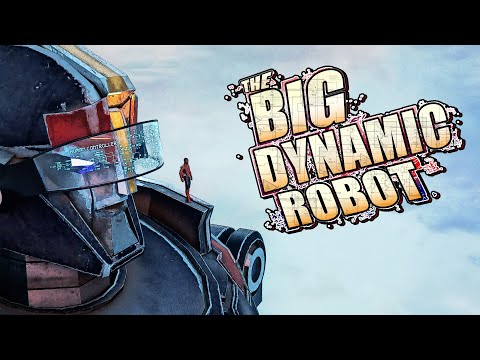
The Big Dynamic Robot Show Episode I
Daz Studio does the heavy lifting as the source of all characters and animation. Video upscaling was done with Topaz Video AI. The comet in the opening was done with GENMO. Runway AI was back with Gen-1 for the knocked out “dream sequence”. Oh and Ron Deviney (A vendor in the Daz Store) pretty much gets credit for any effect that wasn’t animated. No, wait, I hand drew the lasers in Photoshop and Griffin Avid did all the graphic effects. Thank you for your support.
Blender Strand Hair into Dazyeah I quite often edit my DAZ content but you cannot edit strandbased Dfrorce hair very much, (only the parameters exposed in the program)
that is why I don't buy much and it's not that realistic anyway, a good editable polygon mesh clothbased dforce hair often looks and behaves much better
all I really use standbased for is Filament that hates cutout opacity
and for furs and they don't need dforce
Filament crashes aftyer updateThis discussion was created from comments split from: Crashes Due to Filament.Filament crashes aftyer updateHi. I use filament a lot because i make comics but since i downloading the latest version of daz, i think 4.21.0.5, it's crashing often when i switch to filamentI am stuck with clearing scene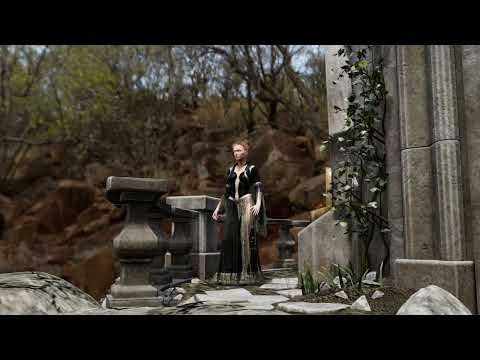
video, Filament render
yes it's that hair autofitted that is the issue
while the saved scene loads on my other computer it too will freeze if I click the "Unfitted but fitted" hair
the only solution I found was not to save it with the hair and add and fit it each scene load, other autofitted stuff has never given me this issue so must be a Strandbased unique problem
I used the hair because I was rendering in Filament and it works better line tesselated 3 sides or more PBR view than hairs with Opacity Maps,
Filament and Cutout Opacity don't play nice as you can see even with the dress
Filament draw style won't work with a keyboard shortcut?Filament draw style won't work with a keyboard shortcut?
Why? I have tried several combinations and none seem to work so far.
Thanks in advance for any help on this.
Dforce hair crashing on test render?richardandtracy said:
On my old machine, when I upped the RAM from 16Gb to 24, I found that moving around in an UltraScenery (US) landscape was virtually no different (US was the biggest load on the machine I ever subjected it to). Had to have it set to texture shaded only, regardless of the apparent scene size with US. Using filament for the draw style was spectacularly successful at causing crashes. Where I did notice an improvement from the extra 8Gb was it stopped crashing during the render preparation phase when all the textures are loaded and uncompressed before being sent to the GPU. I can't comment on big scenes that are not US. Limited info, I know, but as good as I can give you. Regards, Richard.
Got ya thanks! Also I have to say my name is Richard and you really freaked me out for a second lol
Dforce hair crashing on test render?On my old machine, when I upped the RAM from 16Gb to 24, I found that moving around in an UltraScenery (US) landscape was virtually no different (US was the biggest load on the machine I ever subjected it to). Had to have it set to texture shaded only, regardless of the apparent scene size with US. Using filament for the draw style was spectacularly successful at causing crashes. Where I did notice an improvement from the extra 8Gb was it stopped crashing during the render preparation phase when all the textures are loaded and uncompressed before being sent to the GPU. I can't comment on big scenes that are not US. Limited info, I know, but as good as I can give you. Regards, Richard.Daz Studio and LinuxAfter spending days with bottles and wine-staging I got it working with Lutris. This is how I think I did it.
My system.
- DAZ Studio 4.21.0.5
- Debian 11.
- ASUS GeForce RTX 3060 12GB DUAL OC V2.
- NVIDIA-SMI 470.161.03
- Driver Version: 470.161.03
- CUDA Version: 11.4
My steps.- Install NVIDIA drivers for Debian. Not sure which, but the recommended that you use for everything.
- Install "Lutris".
- Install "DAZ Studio".
- Start "DAZ Studio" and set the viewport to NOT use "filament". Else it will crash later!
- Download and extract "nvidia-libs-0.7.7.tar.xz" and enter folder in terminal.
- Run the script "WINEPREFIX=/home/user/Games/daz ./setup_nvlibs.sh install".
- Start "DAZ Studio" and the GPU rendering WORKS!. At least I think it works.
Big thanks to this thread. Could not have done it without you!
Show us more of your 3Delight rendersMisselthwaite said:
I admire people who manage animation in Daz - I tried once, and realized it just wasn't something I had the mindset for, or 'the eye', I suppose... or the patience. As a sidenote, the bridge would largely provide an ambient light, or a nice IBL sort of all-round illumination, but I have no idea what that would do to render times!
Thanks for your reply; I think I'd need to use 3DL and some other lighting, which really cranks up the render times for my simple animation. I remember puttering briefly with similar lighting almost a decade ago, but since I was using a lot of PWToon at the time, I found that Uberenvironment worked best for me. I'm hoping to try out Filament with some HDRI products I have once DAZ Studio 5 comes out (I'm using Macs and while I've tested Filament a few times on my machines, it's awkward and when something doesn't appear to work, I can't be sure if it's the product's fault, my fault -- mostly likely -- or running Windows in a vertual machine). Theoretically, Filament should render as fast or faster than OGL once it's implemented and provide better transparency and lighting options than OGL. Hopefully it won't be much longer...
-- Walt Sterdan
The "Animators Assemble!" thread for Daz animation WIPs, clips, and tipsWendyLuvsCatz said:
you can animate in DAZ studio too
it's probably where you should start
there are Aniblocks included or you can use poses and interpolate between them
Filament render useful for fast rendering
Since I'm on a Mac, I'm still waiting for Filament, hopefully soon.
In the meantime, I just finished my first serious attempt at a cartoon short. Back in November, 2021 I had a few days off work and I did a very quick 'n' dirty test video to help show me how much I didn't know. It was a lot. Uuuuuuugly.
I retired recently and am finally sitting down and working on projects that have been sitting on the back burner for literally decades.
This is the second draft of my first real video (still lots to learn).
My goal wasn't to rival Pixar (or any of the animators in this thread who do such incredible work) but to show what's possible using DAZ Studio and a low-end computer in a production-style environment, not great video but decent; I was thinking of 60s/70s quality, inspired by Fireball XL5 and Star Trek: The Animated Series.
In makng this, I spent a total of 95 minutes doing 7 minutes of lip synch using DAZ's 32-bit lip synch (still the best lip synching availble in my opinion). This video uses about half of the 55+ clips, a second video uses the other half. All of the lip synching is in 55+ partial-poses and can be applied to any G3, G8 characters as well as my custom toons used here, without significantly changing any of the targets' body poses or animations.
As a proof-of-concept, I did the first draft using an Intel MacBook Air using OpenGL. I did any corrections to the first draft to make this draft using an M1 iMac, speeding up the renders a fair bit, but if I were doing a new video in this style (lots of talking) I'm pretty confident I could generate four or five minutes of animation like this a week without breaking a sweat.

-- Walt Sterdan
The "Animators Assemble!" thread for Daz animation WIPs, clips, and tipsWendyLuvsCatz said:
gwr2n said:
WendyLuvsCatz said:
you can animate in DAZ studio too
it's probably where you should start
there are Aniblocks included or you can use poses and interpolate between them
Filament render useful for fast rendering
I'm not familar with filament render
it's the drawstyle directly under iray
to render in it or OpenGL or Wireframe you choose viewport instead of iray or 3Delight
Thanks i actually jsut found a video on it to i appreciate it
The "Animators Assemble!" thread for Daz animation WIPs, clips, and tipsgwr2n said:
WendyLuvsCatz said:
you can animate in DAZ studio too
it's probably where you should start
there are Aniblocks included or you can use poses and interpolate between them
Filament render useful for fast rendering
I'm not familar with filament render
it's the drawstyle directly under iray
to render in it or OpenGL or Wireframe you choose viewport instead of iray or 3Delight
The "Animators Assemble!" thread for Daz animation WIPs, clips, and tipsWendyLuvsCatz said:
you can animate in DAZ studio too
it's probably where you should start
there are Aniblocks included or you can use poses and interpolate between them
Filament render useful for fast rendering
I'm not familar with filament render
The "Animators Assemble!" thread for Daz animation WIPs, clips, and tipsyou can animate in DAZ studio too
it's probably where you should start
there are Aniblocks included or you can use poses and interpolate between them
Filament render useful for fast rendering
Cannot create sphereHi & Welcome to the forums :)
It looks like you do have a Sphere there but as you are using Filament drawstyle (drop-down that is to the left of where it says "Perspective View" in the top-right of the viewport) which is very bright by default. If you click on the sphere and then go into the Surfaces tab (in your left panel), and under Sphere>Default find the item that says "Base Color". Click on the white bit (which will bring up a colour-picker) and select a non-white colour and click OK. This should give you a better view of the sphere since you can see the light reflecting off of the object.
EDIT: See screenshot attached - ignore that fact that I am using a different theme and my surface tab is on the right - but that shows the sphere with a colour so you can see the light reflecting off it as you move around it.
No effect with Dome Scale Multiplier or Dome RadiusWorks fine here. If I set the dome radius to 2 meters I can see the dome sphere becomes smaller. Of course you have to to set "draw dome" to on to see it.
While "visualize finite dome" doesn't seem to work, if this is what you mean. But you can see it in iray rendering or iray preview.
Doesn't work for filament.
AI is going to be our biggest game changerwell I seem to have broken my local installation of Stable Diffusion
so might be going back to doing DAZ iray renders
(I was doing renders on my other PC but mostly Carrara and Filament)
Daz 3D is part of

Connect
DAZ Productions, Inc.
7533 S Center View Ct #4664
West Jordan, UT 84084Licensing Agreement | Terms of Service | Privacy Policy | EULA
© 2026 Daz Productions Inc. All Rights Reserved.













